00195982-03_SM_SWS_EN.pdf - 第54页
3 SIPLACE wafer system (SWS) function 3.3 Pick and transfer process in detail 54 Service Manual SIPLACE Wafer System (SWS) 11/2018 3.3.2 Flip chip segment 1 (Z direction) Fig.34: Flip chip segment 1 (Z direction) ● The …
3 SIPLACE wafer system (SWS) function
3.3 Pick and transfer process in detail
Service Manual SIPLACE Wafer System (SWS) 11/2018 53
3.3 Pick and transfer process in detail
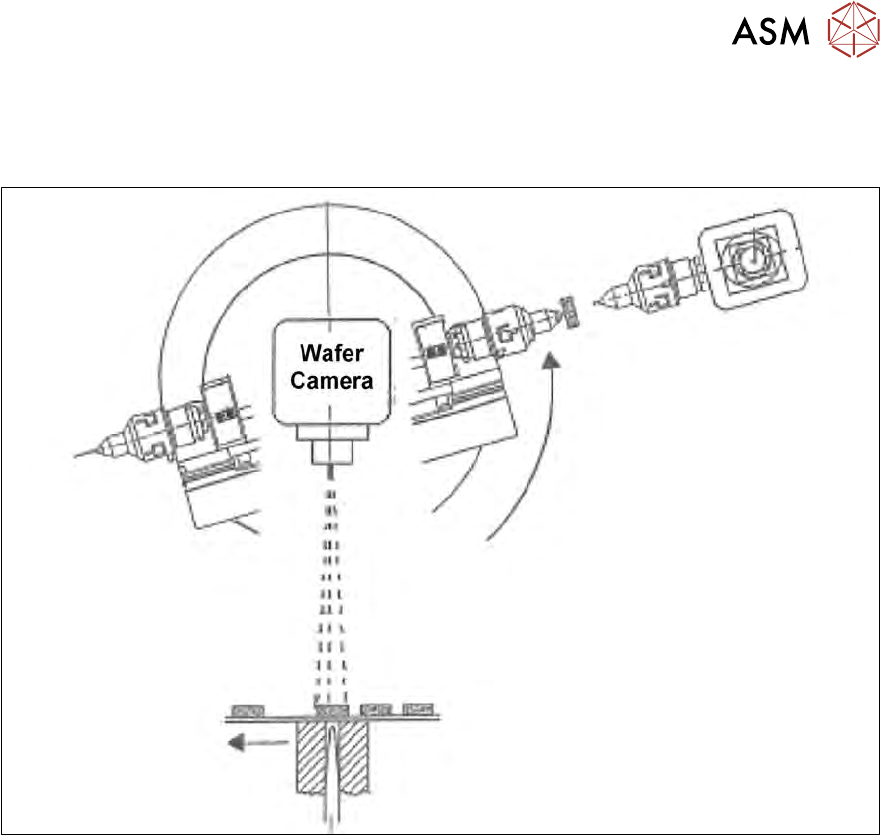
3.3.1 Flip chip segment 1 (nozzle)
Fig.33: Flip chip segment 1 (nozzle)
●
The wafer X-Y travels to the next chip.
●
The flip chip rotary unit segment 1 turns to the handover position "Die Attach".
Image recognition of the next chip is performed from the camera "free" position.
3 SIPLACE wafer system (SWS) function
3.3 Pick and transfer process in detail
54 Service Manual SIPLACE Wafer System (SWS) 11/2018
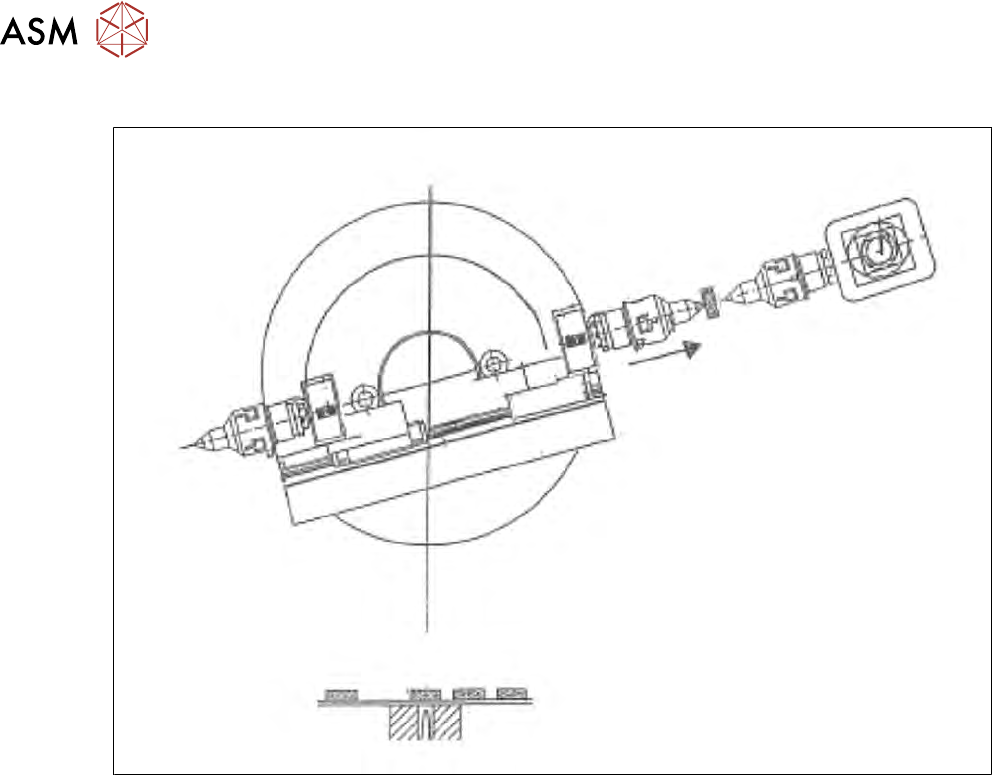
3.3.2 Flip chip segment 1 (Z direction)
Fig.34: Flip chip segment 1 (Z direction)
●
The X axis of the flip chip rotary part, segment 1 is moved to the transfer position.
3 SIPLACE wafer system (SWS) function
3.3 Pick and transfer process in detail
Service Manual SIPLACE Wafer System (SWS) 11/2018 55
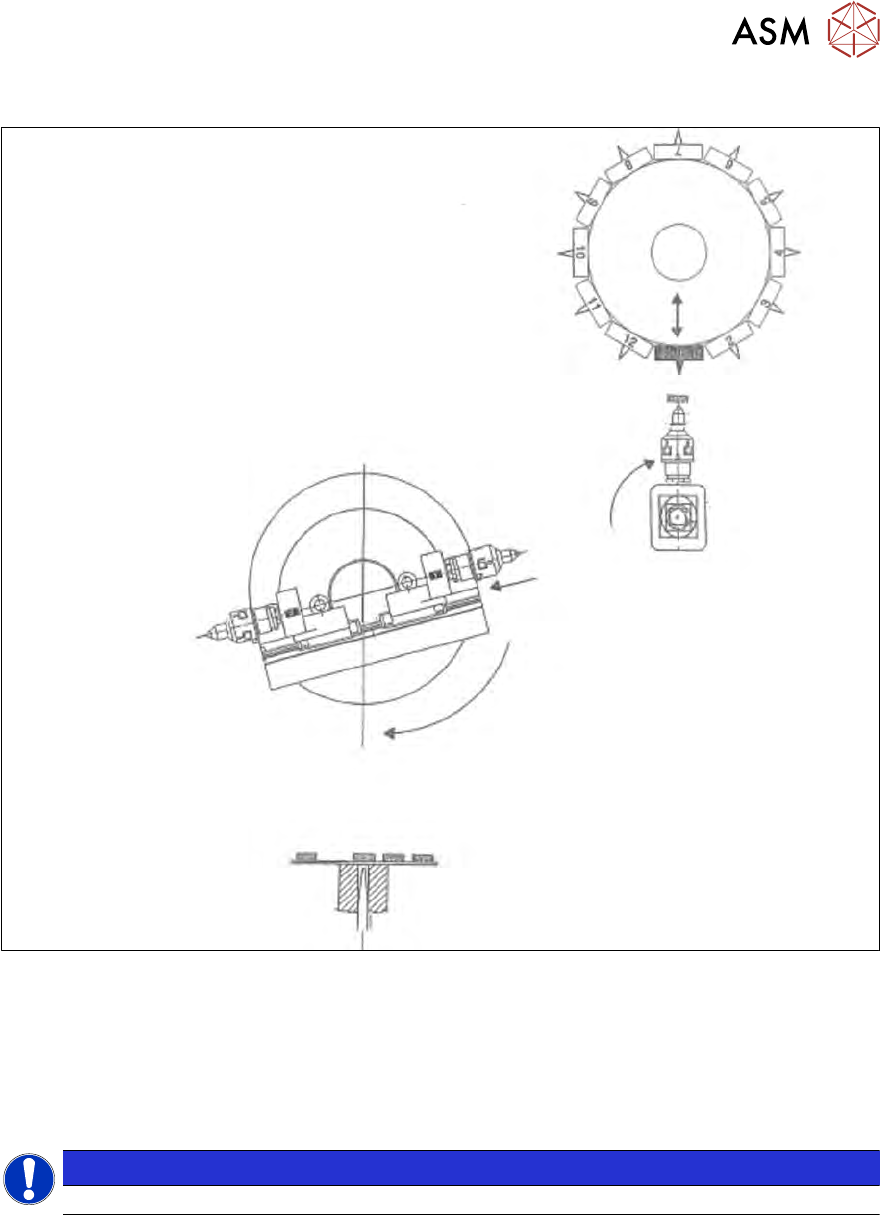
3.3.3 Die attach – transfer position
Fig.35: Die attach – transfer position
●
The die attach rotates to the transfer position.
●
The placement head picks the chip up from the die attach segment and rotates to the next
star position.
●
At the same time the X axis pulls segment no. 1 back into the home position.
●
The flip chip unit - segment no. 1 rotates to the pickup position and picks up the next chip.
NOTICE
While using the die attach unit, only the segment no.1 of the flip chip unit is active.