00195982-03_SM_SWS_EN.pdf - 第197页
9 Wafer change system 9.1 Magazine lift Service Manual SIPLACE Wafer System (SWS) 11/2018 197 9.1.1.6 Cover switch The cover switch checks whether the wafer lift cover is closed. The cover switch is located on the right …
9 Wafer change system
9.1 Magazine lift
196 Service Manual SIPLACE Wafer System (SWS) 11/2018
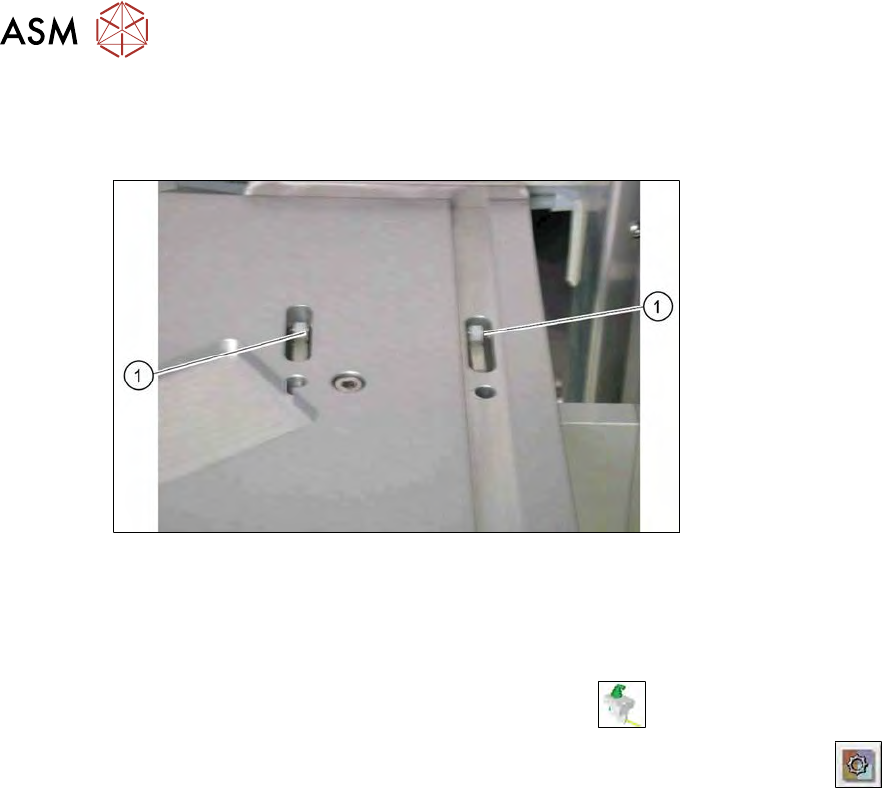
9.1.1.5 Switch for checking whether a cassette is present
Two toggle switches on the magazine plate of the wafer lift check whether a wafer cassette in
inserted.
Fig.255: Toggle switch on magazine lift
1. Toggle switch for wafer cassette 8"
2. Toggle switch for wafer cassette 12"
► Check the input signals for the proximity switch.
► In the toolbar, select the button Manual Settings
.
► Go to the Manual Settingsview and select the button Manual Subsystems
and then
select IOs (see 14.2 "Manual settings" [}358]).
► Select the Wafer Changertab .
► The display shines:
– DI28 Magazine present
The connection cables are run to the DNC board and connected there (see 9.1.2 "Electrical sys-
tem" [}200]).
9 Wafer change system
9.1 Magazine lift
Service Manual SIPLACE Wafer System (SWS) 11/2018 197
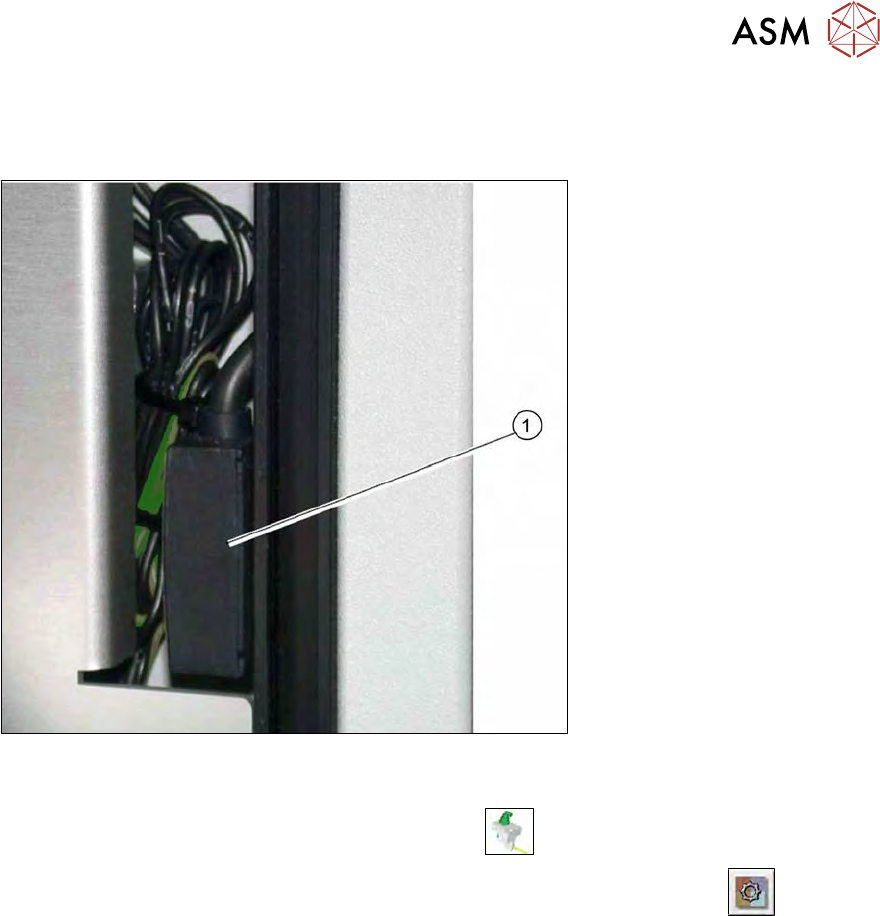
9.1.1.6 Cover switch
The cover switch checks whether the wafer lift cover is closed. The cover switch is located on the
right side of the wafer lift.
Fig.256: Cover switch on the magazine lift
► Check the input signals for the proximity switch.
► In the toolbar, select the button Manual Settings
.
► Go to the Manual Settings view and select the button Manual Subsystems
and then
select IOs (see 14.2 "Manual settings" [}358]).
► Select the Wafer Changertab .
ð The display shines:
– DI27 Wafer lift hood: closed
The connection cables are run to the protective contactor combination and connected there (see
9.1.2 "Electrical system" [}200]).
9 Wafer change system
9.1 Magazine lift
198 Service Manual SIPLACE Wafer System (SWS) 11/2018
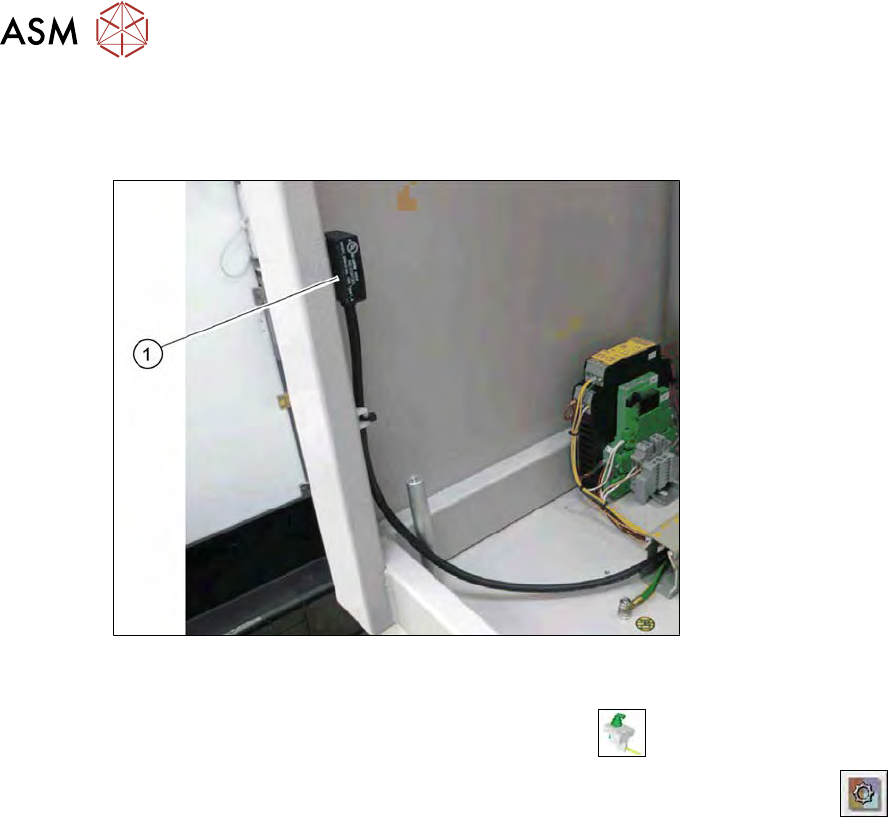
9.1.1.7 Door switch
The door switch checks whether the supply door for the wafer lift is closed. The door switch is loc-
ated on the left side of the wafer lift.
Fig.257: Door switch on the magazine lift
► Check the input signals for the proximity switch.
► In the toolbar, select the button Manual Settings
.
► Go to the Manual Settings view and select the button Manual Subsystems
and then
select IOs (see 14.2 "Manual settings" [}358]).
► → Select the Wafer Changer tab.
ð The display shines:
– DI27 Wafer lift hood: closed
The connection cables are run to the protective contactor combination and connected there (see
9.1.2 "Electrical system" [}200]).