00195982-03_SM_SWS_EN.pdf - 第57页
3 SIPLACE wafer system (SWS) function 3.3 Pick and transfer process in detail Service Manual SIPLACE Wafer System (SWS) 11/2018 57 1. Mechanical stopper 2. Home sensor Reject bin segment no. 2 Reject bin segment no. 1 Fi…
3 SIPLACE wafer system (SWS) function
3.3 Pick and transfer process in detail
56 Service Manual SIPLACE Wafer System (SWS) 11/2018
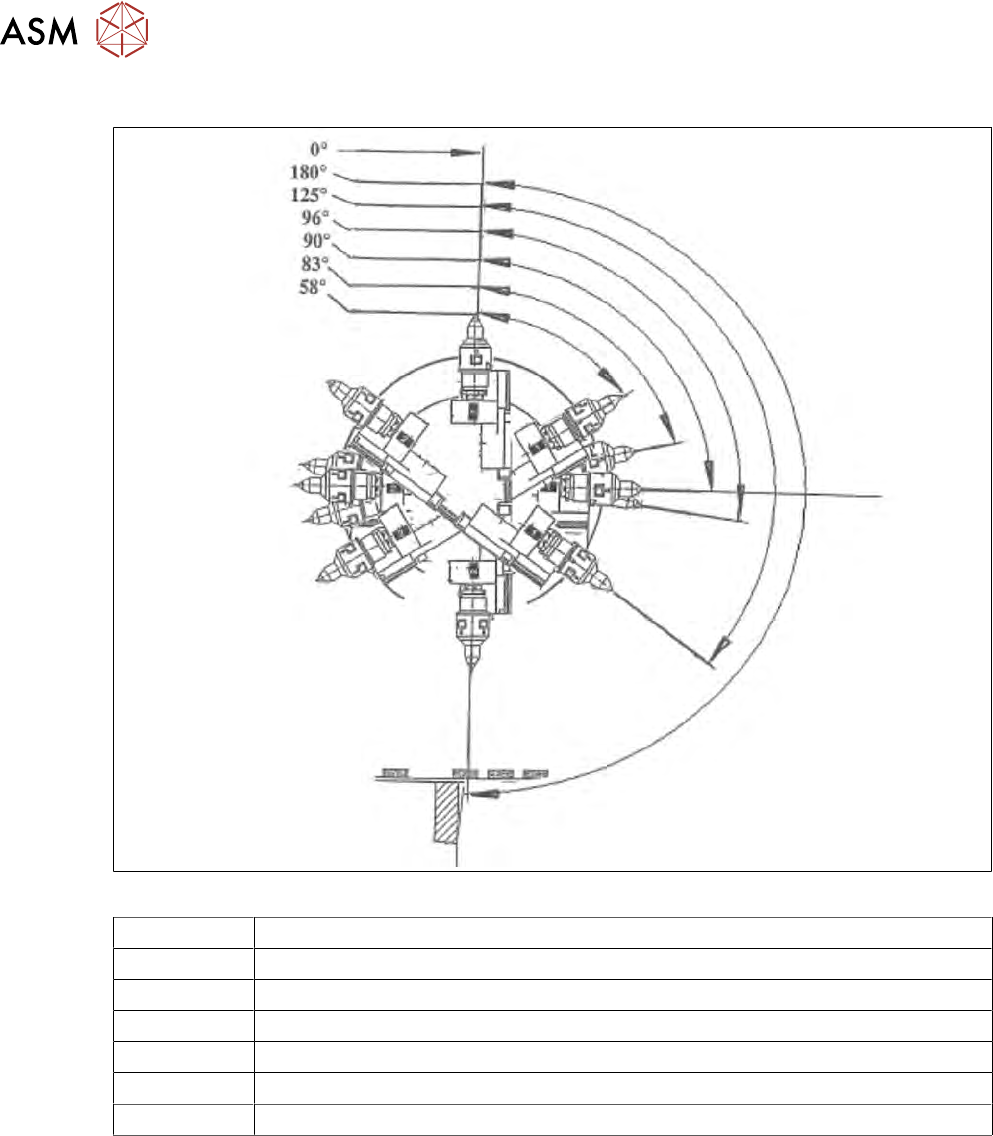
3.3.4 Flip chip encoded positions (after calibration)
Fig.36: Flip chip encoded positions (after calibration)
0° Home sensor position"
180° Pickup position, segment 1
125° Camera "free position"
96° Discharge position, segment 1
90° Home offset position
83° Discharge position, segment 2
58° Camera "free position"
3 SIPLACE wafer system (SWS) function
3.3 Pick and transfer process in detail
Service Manual SIPLACE Wafer System (SWS) 11/2018 57
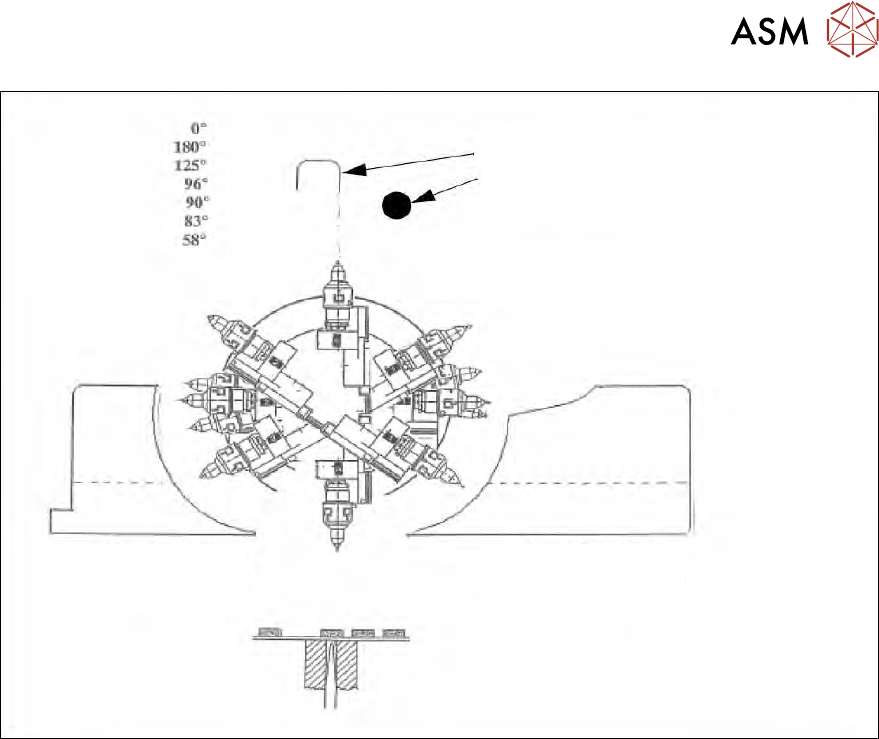
1. Mechanical stopper
2. Home sensor
Reject bin segment
no. 2
Reject bin segment
no. 1
Fig.37: Initialization of flip rotation axis
1. Mechanical stop
2. Home sensor
The home sensor is used to initialize the flip rotation axis. During the initialization, the rotation axis
travels slowly until the home sensor triggers. Afterwards the first zero pulse is searched for in an
area of 0-30° of the rotation axis. This enables the zero position of the flip rotation axis to be
defined.
3 SIPLACE wafer system (SWS) function
3.3 Pick and transfer process in detail
58 Service Manual SIPLACE Wafer System (SWS) 11/2018
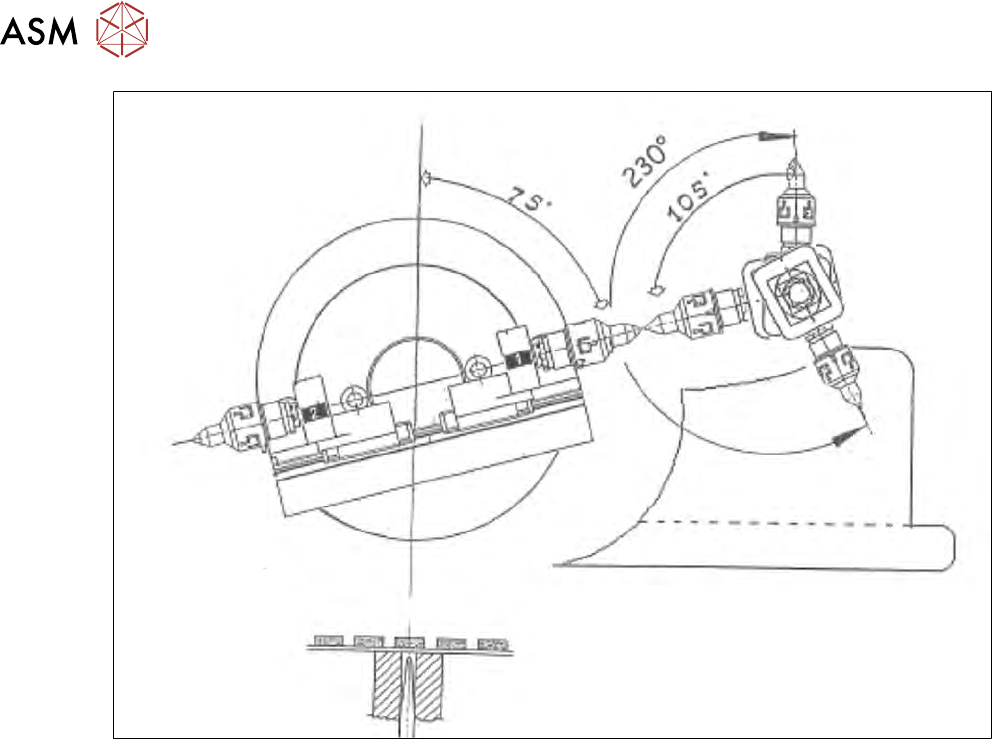
Fig.38: Positions flip head/die attach segment
●
Flip head transfer position
●
Acceptance or reject position
●
Transfer position of die attach segment on placement head