00195982-03_SM_SWS_EN.pdf - 第153页
7 Die ejector 7.4 Mechanical adjustment of the needle position in the X/Y position Service Manual SIPLACE Wafer System (SWS) 11/2018 153 Fig.193: NOTICE ► If the needle tip is not visible, switch to the menu Illuminatio…
7 Die ejector
7.4 Mechanical adjustment of the needle position in the X/Y position
152 Service Manual SIPLACE Wafer System (SWS) 11/2018
7.4.2 Adjusting the needle in the X/Y position
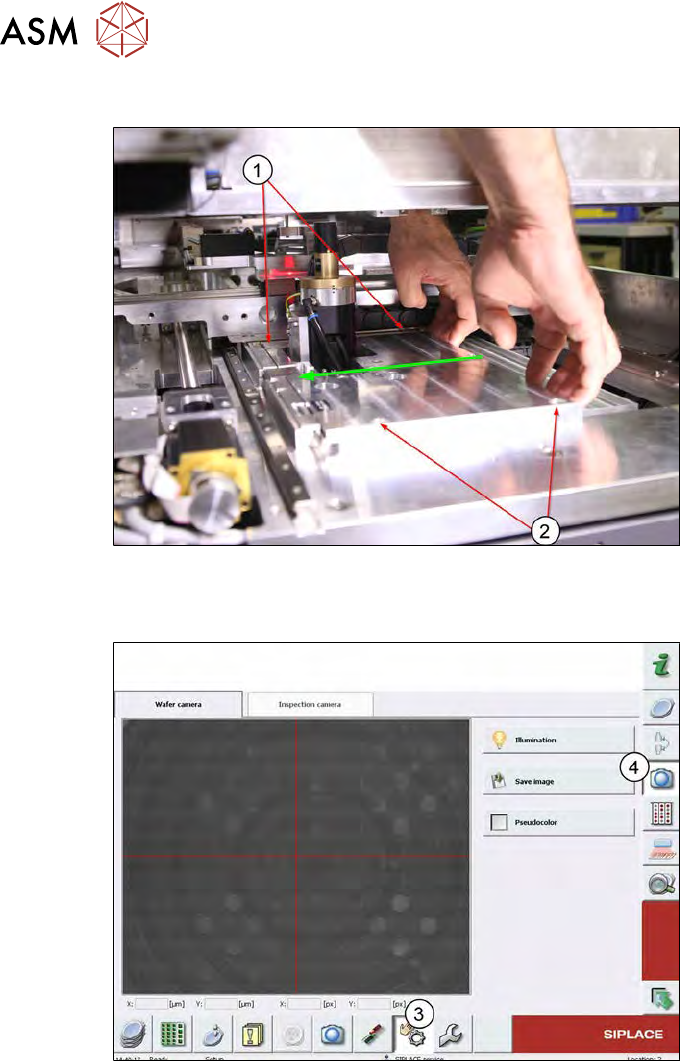
Fig.191:
► Remove the four screws (1 and 2) fastening the base plate and press the base plate in the
direction of the eccentric shaft.
Fig.192:
► Switch to the live image from the wafer camera (3 and 4).
7 Die ejector
7.4 Mechanical adjustment of the needle position in the X/Y position
Service Manual SIPLACE Wafer System (SWS) 11/2018 153
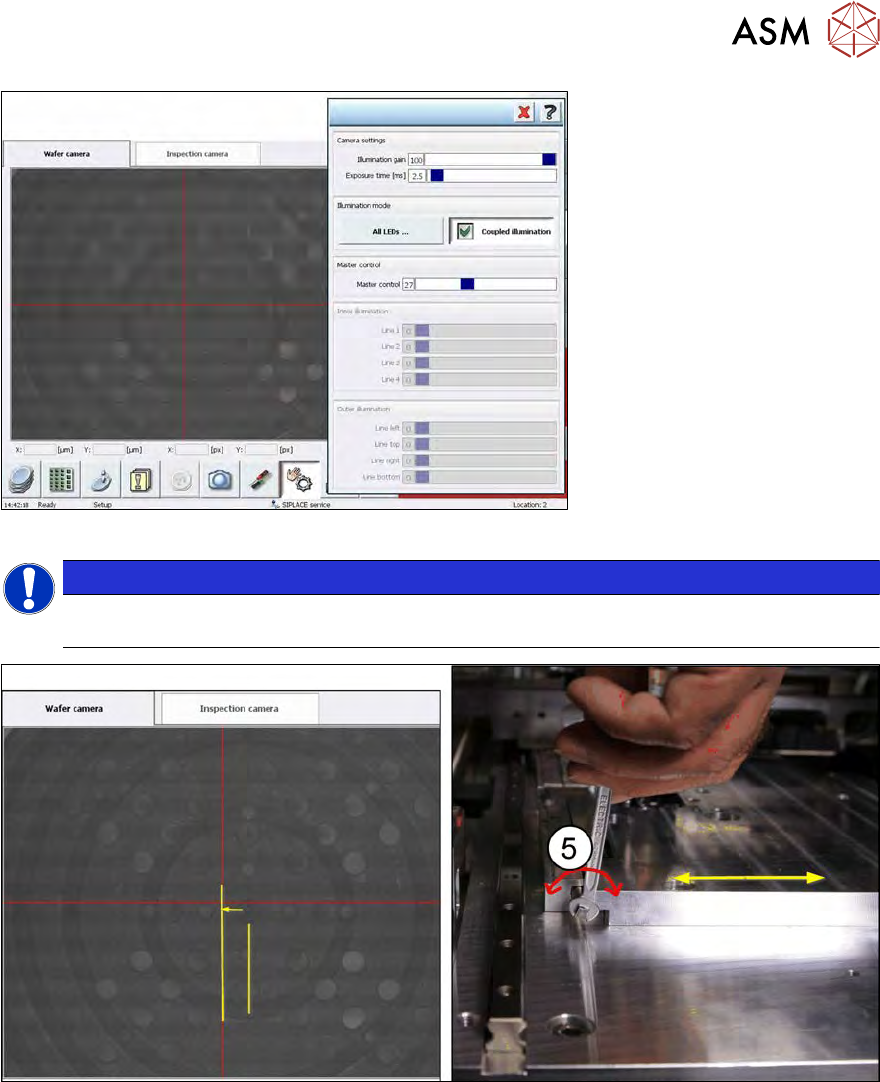
Fig.193:
NOTICE
► If the needle tip is not visible, switch to the menu Illumination and set the lighting so
that you can see the dot showing the needle tip/needle cone.
Fig.194:
► Turn the eccentric shaft (5), until the wafer camera live image shows the needle tip dot under
the red line. → Adjustment in X position
7 Die ejector
7.4 Mechanical adjustment of the needle position in the X/Y position
154 Service Manual SIPLACE Wafer System (SWS) 11/2018
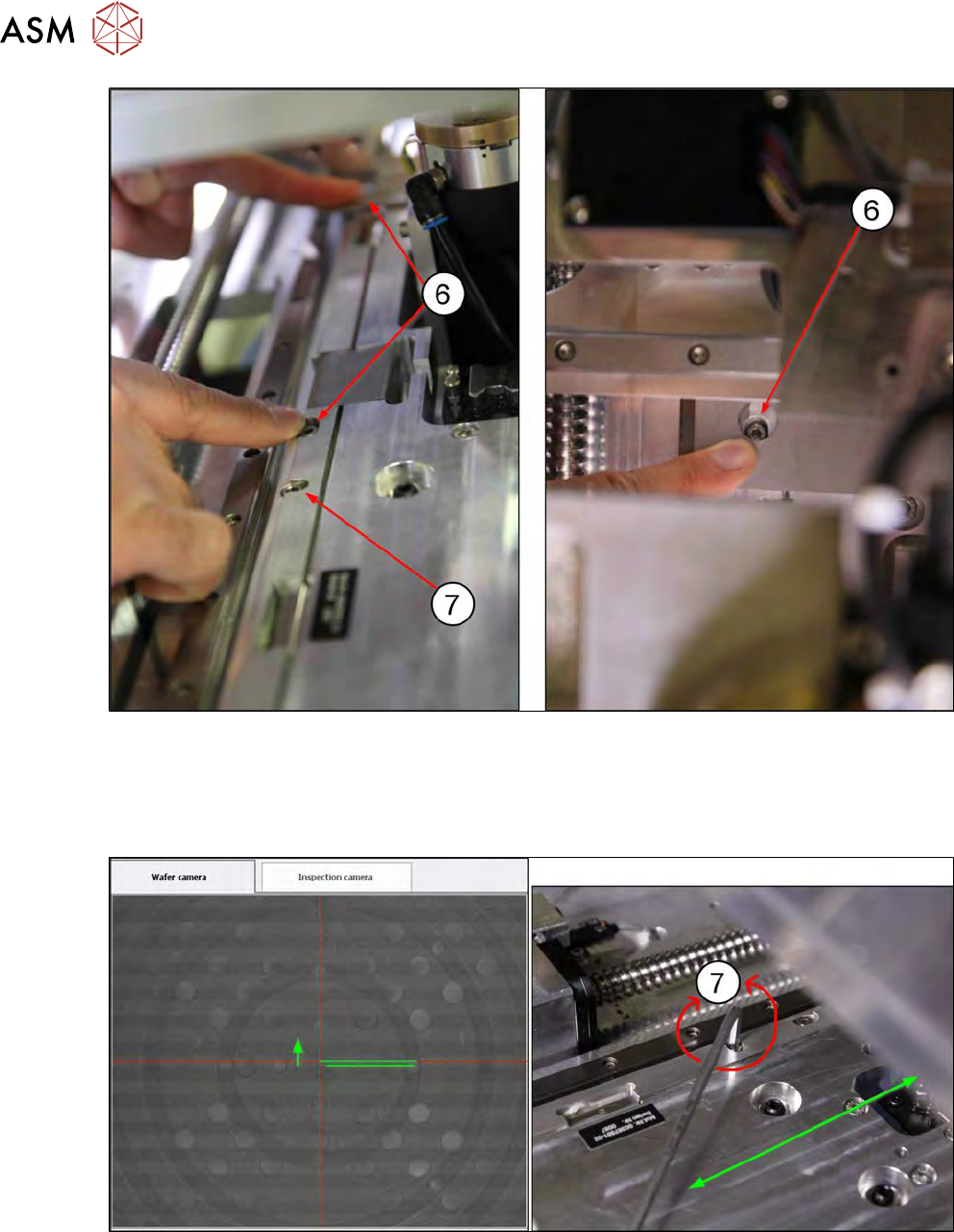
Fig.195:
► Remove the two locking screws (6) from the eccentric shaft, so that the base plate can be
moved in the Y direction. The rear locking screw(6) can only be reached if the wafer table has
already been moved manually in the direction of the wafer lift.
► The eccentric screw(7) is used to set the base plate in the Y direction (Allen key 4mm).
Fig.196:
► Turn the eccentric screw (7), until the wafer camera live image shows the needle tip dot ex-
actly in the crosshairs of the red lines. → Adjustment in Y position