00195982-03_SM_SWS_EN.pdf - 第457页
16 Software 16.2 Installation of operating system Service Manual SIPLACE Wafer System (SWS) 11/2018 457 Fig.703: Networking menu ► Press ESC . Fig.704: Setup tool menu ► Press ESC . Fig.705: Message: exiting the setup…
16 Software
16.2 Installation of operating system
456 Service Manual SIPLACE Wafer System (SWS) 11/2018
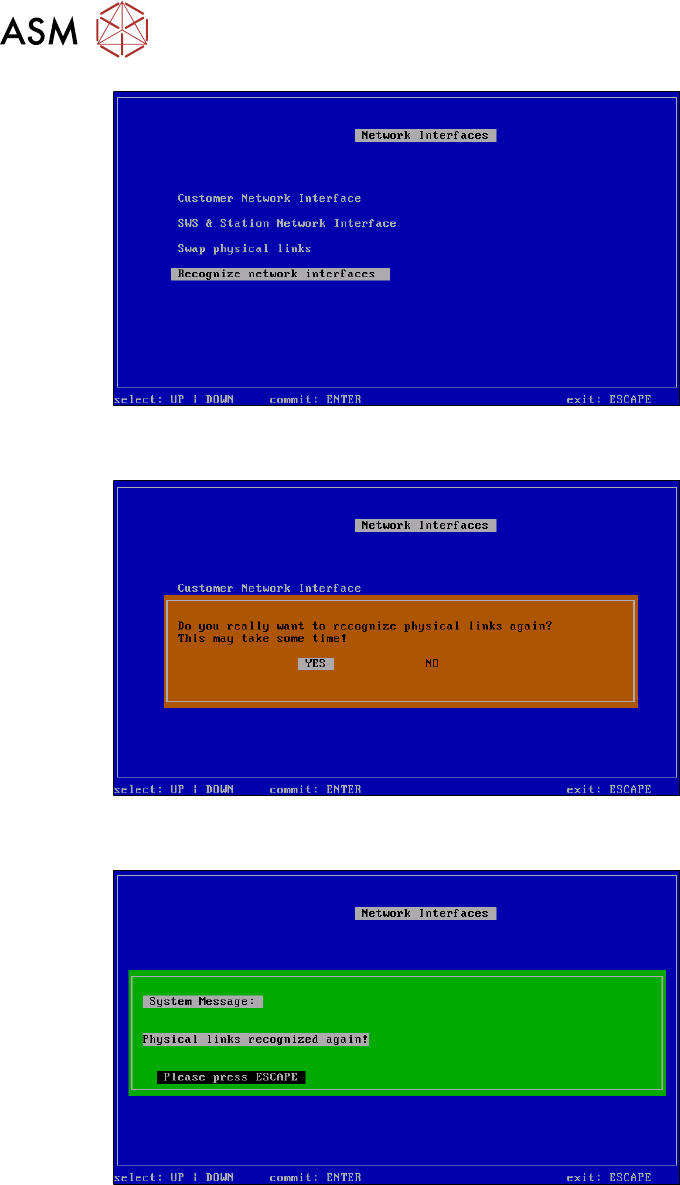
Fig.700: Recognize network interfaces menu
► ConfirmRecognize network interfaces with Enter.
Fig.701: Recognize network interfaces - message menu
► Select YES and confirm with Enter.
Fig.702: Recognize network interfaces - confirmation menu
► Press ESC.
16 Software
16.2 Installation of operating system
Service Manual SIPLACE Wafer System (SWS) 11/2018 457
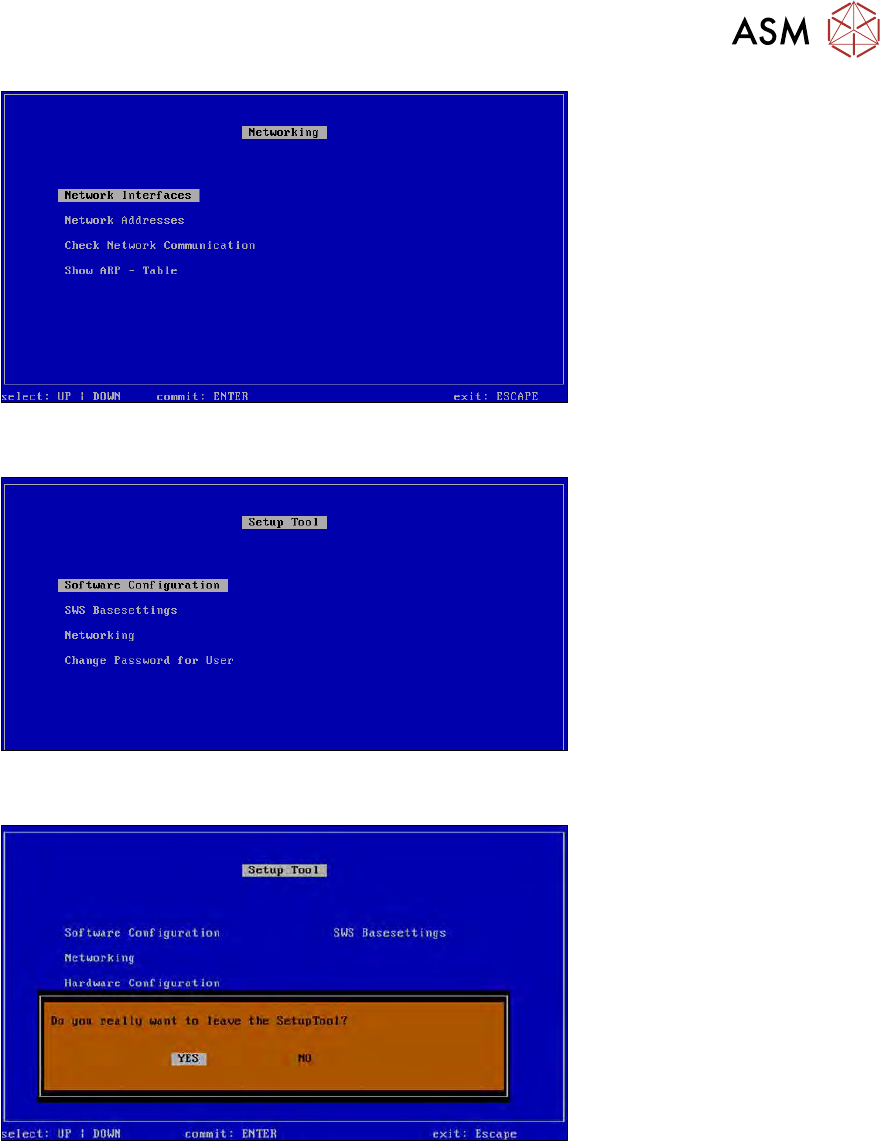
Fig.703: Networking menu
► Press ESC.
Fig.704: Setup tool menu
► Press ESC.
Fig.705: Message: exiting the setup tool
► Confirm YES with Enter.
► Restart the application.
16 Software
16.2 Installation of operating system
458 Service Manual SIPLACE Wafer System (SWS) 11/2018
16.2.3.4 Restoring the process data via the GUI
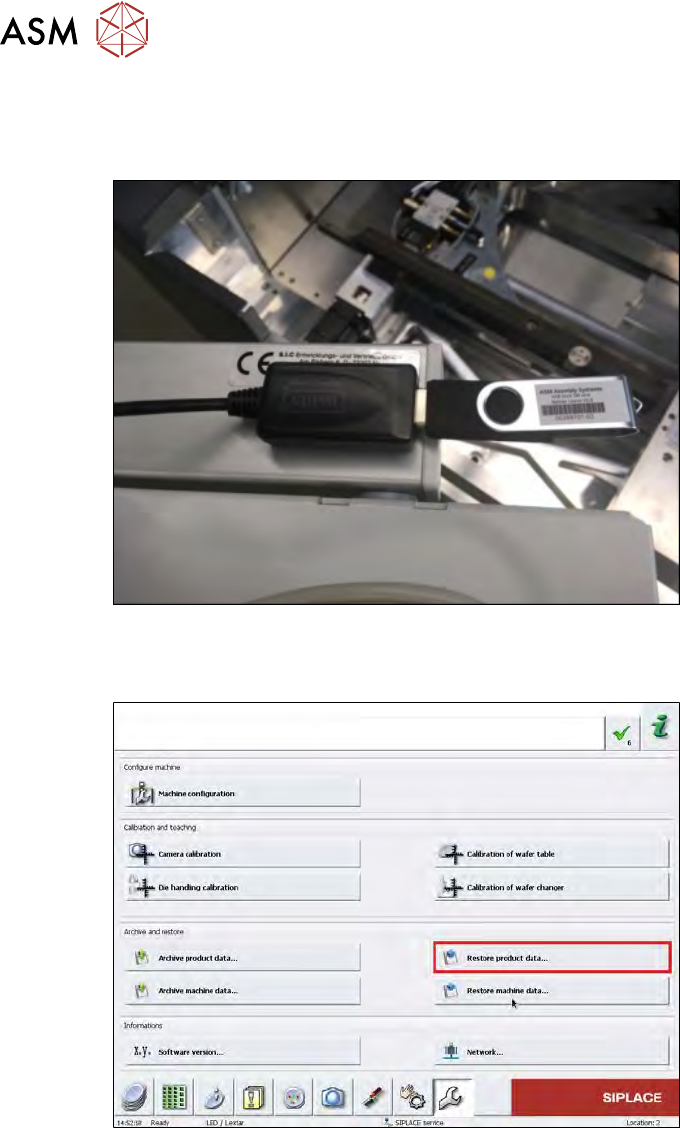
► Insert the USB stick on which the process data are saved into the USB port behind the SWS
keyboard.
Fig.706:
► To restore the process data i.e. all products created on the SWS, switch over to the service
menu and click on the "Restore product data" button.
Fig.707:
► Select "USB flash drive" and then select the folder in which the data is stored (see below).