00195982-03_SM_SWS_EN.pdf - 第393页
15 Calibration 15.4 Calibration of the complete wafer handling Service Manual SIPLACE Wafer System (SWS) 11/2018 393 Fig.571: ► If the sensor is off ( (1) in figure above), the position of the magazine plate can be move…
15 Calibration
15.4 Calibration of the complete wafer handling
392 Service Manual SIPLACE Wafer System (SWS) 11/2018
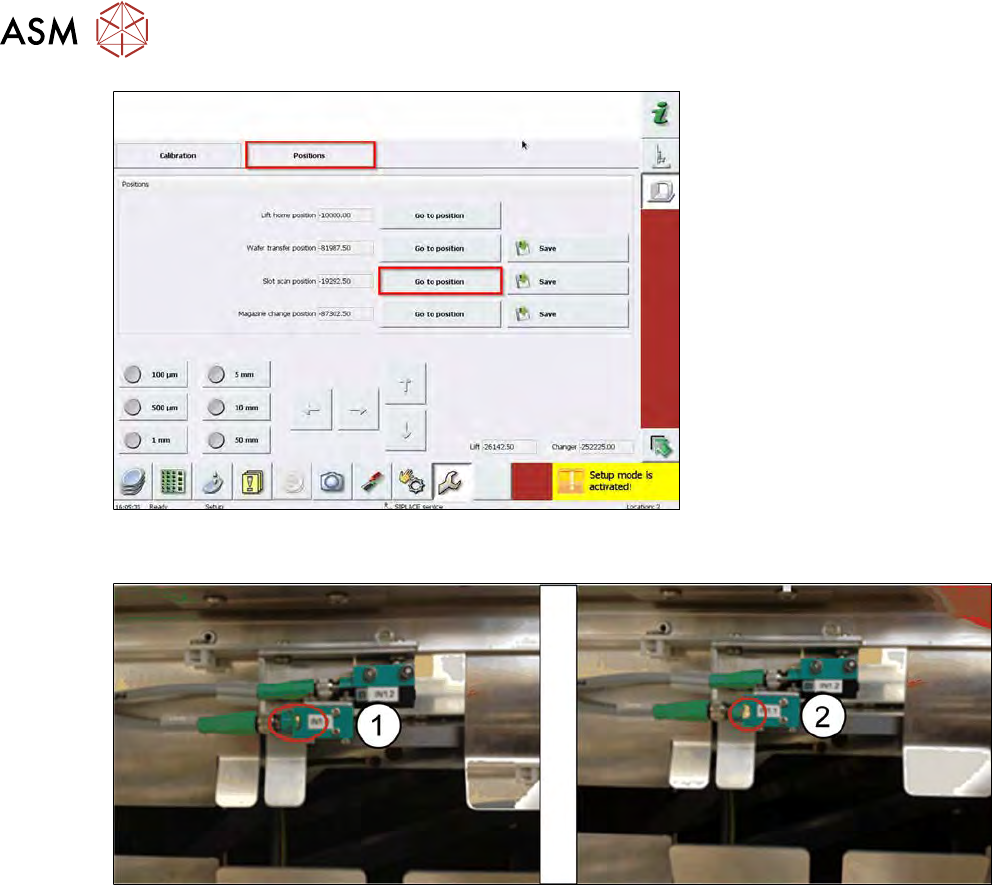
Fig.569:
► Choose Go to position next to Slot scan position.
Fig.570:
► The magazine plate should now activate the slot sensor (see the figures).
► The LED must be on (2).
15 Calibration
15.4 Calibration of the complete wafer handling
Service Manual SIPLACE Wafer System (SWS) 11/2018 393
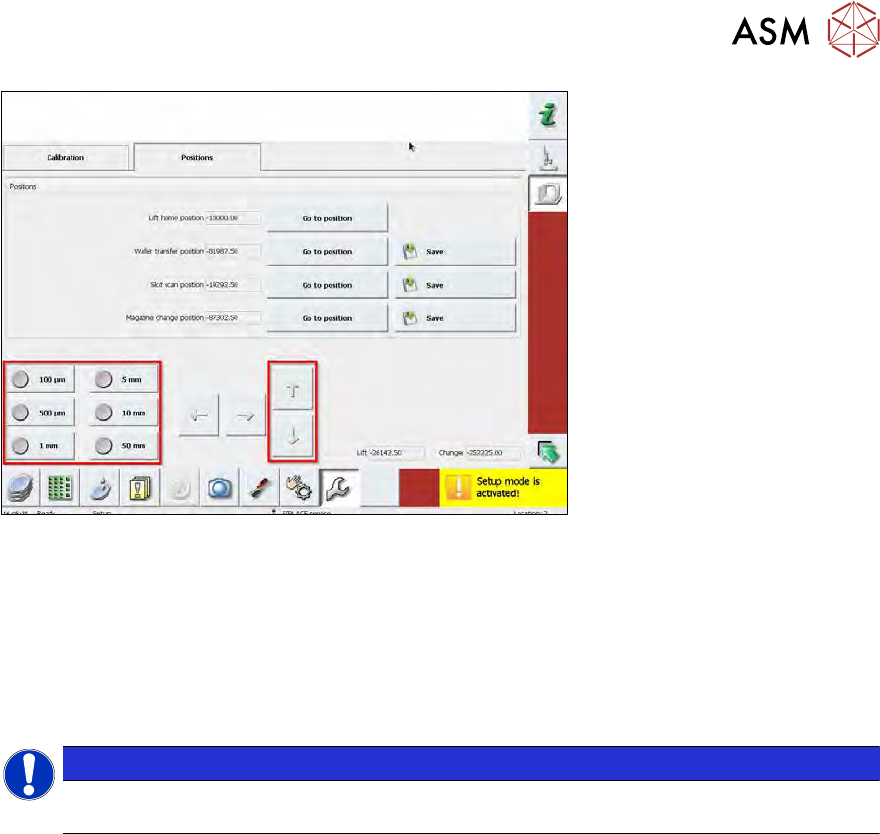
Fig.571:
► If the sensor is off ((1) in figure above), the position of the magazine plate can be moved with
the arrows keys (see figure above).
► Before moving up or down, choose the step increment (e.g. 100µm).
► Move the lifting axis up until the LED of the sensor is on.
ð The last step before the LED switches to on should not be greater than 100µm.
► Once the correct position is determined, choose Save next to Slot scan position.
NOTICE
If you are using 12” wafers, the frames possibly sag up to 500µm. If you are facing prob-
lems when changing 12" wafers, correct the slot scan position by about 500µm upward.
15 Calibration
15.4 Calibration of the complete wafer handling
394 Service Manual SIPLACE Wafer System (SWS) 11/2018
15.4.1.3 Calibrating the wafer transfer position of the magazine with respect to the wafer table
WARNING
► Before manually moving the wafer table, check the position of the die ejector unit.
► The die ejector unit MUST be in the lower position, otherwise, serious damages can
be caused during manual wafer table movement.
The Wafer transfer position is the position of the wafer lifting axis where the rail of the wafer table
(level of the wafer frame bottom side) is aligned with upper edge of the magazine plate.
This position is used to calculate the slot positions for each magazine type.
The magazine type is defined and programmed in the GUI (define new magazine type).
All dimensions like slot pitch, position of the first slot and so on, are defined and used for the calcu-
lation of the slot positions based on the wafer transfer position.
At the moment, no automatic calibration menu is available.
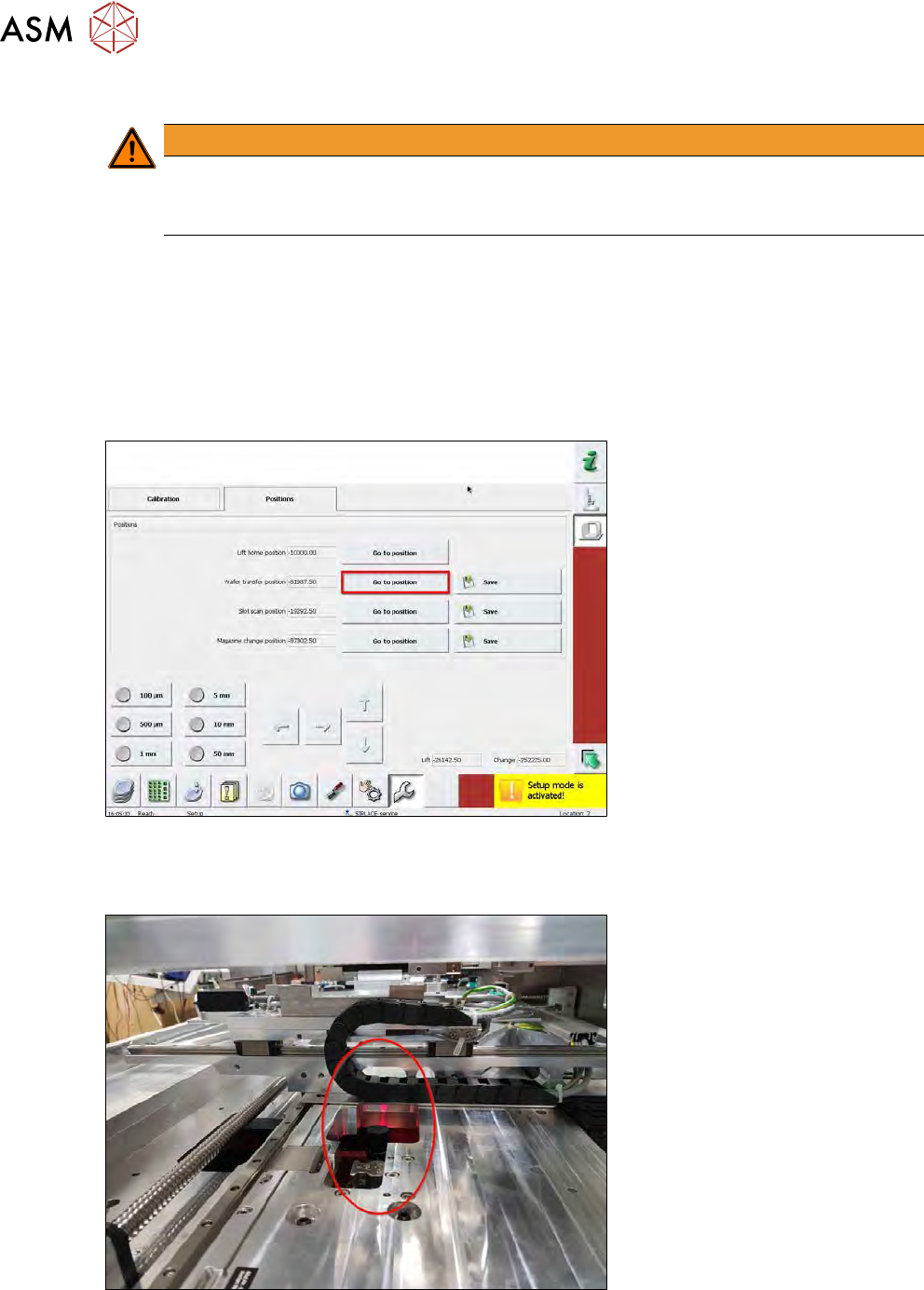
Fig.572:
► Choose the Go to position button next to Wafer transfer position.
► The magazine lift will move to the approximate wafer transfer position.
Fig.573:
► The die ejector must be in the lower position.
If not, move it down using the software.