00195982-03_SM_SWS_EN.pdf - 第114页
6 Supply unit 6.2 Replacing spare parts 114 Service Manual SIPLACE Wafer System (SWS) 11/2018 Fig.123: Replacing the vacuum pump ► Disconnect the vacuum hose at the hose coupling (1) . ► Disconnect the power supply at t…
6 Supply unit
6.2 Replacing spare parts
Service Manual SIPLACE Wafer System (SWS) 11/2018 113
6.2.2 Replacing the BoxPC
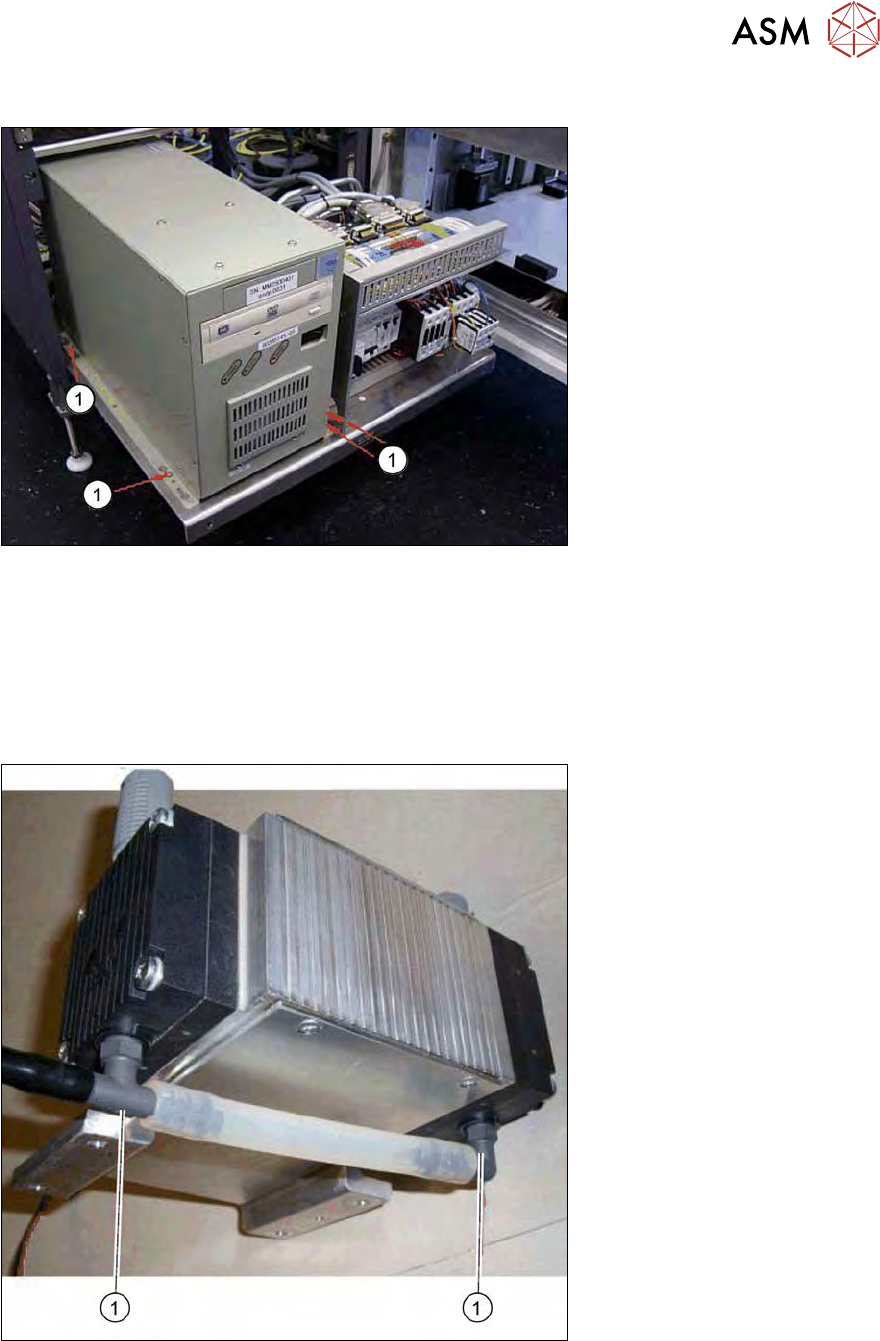
Fig.121: Replacing the BoxPC
► Remove all cables from the back of the BoxPC.
► Loosen the four fastening screws(1).
► Pull the BoxPC approx. 15 mm forwards in its slotted holes.
► Lift the BoxPC slightly and then lift it out of the supply unit.
6.2.3 Replacing the vacuum pump
Fig.122: Vacuum pump - connections below
► When fitting and removing, pay attention to the connections(1) on the bottom of the vacuum
pump. The connections could break easily and must not be damaged.
6 Supply unit
6.2 Replacing spare parts
114 Service Manual SIPLACE Wafer System (SWS) 11/2018
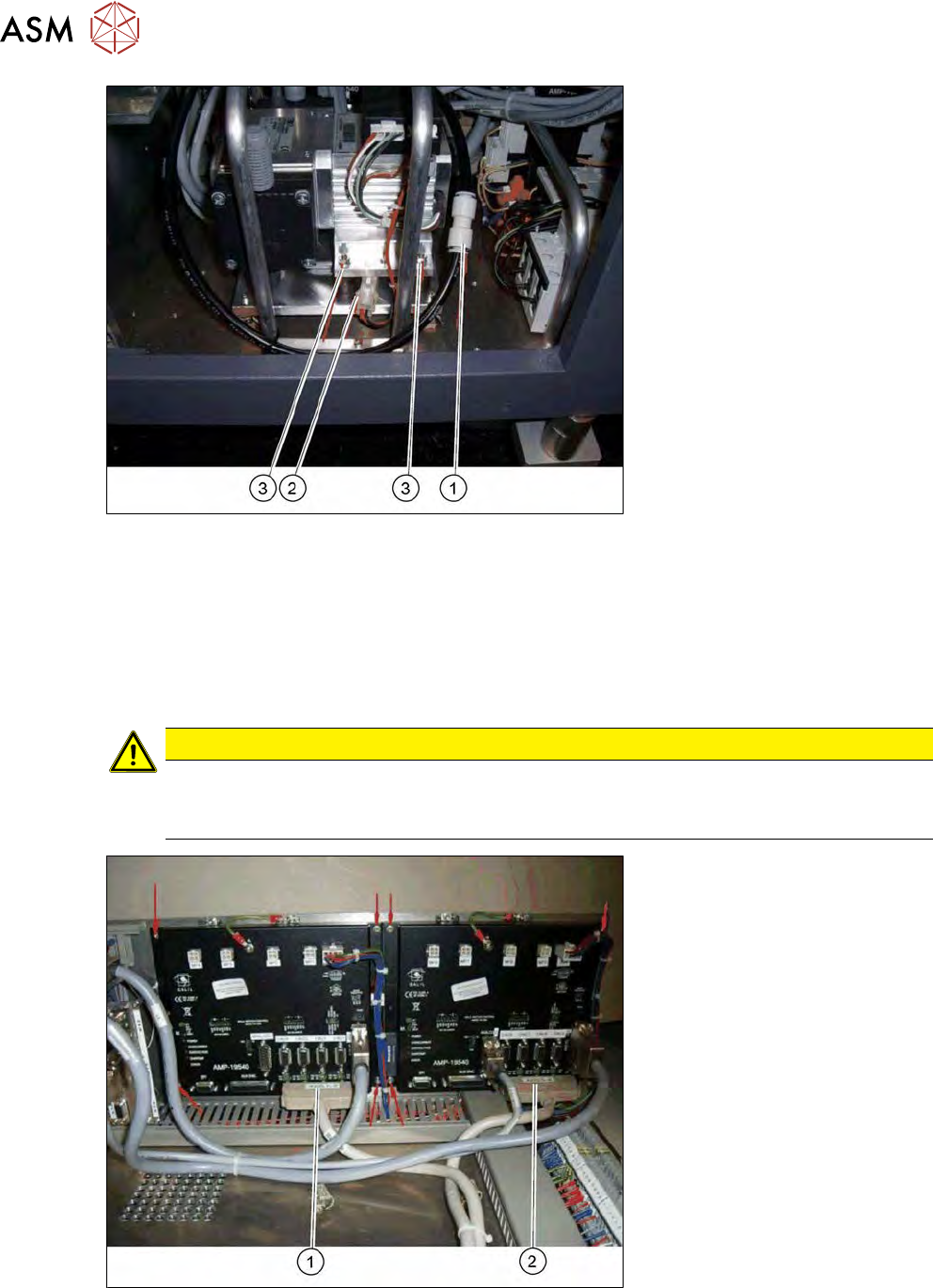
Fig.123: Replacing the vacuum pump
► Disconnect the vacuum hose at the hose coupling (1) .
► Disconnect the power supply at the connector (2).
► Remove the four fastening screws(3).
► Replace the vacuum pump.
6.2.4 Replacing the Galil motor card AMP-19540 or AMP-19520
CAUTION
ESD guidelines are to be followed
► Observe the ESD guidelines in section 1.3.4.3 "Handling ESD modules" [}17]) and in
the instruction manual for your machine.
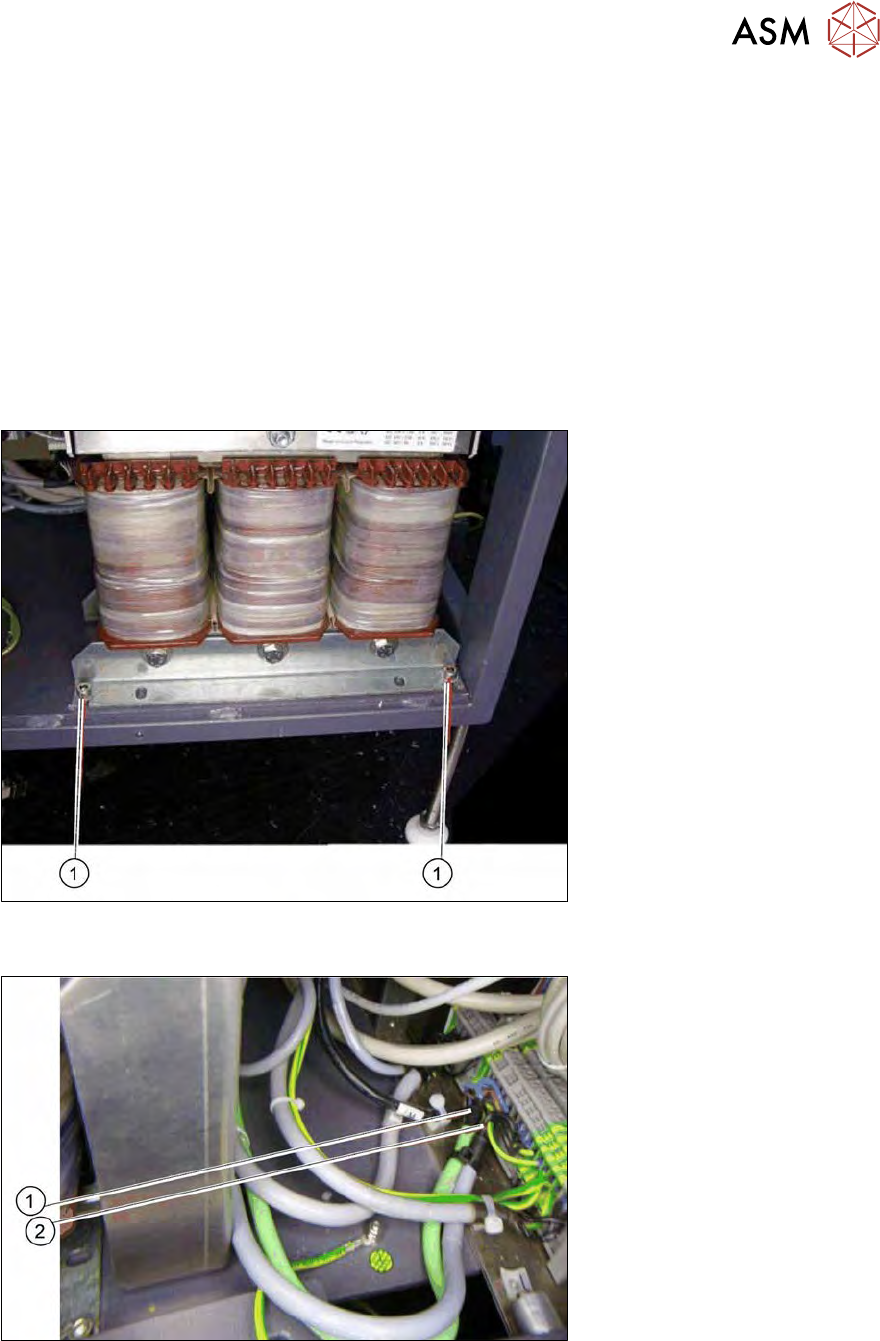
Fig.124: Replacing the Galil motor card AMP-19540 or AMP-19520
► Unplug the connection cable (1) and (2).
► Remove the four fastening screws in each case.
► Replace the relevant Galil motor card.
6 Supply unit
6.2 Replacing spare parts
Service Manual SIPLACE Wafer System (SWS) 11/2018 115
Configuring the Galil motor card
●
Amplifier module 4 axes => type AMP-19540
●
Amplifier module 2 axes => type AMP-19520
Connector designations
●
(1) Connector for axis 1-4 => type AMP-19540 (left card)
●
(2) Connector for axis 5-8 => type AMP-19540 (right card)
●
Connector for axis 6-6 => type AMP-19520 (right card only).
If the Die attach option is present, the right card will be an AMP 19520. If not, there will always be
two cards of type AMP 19540.
6.2.5 Replacing the mains transformer
Fig.125: Replacing the mains transformer
► Remove the four fastening screws(1).
Fig.126: Mains transformer - disconnecting input voltage (primary side)
► Disconnect the cable (1) and (2) for the input voltage on the primary side. See also the circuit
diagrams supplied.