00195982-03_SM_SWS_EN.pdf - 第473页
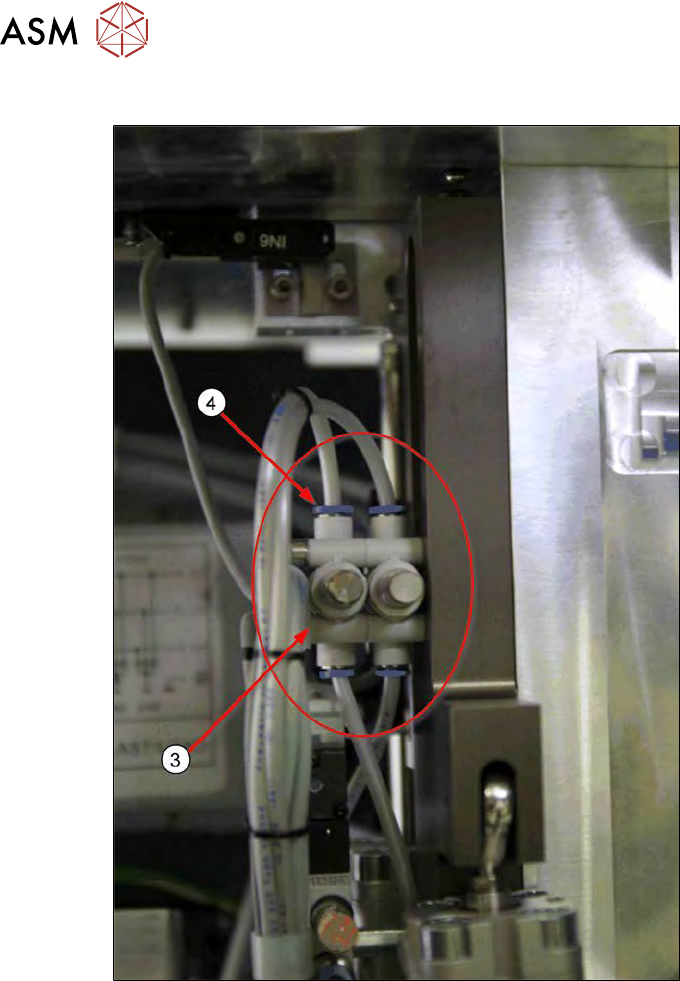
17 Tips and tricks 17.1 Moving the Z axis for die ejector downwards in the switched off and removed SWS Service Manual SIPLACE Wafer System (SWS) 11/2018 473 Fig.740: ► After disconnecting the "lifting cylinder inf…
17 Tips and tricks
17.1 Moving the Z axis for die ejector downwards in the switched off and removed SWS
472 Service Manual SIPLACE Wafer System (SWS) 11/2018
Procedure for lowering
Fig.739:
► Search the die ejector pneumatic unit (3) for the "lifting cylinder infeed" (4)hose.
17 Tips and tricks
17.1 Moving the Z axis for die ejector downwards in the switched off and removed SWS
Service Manual SIPLACE Wafer System (SWS) 11/2018 473
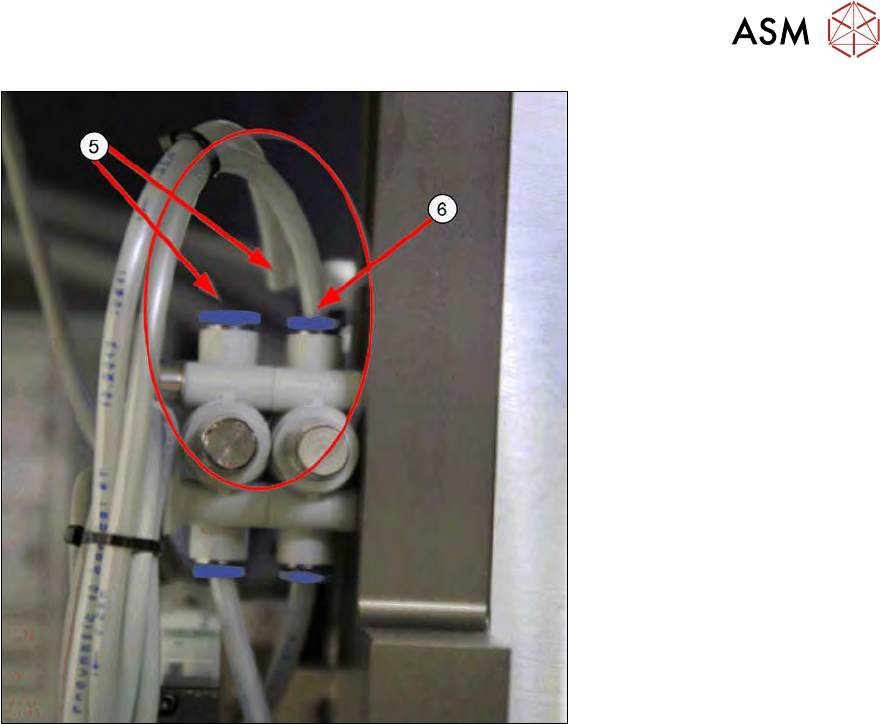
Fig.740:
► After disconnecting the "lifting cylinder infeed" hose (5), you can slowly lower the Z axis.
Either it will move smoothly down to the bottom position by itself or you will need to press it
gently down yourself (as far as the stopper).
► If this is not the case, the hoses may have been mixed up. In this case, try the other hose on
the pneumatic connection (6).
17 Tips and tricks
17.2 Wafer changer calibration problems
474 Service Manual SIPLACE Wafer System (SWS) 11/2018
17.2 Wafer changer calibration problems
Error description
The wafer changer must always be calibrated completely, including with travel distances
("calibration of limits").
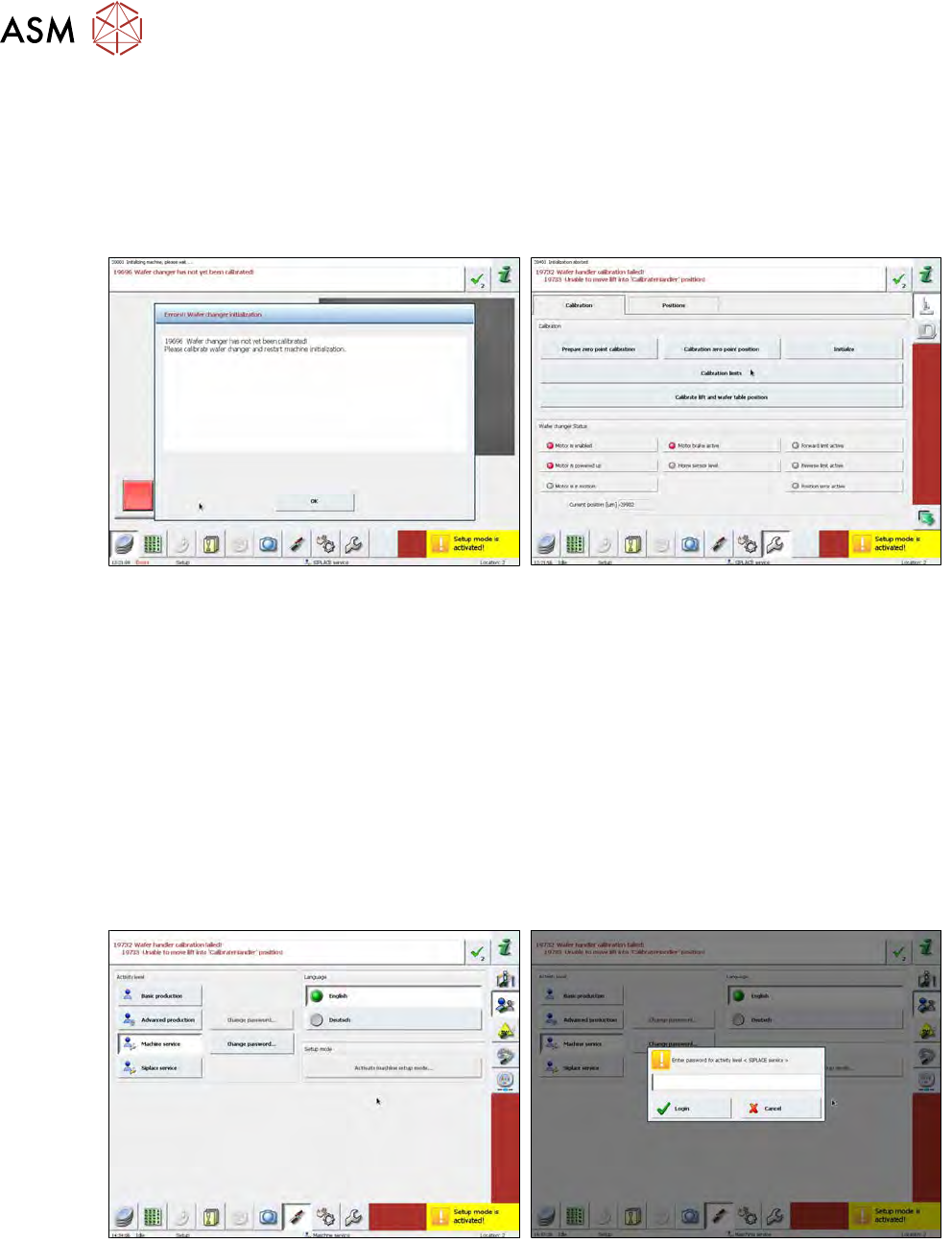
If you only calibrate the zero position, the following error image will occur:
Fig.741:
The corresponding error message (see diagram) will be shown after a restart and an attempt to
initialize the SWS.
If you now attempt to calibrate the wafer changer, you need to position the lifting axis of the
magazine plate so that the wafer gripper does not collide with it when you calibrate the travel dis-
tances ("calibration limits").
The initialization of the whole system will be stopped when you attempt to reference the wafer
changer, because this has not been calibrated. The lifting axis which follows during the initialization
will therefore not be initialized. For this reason, it is not possible to move the lifting axis and when
you attempt to calibrate the wafer changer, the software will issue the message "19732 Wafer
handler calibration failed! / 19733 Unable to move lift into "CalibrateHandler" position!".
Procedure
To calibrate the wafer changer, first initialize the lifting axis. Proceed as follows:
Fig.742:
► Switch the operator levels as follows to SIPLACE Service.
Press the Shift+Ctrl+Alt+Skeys at the same time. The SIPLACE servicebutton will appear.
Select this button and enter the password MS128 .