00195982-03_SM_SWS_EN.pdf - 第281页
12 Wafer stretcher 12.4 Removing the wafer stretcher Service Manual SIPLACE Wafer System (SWS) 11/2018 281 Fig.388: ► Remove the four Allen screws (3) holding the right downholder plate and remove the conical fixing dis…
12 Wafer stretcher
12.4 Removing the wafer stretcher
280 Service Manual SIPLACE Wafer System (SWS) 11/2018
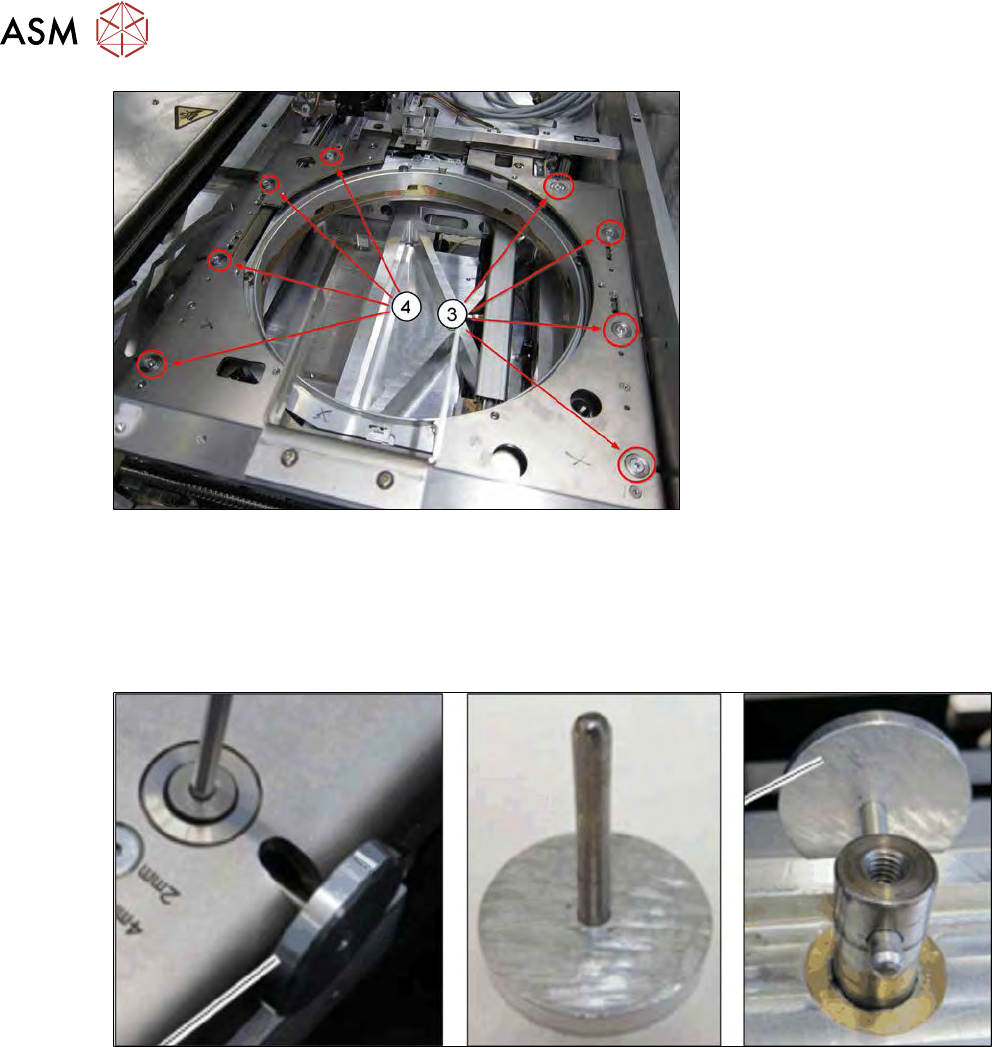
Fig.386:
► Remove the four screws fastening the left (3) and right (4) downholder plates.
► Push the changeover table to a suitable position which gives you access to the recesses in
the lifting piston.
► Use the special auxiliary tool (mushroom-shaped tool) as an anti-rotation lock on the lifting
piston.
Fig.387:
► If you do not have this auxiliary tool (mushroom-shaped tool), use an Allen key. In this case,
take care not to damage the hole drilled in the lifting piston.
12 Wafer stretcher
12.4 Removing the wafer stretcher
Service Manual SIPLACE Wafer System (SWS) 11/2018 281
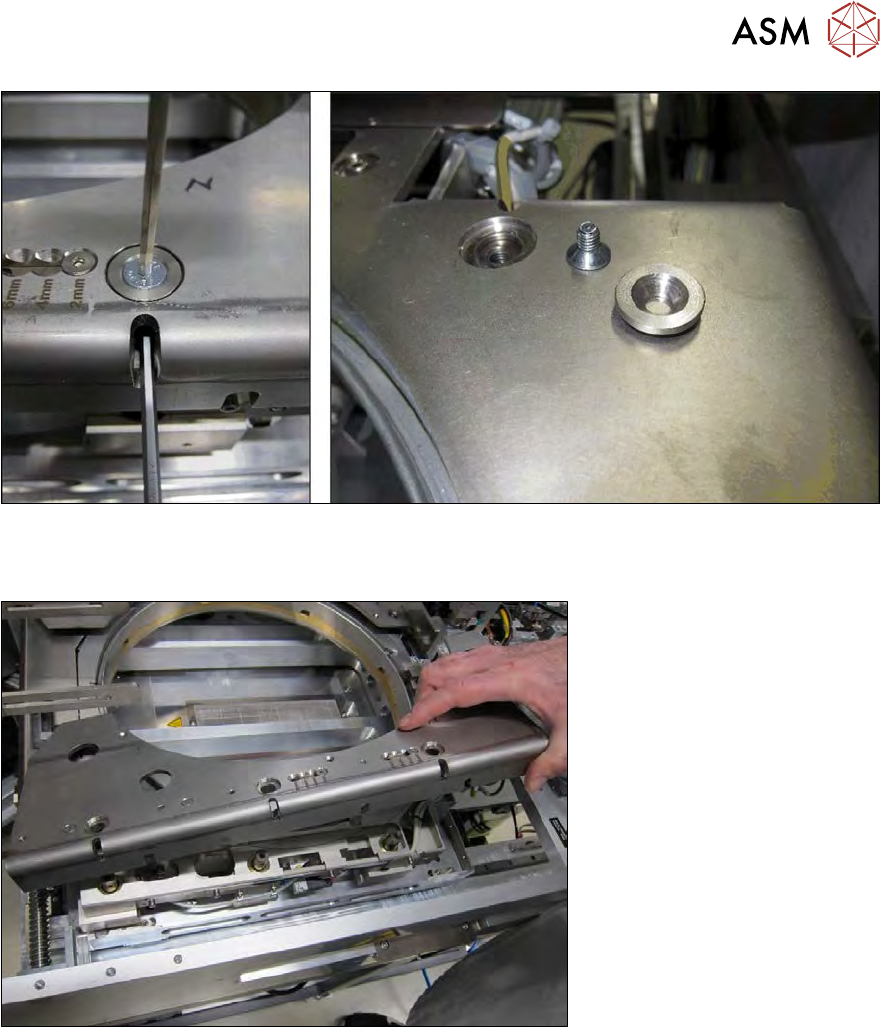
Fig.388:
► Remove the four Allen screws (3) holding the right downholder plate and remove the conical
fixing disk and Allen screw in each case.
Fig.389:
► Carefully remove the right downholder plate.
12 Wafer stretcher
12.4 Removing the wafer stretcher
282 Service Manual SIPLACE Wafer System (SWS) 11/2018
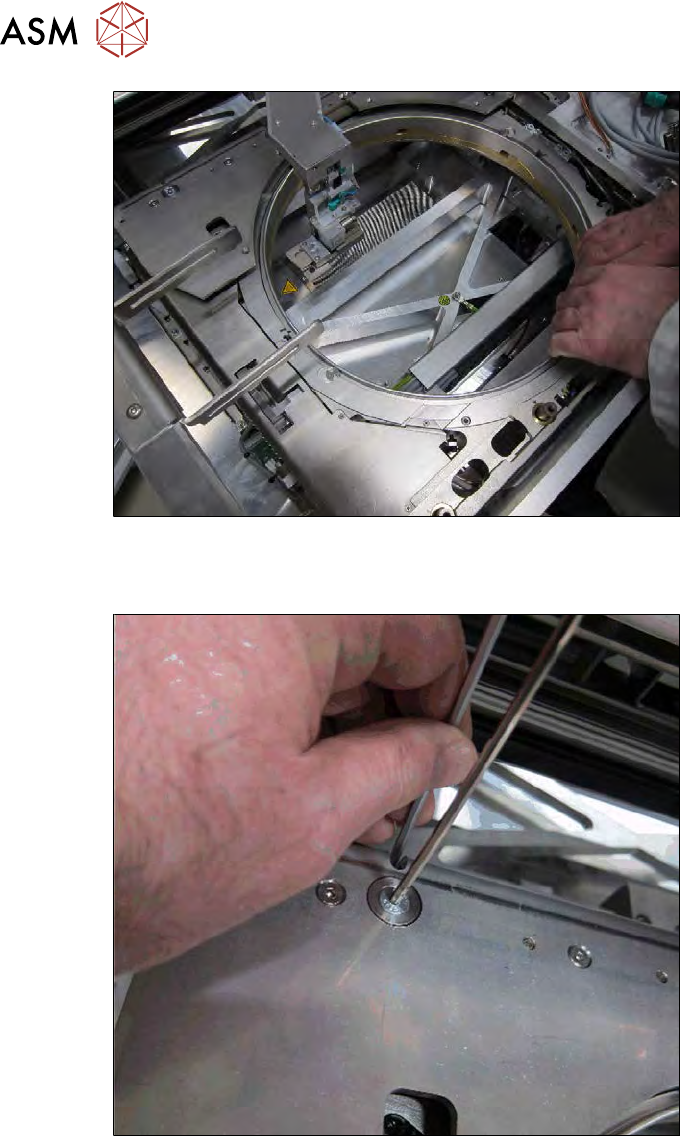
Fig.390:
► Now move the wafer stretcher to a suitable position which gives you access to the four screws
fastening the left downholder plate.
Fig.391:
► Remove the four fastening screws from the left downholder plate (4) (see above) and carefully
remove the downholder plate.