00195982-03_SM_SWS_EN.pdf - 第130页
7 Die ejector 7.3 Replacing spare parts 130 Service Manual SIPLACE Wafer System (SWS) 11/2018 Fig.149: ► Pull the vacuum hose off. You now need to dismantle the fork light barrier board. To do so, proceed as follows: Fi…
7 Die ejector
7.3 Replacing spare parts
Service Manual SIPLACE Wafer System (SWS) 11/2018 129
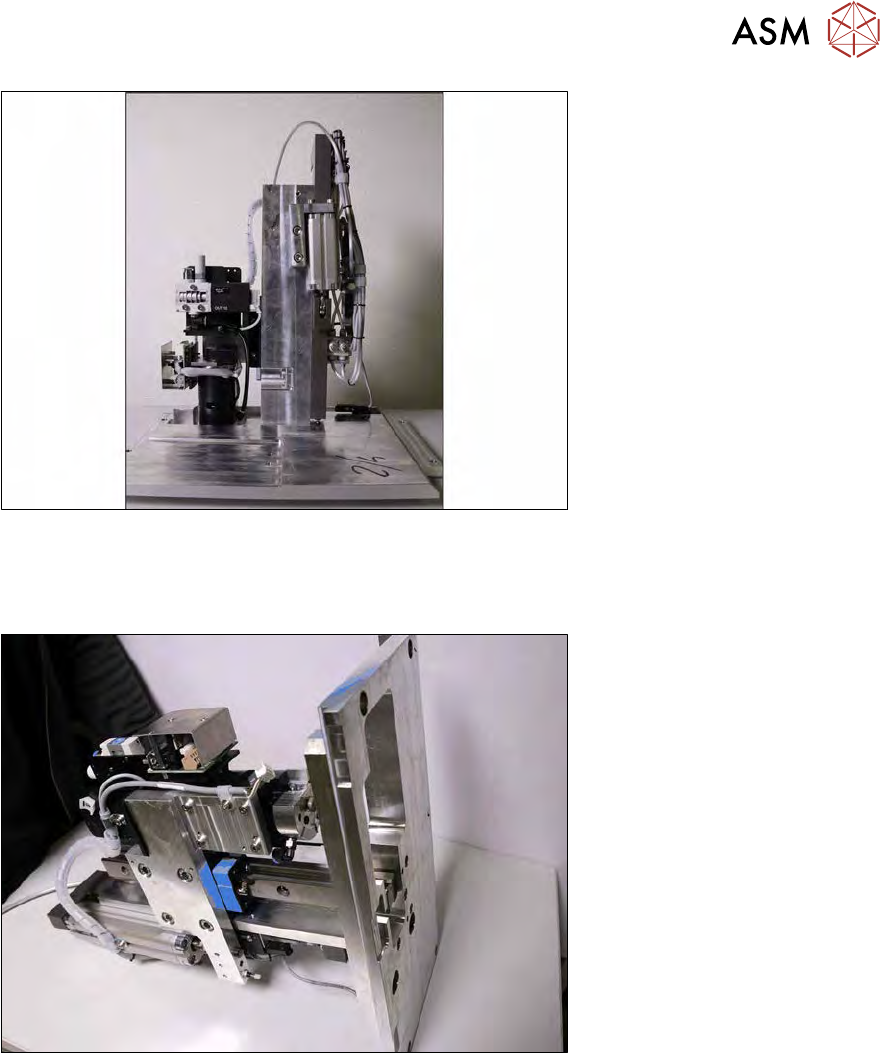
Fig.147:
► Place the die ejector unit down on the base plate.
7.3.3 Removing the Z axis from the die ejector
Fig.148:
► Place the die ejector unit down on its side, as shown in the diagram.
7 Die ejector
7.3 Replacing spare parts
130 Service Manual SIPLACE Wafer System (SWS) 11/2018
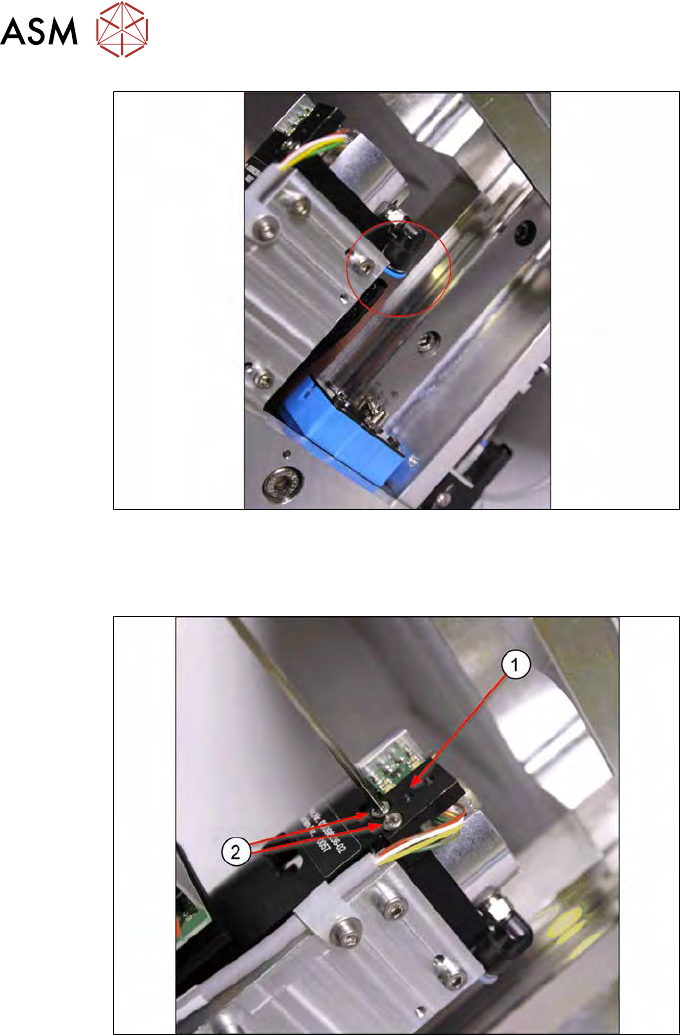
Fig.149:
► Pull the vacuum hose off.
You now need to dismantle the fork light barrier board. To do so, proceed as follows:
Fig.150:
► Remove the two screws(2) (Allen key 2.5) and then take off the fork light barrier (1).
7 Die ejector
7.3 Replacing spare parts
Service Manual SIPLACE Wafer System (SWS) 11/2018 131
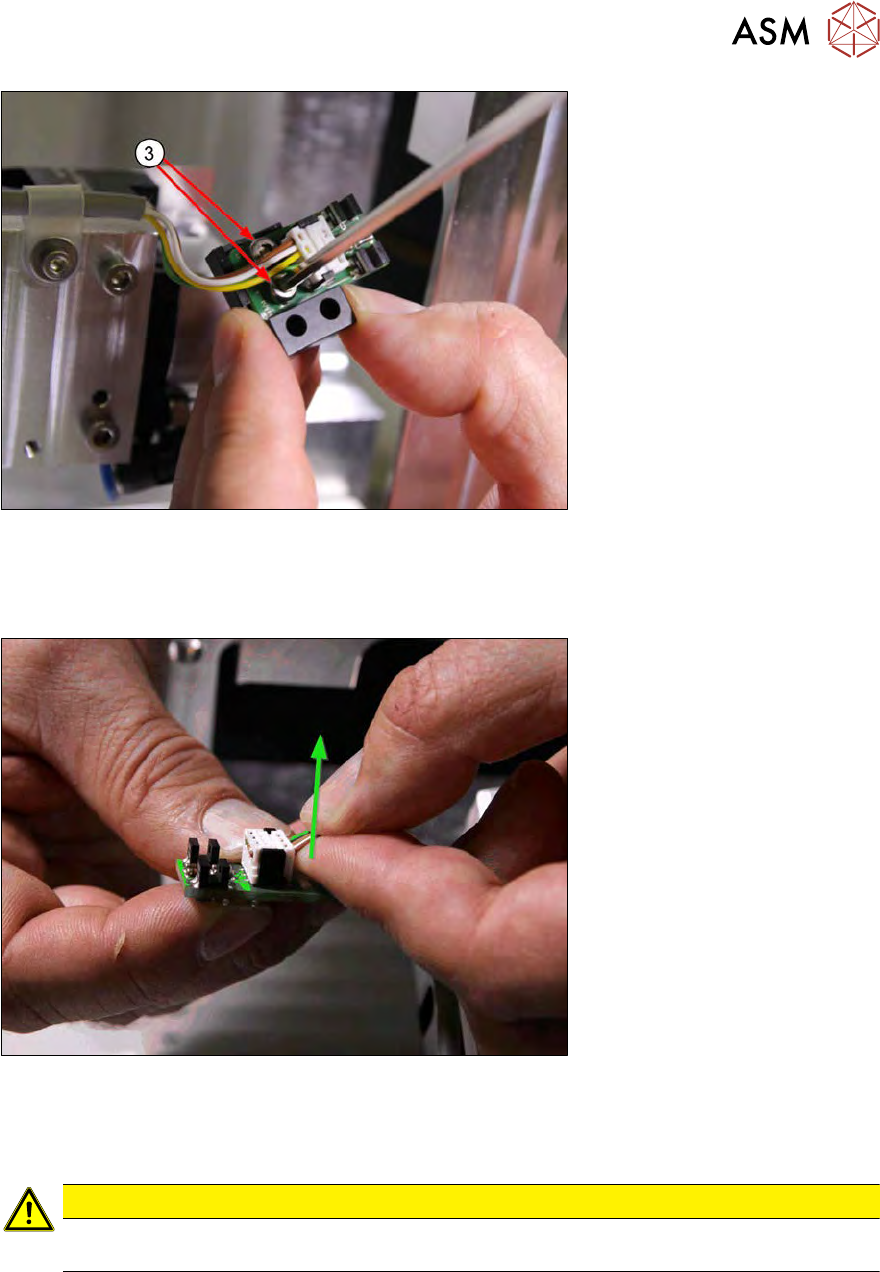
Fig.151:
► Remove the two screws (3) and take the board off the support block.
Unplug the connector from the dual light barrier board [00385741-xx]. There are two options for un-
plugging the connector:
Fig.152:
► Option 1: Try to pull the connector up and off with as little effort as possible, as shown in the
diagram. It is helpful if the index finger has contact with the white housing of the pug and the
cable is held by the thumb.
CAUTION
► Only use minimum effort on the connector. If this is not possible, proceed as follows
(option 2):