00195982-03_SM_SWS_EN.pdf - 第359页
14 Settings and tests 14.3 Camera calibration Service Manual SIPLACE Wafer System (SWS) 11/2018 359 IOs Fig.514: SWS GUI - Manual Settings - Manual Subsystems 1. Manual settings 2. IOs 3. Subsystem tabs 14.3 Camera cali…
14 Settings and tests
14.2 Manual settings
358 Service Manual SIPLACE Wafer System (SWS) 11/2018
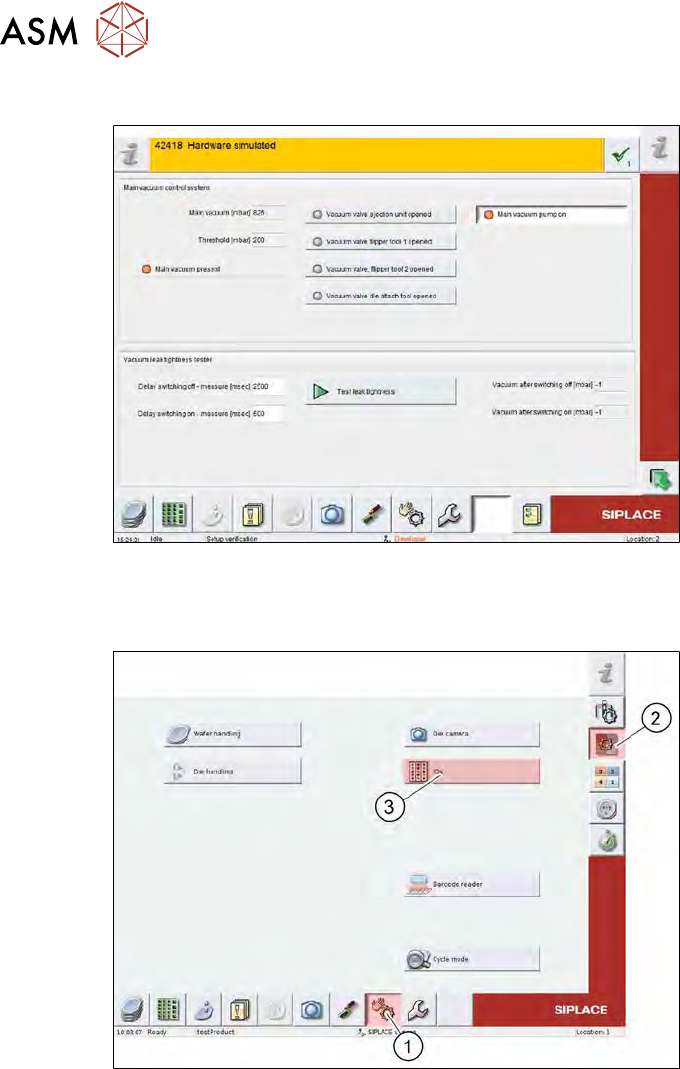
Main vacuum control system
Fig.512: SWS GUI - motor settings
14.2 Manual settings
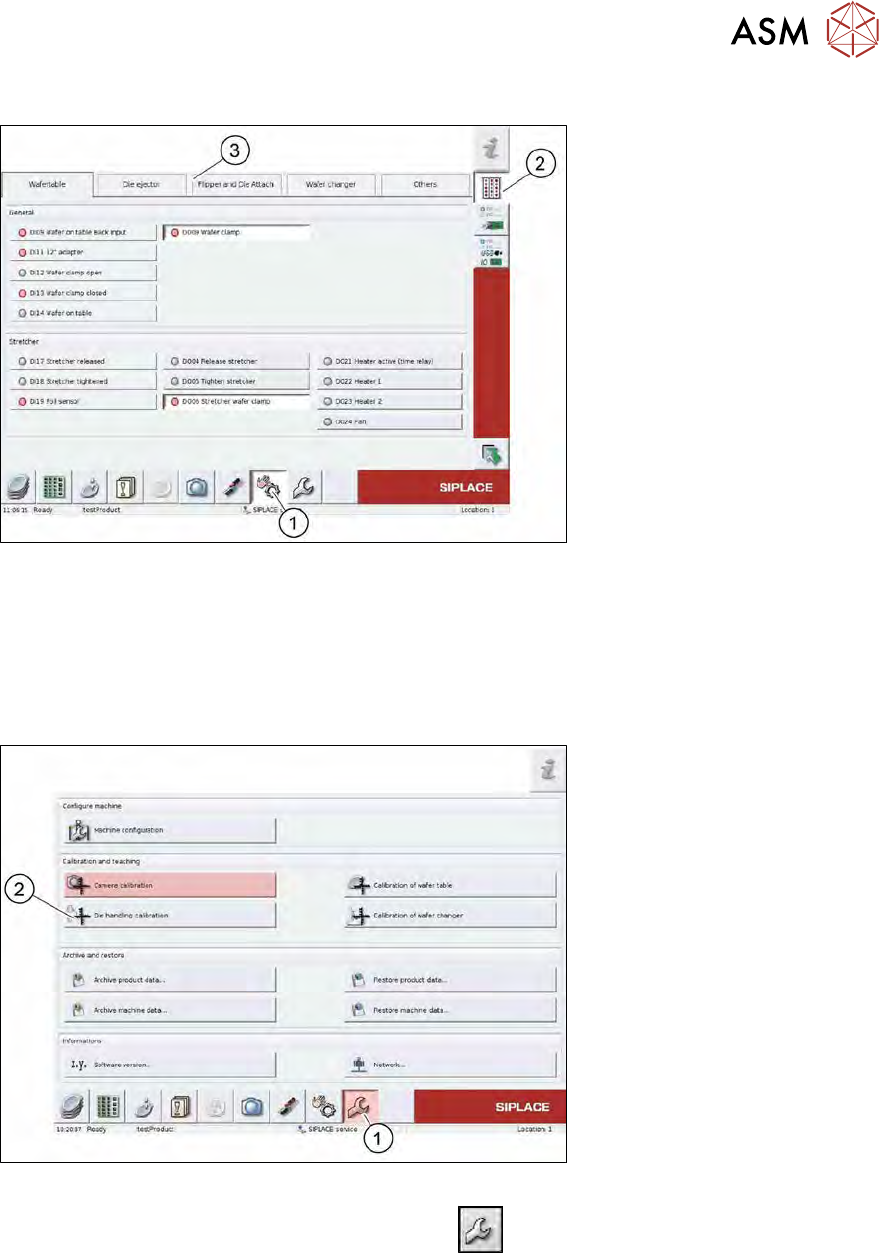
Fig.513: SWS GUI - manual settings
► Select the (1) Manual Settings button.
► Select Manual Subsystems (2) and then IOs (3).
14 Settings and tests
14.3 Camera calibration
Service Manual SIPLACE Wafer System (SWS) 11/2018 359
IOs
Fig.514: SWS GUI - Manual Settings - Manual Subsystems
1. Manual settings
2. IOs
3. Subsystem tabs
14.3 Camera calibration
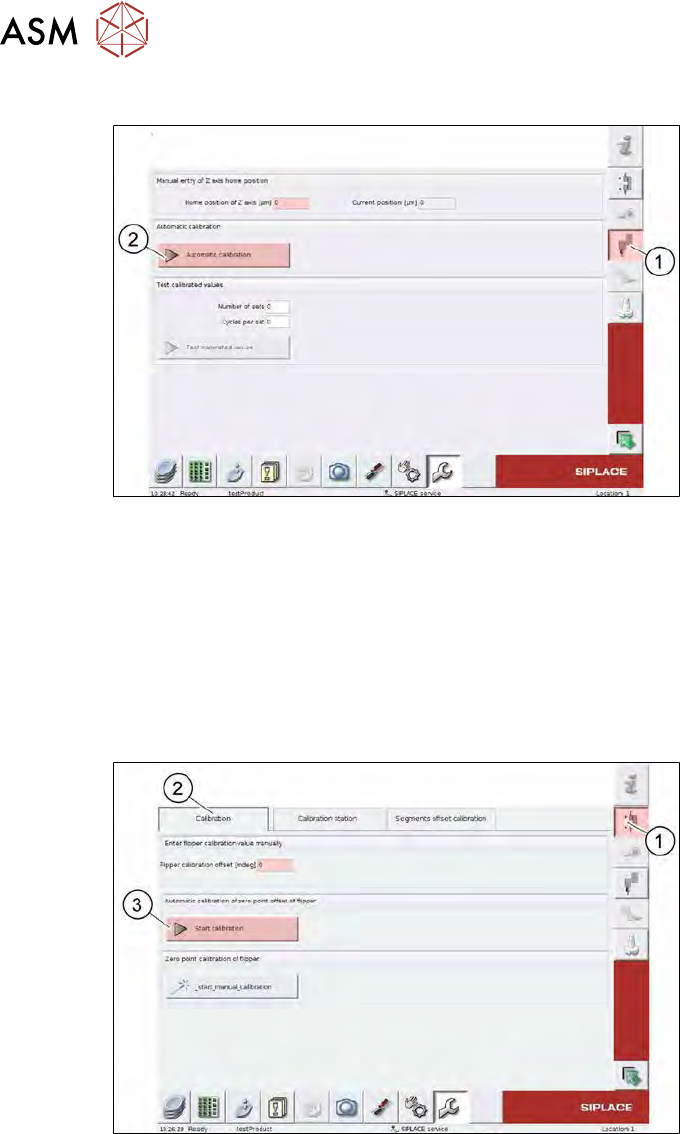
Fig.515: SWS GUI - service menu
► Go to the toolbar and select the button Service
(1) and then Die handling calibration (2).
14 Settings and tests
14.3 Camera calibration
360 Service Manual SIPLACE Wafer System (SWS) 11/2018
Calibration for completely uncalibrated motor
Fig.516: SWS GUI - service menu - camera calibration – Z axis
► Select the Z-Axis (1) button.
► Select the Automatic calibration (2) button.
► Make a note of the Home position of z axis [µm] values.
► Enter the values on the relevant labels on the motor body.
Calibrating a precalibrated motor
If the new motor has already been calibrated in a test station, you can apply the Z-HomePosition.
However, the FlipRotationPositionOffset must be calibrated when installed.
Fig.517: SWS GUI - service menu - camera calibration – flipper
► Select the Flipper (1) button.
► Select the Calibration (2) tab.
► Select the Start calibration (3) button.
► Enter the Flipper calibration offset [mdeg] values on the relevant label on the motor body.