00195982-03_SM_SWS_EN.pdf - 第298页
12 Wafer stretcher 12.6 Fitting the wafer stretcher 298 Service Manual SIPLACE Wafer System (SWS) 11/2018 Fig.423: ► Fit the lifting cylinder including the sleeve. Fig.424: ► Fit the clamping cylinder with the bottom s…
12 Wafer stretcher
12.6 Fitting the wafer stretcher
Service Manual SIPLACE Wafer System (SWS) 11/2018 297
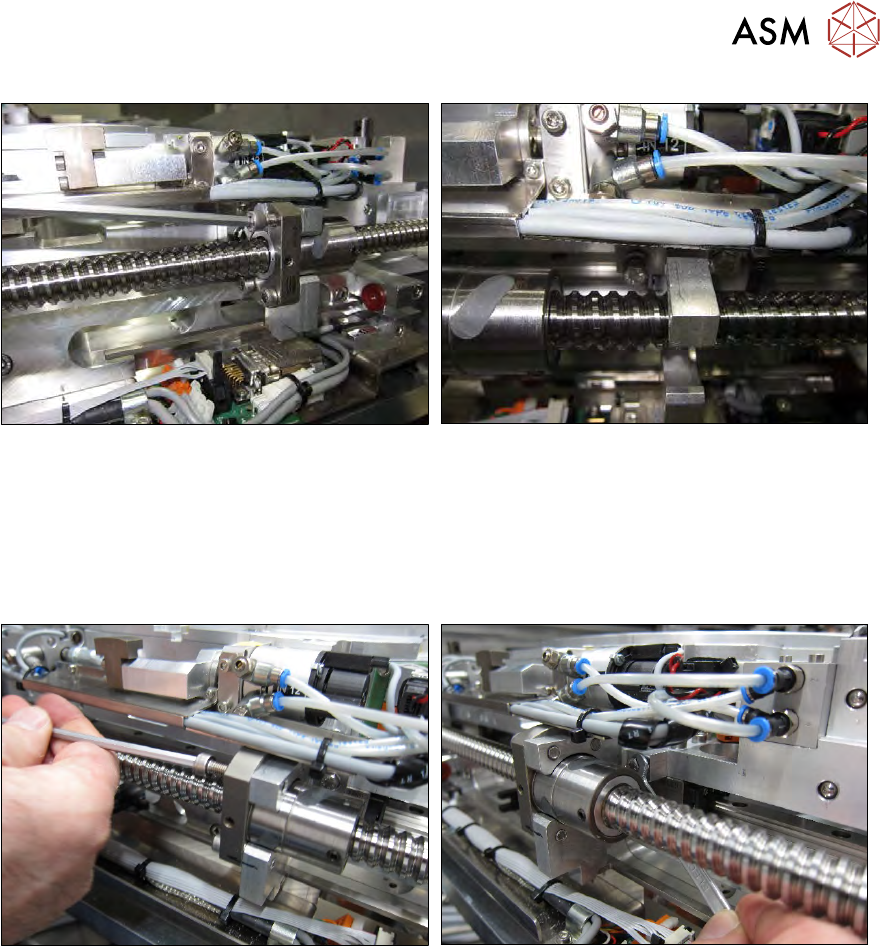
Fig.421:
The X axis spindles are located on the wafer lift side.
► Remove the four Allen screws from the spindle nut from the drive block.
► Disconnect the drive block from the spindle nut.
► Fasten the drive block to the threaded holes provided and hand-tighten the two hexagonal
screws.
Fig.422:
► Move the drive block and the wafer stretcher assembly to the spindle nut and screw the unit
into place with the four Allen screws.
► Tighten the two hexagonal screws.
ð The connection between the wafer stretcher and the X axis spindle has now been estab-
lished!
Next, fit the two lifting cylinders for the stretcher movement as follows:
12 Wafer stretcher
12.6 Fitting the wafer stretcher
298 Service Manual SIPLACE Wafer System (SWS) 11/2018
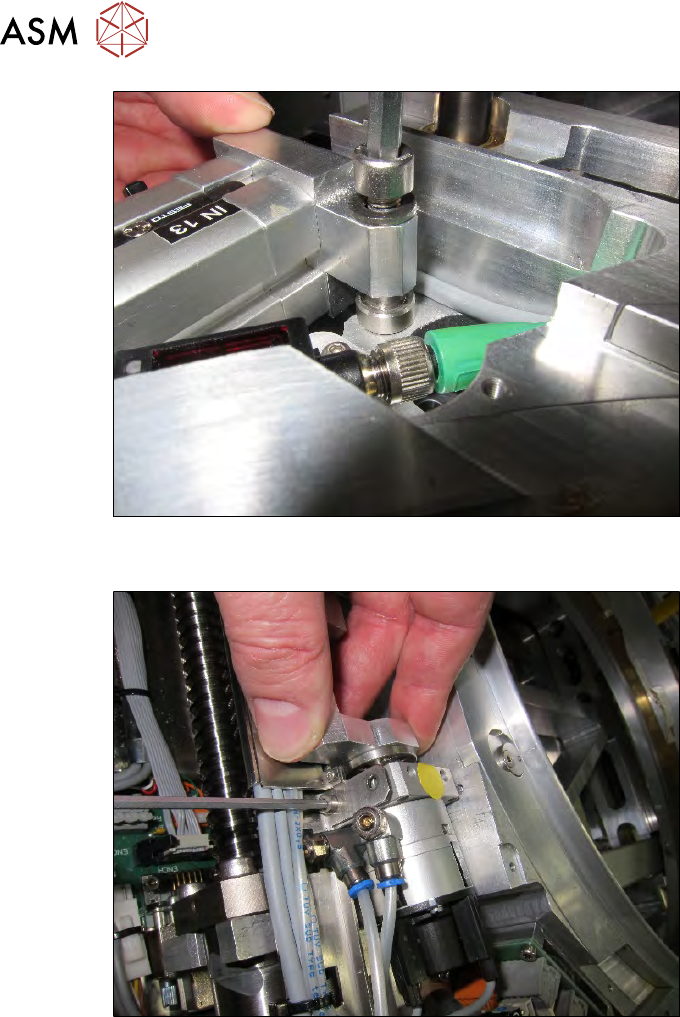
Fig.423:
► Fit the lifting cylinder including the sleeve.
Fig.424:
► Fit the clamping cylinder with the bottom screw (the sensor labels on the clamping cylinder
are then at the top).
► The top screw is not yet fitted. This will be used later to fix the cover plate.
12 Wafer stretcher
12.6 Fitting the wafer stretcher
Service Manual SIPLACE Wafer System (SWS) 11/2018 299
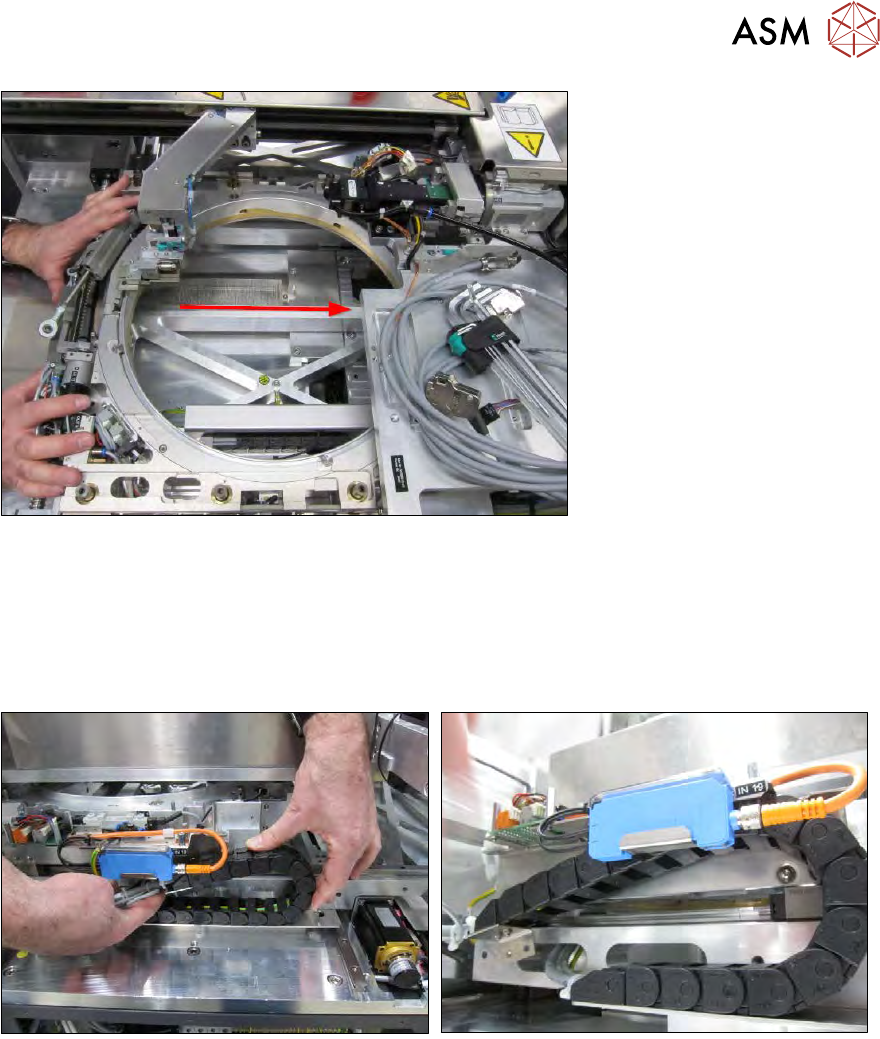
Fig.425:
► Push the wafer stretcher to the other side.
Make sure that the cable chain which is still rolled out and the cable itself do not get caught
anywhere.
Pay attention to the wafer changer (gripper) as well.
12.6.3 Fitting the connections
Fig.426:
► Roll up the cable chain and run it at the prescribed place.