00195982-03_SM_SWS_EN.pdf - 第151页
7 Die ejector 7.4 Mechanical adjustment of the needle position in the X/Y position Service Manual SIPLACE Wafer System (SWS) 11/2018 151 Fig.189: ► Move the die ejector unit upwards (9) . ► Press the emergency STOP swit…
7 Die ejector
7.4 Mechanical adjustment of the needle position in the X/Y position
150 Service Manual SIPLACE Wafer System (SWS) 11/2018
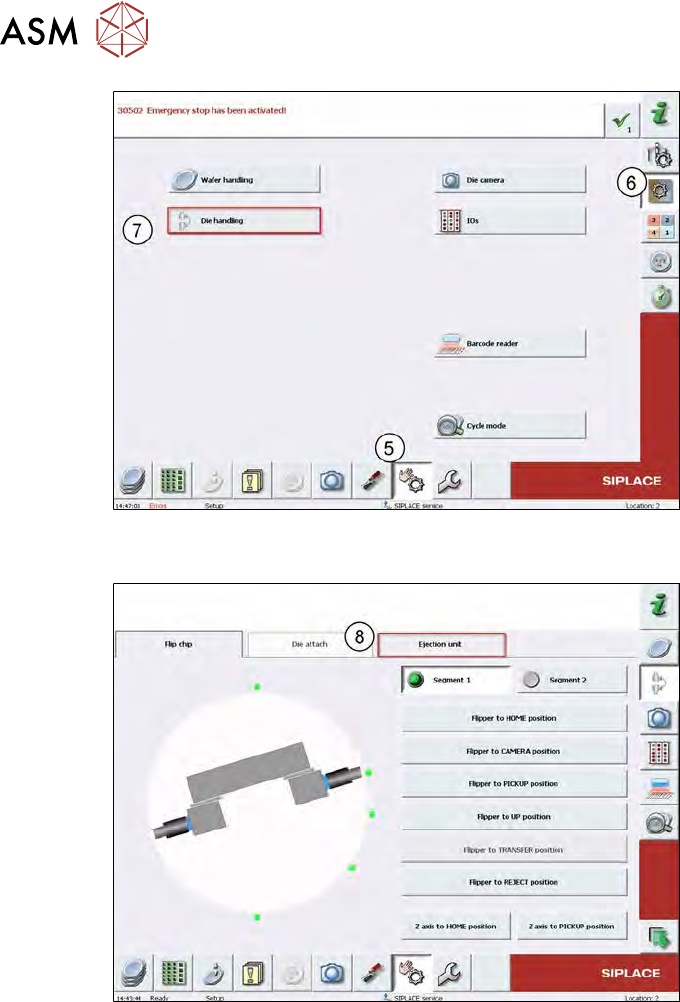
Fig.187:
► Change the menu with steps (5) to (7) until you get to the Die Handlingmenu.
Fig.188:
► Change to the Ejection unit (8).
7 Die ejector
7.4 Mechanical adjustment of the needle position in the X/Y position
Service Manual SIPLACE Wafer System (SWS) 11/2018 151
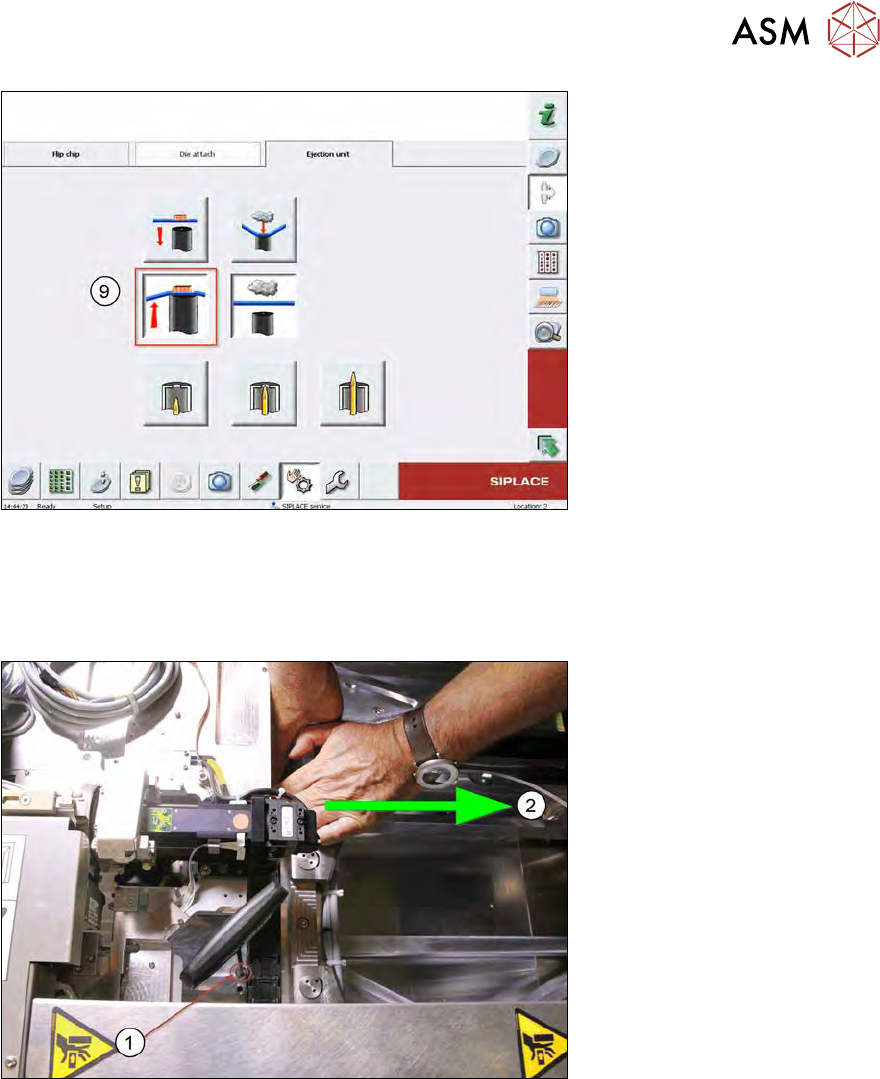
Fig.189:
► Move the die ejector unit upwards (9).
► Press the emergency STOP switch on the SWS.
The emergency STOP button releases all axes so that they can be moved manually.
The die ejector unit remains in the top position which it was moved to.
Fig.190:
► Move the wafer table in the direction of the wafer lift(2), in order to access all screws(1)
fastening the die ejector base plate.
7 Die ejector
7.4 Mechanical adjustment of the needle position in the X/Y position
152 Service Manual SIPLACE Wafer System (SWS) 11/2018
7.4.2 Adjusting the needle in the X/Y position
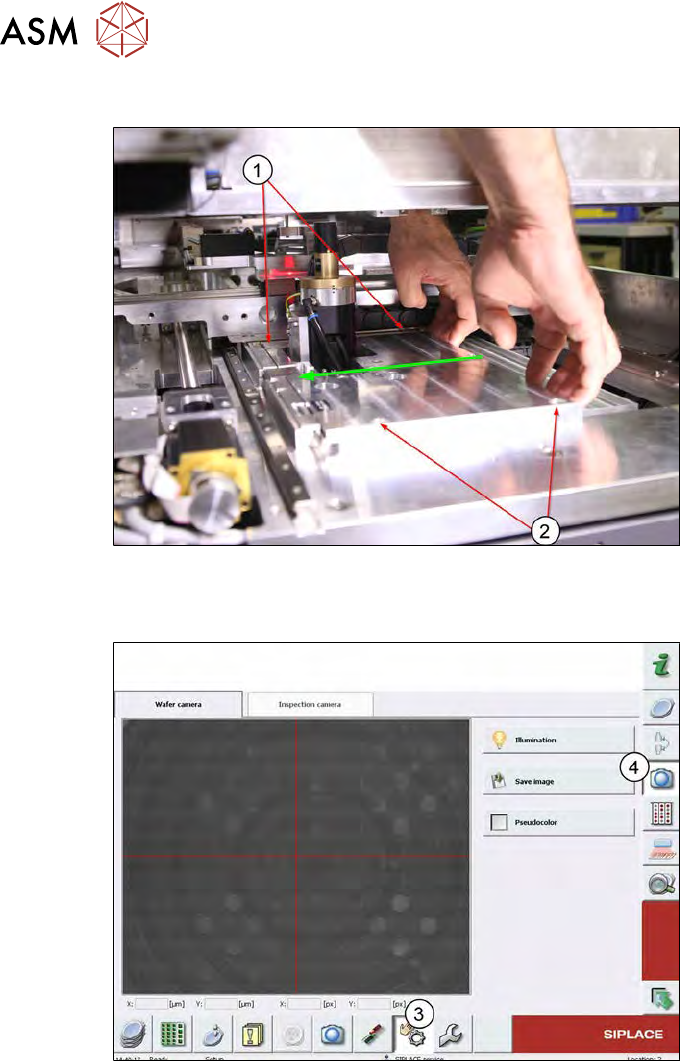
Fig.191:
► Remove the four screws (1 and 2) fastening the base plate and press the base plate in the
direction of the eccentric shaft.
Fig.192:
► Switch to the live image from the wafer camera (3 and 4).