00195982-03_SM_SWS_EN.pdf - 第209页
9 Wafer change system 9.2 Gripper Service Manual SIPLACE Wafer System (SWS) 11/2018 209 9.2.6.1 Setting gentle clamping and moving of the gripper (for location 2/4) Fig.269: Setting restrictor on gripper (2/4) The setti…
9 Wafer change system
9.2 Gripper
208 Service Manual SIPLACE Wafer System (SWS) 11/2018
9.2.6 Replacing the solenoid valves
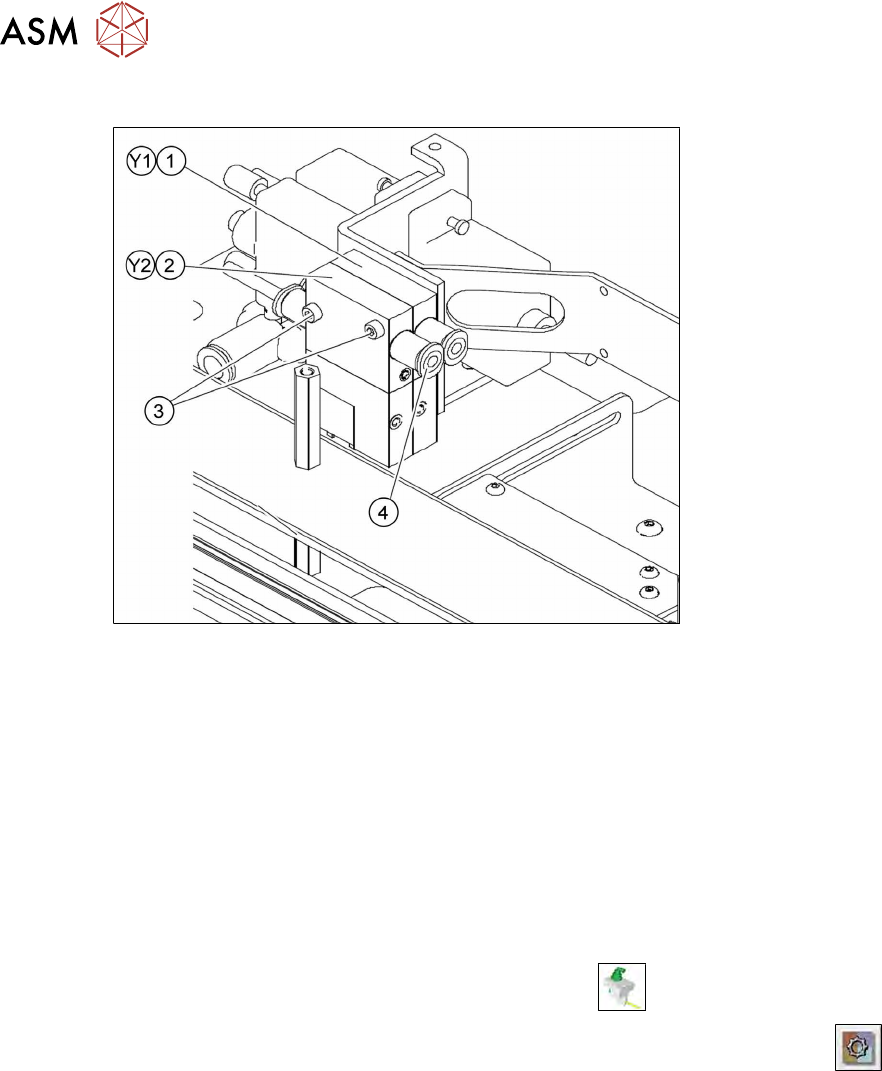
Fig.268: Solenoid valves for the gripper control.
The solenoid valve (Y1) controls the upwards and downwards movement of the gripper. The solen-
oid valve (Y2) also controls the clamping of the gripper (open/closed). The solenoid valves are ar-
ranged and labeled according to the version used (Y1/Y2). To identify the relevant solenoid valve,
read the circuit diagrams and the pneumatic plan.
Replacing the solenoid valve
► Unplug the pneumatic connections (4) and the electrical connections from the solenoid valves.
► Remove the fastening screws (3) and remove the solenoid valve.
► Fit the solenoid valve and restore the pneumatic and electrical connections.
► Check the solenoid valve for functionality.
– Switching on and off
► In the toolbar, select the button Manual Settings
.
► Go to the Manual Settingsview and select the button Manual Subsystems
and then
select IOs (see 14.2 "Manual settings" [}358]).
► Select the Wafer Changertab .
► Approach the solenoid valve Y1.
– DO18 Gripper up/down moves the gripper up and down.
► Check the input signals for the relevant position.
– DI29 Gripper position: up
– DI30 Gripper position: down
► Approach the solenoid valve Y2.
– DO19 Gripper open/closed opens and closes the gripper clamp.
► Check the input signals for the relevant position.
– DI31 Gripper: open
– DI32 Wafer present in gripper
9 Wafer change system
9.2 Gripper
Service Manual SIPLACE Wafer System (SWS) 11/2018 209
9.2.6.1 Setting gentle clamping and moving of the gripper (for location 2/4)
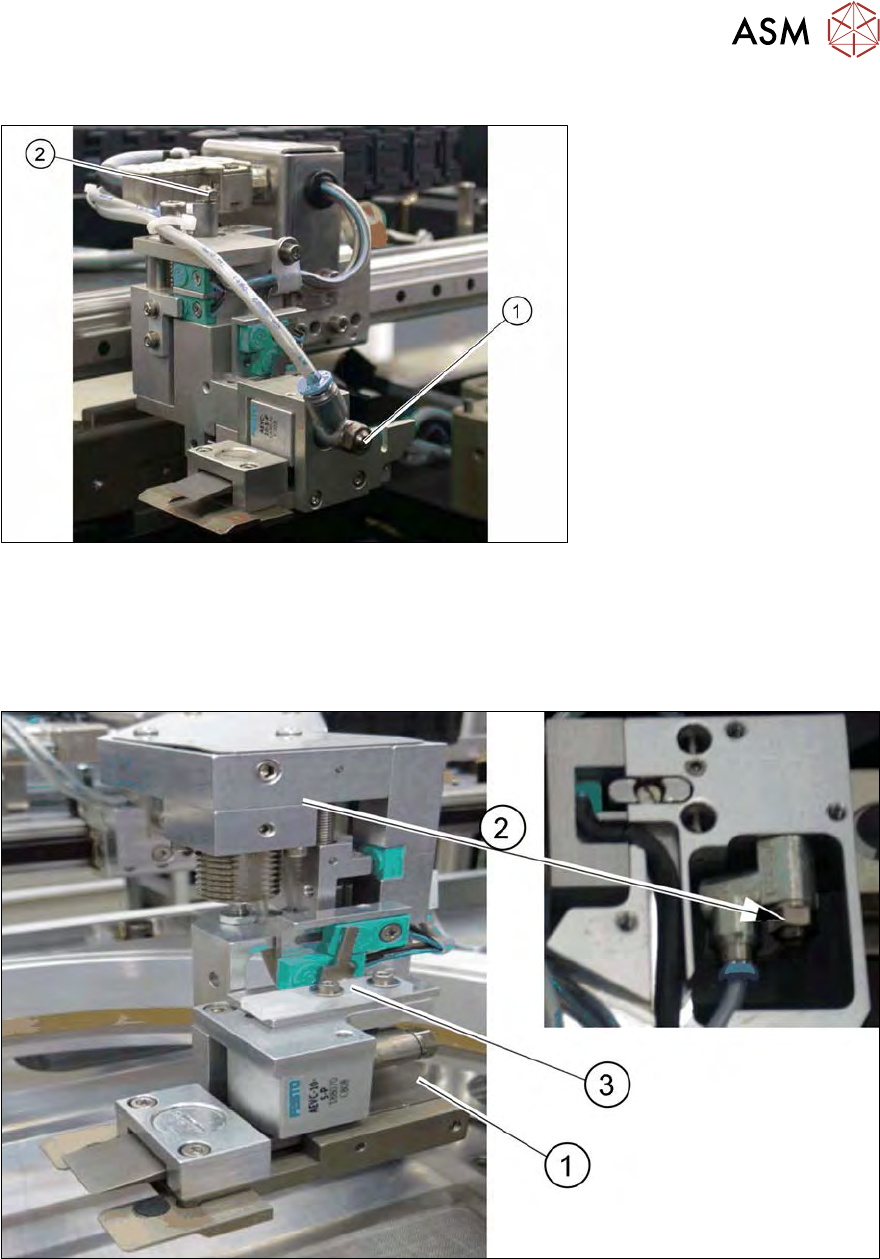
Fig.269: Setting restrictor on gripper (2/4)
The setting restrictor helps to set the clamping of the gripper clamp (1), plus the upwards and
downwards movement of the gripper (2). Both of these actions should be gentle and with no impact
sound.
9.2.6.2 Setting gentle clamping and moving of the gripper (for location 1/3)
Fig.270: Setting restrictor on gripper (1/3)
The setting restrictor helps to set the clamping of the gripper clamp (1), plus the upwards and
downwards movement of the gripper (2). Both of these actions should be gentle and with no impact
sound.
When adjusting to the various frame strengths (thicknesses) check the return spring for the switch
flags (3).
9 Wafer change system
9.2 Gripper
210 Service Manual SIPLACE Wafer System (SWS) 11/2018
9.2.7 Dismantling the gripper for location 1/3
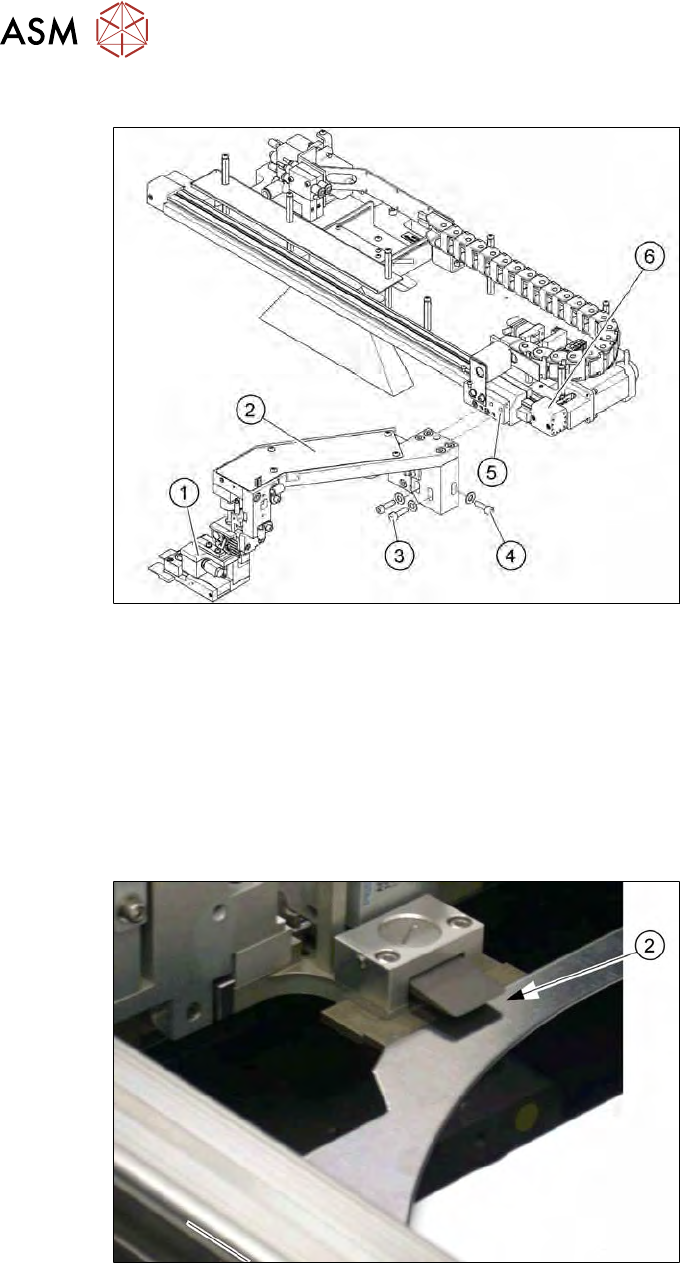
Fig.271: Dismantling the gripper for location 1/3
► Remove the screws (3) and (4) fastening the gripper (1) and then carefully placed the gripper
in the SWS. Loosen or open the cable ties to reach a suitable position, if needed.
► Unplug the pneumatic connections at the couplings provided.
► Unthread the connection cable as far as the conversion board on the gripper arm.
► If there is no marking present on the cables: use the circuit diagram folder for help and mark
the cables connected.
► Unplug all connections from the terminal strip.
► Fit the new gripper and check the height.
Fig.272: Setting the gripper height (location 1/3)
► The gripper clamp must be able to reliably pick up a wafer frame and clamp it into place.
► You can correct the height with the help of the fastening screws in the slotted holes.