00195982-03_SM_SWS_EN.pdf - 第468页
16 Software 16.4 Restoring an old software version (GUI) 468 Service Manual SIPLACE Wafer System (SWS) 11/2018 Fig.729: Setup tool menu ► Confirm Software Configuration with Enter . Fig.730: Software configuration menu…
16 Software
16.4 Restoring an old software version (GUI)
Service Manual SIPLACE Wafer System (SWS) 11/2018 467
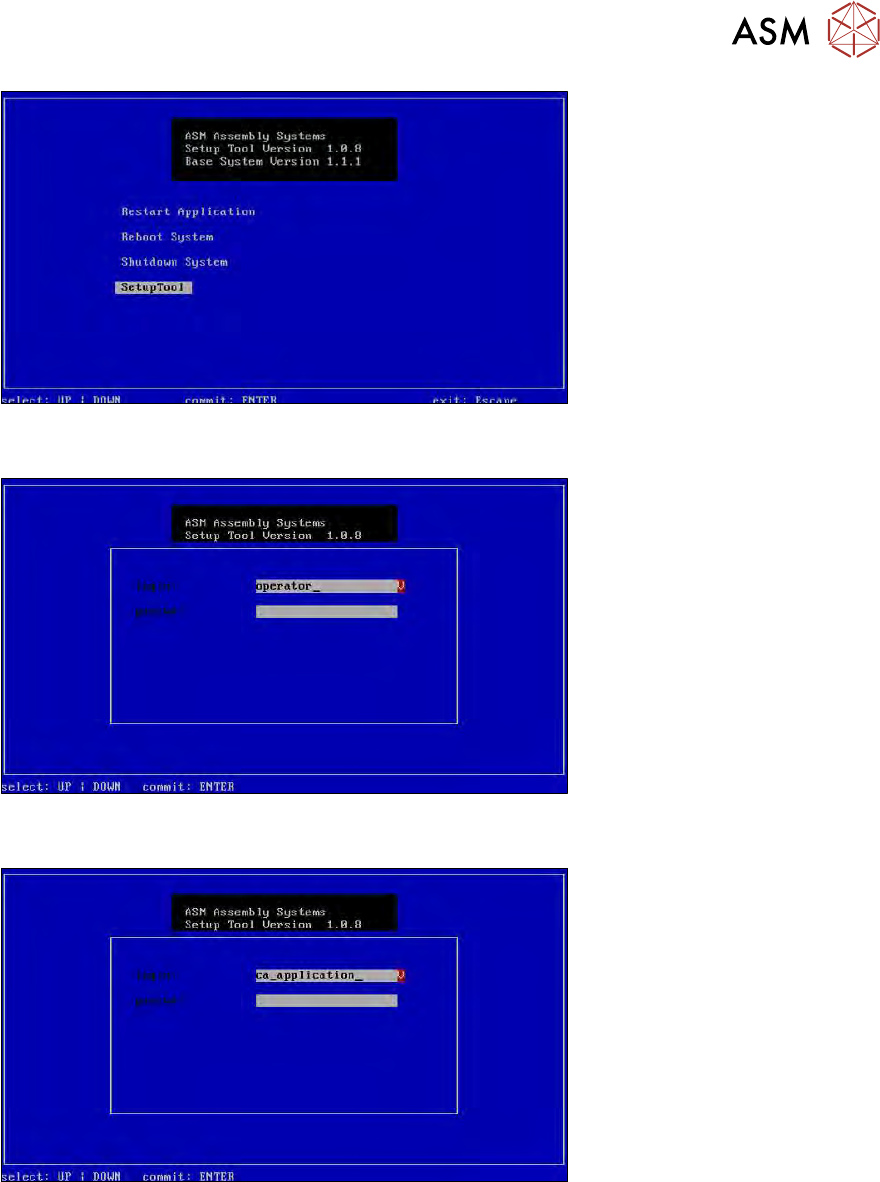
Fig.726: Start window
► Confirm the SetupTool with Enter.
Fig.727: Enter capwd
► Press and hold the CTRL + SHIFT keys and enter the following: capwd
Fig.728: Eingabe Passwort
► Enter your password: wafer4GOD
► Confirm with Enter.
16 Software
16.4 Restoring an old software version (GUI)
468 Service Manual SIPLACE Wafer System (SWS) 11/2018
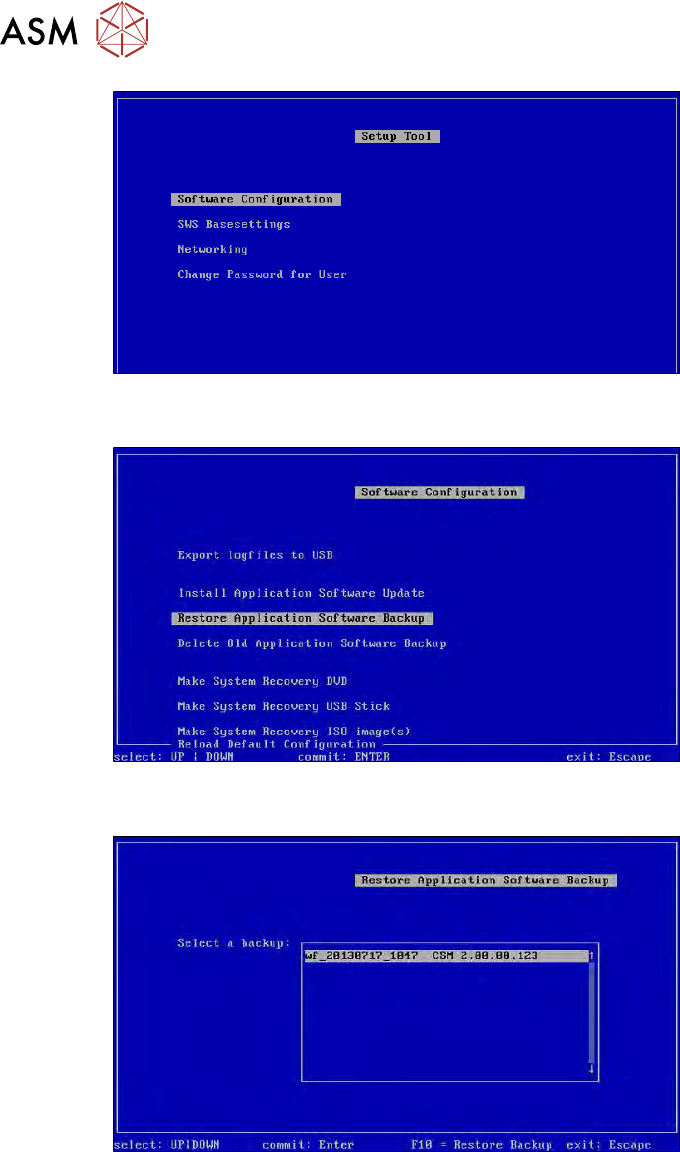
Fig.729: Setup tool menu
► Confirm Software Configuration with Enter.
Fig.730: Software configuration menu
► Confirm Restore Application Software Backup with Enter.
Fig.731: Select the required backup
► Select the required backup and confirm with Enter.
16 Software
16.4 Restoring an old software version (GUI)
Service Manual SIPLACE Wafer System (SWS) 11/2018 469
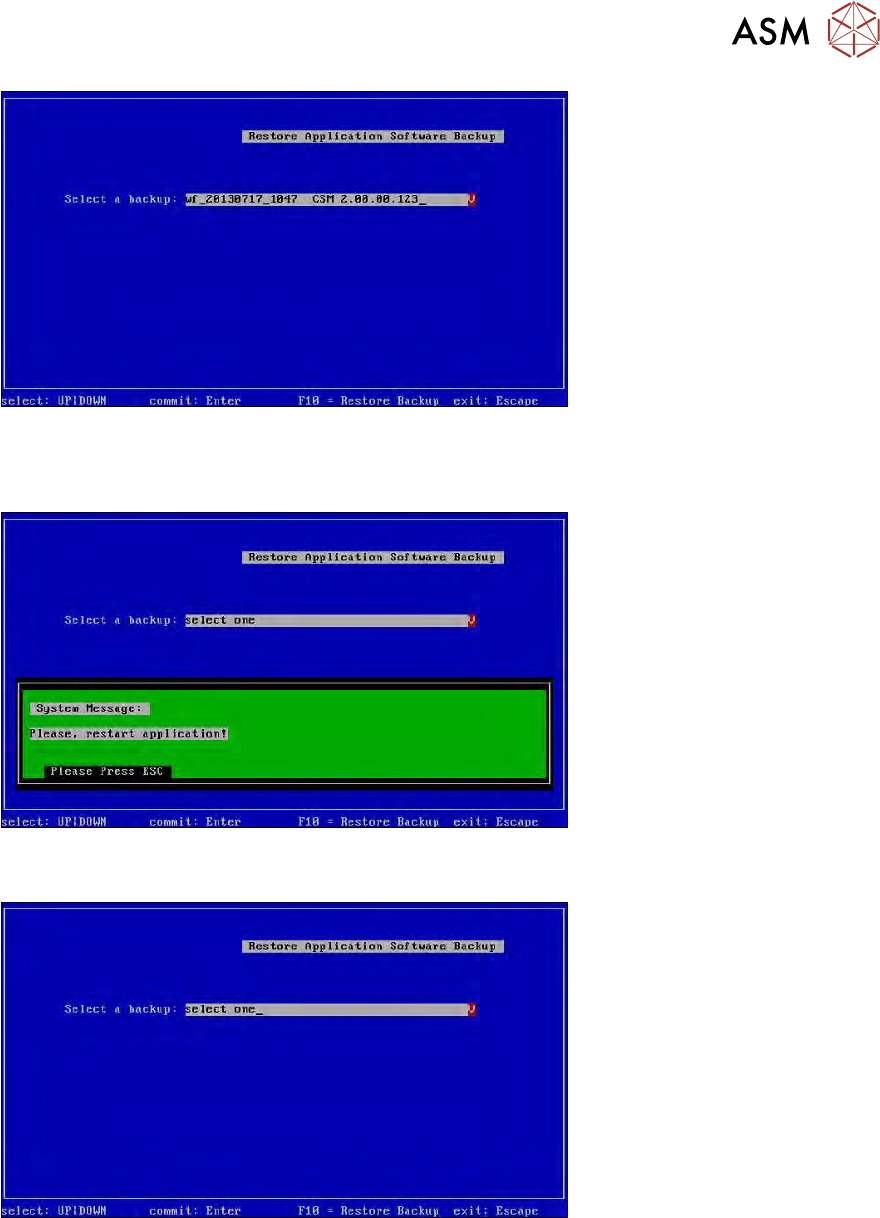
Fig.732: Selected backup
► Press F10.
► Wait until the backup has been restored
Fig.733: Message: restart the application
► Press ESC.
Fig.734: Restore menu
► Press ESC.