00195982-03_SM_SWS_EN.pdf - 第371页
15 Calibration 15.3 Calibration die handling - flip unit Service Manual SIPLACE Wafer System (SWS) 11/2018 371 15.3.1.2 Adjustment of the holding cylinder Z axis Tools required ● Open-end wrench size 19 → for the old ver…
15 Calibration
15.3 Calibration die handling - flip unit
370 Service Manual SIPLACE Wafer System (SWS) 11/2018
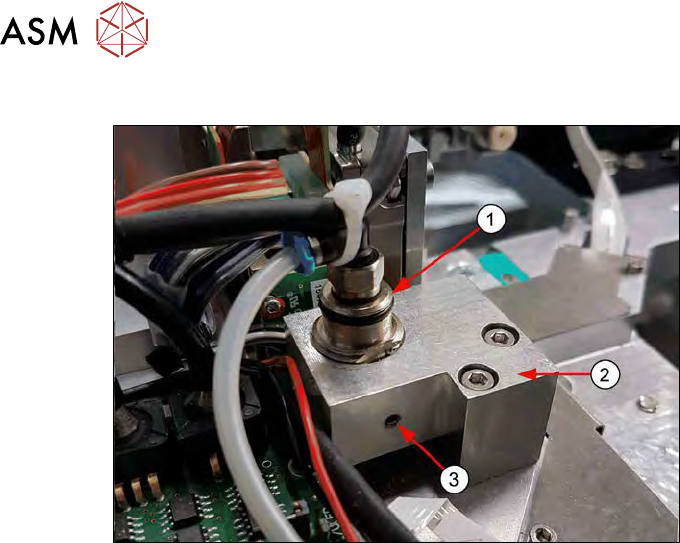
Holding cylinder of the Z axis – current version with grub screw
Fig.532:
Current SWS are equipped with a grub screw to fix the position of the holding cylinder Z axis!
1. Holding cylinder (cartridge cylinder [00385277-xx])
2. Cylinder holder [00385089-xx]
3. Grub screw (for locking the holding cylinder) M3x8 (Allen key 1.5mm)
15 Calibration
15.3 Calibration die handling - flip unit
Service Manual SIPLACE Wafer System (SWS) 11/2018 371
15.3.1.2 Adjustment of the holding cylinder Z axis
Tools required
●
Open-end wrench size 19 → for the old version with locknut
●
Allen key 1.5mm → current version with grub screw
Preconditions
Before you can adjust the height of the holding cylinder, loosen:
●
the locknut at the holding cylinder (old version) → with open-end wrench, size 19
●
the grub screw at the holding cylinder (current version) → Allen key 1.5
Procedure
NOTICE
Remove the grub screw almost completely so that you can rotate the holding cylinder up
and down easily. The grub screw must no longer touch the surface of the holding cylinder!
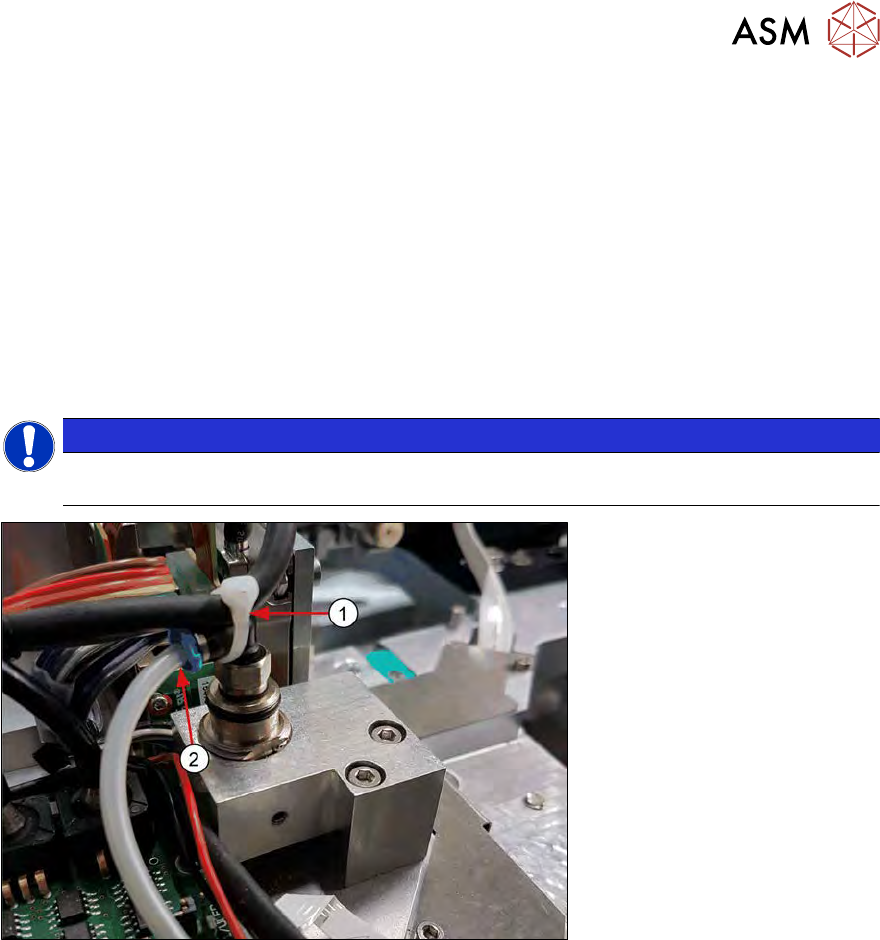
Fig.533:
► Remove the cable tie (1) and the air tube (2) from the holding cylinder. In doing so, you en-
sure that the holding cylinder for the adjustment in Z direction can be moved freely and that no
compressed air for the retraction function is applied to the cylinder.
► If the SWS is in emergency mode, no air supply is applied to the holding cylinder!
► To check the position of the holding cylinders, open emergency loop, so that all axes are
powerless. Then move the rotary axis by hand (see 15.3.1.1 "Different locking systems for the
holding cylinder" [}369]).
For adjusting of the holding cylinder of the Z axis, proceed as follows:
15 Calibration
15.3 Calibration die handling - flip unit
372 Service Manual SIPLACE Wafer System (SWS) 11/2018
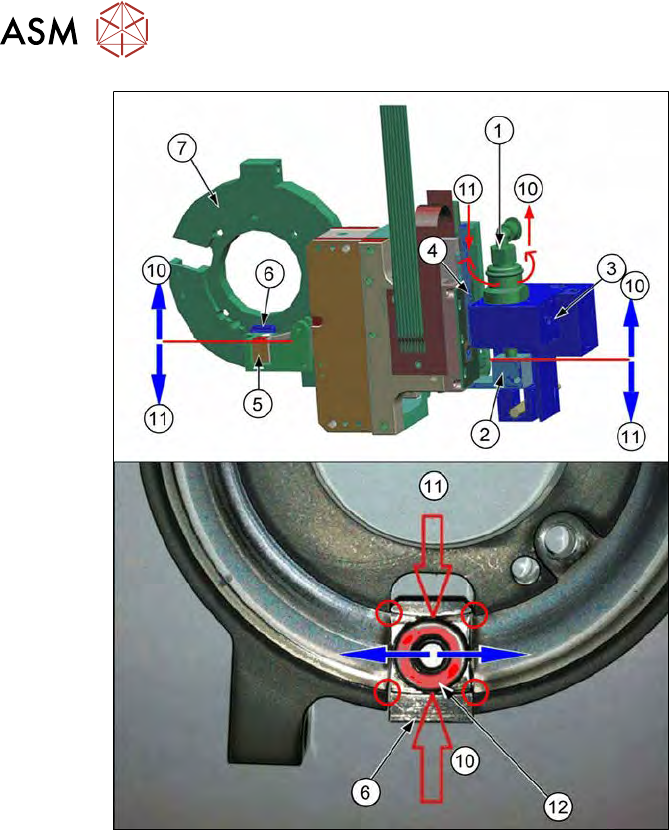
Fig.534:
► Rotate the rotary axis of the flip head manually over the complete range, so that both ball
bearings (12) of both flip head Z axes are moving over the edges (red circles) between race-
way (7) and actuator (6).
► Now adjust the height of the Z axis holding cylinder (1) by rotating it.
► The height adjustment directly influences the position of the raceway (7) with respect to the
actuator (6).
► The connection is:
– Holding cylinder (1)
– Clamp (fear hook) [00385090-xx] (2)
– Z motor (4)
– Z axis actuator (5)
– Actuator (6)
– Ball bearing of the Z axis flip head (12)
► If you rotate the Z axis holding cylinder (1):
– Counter clockwise (direction 10) → the ball bearing of the Z axis flip head (12) moves up
(direction 10)
– Clockwise (direction 11) → the ball bearing of the Z axis flip head (12) moves down (dir-
ection 11)
► Always rotate the rotation axis of the flip head manually over the complete range and adjust
the Z axis holding cylinder upward or downward until the ball bearing (12) moves over the
edges without hitting them (red circles).
► In this position, lock the Z axis holding cylinder using the grub screw (3) or the locknut.
► Reconnect the tube for the air supply to the holding cylinder.