00195982-03_SM_SWS_EN.pdf - 第445页
16 Software 16.2 Installation of operating system Service Manual SIPLACE Wafer System (SWS) 11/2018 445 Setting the location in the setup tool. This is only required if the location was incorrectly set during the GUI ins…
16 Software
16.2 Installation of operating system
444 Service Manual SIPLACE Wafer System (SWS) 11/2018
16.2.3.2 Selecting the SWS location
The SWS location can be selected in the GUI in more recent GUI versions (>3.02.x).
If the location was correctly selected during the GUI installation, there is no more need for action.
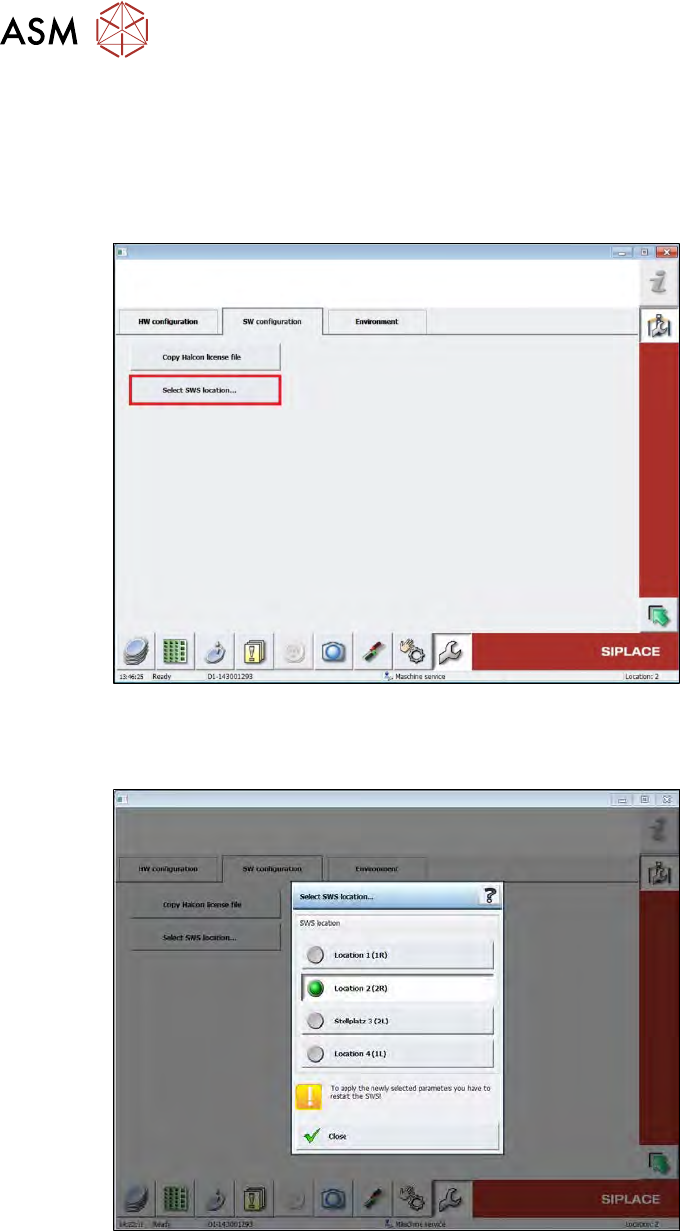
► To select the location, switch over to the page "Service -> Machine configuration -> SW
configuration" and click on "Select SWS location".
Fig.670:
The location can then be selected in the window shown below.
► To apply the change in location, you need to restart the SWS.
Fig.671:
► If this function is not available in older GUI versions, you will need to set the location using the
Setup Tool.
16 Software
16.2 Installation of operating system
Service Manual SIPLACE Wafer System (SWS) 11/2018 445
Setting the location in the setup tool.
This is only required if the location was incorrectly set during the GUI installation and a resetting of
the location in the GUI is not possible (see last chapter).
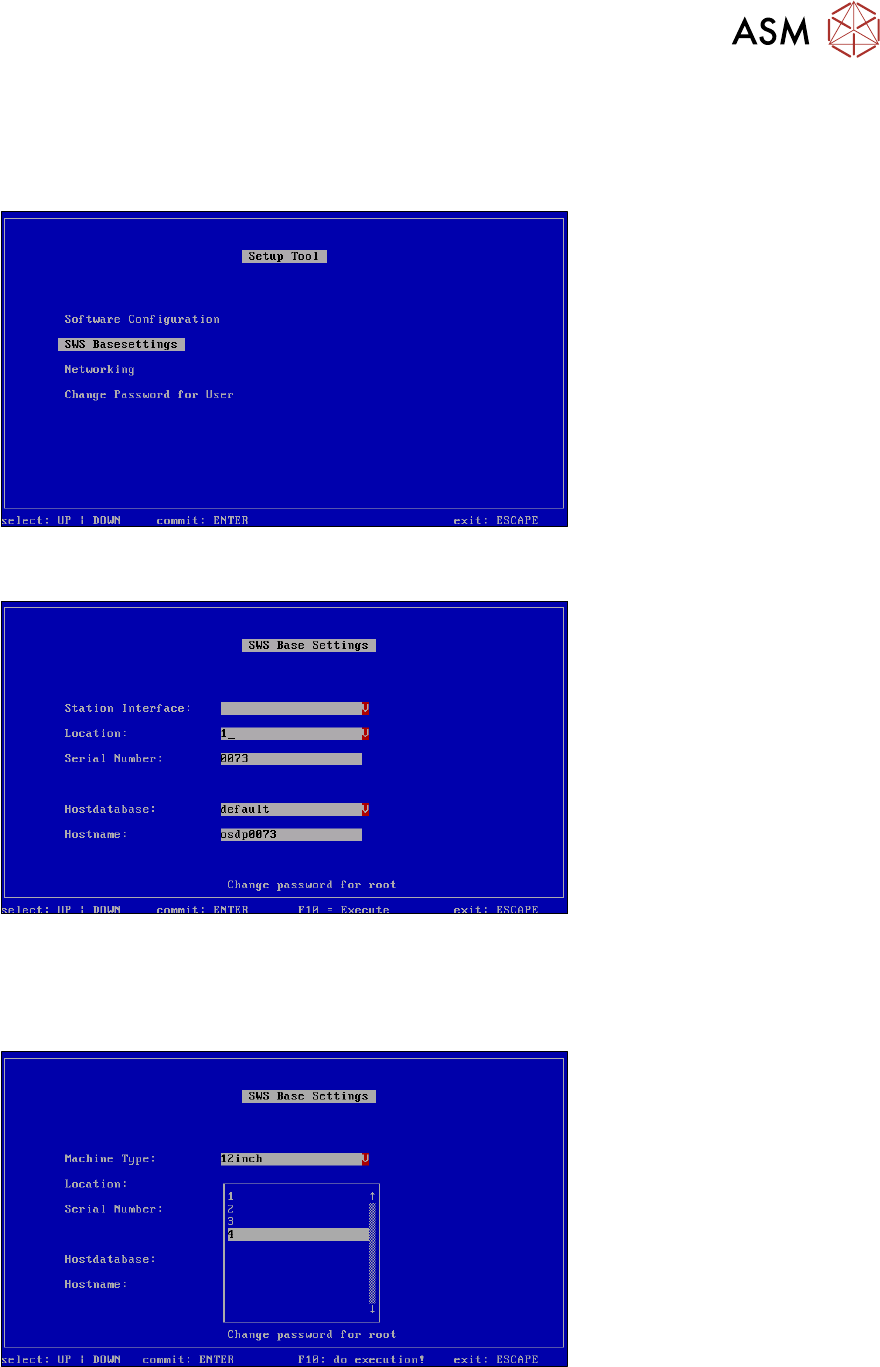
► Go to the setup tool start menu and select "SWS Basesettings".
Fig.672: Setup tool menu - SWS base settings
► Confirm your selection of SWS Basesettings with Enter.
Fig.673: Location number
► Select Location.
► Confirm with Enter.
► The serial number of the SWS can also be altered in the above menu, if needed.
Fig.674: Setting the location number
► Go to Location and select the number of the relevant location (1-4).
In our example, the SWS is at location 4.
► Confirm with Enter.
16 Software
16.2 Installation of operating system
446 Service Manual SIPLACE Wafer System (SWS) 11/2018
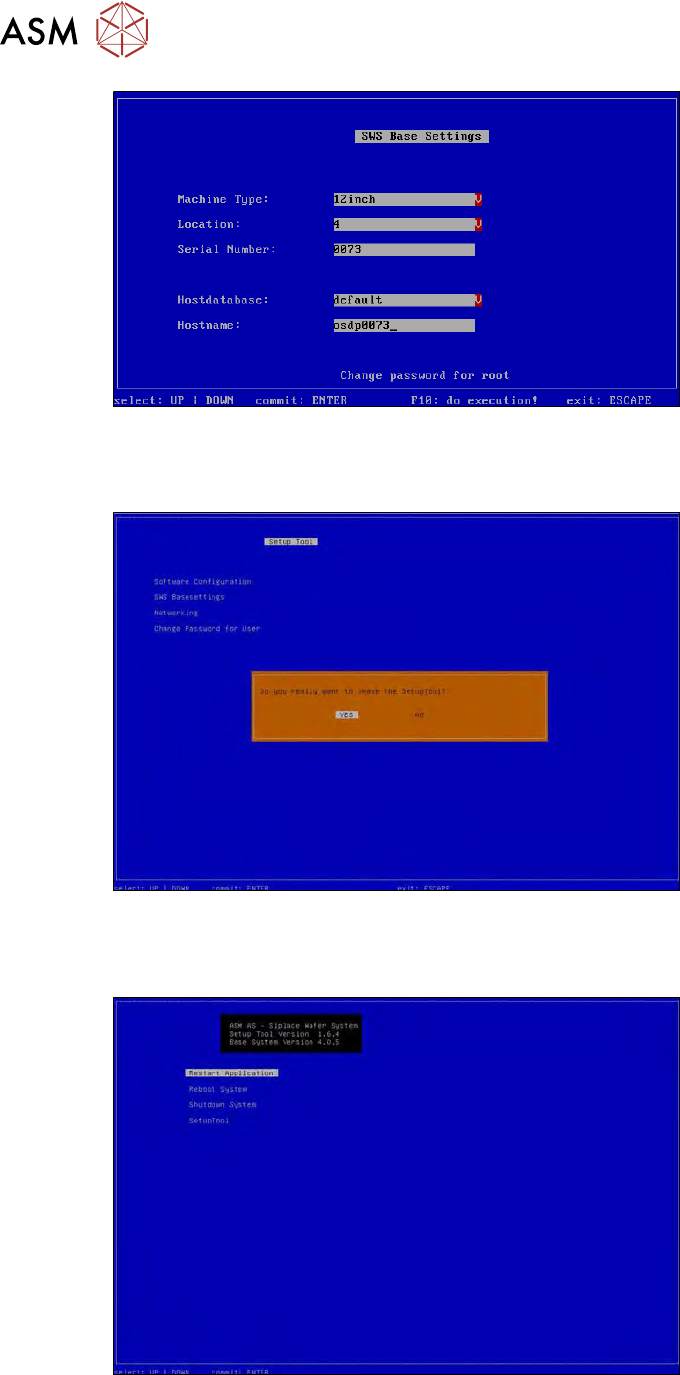
Fig.675: Number of location set
The location number has been set.
► To leave the setup tool, press 2x ESC.
Fig.676:
► Confirm that you want to exit the setup tool with YES.
► Click Restart Applicationto start the GUI.
Fig.677: