00195982-03_SM_SWS_EN.pdf - 第381页
15 Calibration 15.3 Calibration die handling - flip unit Service Manual SIPLACE Wafer System (SWS) 11/2018 381 Fig.549: ► Take out the die ejector unit. Fig.550: ► Put a strip of Teflon tape over the center of the die …
15 Calibration
15.3 Calibration die handling - flip unit
380 Service Manual SIPLACE Wafer System (SWS) 11/2018
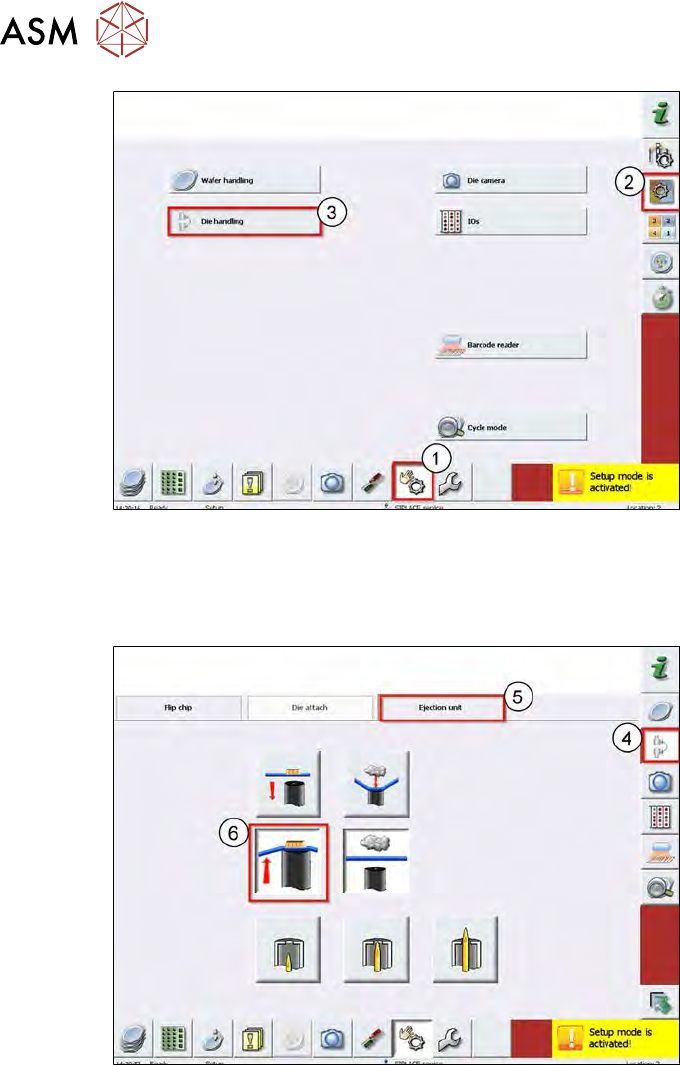
Fig.547:
► Choose Manual Operation (1).
► Choose Manualop Subsystems (2).
► Choose Die handling (3).
Fig.548:
► Choose Manualop Dietransfer (4).
► Choose Ejection unit (5).
► Check if any objects are lying on the die ejector.
If yes, remove these.
► Carefully move the wafer table manually.
► Move up the die ejector (6).
15 Calibration
15.3 Calibration die handling - flip unit
Service Manual SIPLACE Wafer System (SWS) 11/2018 381
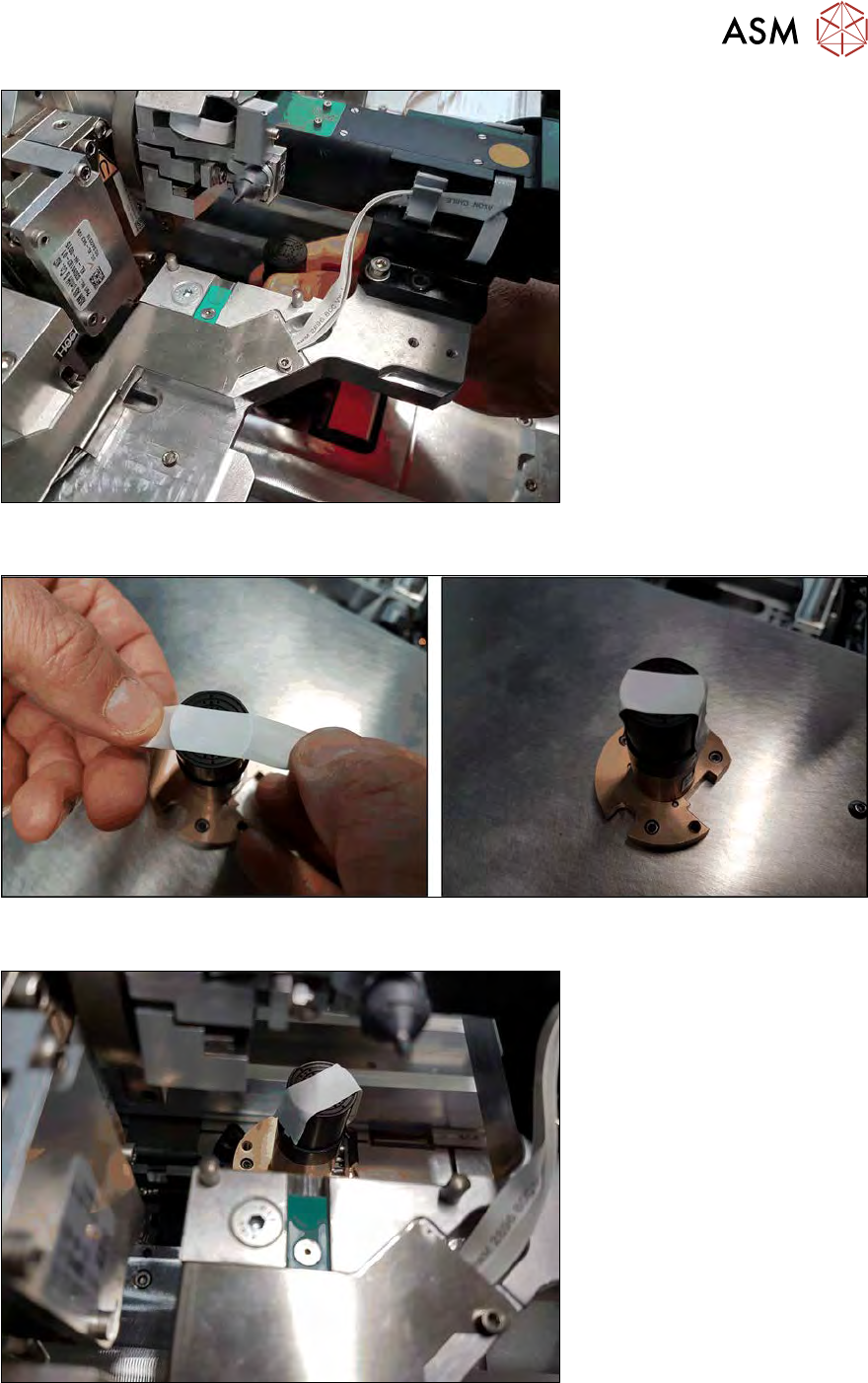
Fig.549:
► Take out the die ejector unit.
Fig.550:
► Put a strip of Teflon tape over the center of the die ejector.
Fig.551:
► Re-insert the die ejector into the SWS.
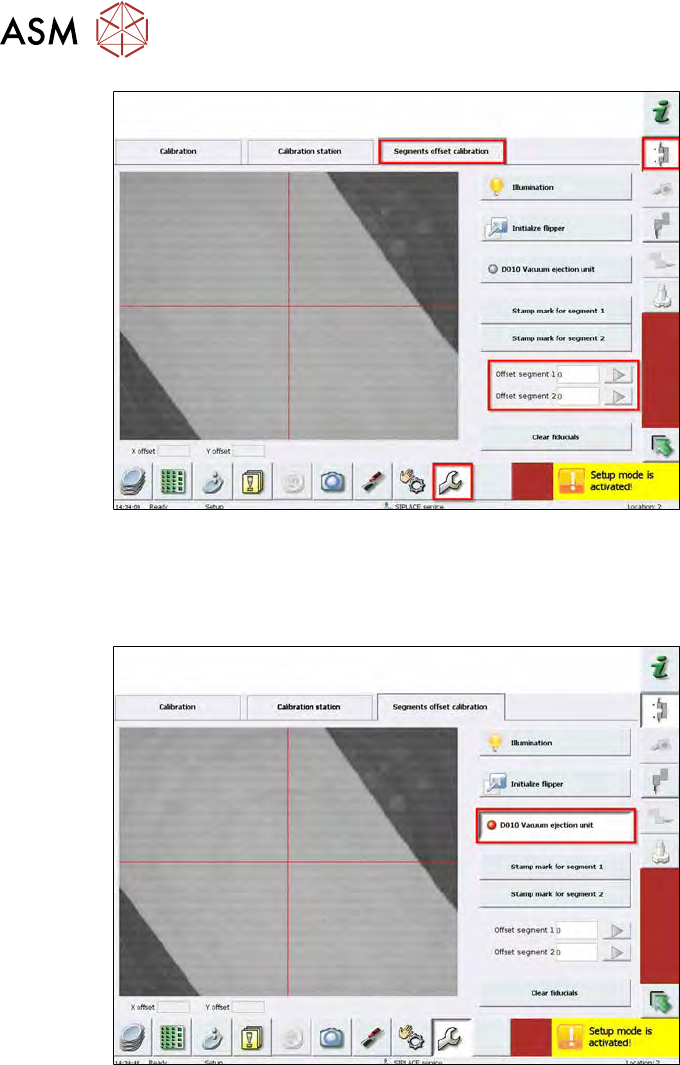
► Switch back to the service menu Die handling calibration.
15 Calibration
15.3 Calibration die handling - flip unit
382 Service Manual SIPLACE Wafer System (SWS) 11/2018
Fig.552:
► For this, choose Service in the bottom menu bar and then Die handling calibration.
► Choose Segments offset calibration.
► Here, the offset values entered in the machine data are displayed (0µm in the example).
Fig.553:
► Activate the vacuum at the ejector to keep the Teflon tape in position.