00195982-03_SM_SWS_EN.pdf - 第97页
5 Basic frame – X/Y unit 5.3 Replacing parts Service Manual SIPLACE Wafer System (SWS) 11/2018 97 Fig.97: ► Lift the cable downholder over the shielded cable and carefully tighten the screw with the ball head of the All…
5 Basic frame – X/Y unit
5.3 Replacing parts
96 Service Manual SIPLACE Wafer System (SWS) 11/2018
Fig.95:
► Fasten the four screws for the spindle plate onto the coupling plate.
Secure the screws with Loctite 243.
► Now screw the coupling plate into place.
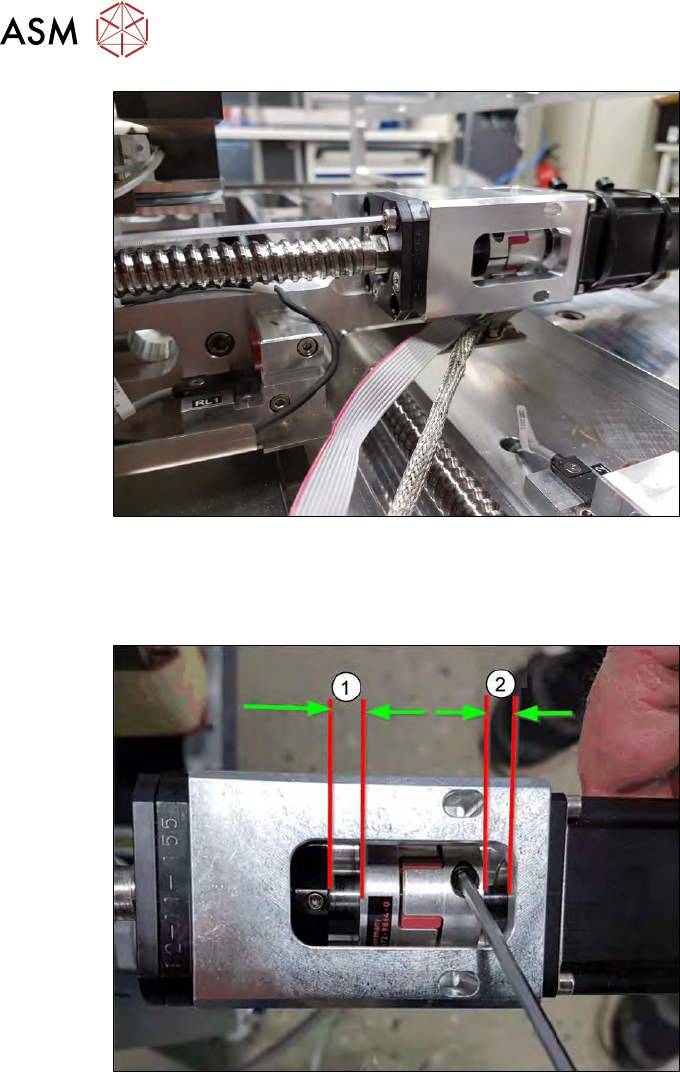
Fig.96:
► Align the coupling.
(1) approx. 6mm
(2) approx. 4mm
► Tighten the two clamping screws on the coupling!
5 Basic frame – X/Y unit
5.3 Replacing parts
Service Manual SIPLACE Wafer System (SWS) 11/2018 97
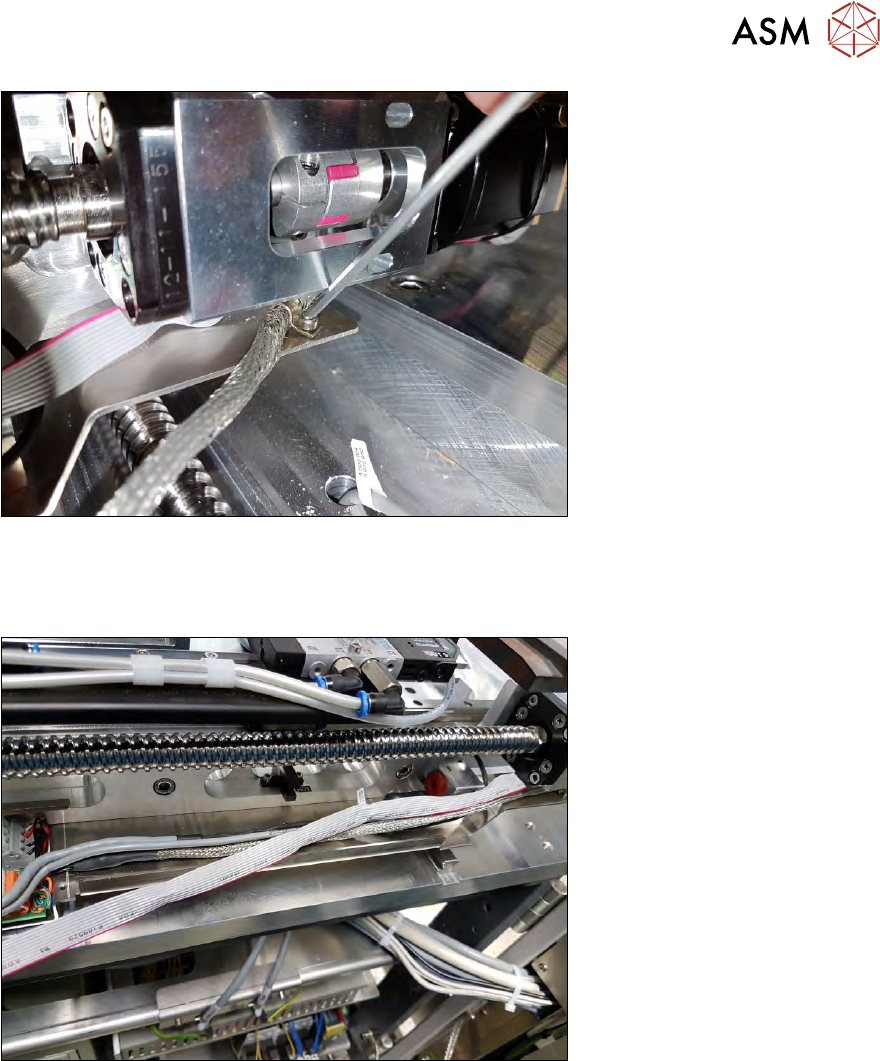
Fig.97:
► Lift the cable downholder over the shielded cable and carefully tighten the screw with the ball
head of the Allen key.
The cable should be aligned parallel to the X axis.
Fig.98:
► As shown in the diagram above, run the cable without twisting!
5 Basic frame – X/Y unit
5.3 Replacing parts
98 Service Manual SIPLACE Wafer System (SWS) 11/2018
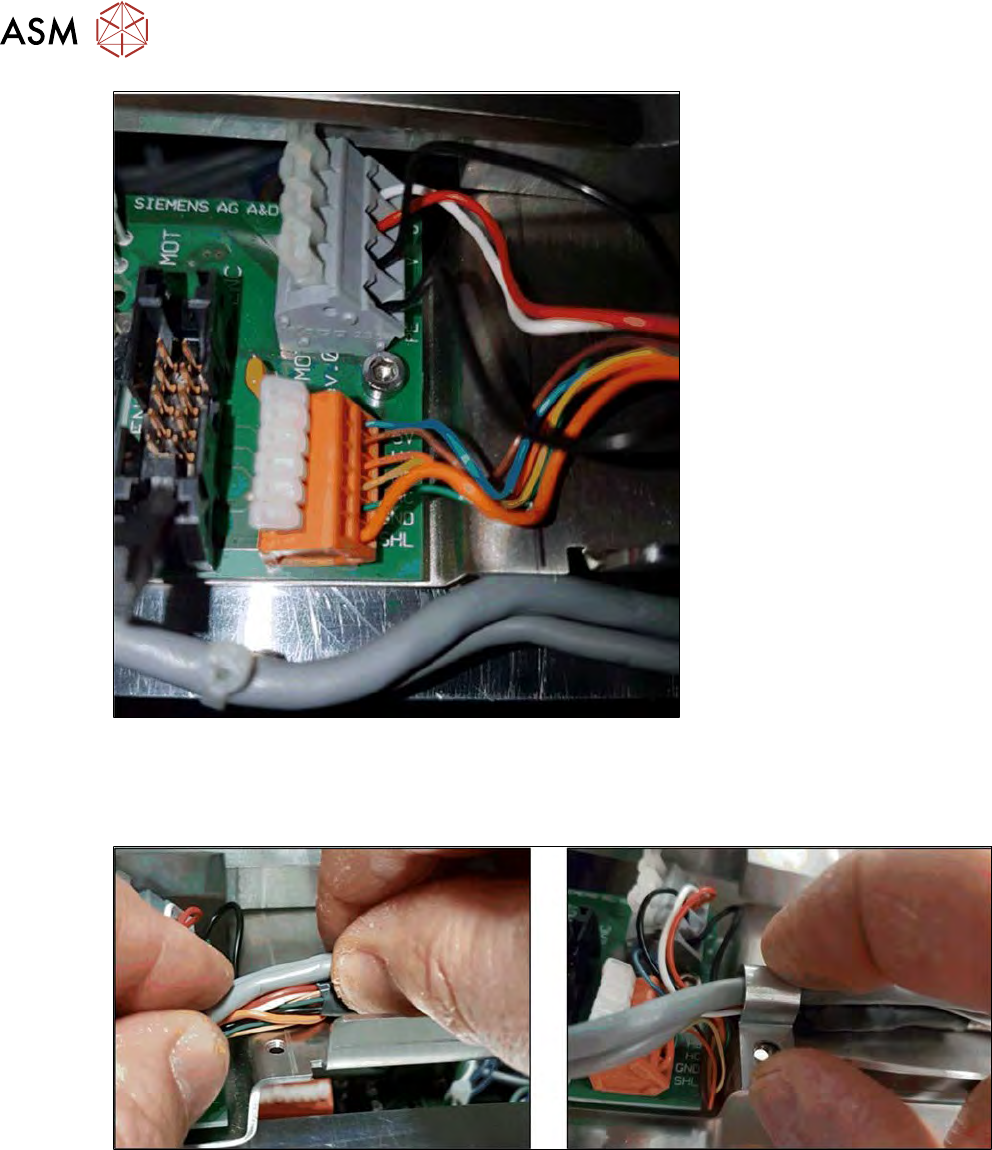
Fig.99:
► Wire the Hall sensor cable and power supply cable to the X motor.
Pay attention to the correct wiring (see 5.3.2.1 "Removing the X motor and coupling" [}85]).
► Connect the flat ribbon cable to the encoder.
Fig.100:
► Position the cable and fix it into place with a cable downholder.
► Screw the cable downholder into place. Make sure that you do not squash any cables!