00195982-03_SM_SWS_EN.pdf - 第351页
13 BoxPC, GALIL cards and axis control 13.3 Replacing the servo amplifier for the axes Service Manual SIPLACE Wafer System (SWS) 11/2018 351 13.3.2 GALIL AMP-19540 in detail Fig.503: All connected cables have the same d…
13 BoxPC, GALIL cards and axis control
13.3 Replacing the servo amplifier for the axes
350 Service Manual SIPLACE Wafer System (SWS) 11/2018
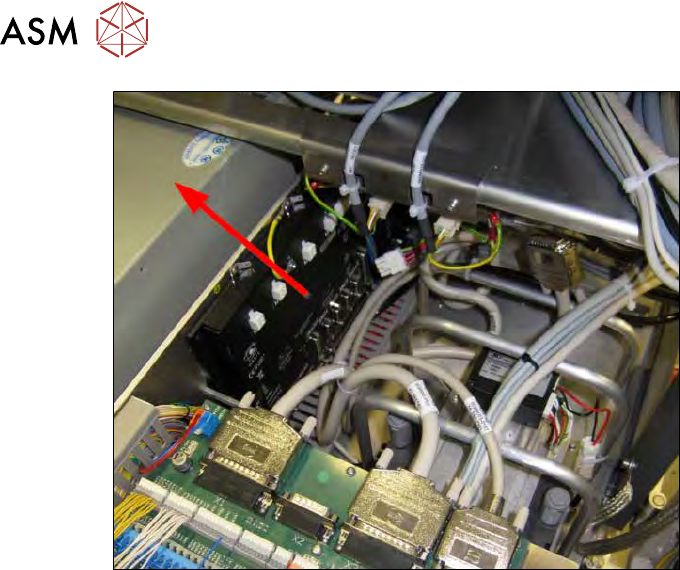
Fig.502:
► Remove the GALIL card up and out of the SWS.
13 BoxPC, GALIL cards and axis control
13.3 Replacing the servo amplifier for the axes
Service Manual SIPLACE Wafer System (SWS) 11/2018 351
13.3.2 GALIL AMP-19540 in detail
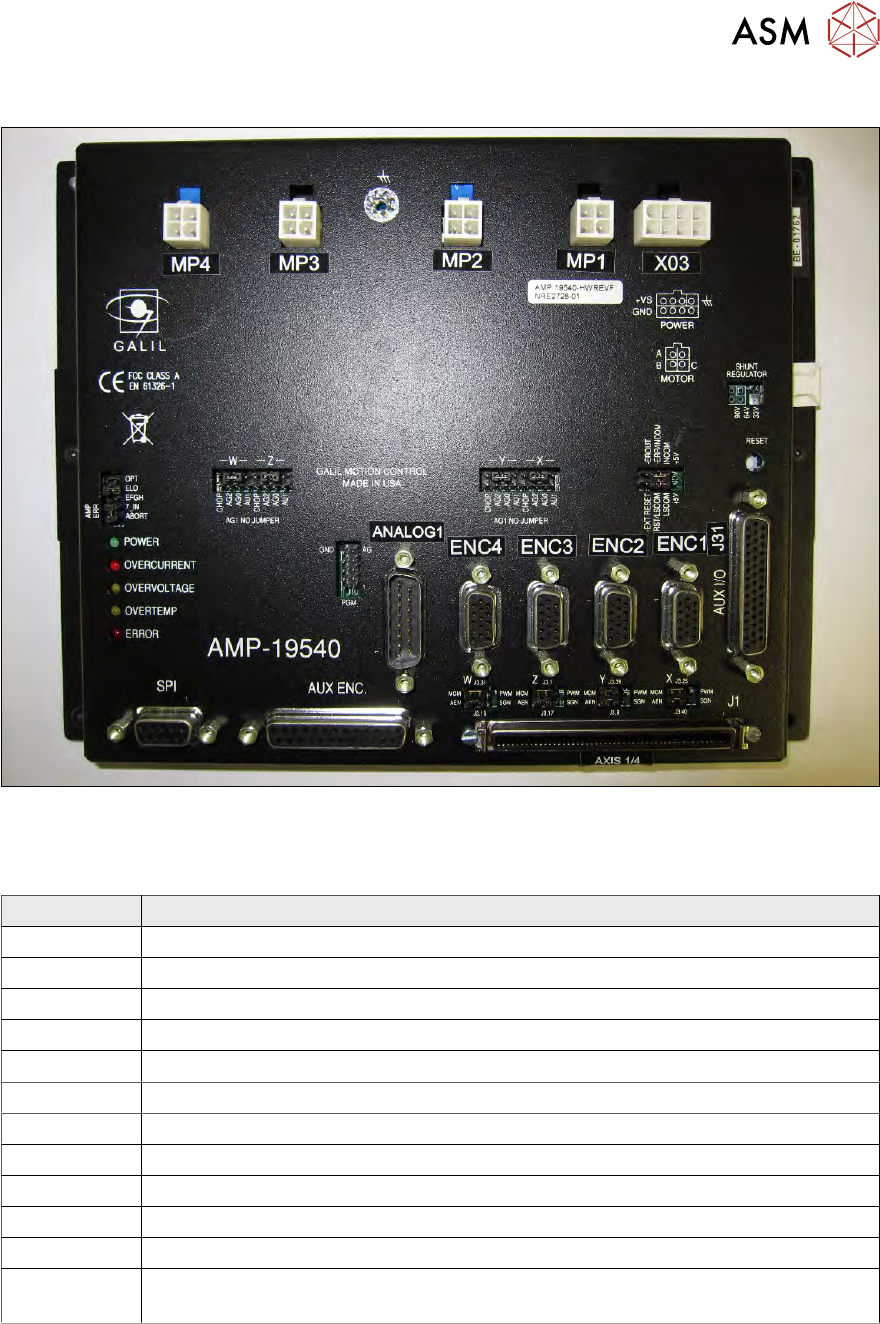
Fig.503:
All connected cables have the same designation as the connectors on the GALIL card.
In our example, these are for the AXIS 1-4:
Designation Description
X03 Input 48V from the power supply to drive the axis motors
MP1 Output voltage supply motor wafer table X axis
MP2 Output voltage supply motor wafer table Y axis
MP3 Output voltage supply motor die ejector tool change
MP4 Output voltage supply motor die ejector
ENC1 Encoder signals motor wafer table X axis
ENC2 Encoder signals motor wafer table Y axis
ENC3 Encoder signals motor die ejector tool change
ENC4 Encoder signals motor die ejector
J31 AUX-IO → limit switches axes 1-4 / input signals 1-8 / output signals 1-8
Analog-1 ANALOG input 1-8 (optional)
J1 Connecting the PCI BUS GALIL motion controller DMC-1886 in the BoxPC (con-
trol)
13 BoxPC, GALIL cards and axis control
13.3 Replacing the servo amplifier for the axes
352 Service Manual SIPLACE Wafer System (SWS) 11/2018
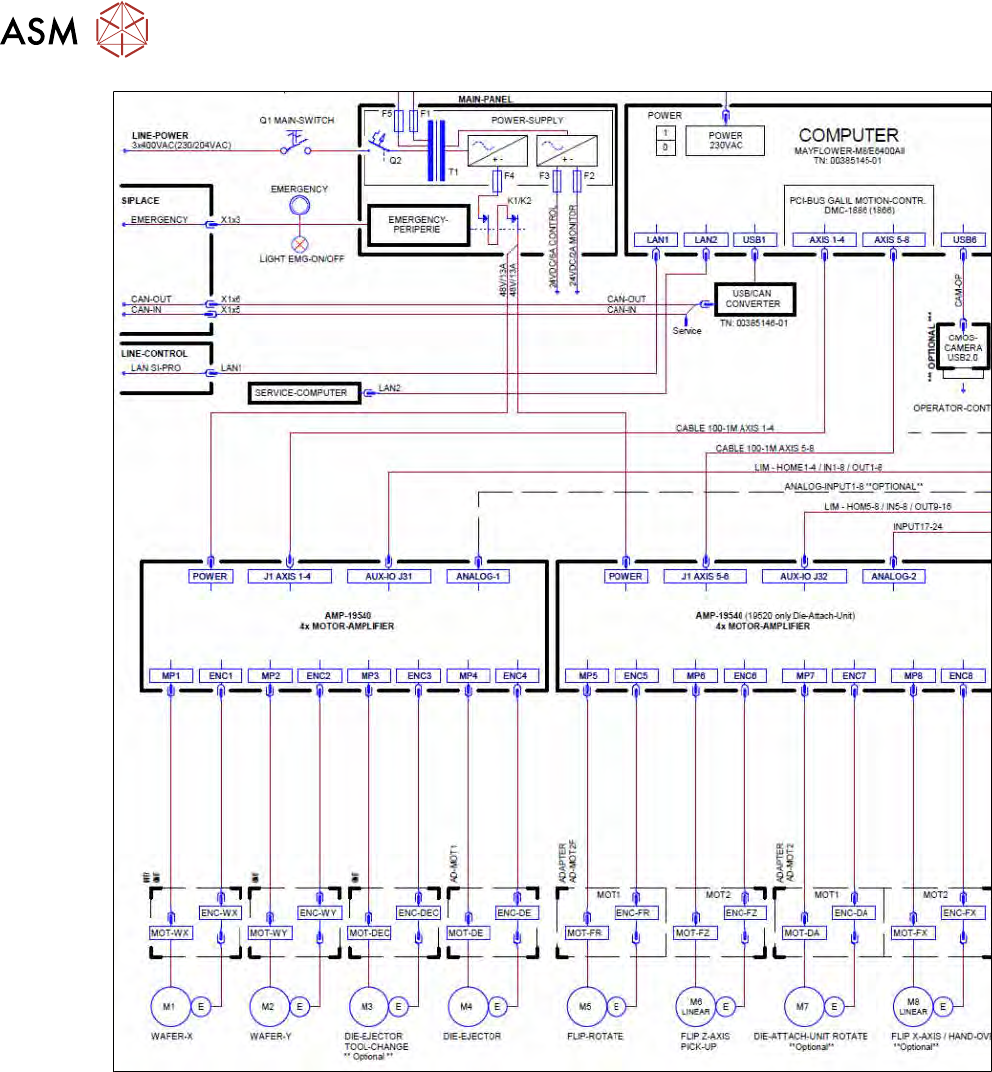
Fig.504:
► Compare all jumpers on the new card before fitting them with the old card.
► If the new GALIL card does not yet have a LABEL for the connections, try to transfer the label
from the old card to the new card.