00195982-03_SM_SWS_EN.pdf - 第402页
15 Calibration 15.4 Calibration of the complete wafer handling 402 Service Manual SIPLACE Wafer System (SWS) 11/2018 Fig.587: ► Then try to move the wafer out of the magazine onto the wafer table, by pulling the wafer c…
15 Calibration
15.4 Calibration of the complete wafer handling
Service Manual SIPLACE Wafer System (SWS) 11/2018 401
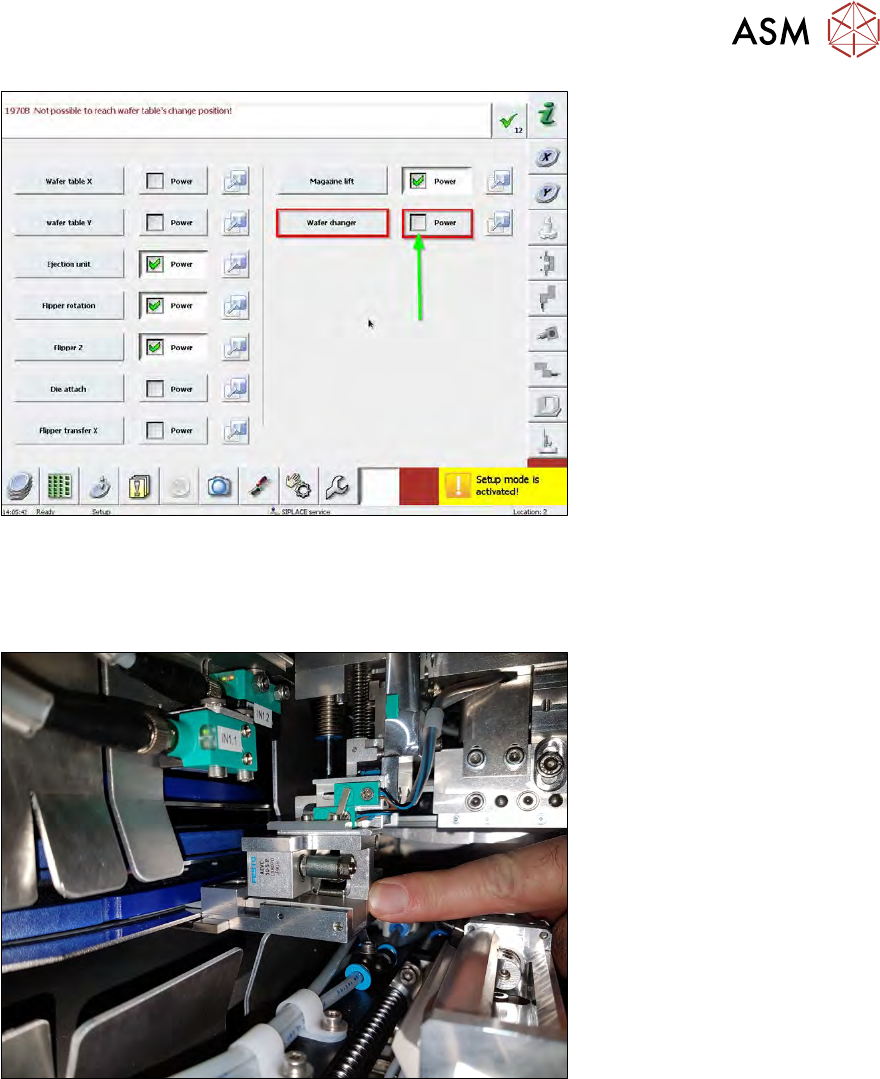
Fig.585:
► Deselect Power for the Wafer changer.
ð The wafer changer can be moved manually.
► The gripper is open as default.
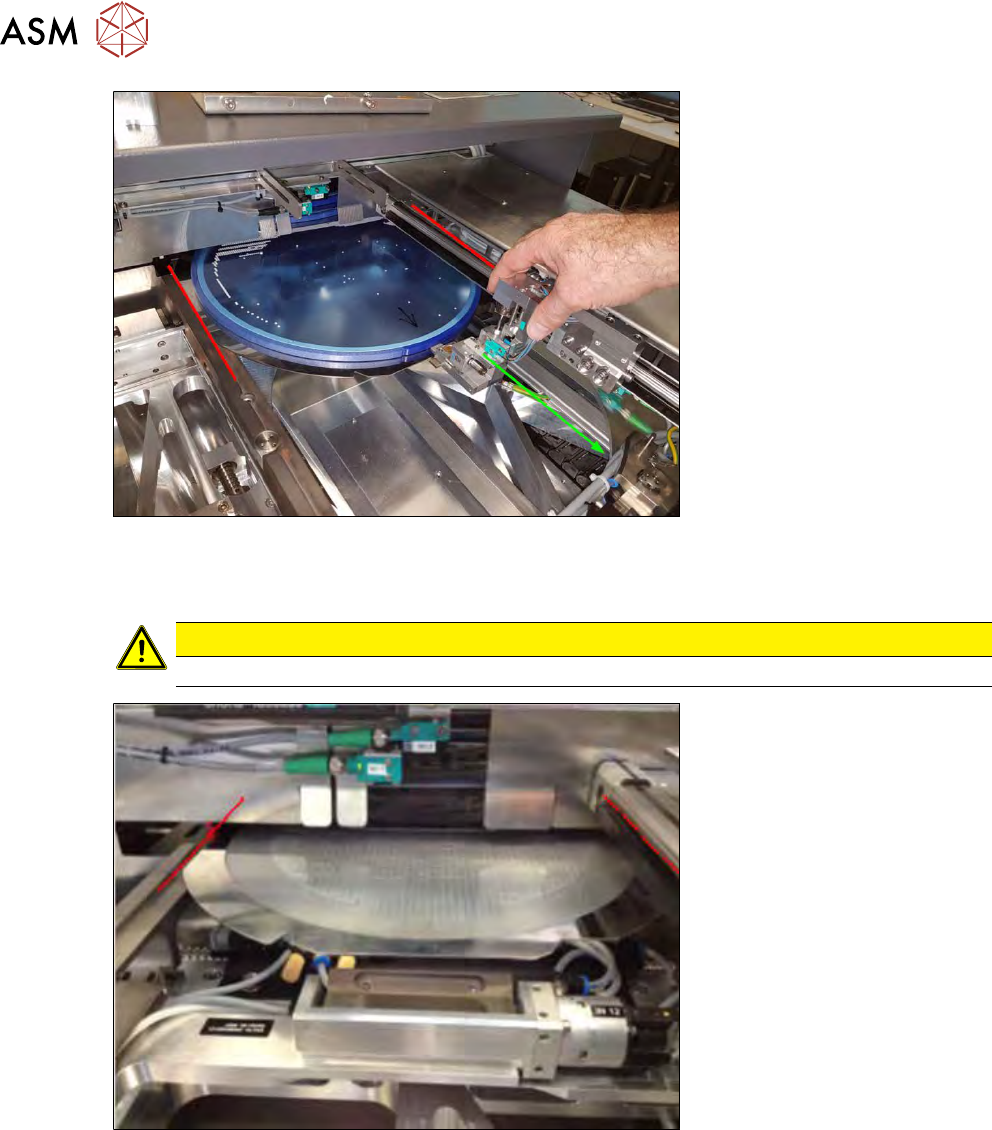
Fig.586:
► Move the wafer changer manually to the wafer frame. The frame must be inside the gripper.
► Choose Gripper close to activate the clamping function.
15 Calibration
15.4 Calibration of the complete wafer handling
402 Service Manual SIPLACE Wafer System (SWS) 11/2018
Fig.587:
► Then try to move the wafer out of the magazine onto the wafer table, by pulling the wafer
changer backwards.
CAUTION
In the Setup mode, the magazine lift axis still can be moved.
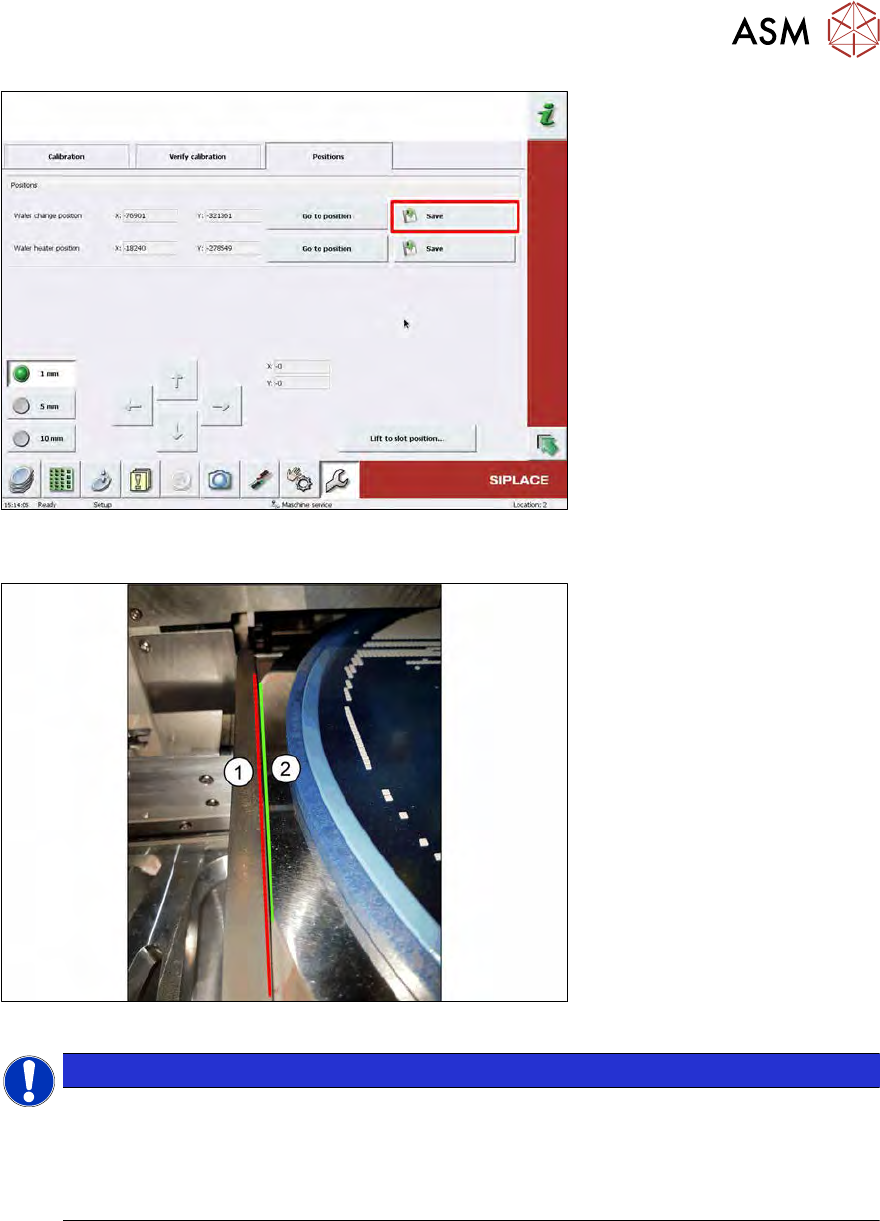
Fig.588:
► Now the wafer table can be adjusted manually until it is aligned with the wafer magazine. Both
sides of the wafer frame should have the same gap to the rail of the wafer table. For fine ad-
justment, the wafer table can be moved by turning the spindle or motor of the related axis.
15 Calibration
15.4 Calibration of the complete wafer handling
Service Manual SIPLACE Wafer System (SWS) 11/2018 403
Fig.589:
► Choose Save in the Wafer change position line after you have finished the adjustment.
Fig.590:
NOTICE
Especially for large wafers (12”), make sure that the wafer frame (2) is rectangularly aligned
in wafer magazine.
Otherwise, the edges of the wafer frame (2) are touching the edges of the wafer rails (1)
diagonally and the wafer can´t be moved out.
Wafer frame (2) and wafer rail (1) should be in parallel!