00195982-03_SM_SWS_EN.pdf - 第239页
10 Option Die Attach Unit SWS 10.1 Installing the Option Die Attach Unit SWS Service Manual SIPLACE Wafer System (SWS) 11/2018 239 Fig.318: ► Next, the window Calibration of die attach axes displays information on what …
10 Option Die Attach Unit SWS
10.1 Installing the Option Die Attach Unit SWS
238 Service Manual SIPLACE Wafer System (SWS) 11/2018
10.1.5 Calibration of the Die Attach Module
In order to get access to the Die Attach Unit and perform the calibration, the cover of the CA
machine must be opened!
For this reason, the Setup mode must be activated!
HIGH RISK OF SERIOUS INJURIES
► Setup mode must be activated!
(The following screenshots from GUI were taken in theNON setup mode!)
10.1.5.1 Calibration of the Die Attach Rotation Axis
► Change to the operator level Service.
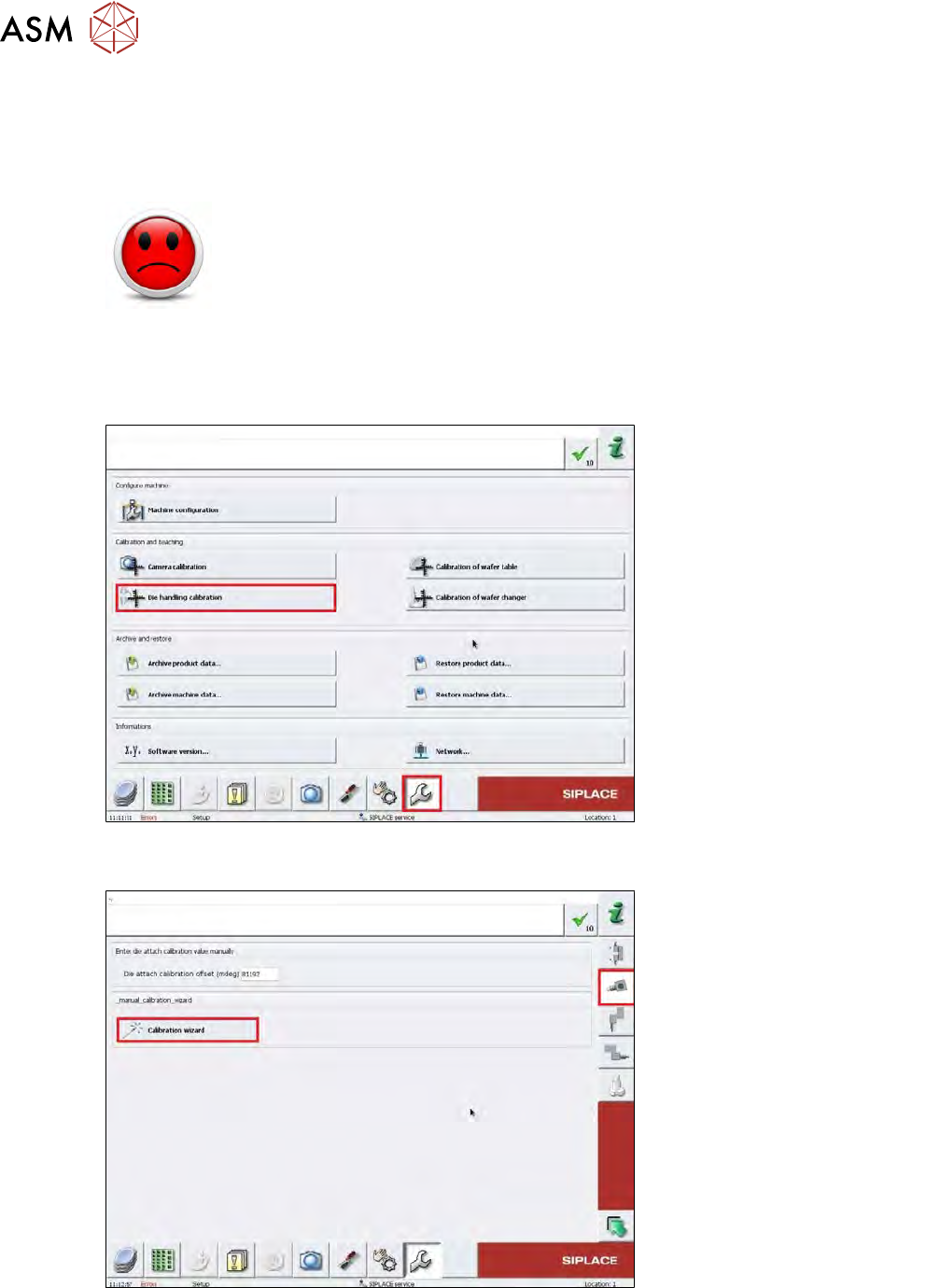
Fig.316:
► Choose the Service menu, then choose the Die handling calibration button.
Fig.317:
► Choose the Calibration wizard button.
10 Option Die Attach Unit SWS
10.1 Installing the Option Die Attach Unit SWS
Service Manual SIPLACE Wafer System (SWS) 11/2018 239
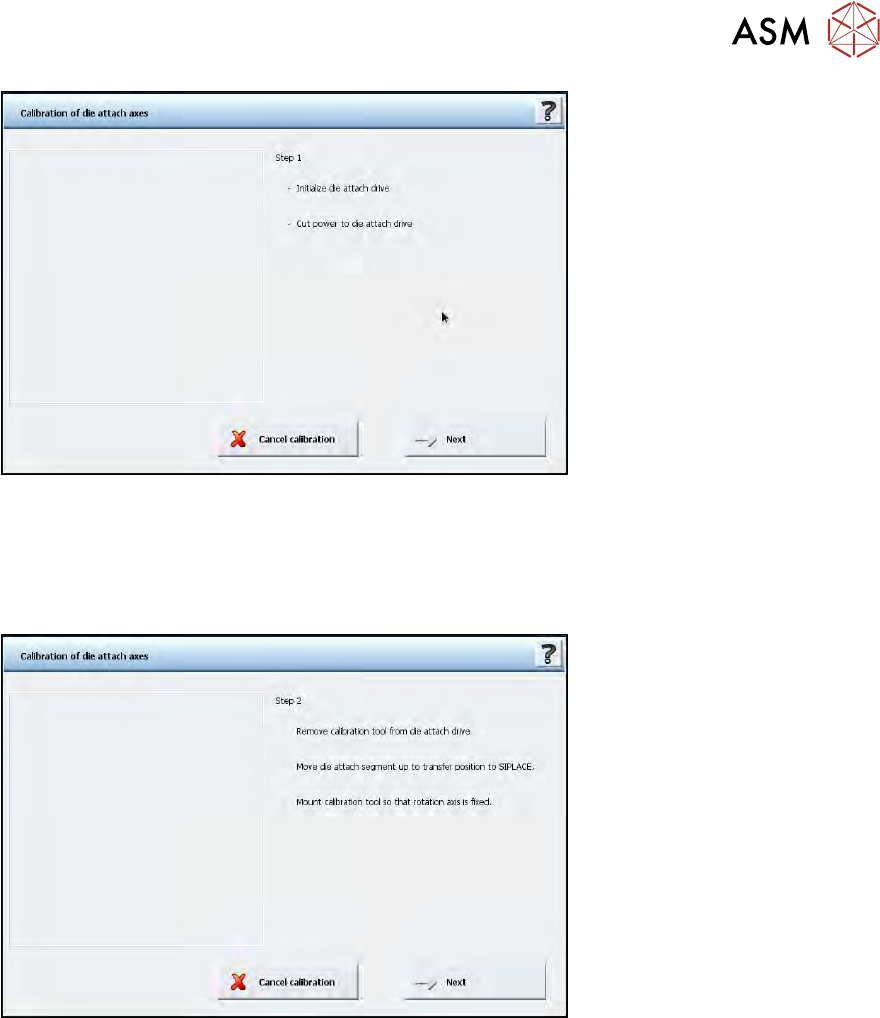
Fig.318:
► Next, the window Calibration of die attach axes displays information on what the calibration
wizard will do in this specific step and what the operator has to do.
In Step 1 there is nothing to do for the operator.
► Choose Next.
Fig.319:
► Step 2 is performed automatically.
Perform the following steps as instructed on the screen:
10 Option Die Attach Unit SWS
10.1 Installing the Option Die Attach Unit SWS
240 Service Manual SIPLACE Wafer System (SWS) 11/2018
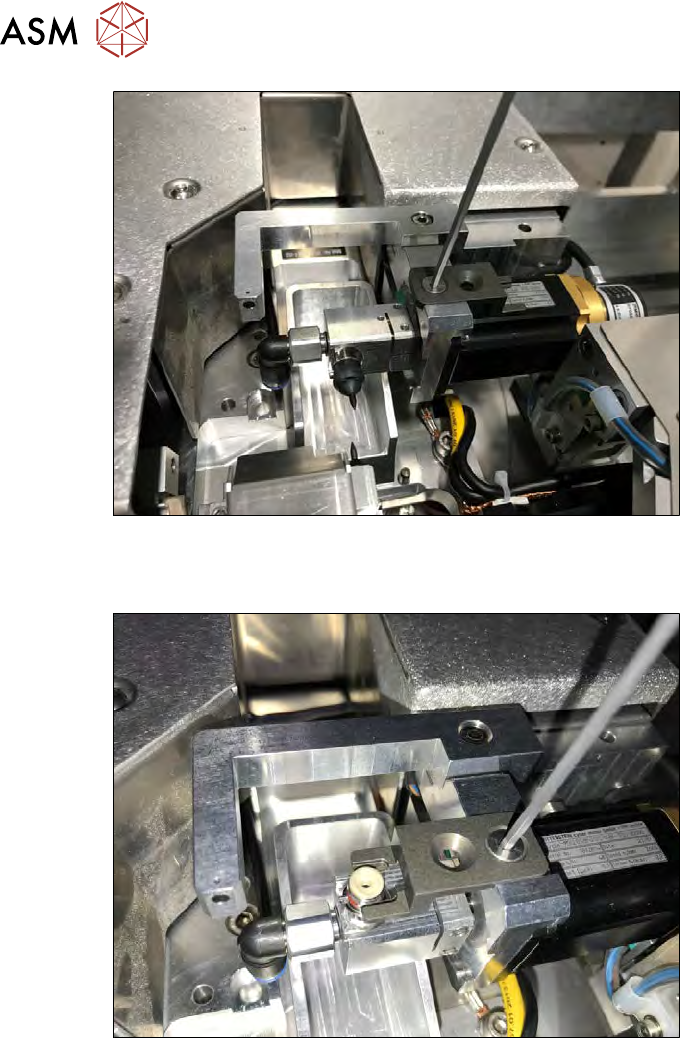
Fig.320:
► Remove the calibration tool from the Die Attach drive. Remove the fastening screw for this
(see figure).
Fig.321:
► Remove the nozzle from the Die Attach segment and turn the segment in the upper transfer
position. Fit the gauge (see figure).
► Choose Next.
ð After successful calibration, the window with Step 3 is displayed.