00195982-03_SM_SWS_EN.pdf - 第250页
10 Option Die Attach Unit SWS 10.2 Dissambling Die-Attach-Unit SWS 250 Service Manual SIPLACE Wafer System (SWS) 11/2018 Fig.340: The filling piece is required to fill the gap in the flip head raceway after removing the…
10 Option Die Attach Unit SWS
10.2 Dissambling Die-Attach-Unit SWS
Service Manual SIPLACE Wafer System (SWS) 11/2018 249
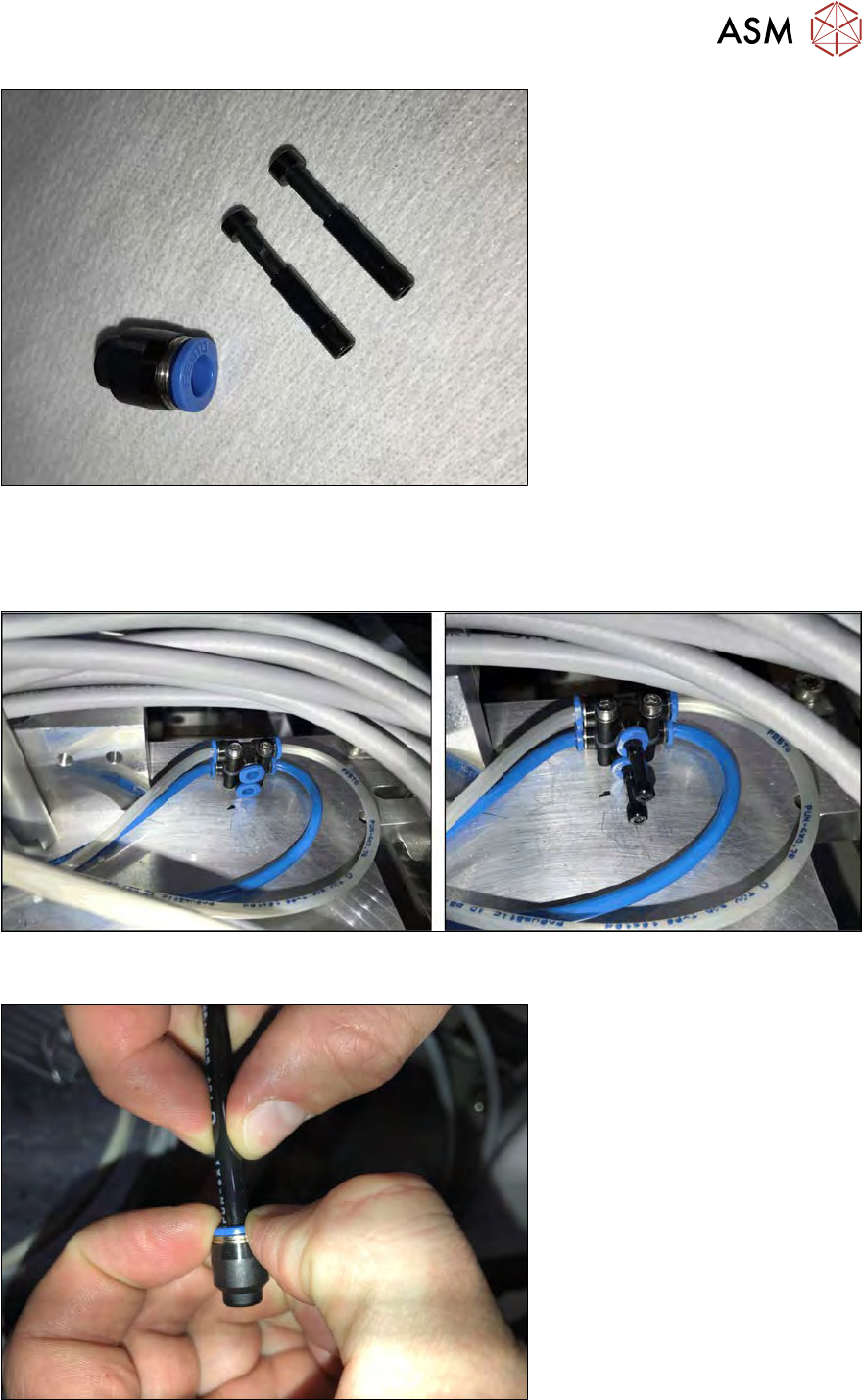
Fig.337: Parts
The parts in the following figure are needed to close the open compressed air and vacuum connec-
tions.
The sealing cap and the sealing plugs are delivered with the Die Attach Unit.
Fig.338: Plugs
► Plug the sealing plugs into the open compressed air connections.
Fig.339:
► Put the sealing cap onto the open vacuum tube.
10 Option Die Attach Unit SWS
10.2 Dissambling Die-Attach-Unit SWS
250 Service Manual SIPLACE Wafer System (SWS) 11/2018
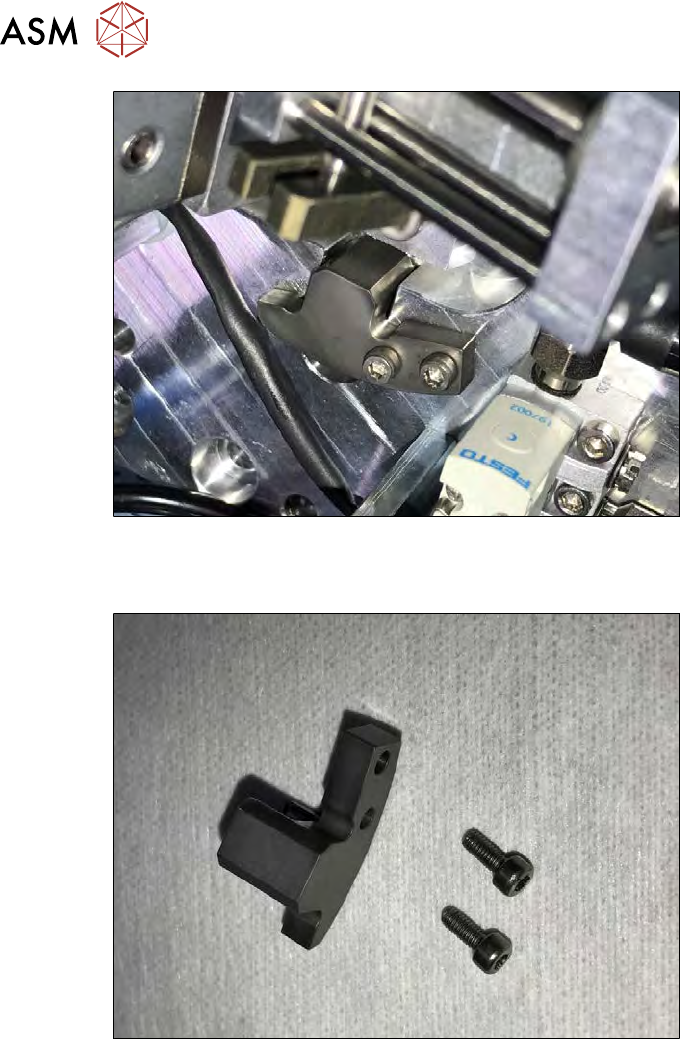
Fig.340:
The filling piece is required to fill the gap in the flip head raceway after removing the Die Attach
Unit. The filling piece is mounted on the Die Attach Unit (see figure).
Fig.341:
► Open the safety screws of the filling piece and take it out.
10 Option Die Attach Unit SWS
10.2 Dissambling Die-Attach-Unit SWS
Service Manual SIPLACE Wafer System (SWS) 11/2018 251
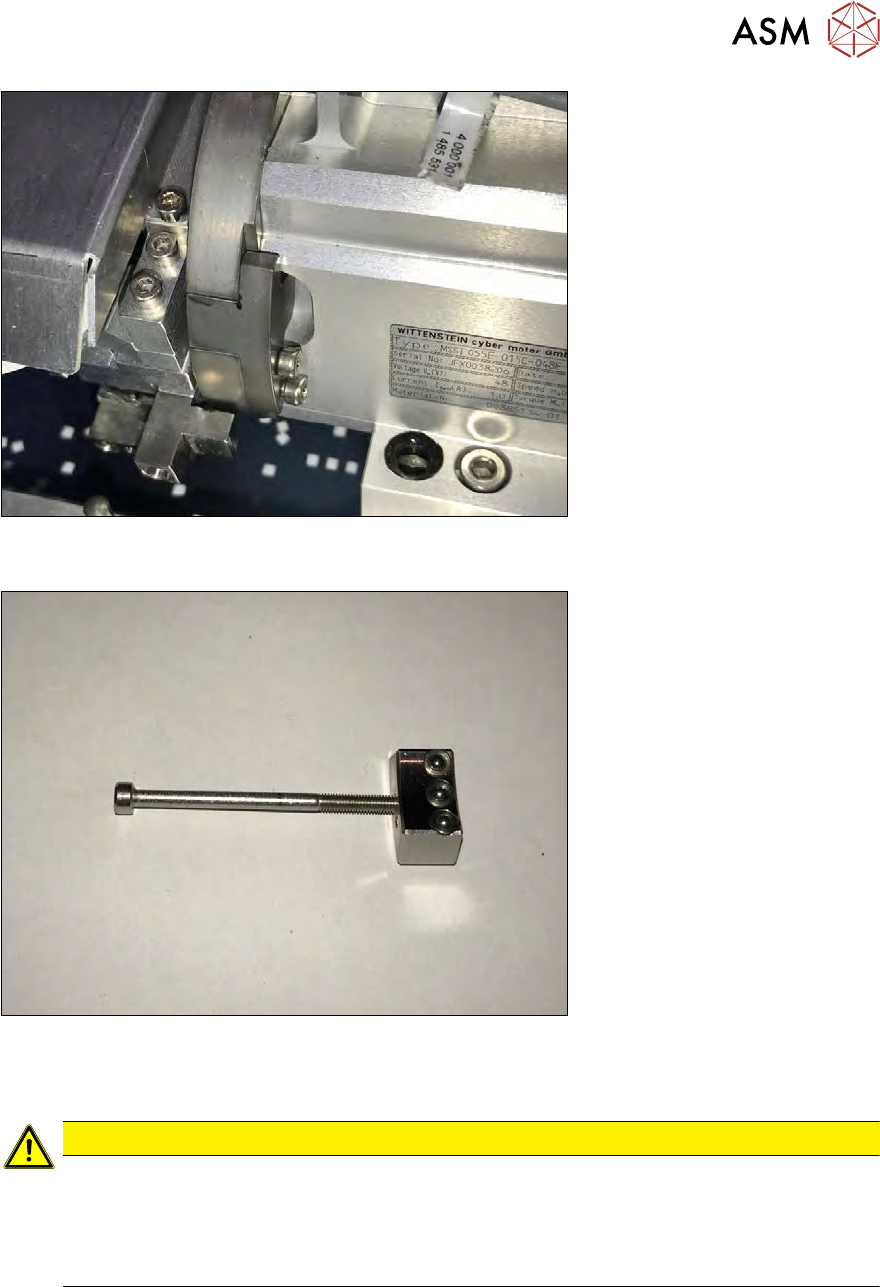
Fig.342:
► Insert the filling piece (see figure). However, do not fully tighten the safety screws yet.
Fig.343:
The filling piece must be adjusted with the adjustment gauge shown in the figure. It can be found in
the service box of the SWS.
CAUTION
If the filling piece is not adjusted with the gauge, there will be a step to the flip head race-
way. When the bearing of the segment moves over this step the picked die will be lost or
shifted!
► Insert the adjustment gauge into the loosely mounted filling piece. The edges of the
adjustment gauge must be inside the raceway (see following figure).