00195982-03_SM_SWS_EN.pdf - 第219页
10 Option Die Attach Unit SWS 10.1 Installing the Option Die Attach Unit SWS Service Manual SIPLACE Wafer System (SWS) 11/2018 219 10.1.3 Installing the Option Die Attach Unit in SWS Fig.284: ► Remove the cable ties of …
10 Option Die Attach Unit SWS
10.1 Installing the Option Die Attach Unit SWS
218 Service Manual SIPLACE Wafer System (SWS) 11/2018
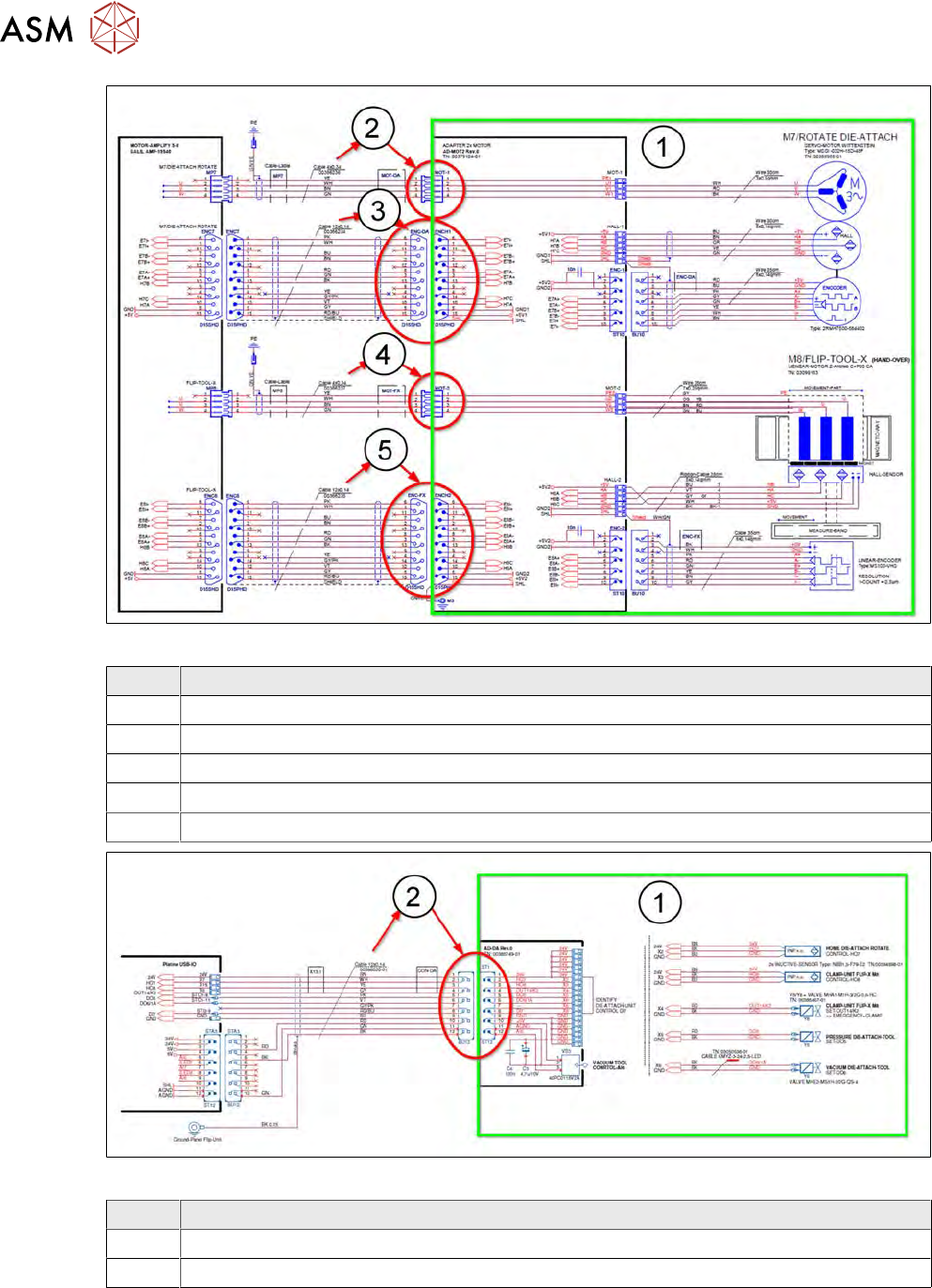
Fig.282:
Item Designation
1 Pre-wired module assembly Die Attach Unit SWS
2 Voltage supply Motor Rotate Die Attach cable 00386236-xx at Connector MOT-1
3 Cable Signals Motor Rotate Die Attach 00386234-xx at Connector ENCH1
4 Cable Power Supply Motor Flip-Tool-X 00386237-xx at Connector MOT-2
5 Cable Signals Motor Flip-Tool-X 00386235-xx at Connector ENCH2
Fig.283:
Item Designation
1 Pre-wired module assembly Die Attach Unit SWS
2 Cable Die Attach Unit Control IO/OUT 00386020-xx at ST1-12
10 Option Die Attach Unit SWS
10.1 Installing the Option Die Attach Unit SWS
Service Manual SIPLACE Wafer System (SWS) 11/2018 219
10.1.3 Installing the Option Die Attach Unit in SWS
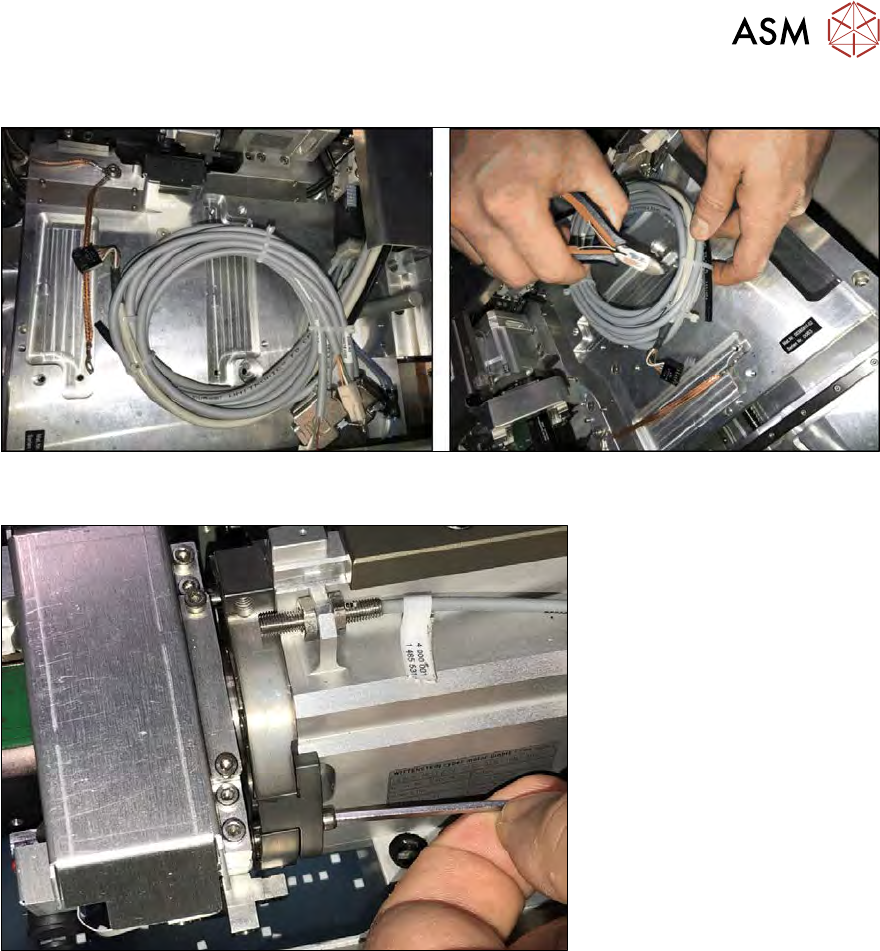
Fig.284:
► Remove the cable ties of the Die Attach cables.
Fig.285:
► Remove the two screws and take out the filling piece on the raceway of the flip head. To pre-
vent any loss of the screws, lay a sheet of paper underneath (not shown in the figure)!
At this position the transfer X axis of the Die Attach Unit is inserted. The transfer X axis moves seg-
ment 1 of the flip head towards the Die Attach segment.
10 Option Die Attach Unit SWS
10.1 Installing the Option Die Attach Unit SWS
220 Service Manual SIPLACE Wafer System (SWS) 11/2018
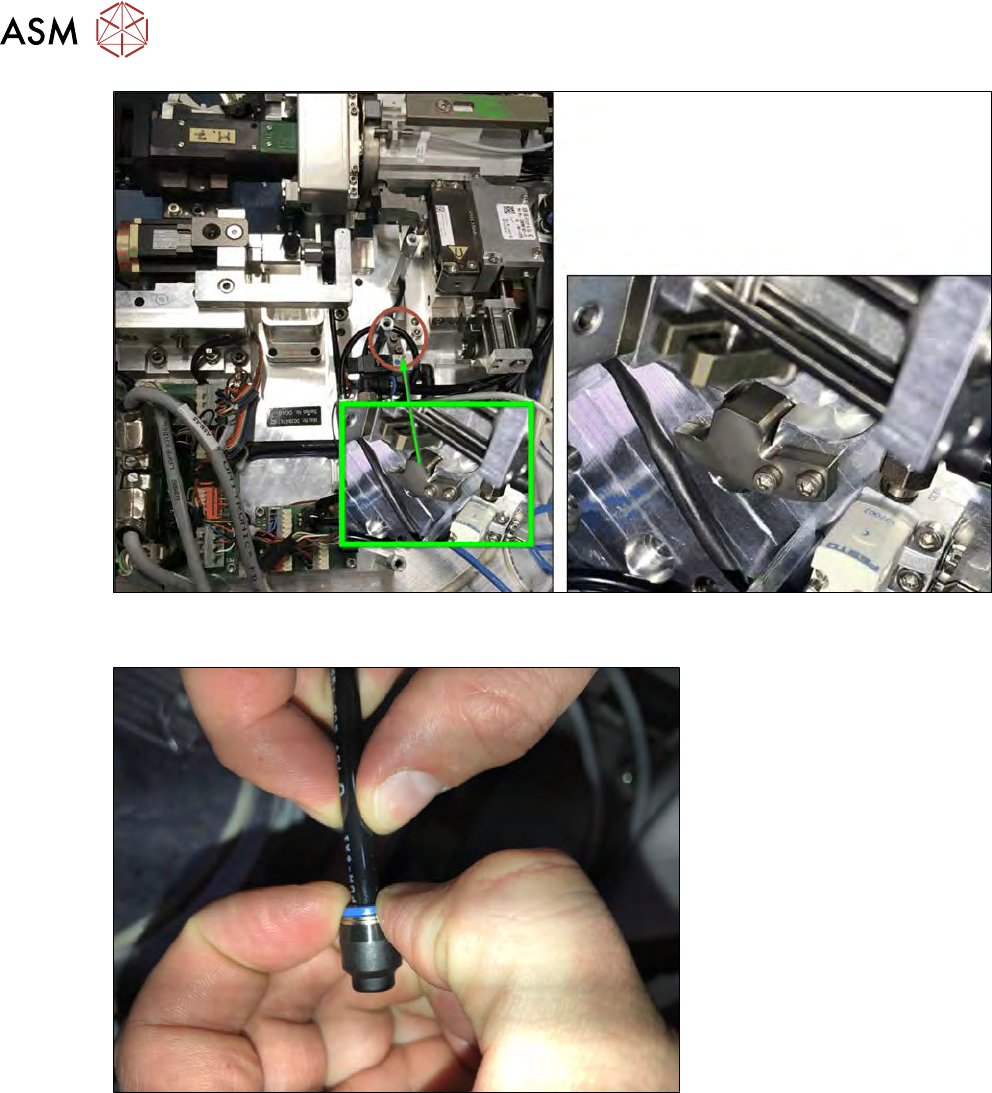
Fig.286:
► Store the filling piece by mounting it on the Die Attach Unit as shown.
Fig.287:
► Remove the sealing cap from the black vacuum tube.