00195982-03_SM_SWS_EN.pdf - 第462页
16 Software 16.2 Installation of operating system 462 Service Manual SIPLACE Wafer System (SWS) 11/2018 16.2.3.6 Restoring the backup via the Linux console ► Connect a USB stick to the port provided on the computer. Fig.…
16 Software
16.2 Installation of operating system
Service Manual SIPLACE Wafer System (SWS) 11/2018 461
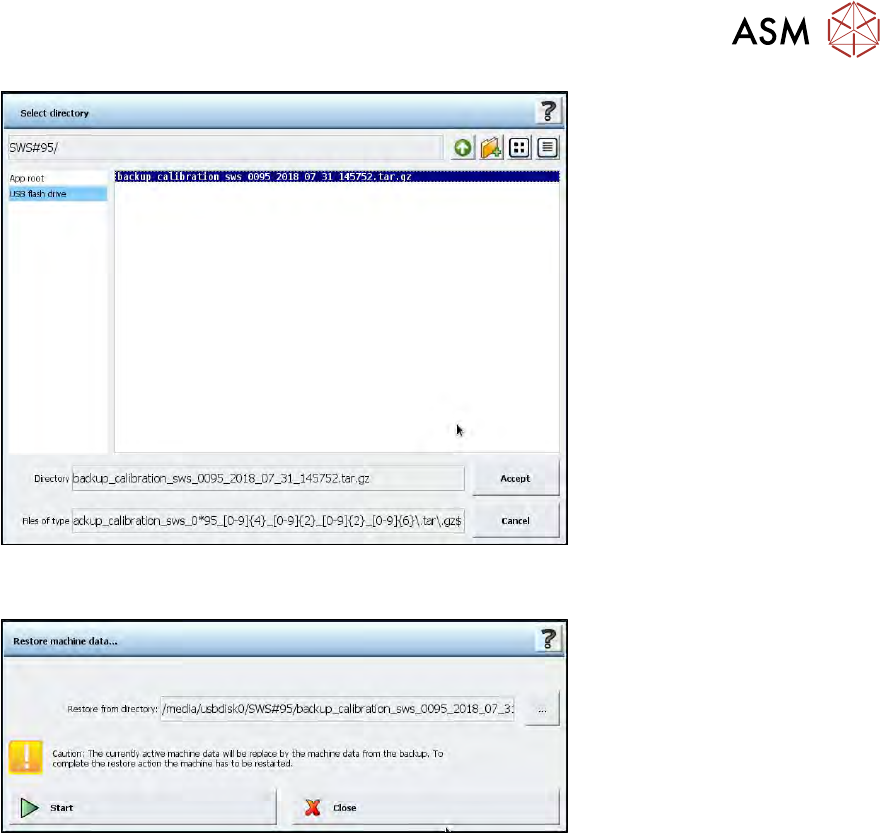
Fig.713:
The following window will then open.
Fig.714:
► Click on the "Start" button, to start the data restore process.
16 Software
16.2 Installation of operating system
462 Service Manual SIPLACE Wafer System (SWS) 11/2018
16.2.3.6 Restoring the backup via the Linux console
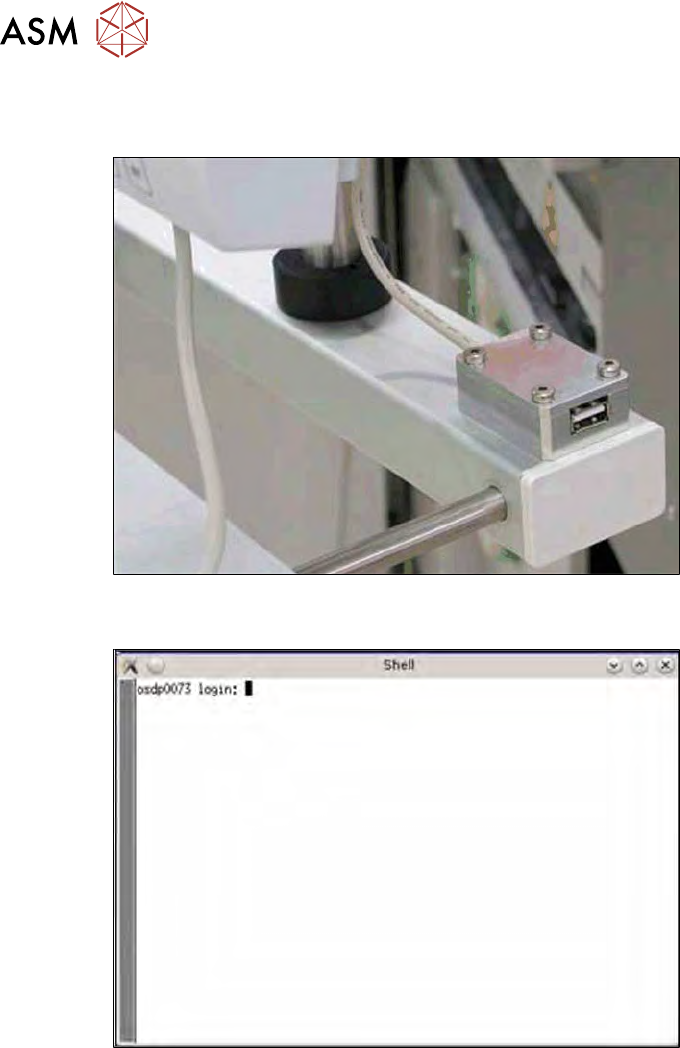
► Connect a USB stick to the port provided on the computer.
Fig.715: USB port on the SWS monitor
► Open the terminal with CTRL + ALT + X.
Fig.716: Open terminal
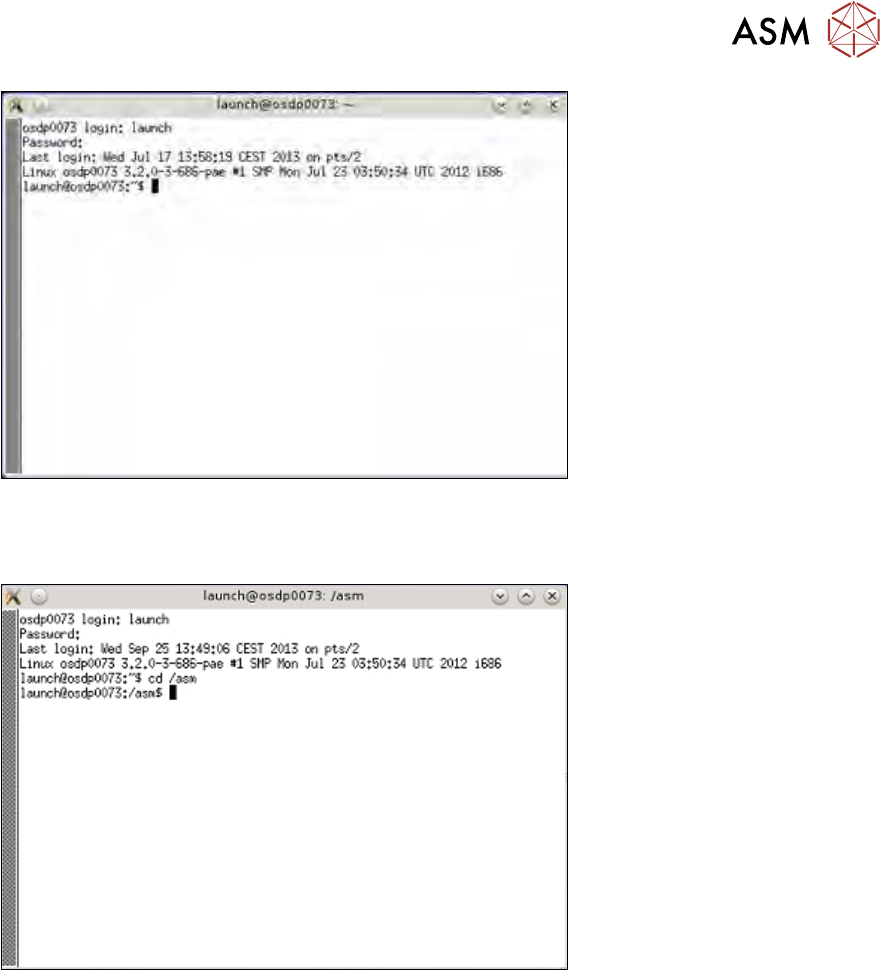
► Enter the following in the terminal: launch.
► Enter your password: launch.
16 Software
16.2 Installation of operating system
Service Manual SIPLACE Wafer System (SWS) 11/2018 463
Fig.717: Enter launch and password
► To change the folder for the USB stick, enter: cd /asm
► Enter the following: ls /media/usbdisk0
Fig.718: Entry of cd/ asm and ls /media/usbdisk0
The contents of the USB stick will be shown.
► Then enter the following:
tar -xvzf /media/usbdisk0/wfBackup.tgz .