00195982-03_SM_SWS_EN.pdf - 第237页
10 Option Die Attach Unit SWS 10.1 Installing the Option Die Attach Unit SWS Service Manual SIPLACE Wafer System (SWS) 11/2018 237 ► Store and run the cables as shown in the figures. Place the cover on the Die Attach Uni…
10 Option Die Attach Unit SWS
10.1 Installing the Option Die Attach Unit SWS
236 Service Manual SIPLACE Wafer System (SWS) 11/2018
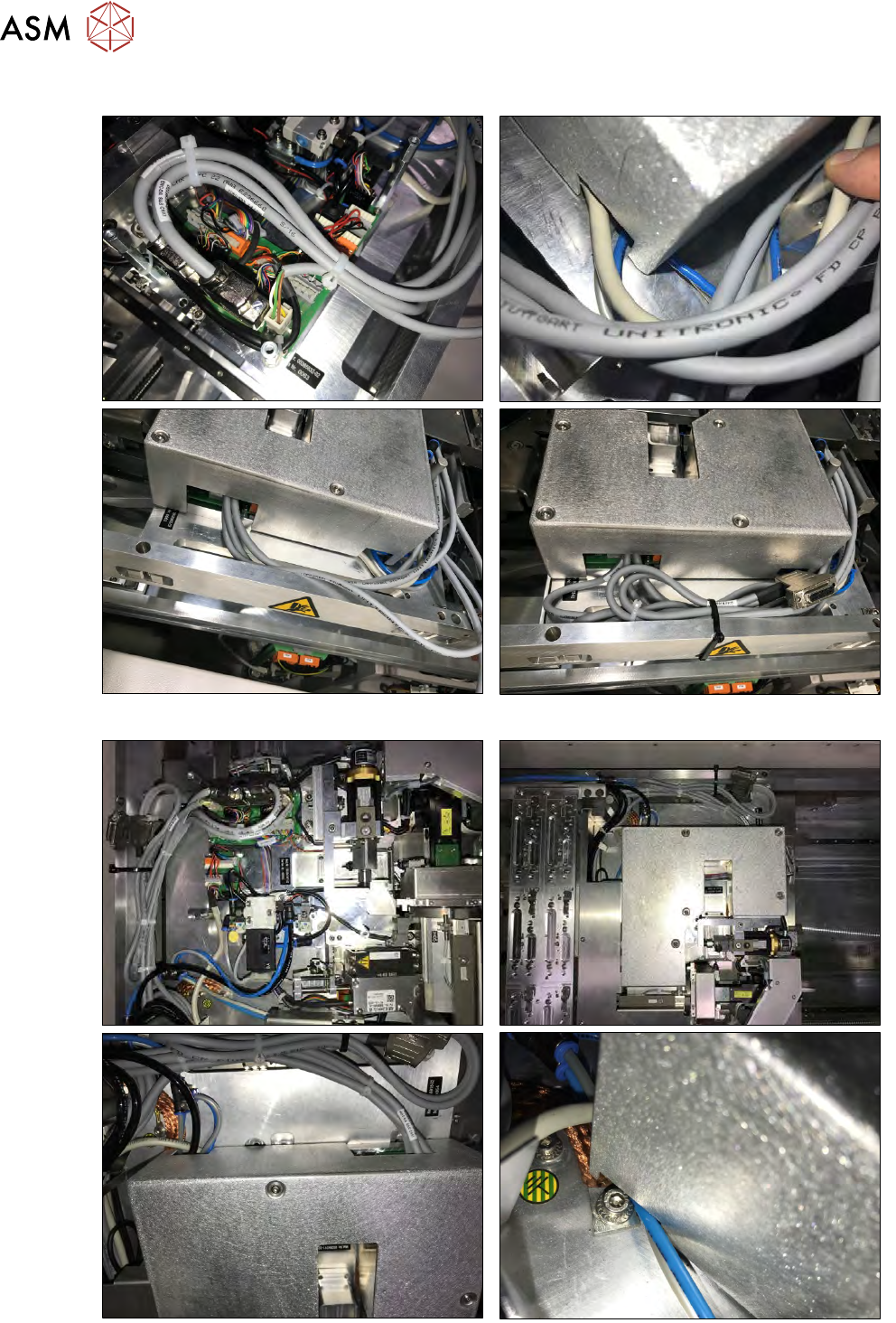
10.1.4.4 Storing the cables
Fig.313: Cover and cable routing for SWS (2,4) in location 2 or 4.
Fig.314: Cover and cable routing for SWS (1, 3) in location 1 or 3.
10 Option Die Attach Unit SWS
10.1 Installing the Option Die Attach Unit SWS
Service Manual SIPLACE Wafer System (SWS) 11/2018 237
► Store and run the cables as shown in the figures.
Place the cover on the Die Attach Unit.
Make sure that no cables or tubes are clamped or damaged.
Tighten the screws of the Die Attach cover.
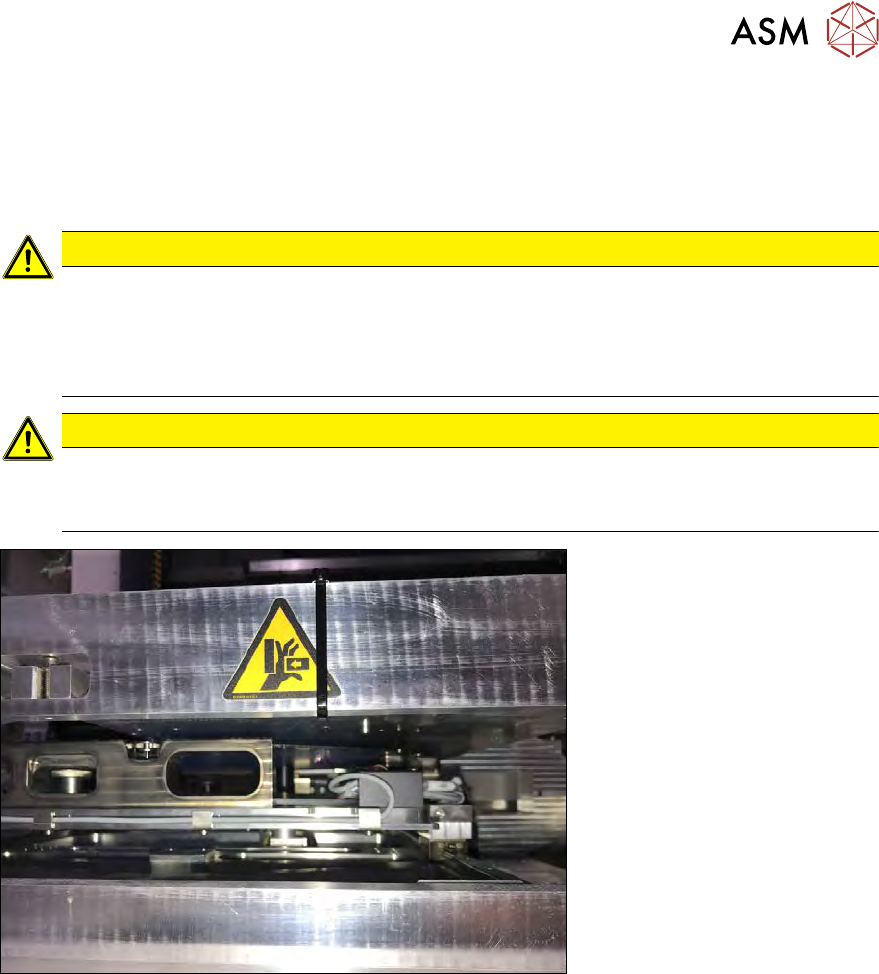
► Bind the cables outside the cover together using cable ties as shown in the figure.
CAUTION
Danger of Crash!
► Make sure that the Die Attach Unit cover is mounted correctly! Move the placement
head carefully over the Die Attach Unit and check whether there is enough clearance
between cover and placement head. Especially for SIPLACE C&P20 heads this is
very critical!
CAUTION
► Make sure that no cable is standing up that may crash with the placement head!
► Make sure that no cables are sagging beneath the ground plate. Otherwise, these
might crash with the wafer table!
Fig.315:
► After successful installation, the Die Attach Unit must be calibrated.
10 Option Die Attach Unit SWS
10.1 Installing the Option Die Attach Unit SWS
238 Service Manual SIPLACE Wafer System (SWS) 11/2018
10.1.5 Calibration of the Die Attach Module
In order to get access to the Die Attach Unit and perform the calibration, the cover of the CA
machine must be opened!
For this reason, the Setup mode must be activated!
HIGH RISK OF SERIOUS INJURIES
► Setup mode must be activated!
(The following screenshots from GUI were taken in theNON setup mode!)
10.1.5.1 Calibration of the Die Attach Rotation Axis
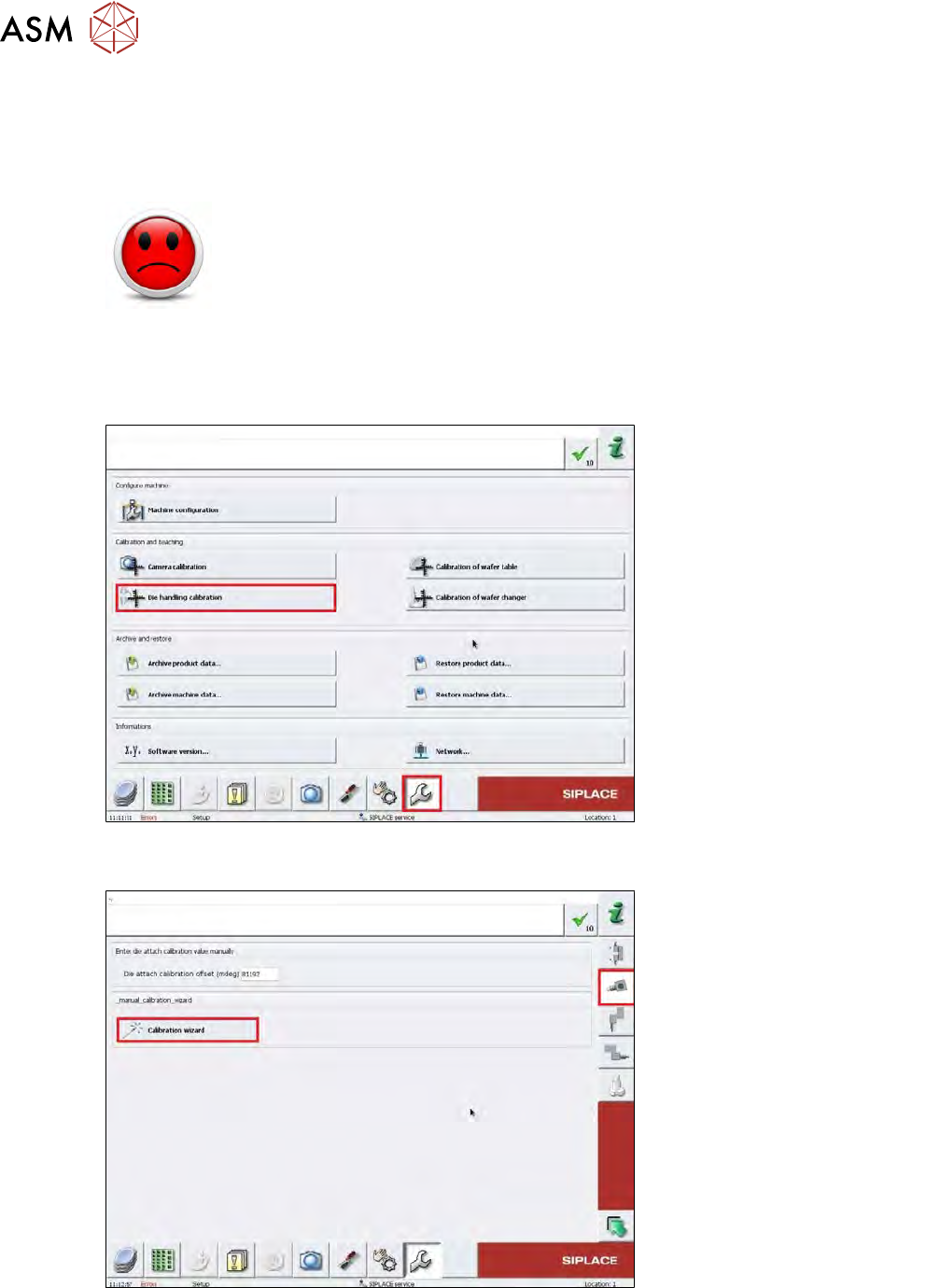
► Change to the operator level Service.
Fig.316:
► Choose the Service menu, then choose the Die handling calibration button.
Fig.317:
► Choose the Calibration wizard button.