00195982-03_SM_SWS_EN.pdf - 第410页
15 Calibration 15.5 SWS data backup and restore 410 Service Manual SIPLACE Wafer System (SWS) 11/2018
15 Calibration
15.5 SWS data backup and restore
Service Manual SIPLACE Wafer System (SWS) 11/2018 409
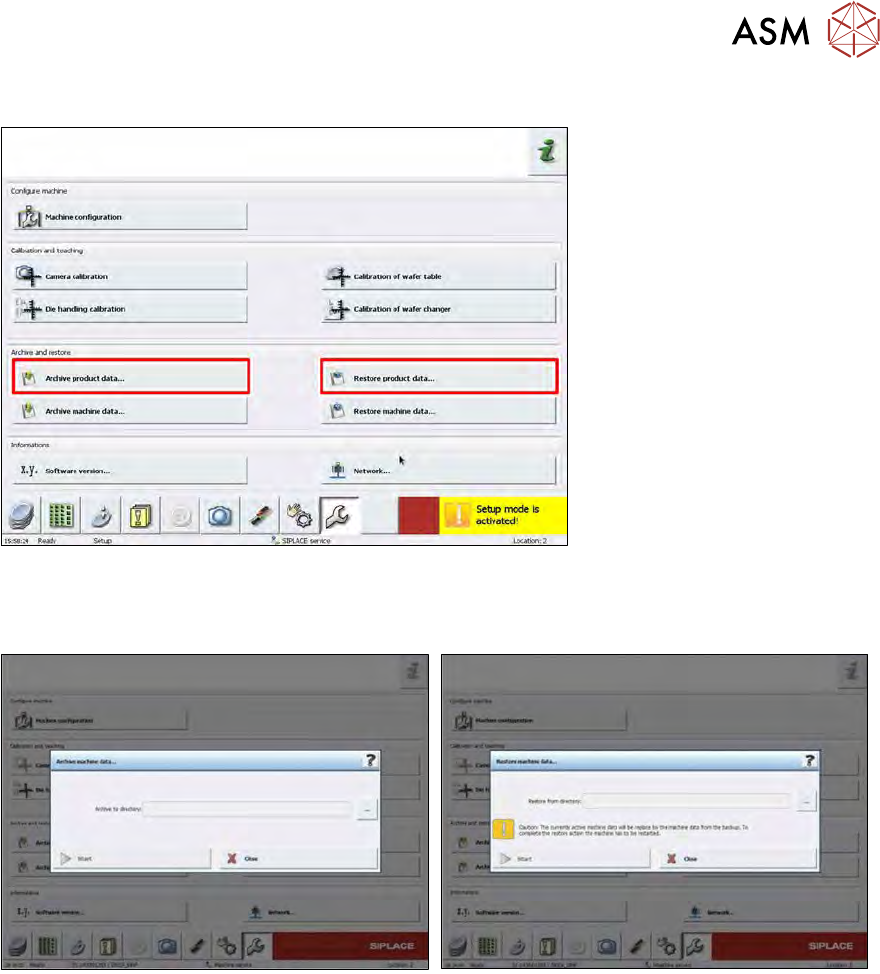
15.5.2 Product data
Fig.600:
The product data comprise the data of all the customer products and production processes.
► With Archive product data… you can save these data to a flash drive.
Fig.601:
► To restore the backup choose Restore product data….
► Plug in the flash drive and select the desired backup file.
► Choose Start.

15 Calibration
15.5 SWS data backup and restore
410 Service Manual SIPLACE Wafer System (SWS) 11/2018

16 Software
16.1 General information
Service Manual SIPLACE Wafer System (SWS) 11/2018 411
16 Software
16.1 General information
16.1.1 Brief description
This manual includes the installation guide for the SIPLACE Wafer System (SWS) operating sys-
tem and software (control and operating software). It also includes a description of the backup and
restore scenarios.
16.1.2 Scope of delivery
The SIPLACE Wafer System (SWS) operating system and software (control and operating soft-
ware) is preinstalled and supplied with the SWS module.
16.1.2.1 SWS software package
You need the following files to install the latest version of the SWS software. These must be made
available on a USB stick.
SWS_<version number>_bin.tgz
Halcon license on USB stick (software is preinstalled)
16.1.2.2 SWS operating system package
To install the latest version of the SWS operating system, you require an iso file. This must be
made available on a DVD.
SWS operating system version 4.0.5
ISO image (*.iso)