00195982-03_SM_SWS_EN.pdf - 第344页
13 BoxPC, GALIL cards and axis control 13.2 GALIL cards in the BoxPC 344 Service Manual SIPLACE Wafer System (SWS) 11/2018 Fig.491: ► Remove the three screws (Phillips) fastening the USB hub. ► Remove the RS232 socket f…
13 BoxPC, GALIL cards and axis control
13.2 GALIL cards in the BoxPC
Service Manual SIPLACE Wafer System (SWS) 11/2018 343
13.2.2 Replacing the GALIL card
► Work in accordance with the ESD regulations.
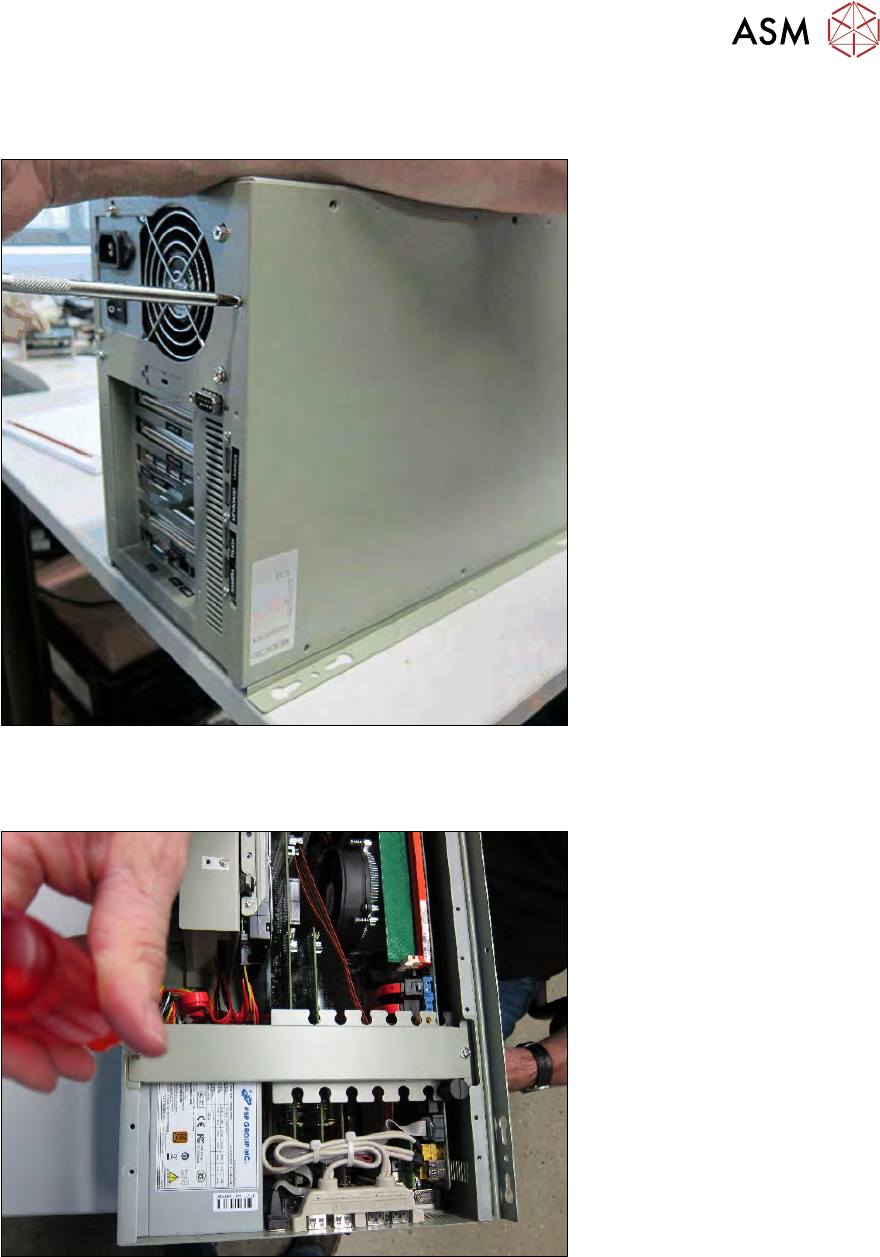
Fig.489:
► Remove the right side cover on the BoxPC.
► Place the BoxPC down on its side.
Fig.490:
► Dismantle the cross beam.
13 BoxPC, GALIL cards and axis control
13.2 GALIL cards in the BoxPC
344 Service Manual SIPLACE Wafer System (SWS) 11/2018
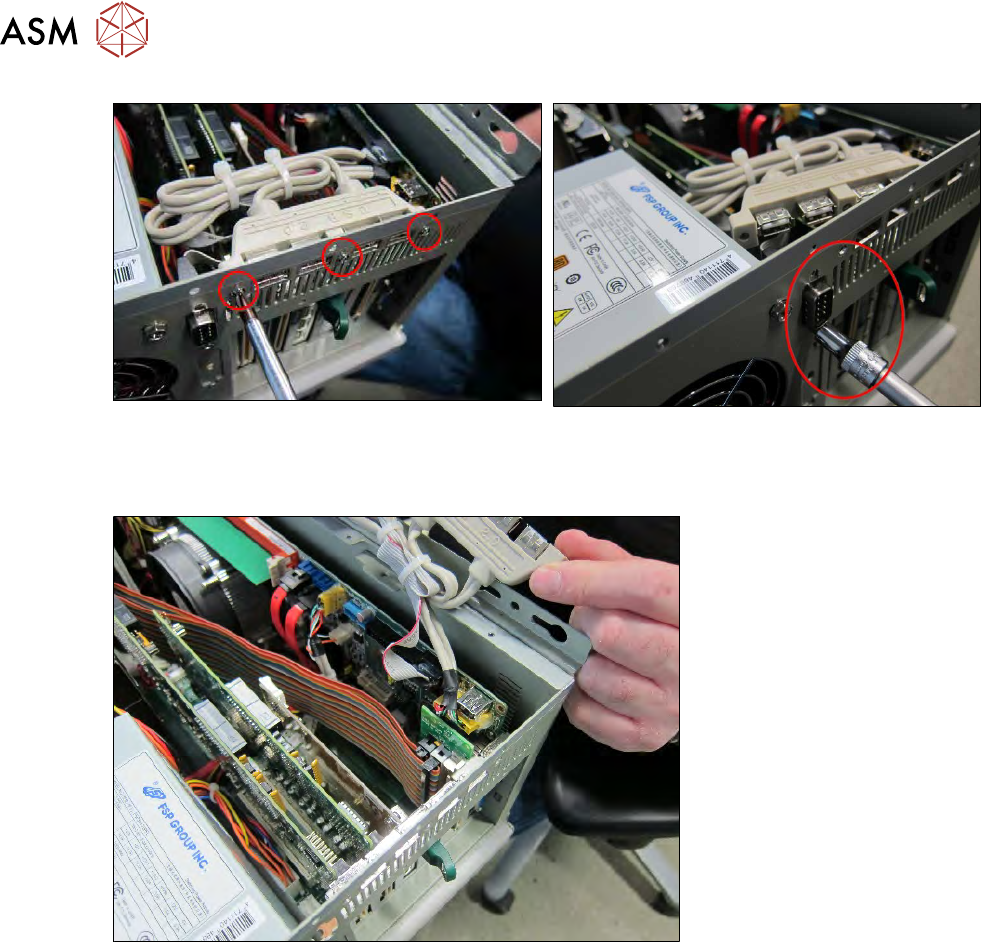
Fig.491:
► Remove the three screws (Phillips) fastening the USB hub.
► Remove the RS232 socket from the COM1 interface.
Fig.492:
► Fold the USB COM 1 unit to the side.
13 BoxPC, GALIL cards and axis control
13.2 GALIL cards in the BoxPC
Service Manual SIPLACE Wafer System (SWS) 11/2018 345
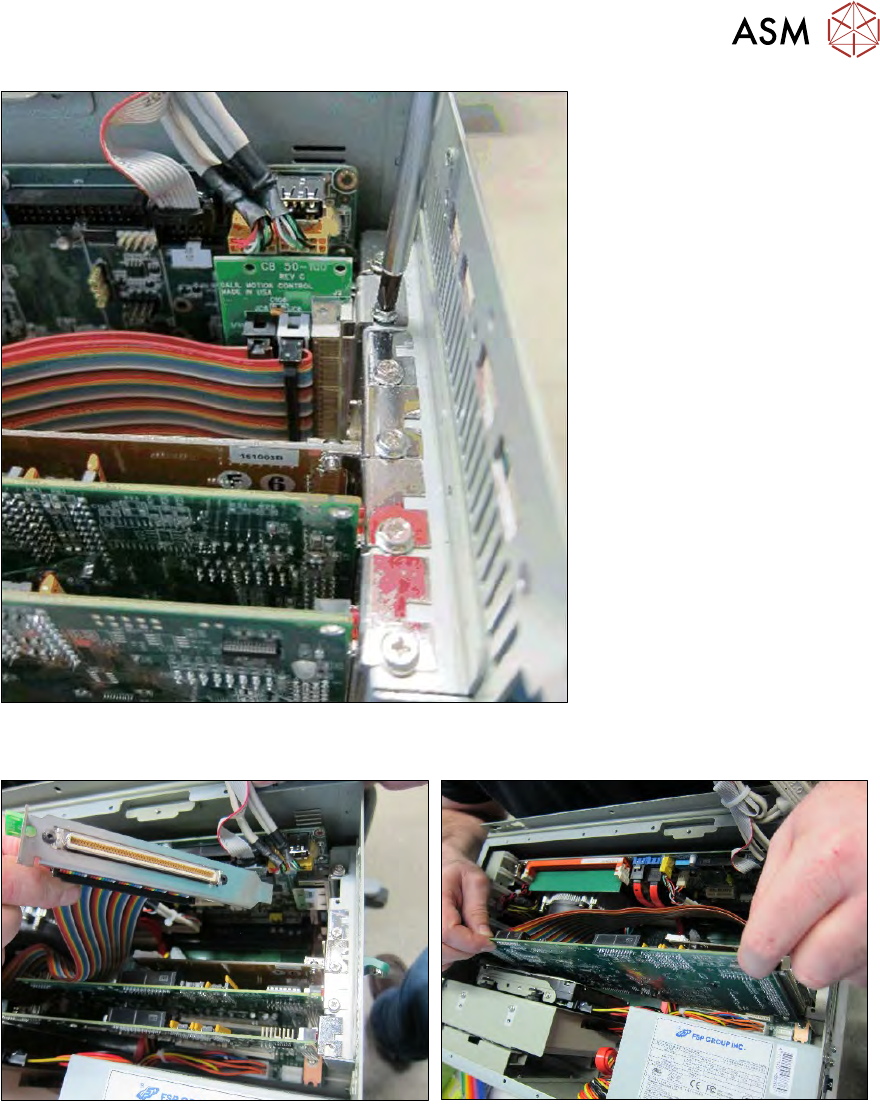
Fig.493:
► Loosen/remove the Phillips screw on the GALIL card which you want to replace.
Fig.494:
► Remove the card.
(The example shows a GALIL card DMC1886 including extension card for the axes AXIS1-4
and AXIS5-8.)
► Fit the new card, following the instructions in the reverse order.
No additional settings or calibrations are required.