00195982-03_SM_SWS_EN.pdf - 第289页
12 Wafer stretcher 12.4 Removing the wafer stretcher Service Manual SIPLACE Wafer System (SWS) 11/2018 289 Fig.404: Fig.405: ► Unplug the X11 connector (1) . ► Unplug the compressed air cable (2) . Fig.406: ► Unscrew …
12 Wafer stretcher
12.4 Removing the wafer stretcher
288 Service Manual SIPLACE Wafer System (SWS) 11/2018
12.4.4 Removal at the wafer changer side
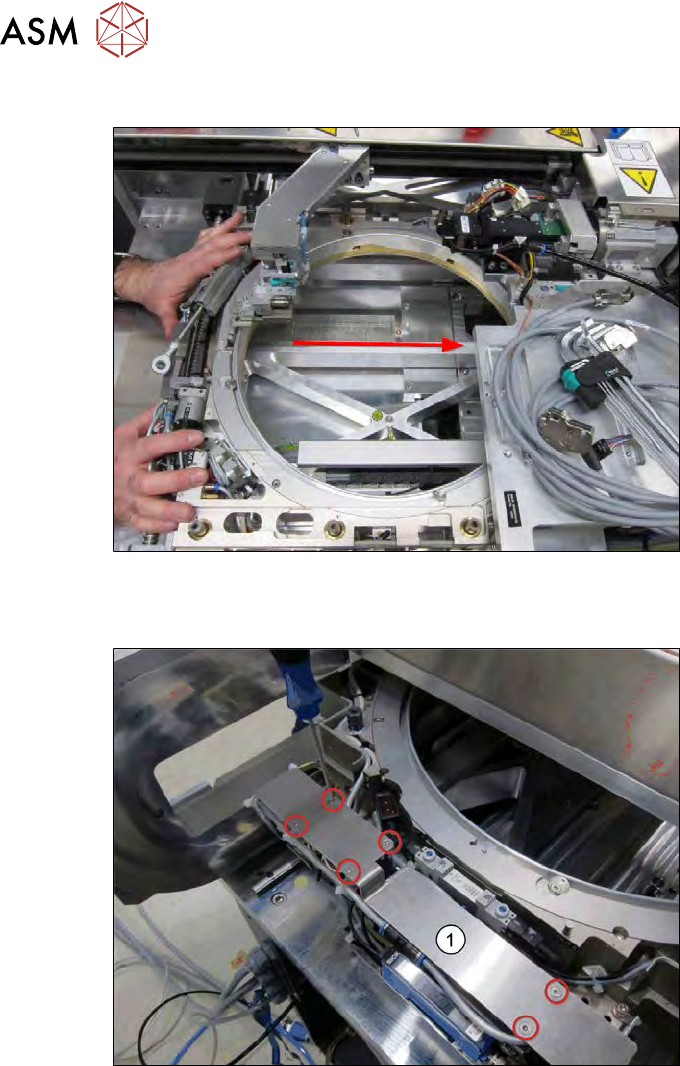
Fig.402:
► Push the wafer stretcher to the other side.
Pay attention to the die ejector and the wafer changer (gripper).
Fig.403:
► Push the wafer stretcher to the end.
► Remove the six screws fastening the cover plate (1).
► Take off the cover plate.
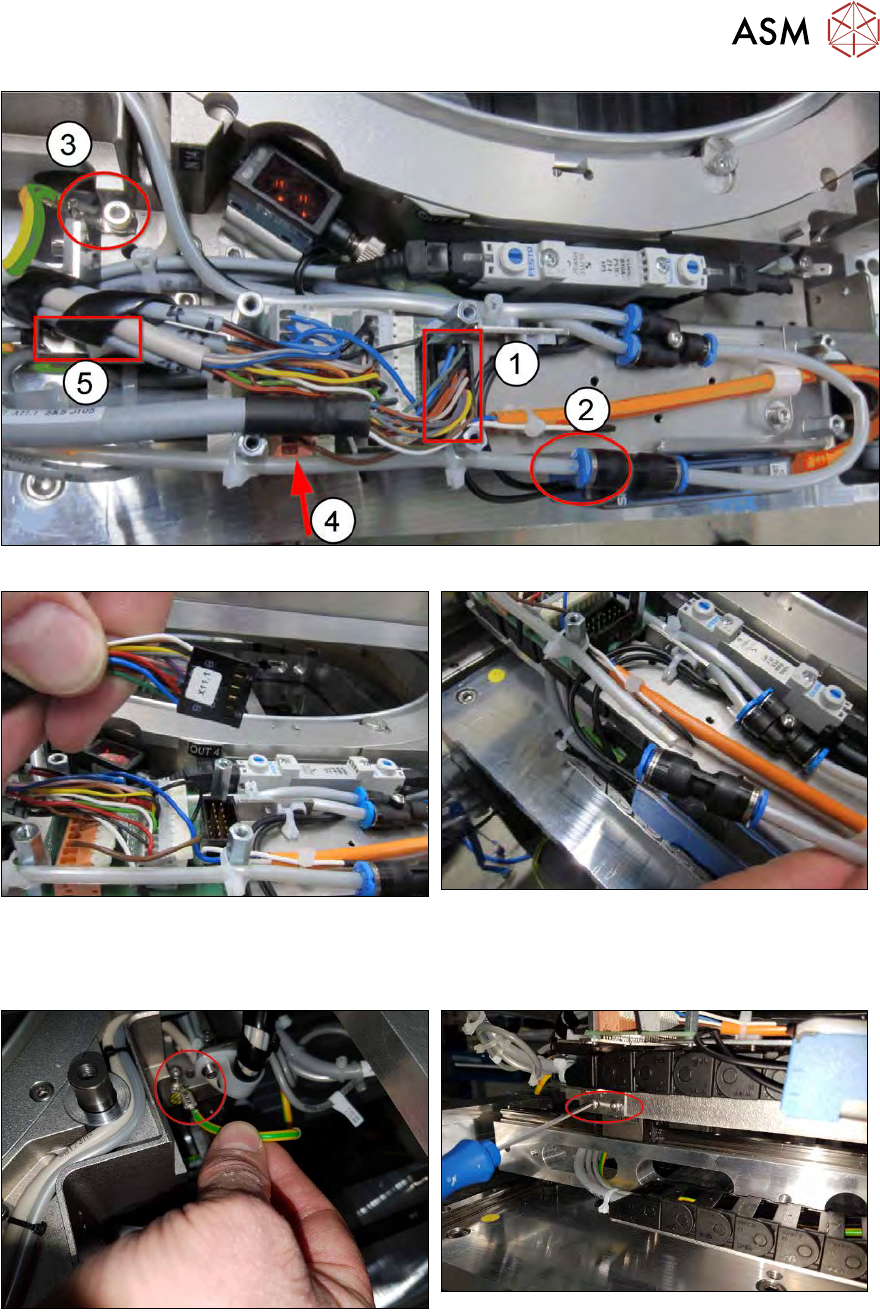
The following connections need to be unplugged as follows:
12 Wafer stretcher
12.4 Removing the wafer stretcher
Service Manual SIPLACE Wafer System (SWS) 11/2018 289
Fig.404:
Fig.405:
► Unplug the X11 connector (1).
► Unplug the compressed air cable (2).
Fig.406:
► Unscrew the ground connection (3).
► Dismantle the power chain (4) → concealed.
► There may be a number of cable ties to open in order to unplug the connections properly.
12 Wafer stretcher
12.4 Removing the wafer stretcher
290 Service Manual SIPLACE Wafer System (SWS) 11/2018
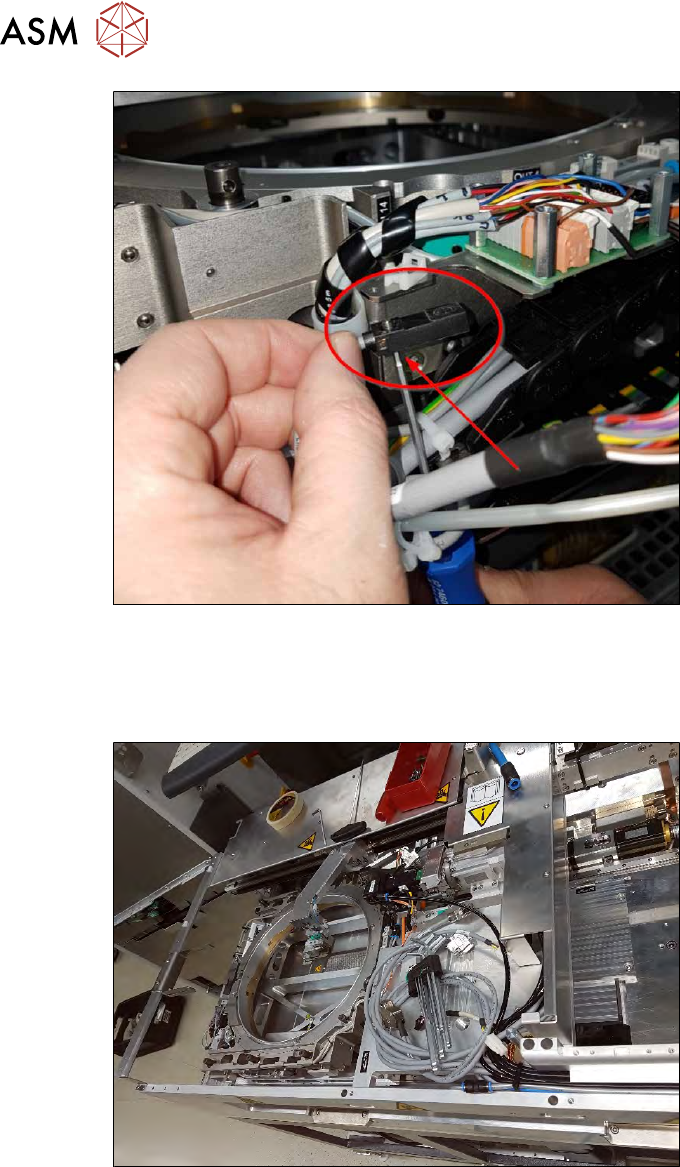
Fig.407:
Dismantle the presence sensor 8"/12" (5) as follows:
► Make a note of the direction in which the sensor is fitted!
► Remove the screw (accessible from below).
Fig.408:
► Carefully pull the wafer stretcher back to the wafer tower side.
Make sure that the previously removed cable does not get caught anywhere.