00195982-03_SM_SWS_EN.pdf - 第287页
12 Wafer stretcher 12.4 Removing the wafer stretcher Service Manual SIPLACE Wafer System (SWS) 11/2018 287 Fig.400: ► Mark the position of the spindle nut e.g. with a pen (1) . ► Hold the spindle nut tight (1) and turn …
12 Wafer stretcher
12.4 Removing the wafer stretcher
286 Service Manual SIPLACE Wafer System (SWS) 11/2018
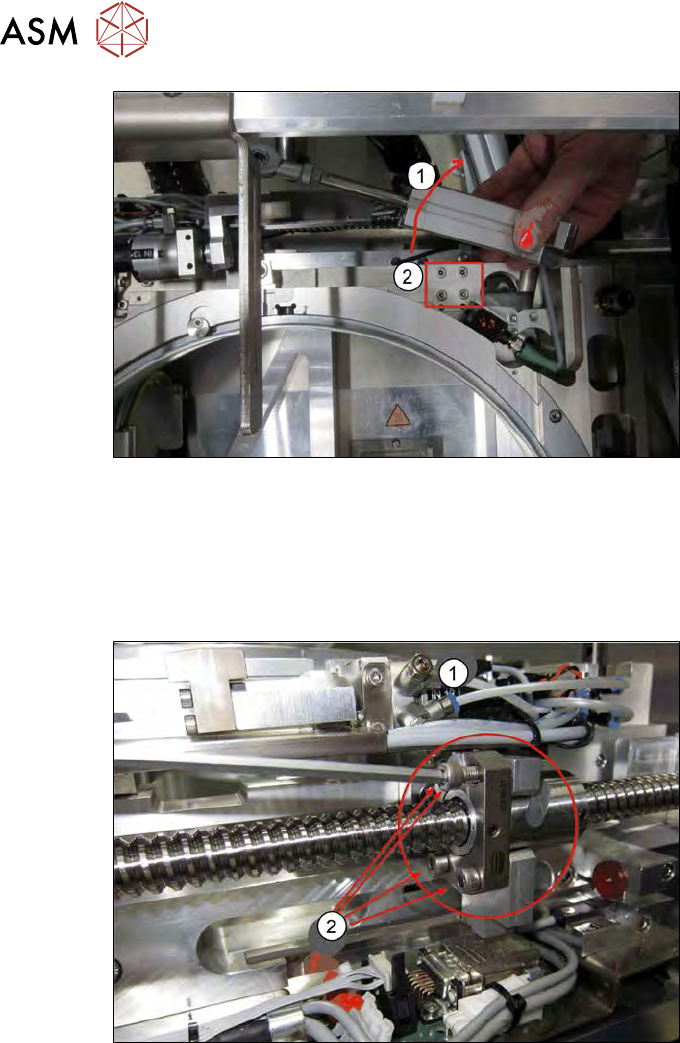
Fig.398:
► Swivel the lifting cylinder (1) to one side. If needed, also unthread the connection at the piston
end.
► Remove the four screws (2) fastening the wafer stretcher from the guide trolley below.
The connection to the spindle in the X direction is still on this side of the wafer stretcher. To discon-
nect the connection, proceed as follows:
Fig.399:
► Remove the four screws on the spindle nut (2) underneath the clamping cylinder (1).
12 Wafer stretcher
12.4 Removing the wafer stretcher
Service Manual SIPLACE Wafer System (SWS) 11/2018 287
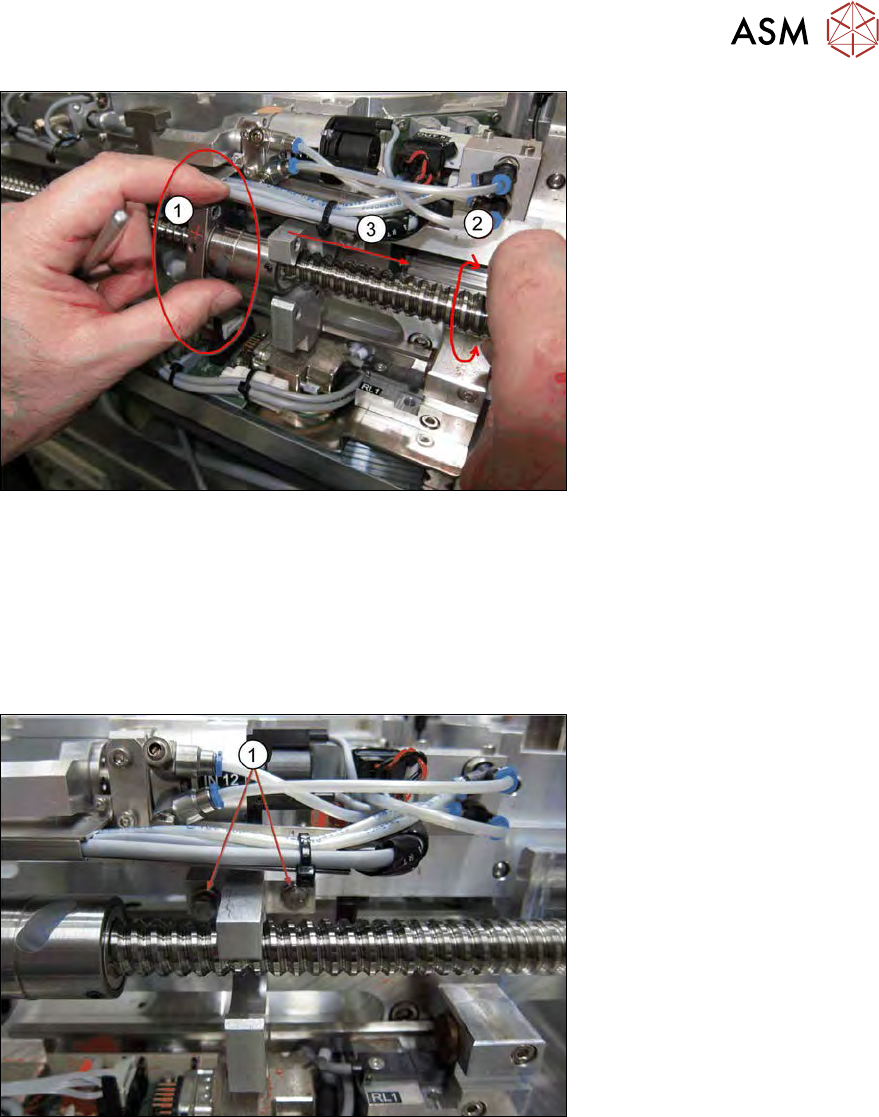
Fig.400:
► Mark the position of the spindle nut e.g. with a pen (1).
► Hold the spindle nut tight (1) and turn the spindle (2), so that the spindle nut is released from
the drive block of the wafer table.
OR
► Manually push the wafer stretcher away from the spindle nut (3).
ð There should now be a space between the spindle nut and the drive block.
Fig.401:
► Remove the two hexagonal screws (1) with a fork wrench or a ratchet.
ð The drive block is now separate from the wafer table.
12 Wafer stretcher
12.4 Removing the wafer stretcher
288 Service Manual SIPLACE Wafer System (SWS) 11/2018
12.4.4 Removal at the wafer changer side
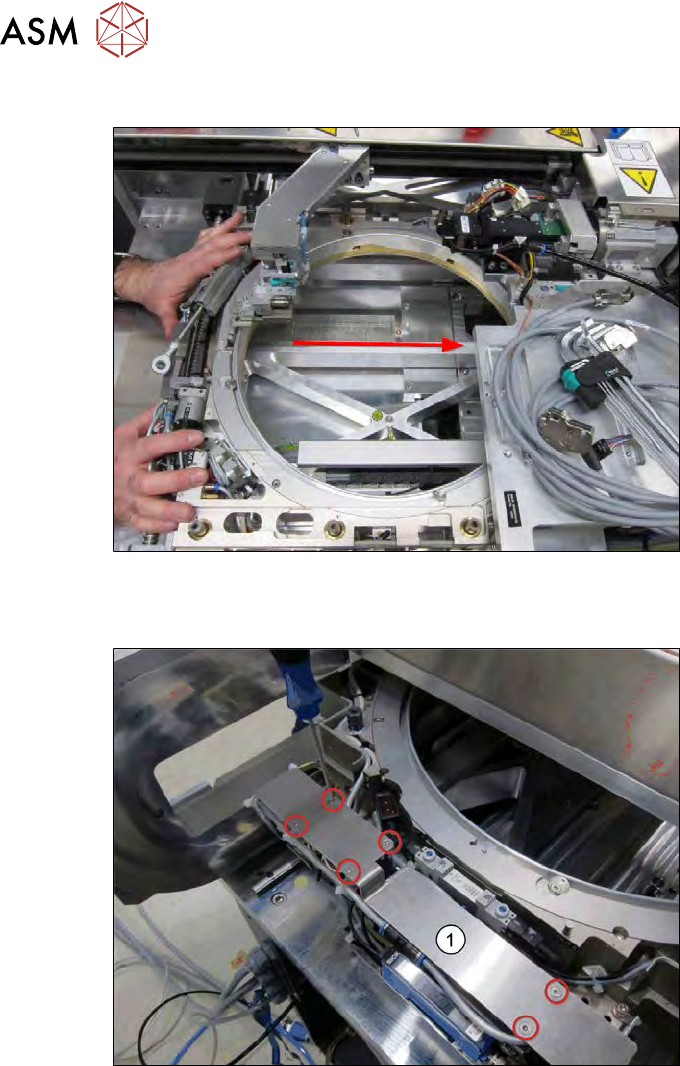
Fig.402:
► Push the wafer stretcher to the other side.
Pay attention to the die ejector and the wafer changer (gripper).
Fig.403:
► Push the wafer stretcher to the end.
► Remove the six screws fastening the cover plate (1).
► Take off the cover plate.
The following connections need to be unplugged as follows: