RS-1_instruction manual.pdf - 第1003页
Part 2 D etaile d Descript ion of E ach Functi on Chapter 12 Handling th e Optional Device s 12 - 119 No te 3) If the acquired n ozzle is not a manua l nozzle, t he followi ng messag e will be displayed. In this case tur…
Part 2 Detailed Description of Each Function Chapter 12 Handling the Optional Devices
12-118
5) <Selected position> button
When you press the <Selected position> button on the right side of the screen, attach a
nozzle on the head number on which the focus is located, and then set each value.
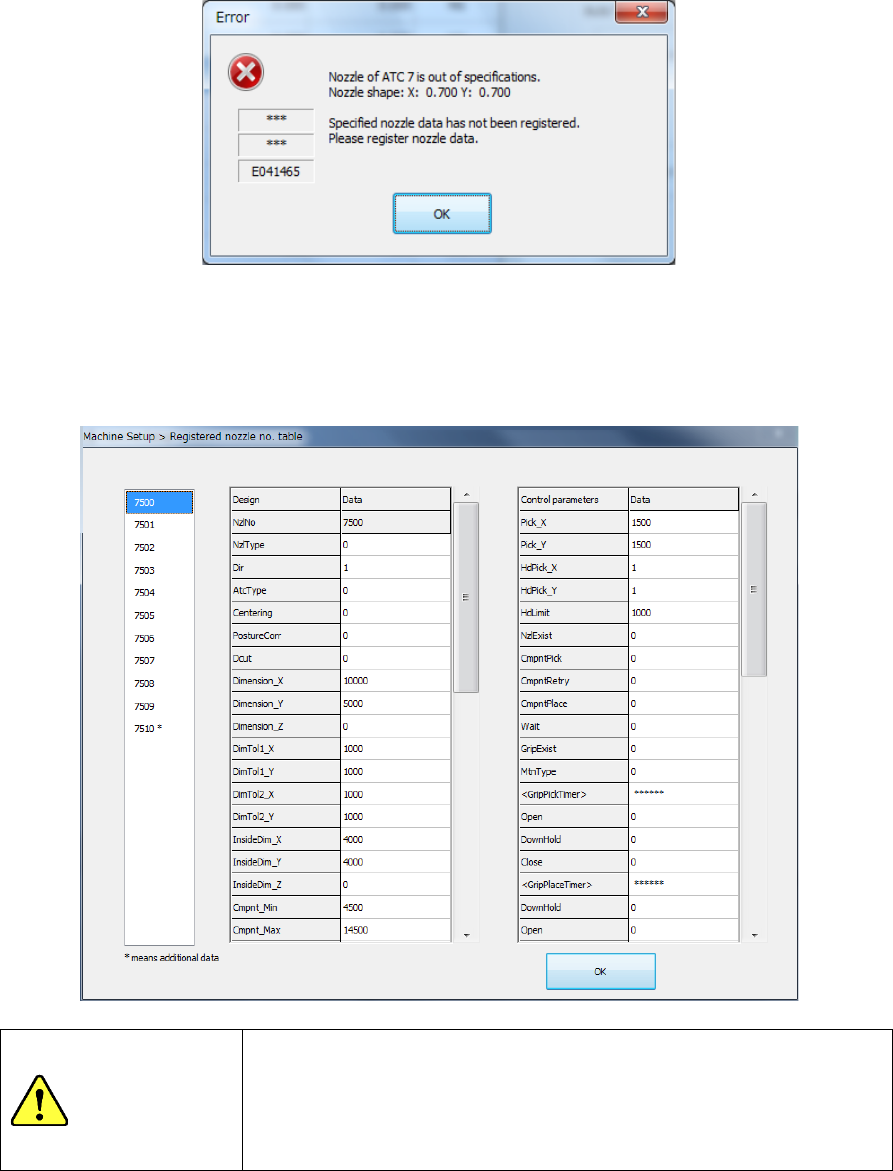
Note 1) If the obtained external size of the nozzle is not within the regulated range and the
system decides that there is no corresponding nozzle based on the nozzle width, the
system displays the following message. In this case, select a nozzle, and manually
enter each value.
Note 2) If the obtained external size of the nozzle is not within the regulated range and the
system decides that there is a corresponding nozzle based on the nozzle width,
select a nozzle number from the nozzle list displayed on the following screen.
If the desired nozzle is not shown in the list, select the nozzle, and then manually
enter each value.
WARNING
When you select the <OK> button, the axes start moving.
Before pressing the <OK> button, be sure to confirm that there is
no one who is performing work in the machine.
To prevent injuries, do not put a hand inside the machine or close
your face or head to the machine while the machine is operating.
Part 2 Detailed Description of Each Function Chapter 12 Handling the Optional Devices
12-119
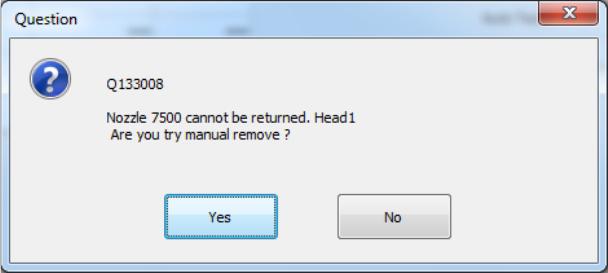
Note 3) If the acquired nozzle is not a manual nozzle, the following message will be
displayed. In this case turn off the machine and try installing the nozzle again.
Also, if the acquired nozzles are different or an error occurs, turn off the machine and
try installing the nozzle again.
6) Other item
When you press the <Head Wait Position> button of the menu item “Move Axis,” the head
moves to the head waiting position.
Part 2 Detailed Description of Each Function Chapter 12 Handling the Optional Devices
12-120
12.16.5 Operation Options
12.16.5.1 <Action> button of the “Production” tab
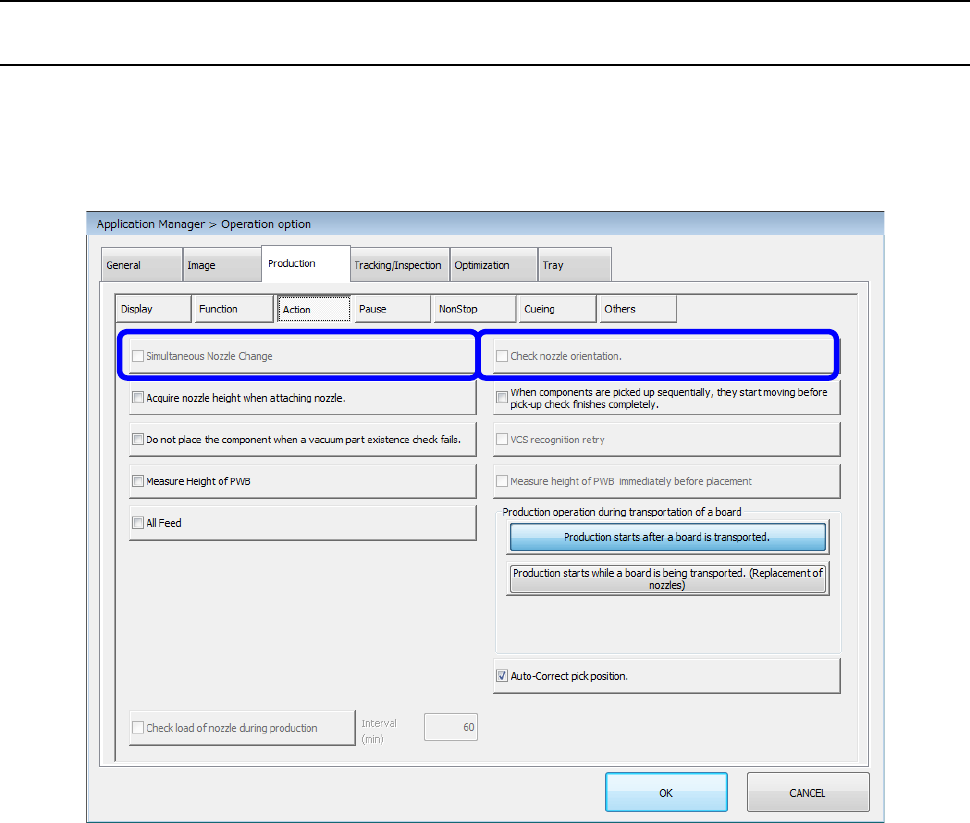
When you press the <Action> button, the “Production action option setting screen” appears. When
you select [Device enable] – [Head], and then enable the “Manual nozzle” check box, the
“Production action option setting” screen is displayed as shown below. You can set neither the
“Simultaneous Nozzle Change” check box nor “Check nozzle orientation” check box.