RS-1_instruction manual.pdf - 第643页
Pa r t 2 D et ai l ed Des c r i pt i o n of Ea c h F unc t i o n Chapte r 6 G e neral - Purpose Vision Co mpone nt 6- 12 Com pon e nt Vi e w er 6.3 The C omp onent View er al low s you t o disp l ay the c re ated data on…
Part 2 Detailed Description of Each Function Chapter 6 General-Purpose Vision Component
6-11
Creating an extended array data format
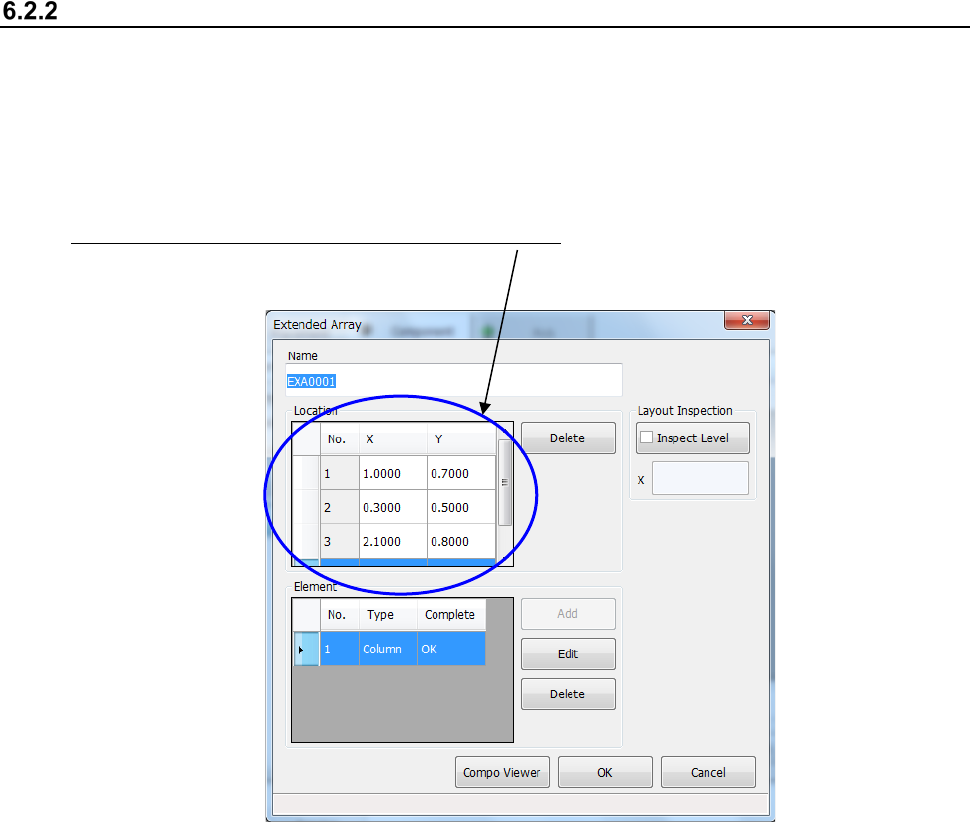
When you select “Extended array data format” on the initial screen for creating a general-purpose
vision component, the following dialog box appears on the screen.
The procedure for creating data is basically the same as that for the “Element group/ Element
format.” However, for an “Extended array data format,” specify the X and Y coordinates of an
element one by one.
Specify an element in the “Location” field one by one. Enter the X and Y coordinates viewed
from the center of a component.
* Up to 256 locations can be set.
Part 2 Detailed Description of Each Function Chapter 6 General-Purpose Vision Component
6-12
Component Viewer 6.3
The Component Viewer allows you to display the created data on a general-purpose vision
component graphically.
Opening “Component Viewer” 6.3.1
The operating method and the contents of data to be displayed on “Component Viewer” vary
depending on the screen from which “Component Viewer” is started.
Screen from which “Component
Viewer” is opened
For editing element data Contents of display
Opening from the Vision Form screen “Component Viewer” must be closed. All element groups are displayed.
Opening from the Element Data screen
“Component Viewer” does not need to
be closed.
All element groups are displayed.
Opening from the Element Group
screen
Only the current element group is
displayed.
1) Opening from the Vision Form screen
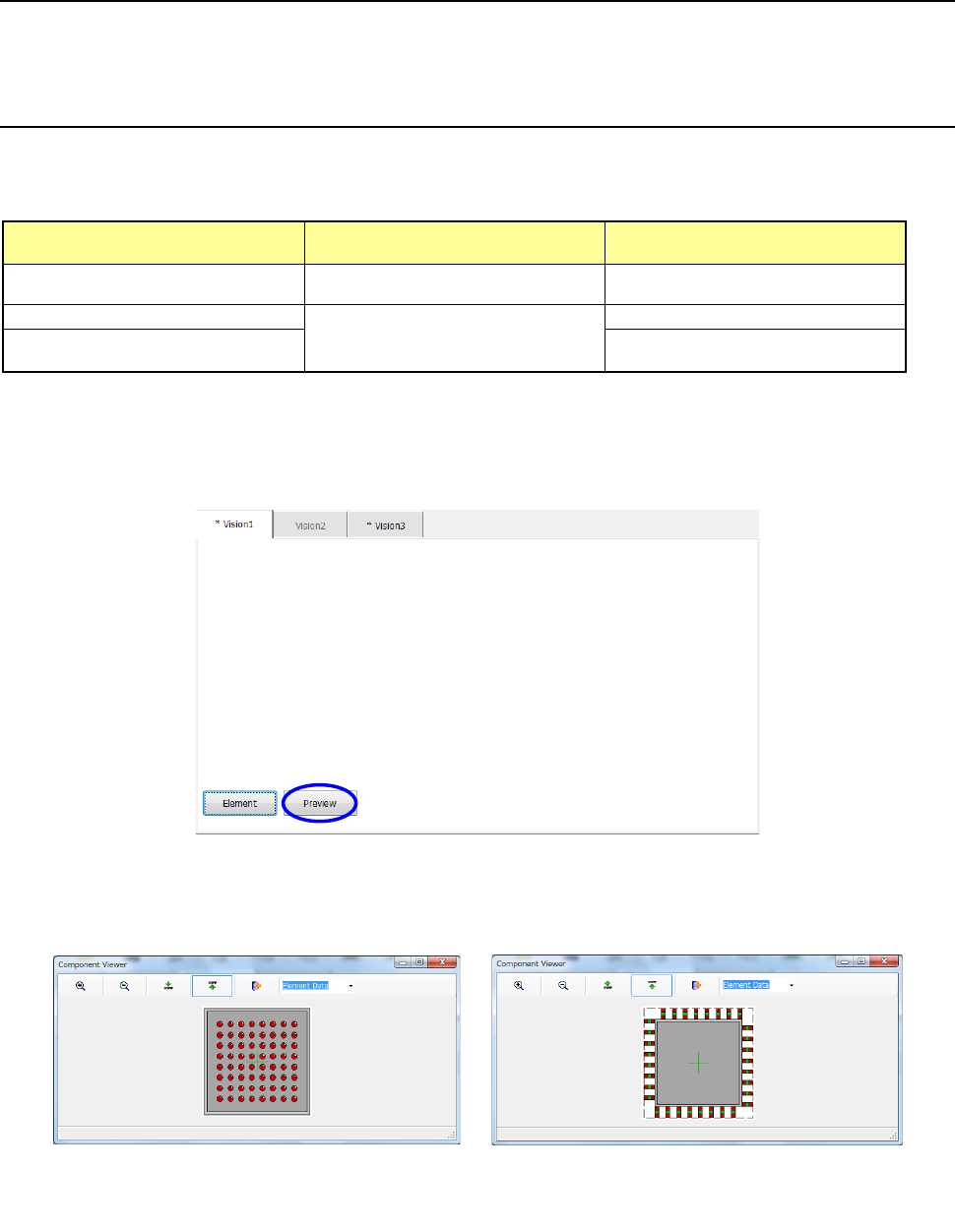
When a general vision component is displayed on the Vision Form screen, the <Preview>
button is displayed on the Vision Form screen.
− Touching the <Preview> button displays the following dialog box.
Example of the
ball component screen
Example of the
lead component screen
Part 2 Detailed Description of Each Function Chapter 6 General-Purpose Vision Component
6-13
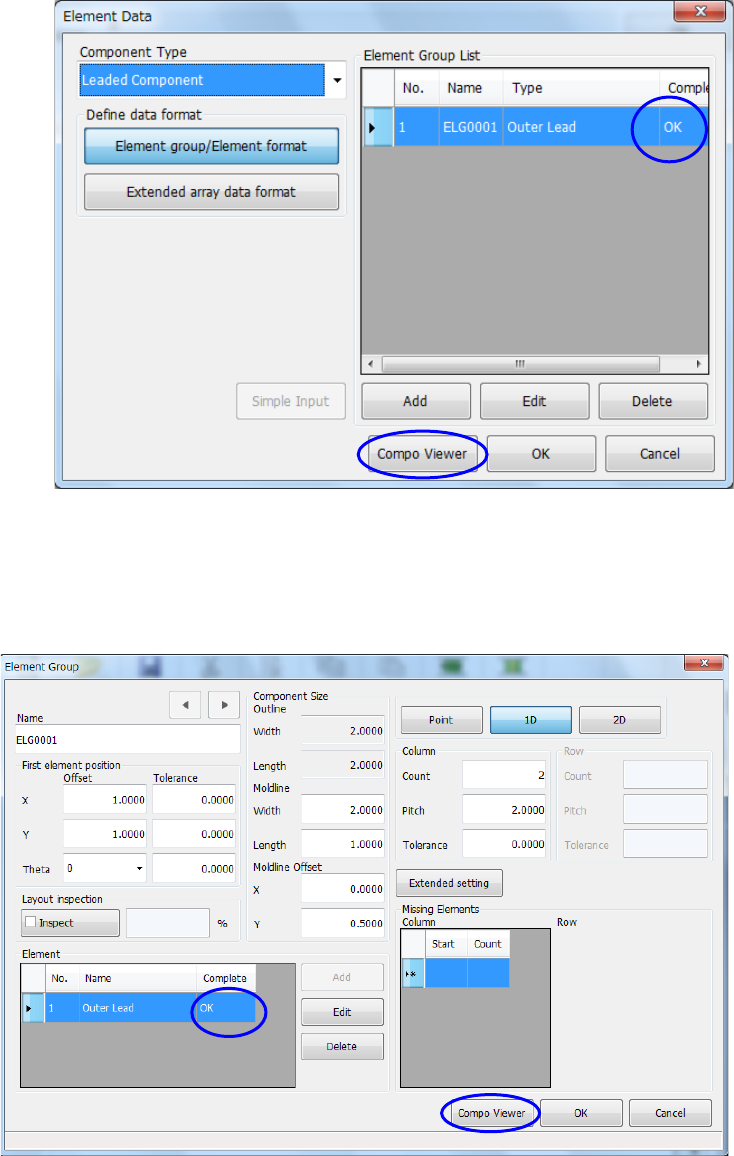
2) Opening from the Element Data screen
After making sure on the Element Data screen that element group data is completed, touch
the <Compo Viewer> button.
3) Opening from the Element Group screen
After making sure on the “Element Group” screen that element data is completed, touch the
<Compo Viewer> button.