RS-1_instruction manual.pdf - 第778页
Part 2 D etaile d Descript ion of E ach Functi on Chapter 9 M anual Control 9-6 (3) Contro l item Select the cont rol ite m with the corr espond ing push but ton. The display ed butt ons vary depending on sel ection of t…
Part 2 Detailed Description of Each Function Chapter 9 Manual Control
9-5
9.3.2 Head device control
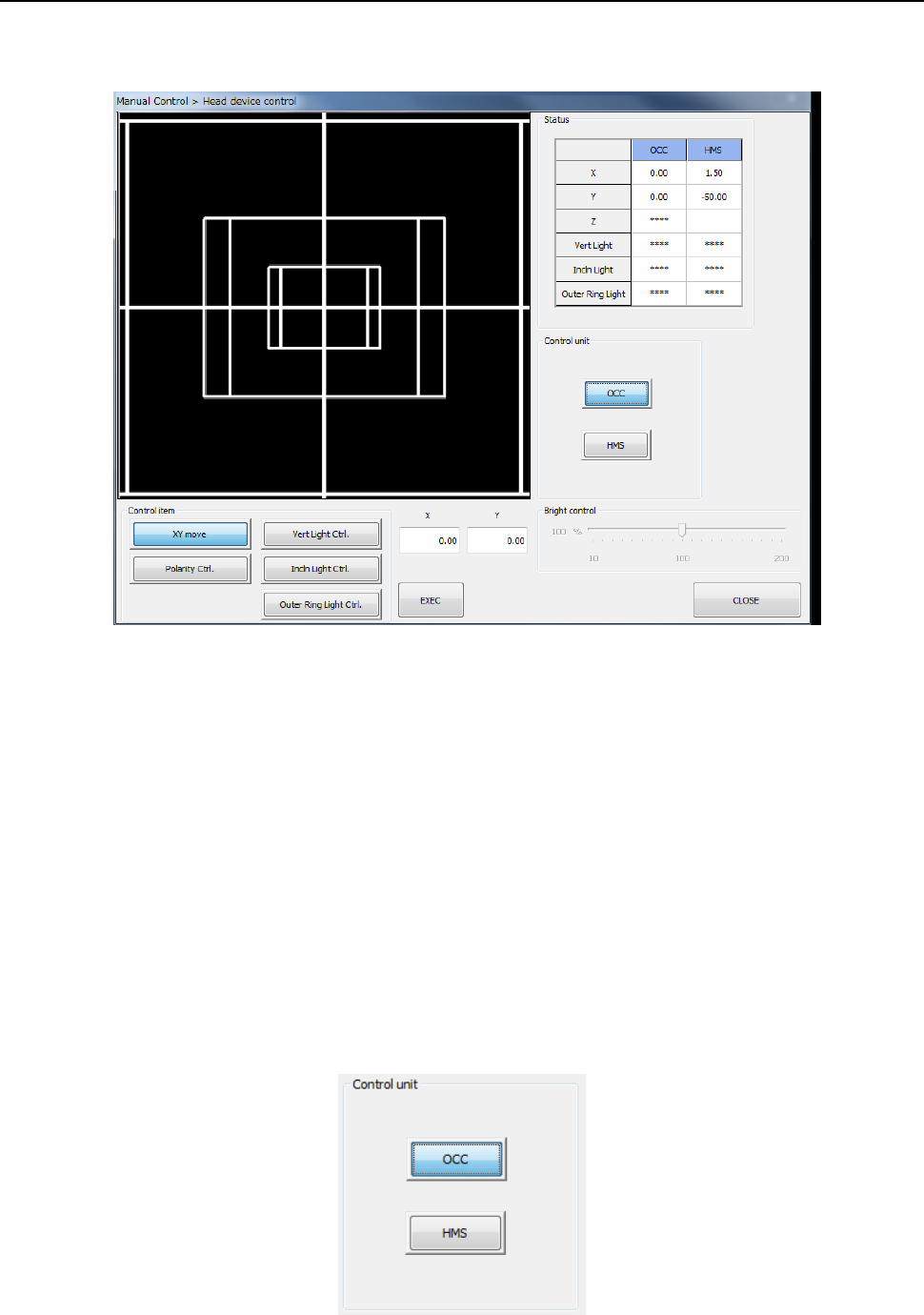
When you select [Head] – [Head device control] in the menu, the head device control screen
appears.
(1) Status
1) OCC
The XY-axes coordinates and the ON/OFF status of each light (vertical light (“Vert
Light”), inclined light (“Incln Light”) and outer ring light) are displayed when these items
are controlled completely.
When the option settings for the outer ring light are not set, the display reads “****.”
2) HMS
The XY-axes coordinates and the Z-axis coordinate are displayed when these items are
controlled completely.
(2) Control unit
Select the unit to be controlled with the corresponding push button.
You cannot select any unit that is not checked (that is, not mounted) on the “Option Unit”
screen of the MS parameter utility. The setting of the “Device enable” screen of the
Machine Setup utility does not affect this selection.
Part 2 Detailed Description of Each Function Chapter 9 Manual Control
9-6
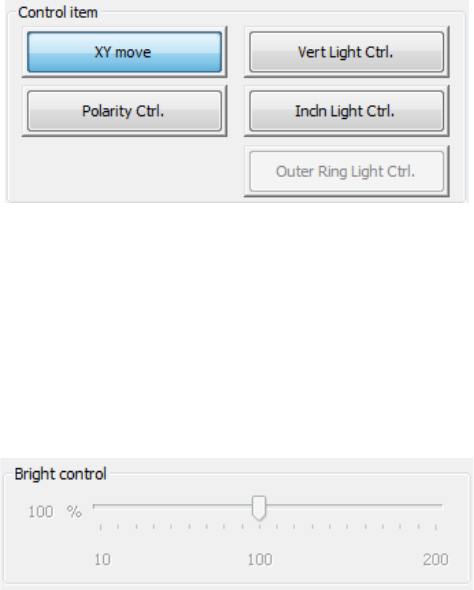
(3) Control item
Select the control item with the corresponding push button.
The displayed buttons vary depending on selection of the unit to be controlled.
1) OCC
a) XY move
This button functions in the same manner as the <XY move> button displayed on the
“Head control” screen does.
b) Vert Light cont
This button turns ON/OFF the vertical light of the OCC.
- Move the Control Item to set the brightness.
- When “Vert Light Ctrl” is selected, press the <ON> button, <OFF> button, or
<ON/OFF> button for control.
- The displayed status of the light is updated when the system finishes controlling the
light.
c) Incln Light cont
This button turns ON/OFF the inclined light of the OCC.
Make the settings of this light in the same manner as (b) the vertical light above.
d) Outer Ring Light cont (optional)
This buttons turns ON/OFF the outer ring light of the OCC.
Make the settings of this light in the same manner as (b) the vertical light above.
This item cannot be selected unless an option setting is performed by MS parameter.
e) Polarity cont
This button sets the polarity of the OCC to negative or positive.
When the control item “Polarity Ctrl” is checked off, press the <Positive> button,
<Negative> button, or <Positive/Negative> button for control.
Part 2 Detailed Description of Each Function Chapter 9 Manual Control
9-7
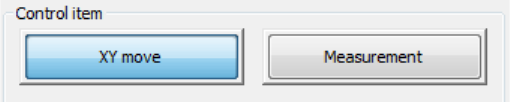
2) HMS
a) XY move
This button functions in the same manner as the <XY move> button displayed on the
“Head control” screen does.
b) Measurement
This button measures the height.
- When the control item “Measurement” is checked off, press the <Exec> button for
control.
- The measurement result in the “Status” table is updated when the system finishes
controlling the HMS.