RS-1_instruction manual.pdf - 第449页
Part 1 B asic O peration Chapter 4 Cr eating a Produc tion Progra m 4- 114 2) F or the back light The light cont rol data (bac k li ght) screen allo w s you t o set the input va lue of the back l i ght. The light cont ro…
Part 1 Basic Operation Chapter 4 Creating a Production Program
4-113
The “Control 2” tab and the “Control 3” tab are screens that allow you to set the data on lights used
to recognize a component with a VCS in details.
These tabs are displayed as shown below according to selection of the “Light type” of the vision
control data.
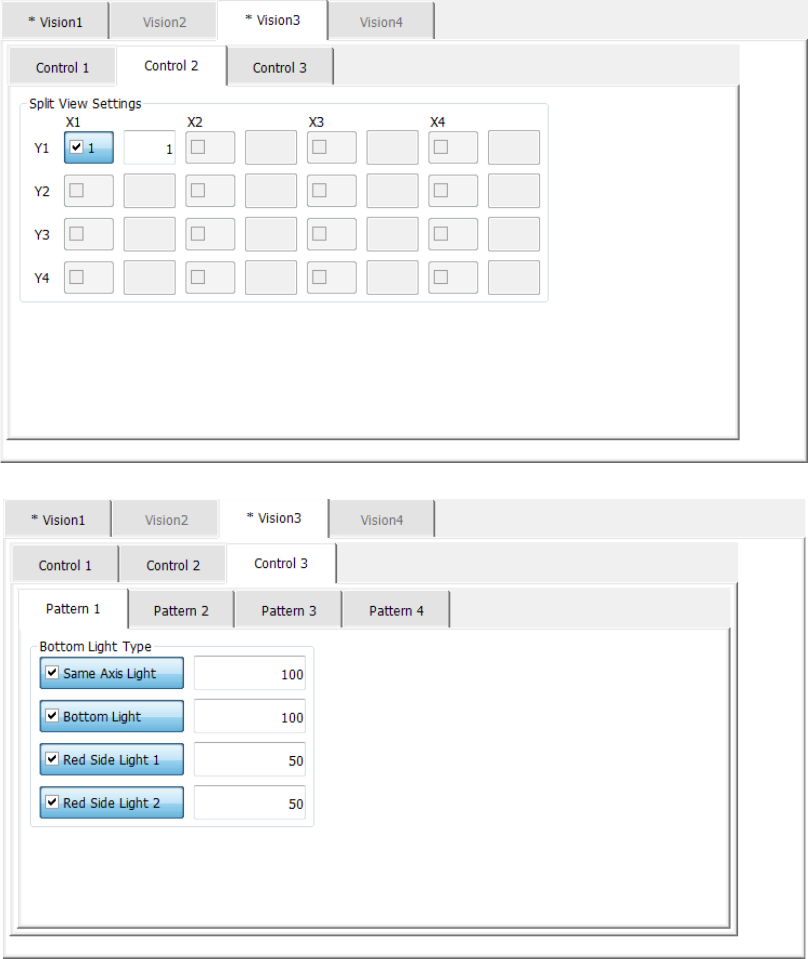
1) For the bottom light
The light control data (bottom light) screen allows you to set the input value of the bottom
light.
The light control data (bottom light) screen is shown below.
Part 1 Basic Operation Chapter 4 Creating a Production Program
4-114
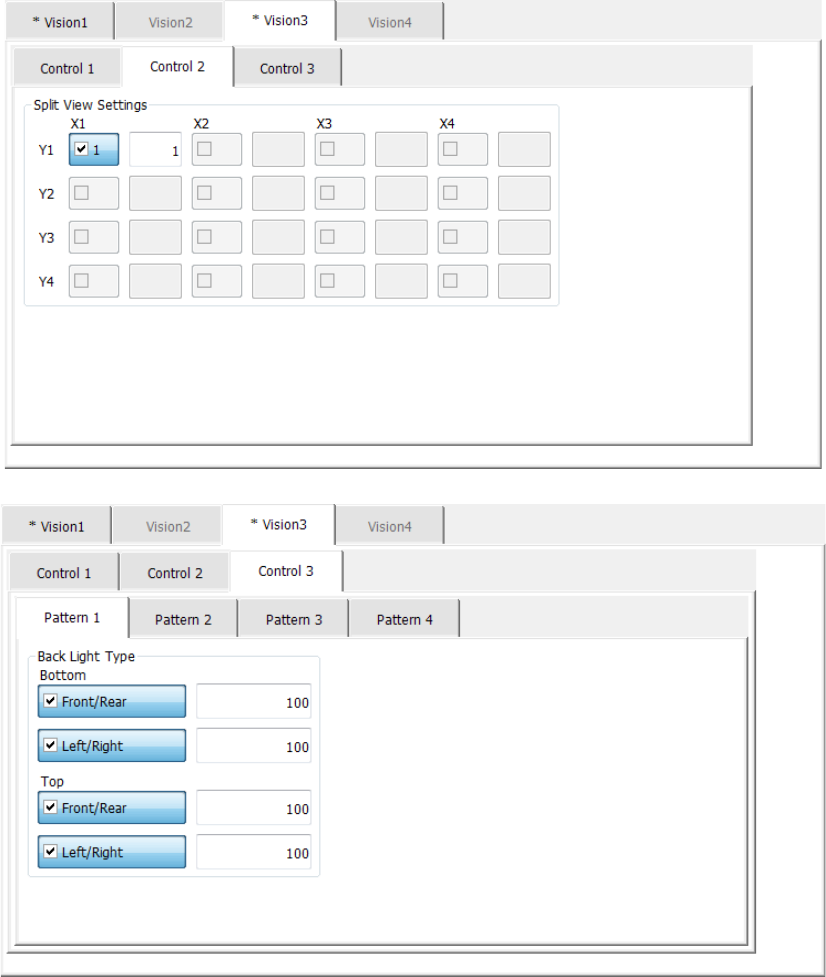
2) For the back light
The light control data (back light) screen allows you to set the input value of the back light.
The light control data (back light) screen is shown below.
Part 1 Basic Operation Chapter 4 Creating a Production Program
4-115
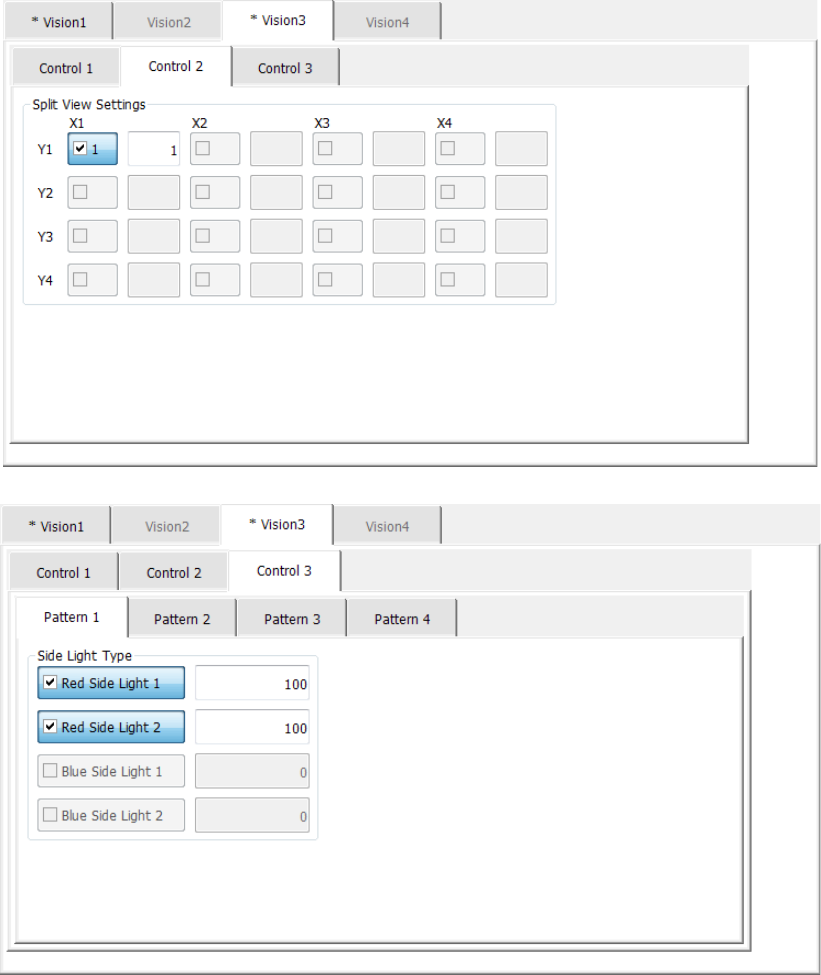
3) For the side light
The light control data (side light) screen allows you to set the input value of the side light.
The light control data (side light) screen is shown below.
When you select “Side lights” as the “Light type” and “Red” as the “Light style,” the “Blue
Side Light” check boxes are disabled. In the same manner, when you select “Blue” as the
“Light style,” the “Red Side Light” check boxes are disabled.
When you select the <OK> button, the settings of the light control data are enabled.
When you select the <Cancel> button, the settings of the light control data are disabled.