RS-1_instruction manual.pdf - 第379页
Part 1 B asic O peration Chapter 4 Cr eating a Produc tion Progra m 4- 44 4.3.5 Component data On the "Com ponent" dat a screen, enter the d etailed information on t he "Com ponent nam e" that was ent…
Part 1 Basic Operation Chapter 4 Creating a Production Program
4-43
Area check
The system checks that a component placement position is within a PWB (for a
single-plane PWB) or within a circuit (for a multi-plane PWB) at the following timing:
1) At data entry
The system checks the component placement area when you enter or change
the placement coordinate X or Y.
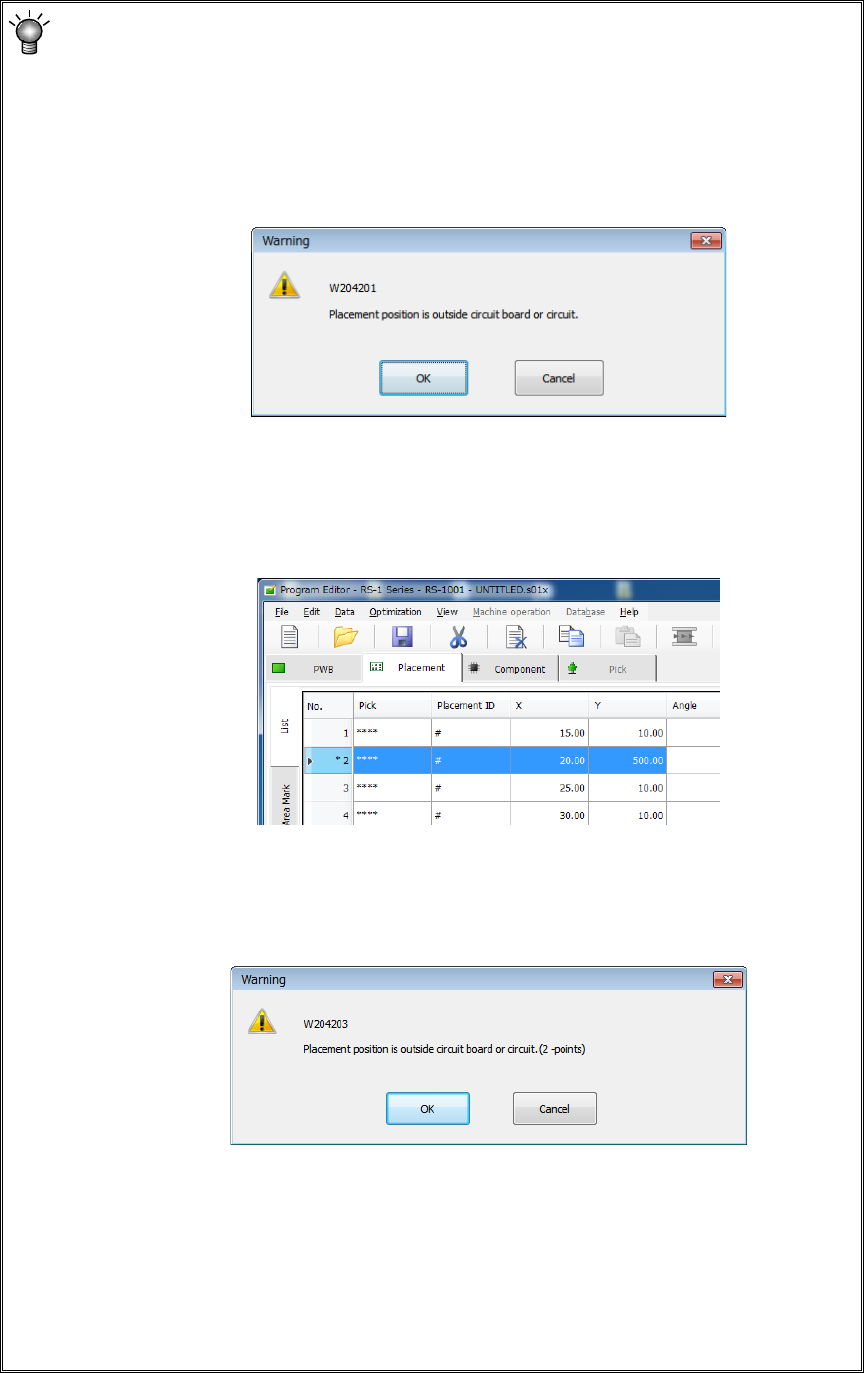
If an error occurs, the system displays the following warning message.
• <OK>: The system validates data you entered, and displays an asterisk
mark (*) left to the placement data number indicating the range over
error (see the figure below). When you enter a value within the
range, this mark disappears.
• <Cancel>: The data you entered becomes invalid, and the system allows you
to enter data again.
2) When you switch the displayed data screen
When you switch the displayed data screen (for example, by selecting
component data), the system checks the component placement area.
If an error occurs, the system displays the following warning message.
• <OK>: The system resume switching the displayed data screen.
• <Cancel>: The system stops switching the displayed data screen.
* If the area check error occurs, check the data entered on the “Placement” data
screen. If you do not find any problem on this screen, check each entry on the
“PWB” data screen.
(Check the settings of “Reference hole position,” “PWB layout offset,” “First
circuit position,” “Circuit layout offset” and each coordinate entered on the “Circuit
layout” screen especially.)
Part 1 Basic Operation Chapter 4 Creating a Production Program
4-44
4.3.5 Component data
On the "Component" data screen, enter the detailed information on the "Component name" that
was entered on the "Placement" data screen.
Therefore, data will be created for the number of component names entered on the "Placement"
data screen.
4.3.5.1 Viewing the component data screen
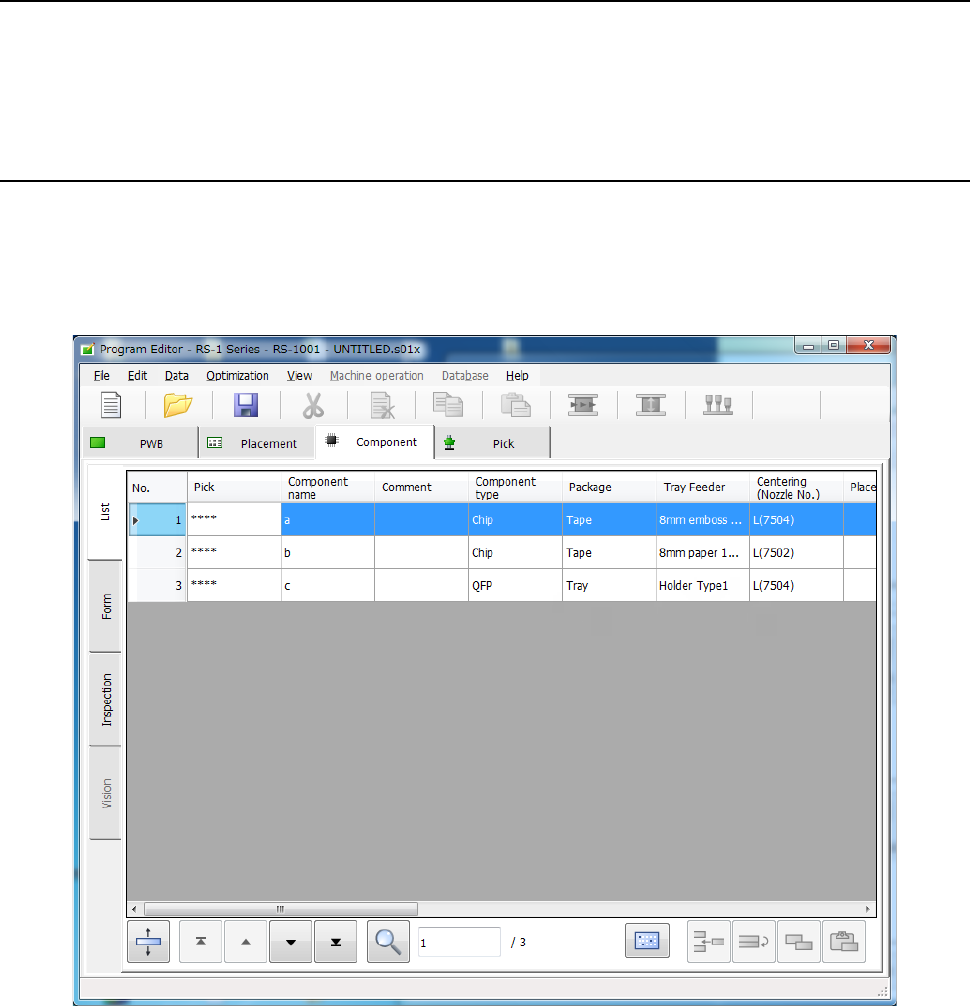
Two types of component data screens are provided: “List” screen and “Form” screen.
On the “List” screen, the system displays a list of the summary information of two or more
components.
You cannot enter any data on this screen, but you can check how you have completed component
data.
Each item can be used as a sort key to sort data and display it on the “List” screen of the
“Component” data screen.
Part 1 Basic Operation Chapter 4 Creating a Production Program
4-45
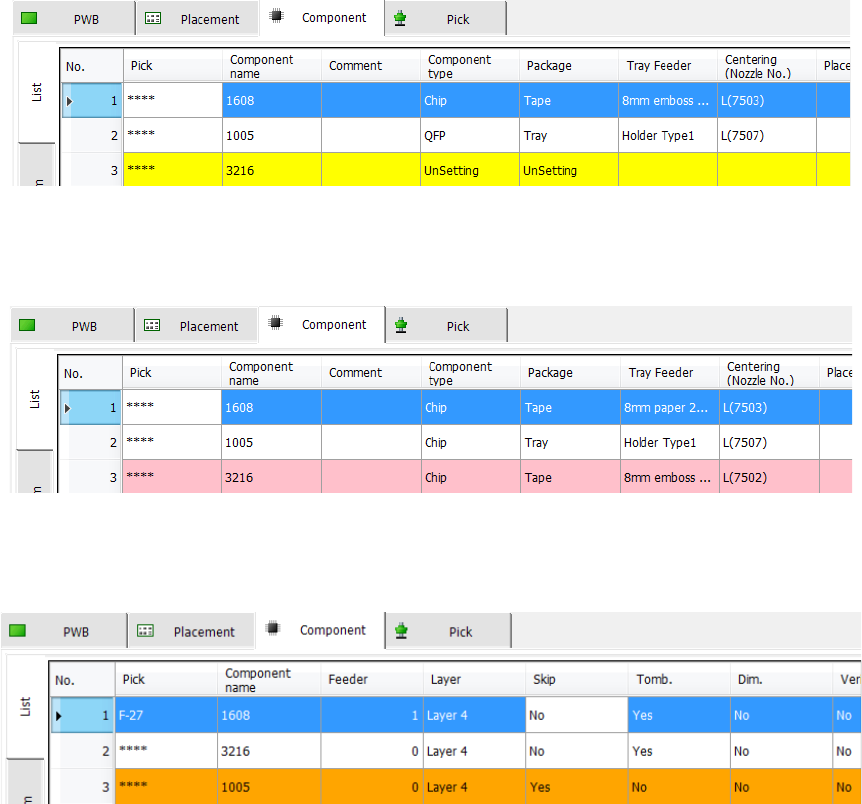
The component name items without data setting are not set are indicated in yellow.
When the component names set in the component data are not used by placement data, the items
are displayed in pink.
When Component skip is set, the items are displayed in orange. For Component skip, refer to "7)
Component skip" of "4-3-5-2 (5) Place condition."