RS-1_instruction manual.pdf - 第875页
Pa r t 2 Det ai l ed Des c r i pti on o f Ea c h Fu nc ti on Chapte r 1 1 S el f - diagnosis Func ti on 11 - 17 Vacu um cal ib rati on W hen you sel ect [V acuum ] in the s elf - diag nosi s m en u , t he v ac uum c alib…
Part 2 Detailed Description of Each Function Chapter 11 Self-diagnosis Function
11-16
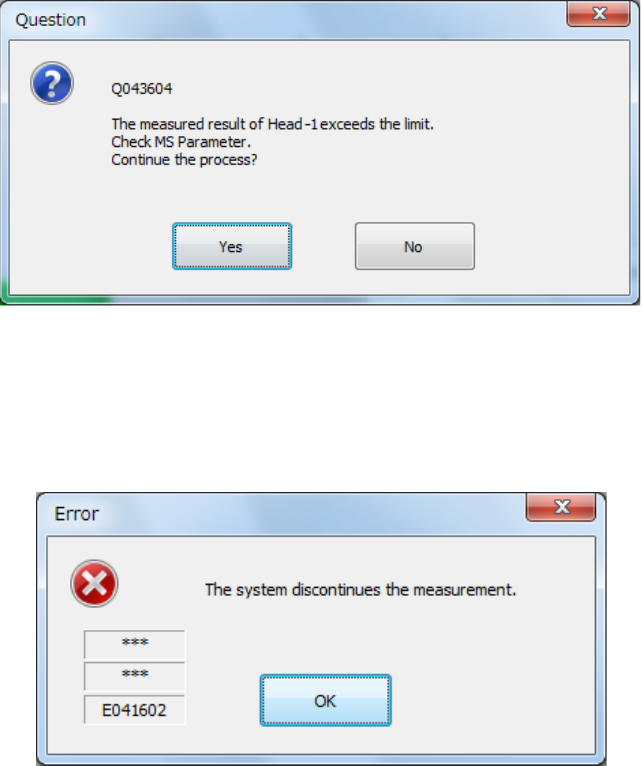
If a laser recognition error occurs or the measurement result is not within the regulated range,
the following message appears on the screen.
If an error other than above occurs: neither a laser recognition error nor measurement value
exceeding the regulated range, the machine displays the corresponding error message, and
then the following message on the screen. When you press the <OK> button on this screen,
the machine aborts measurement operation even though there is any head not measured yet.
(4) End of measurement
When the system finishes measurement, the progress bar indicates “100 %,” and the
measured values are displayed in blue.
When you press the <OK> button, the measured values become valid, but are not saved/set
yet at this point.
These values are actually set only when you quit the application. See Section 11.3.3.6.2
“Saving the setting values and exiting the screen” for details.
When you press the <CANCEL> button, the measured values become invalid.
Part 2 Detailed Description of Each Function Chapter 11 Self-diagnosis Function
11-17
Vacuum calibration
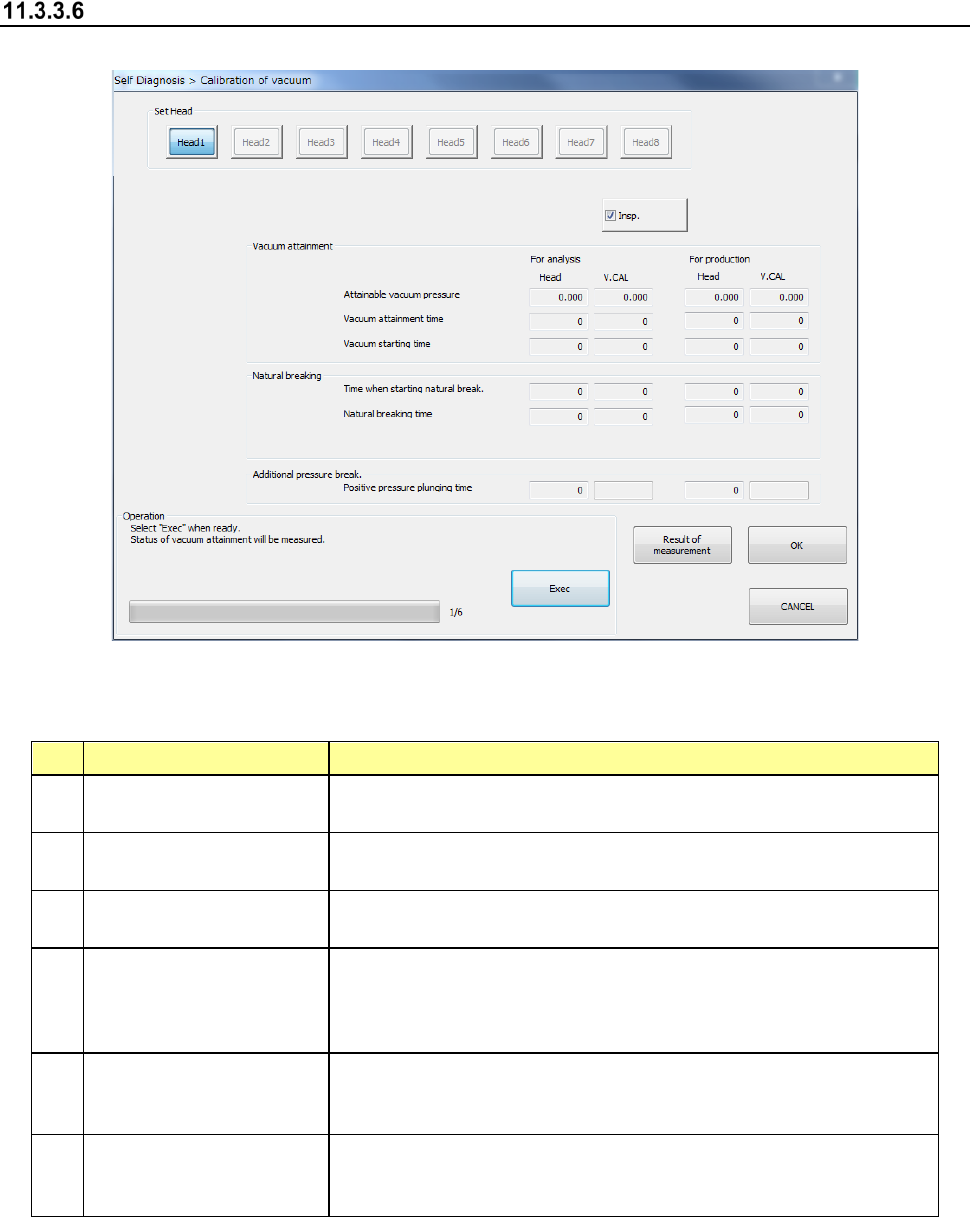
When you select [Vacuum] in the self-diagnosis menu, the vacuum calibration dialog appears.
(1) Setting items
No. Item Description
1
Attainable vacuum
pressure
Maximum attainable vacuum pressure caught by each pressure
sensor on the head side and vacuum calibration side
2 Vacuum attainable time
Vacuum attainable time caught by each pressure sensor on the
head side and vacuum calibration side
3 Vacuum starting time
Vacuum starting time caught by each pressure sensor on the head
side and vacuum calibration side
4
Time when starting
natural break
Time required for the vacuum value to reach the pick vacuum
threshold value from the vacuum solenoid valve OFF status in
each pressure sensor on the head side and vacuum calibration
time
5 Natural breaking time
Time required for the vacuum value to reach the natural breaking
time from the vacuum solenoid valve OFF status in each pressure
sensor on the head side and vacuum calibration side
6
Positive pressure
plugging time
Time required for the vacuum value to transfer to the positive
pressure exceeding the open air pressure from the blow solenoid
valve ON status in the head-side pressure sensor.
Part 2 Detailed Description of Each Function Chapter 11 Self-diagnosis Function
11-18
(2) Setting method
1) Head selection
The default is “F-continuous measurement”/”R-continuous measurement”, being a status
where no head can be selected. However, if you remove the check mark from
“F-continuous measurement” or “R-continuous measurement” or remove the check mark of
continuous measurement by Select device, a head can be selected.
After selecting a device to be measured, select a head for measurement in the check box
provide in the setting head group. You can select multiple heads to be measured at a time.
(However, it is impossible to select a unit for which “No use” is set in “Device enable” in
Machine setup.)
2) Operation
A value can be obtained automatically by performing operations as instructed.
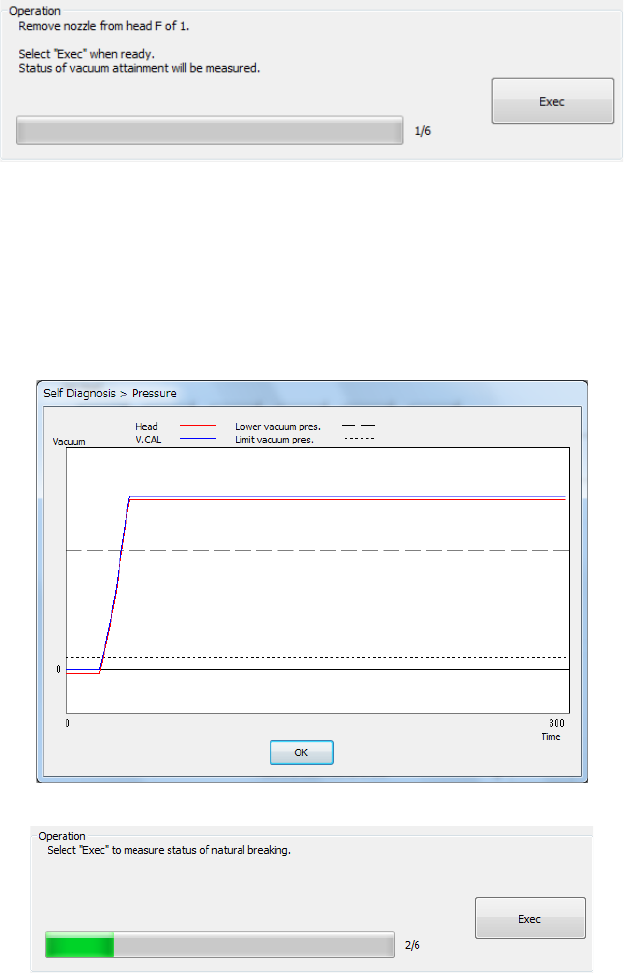
(3) Measurement sequence
The set head is moved onto the vacuum calibration and the attained vacuum status is
measured 3 times.
- The mean values between the 2
nd
and 3
rd
measurements are displayed.
- The graph of the pressure value displayed after measurement shows the data of the 3
rd
measurement.
- Press <Exec>.