RS-1_instruction manual.pdf - 第92页
Part 1 B asic O peration Chapter 1 Overv iew of the Machine 1- 74 Operat ing a F ile This section de scribes how to operate the “ F ile ” menu. This Section describes the items ot her than “ manag ement of cont rol data.…
Part 1 Basic Operation Chapter 1 Overview of the Machine
1-73
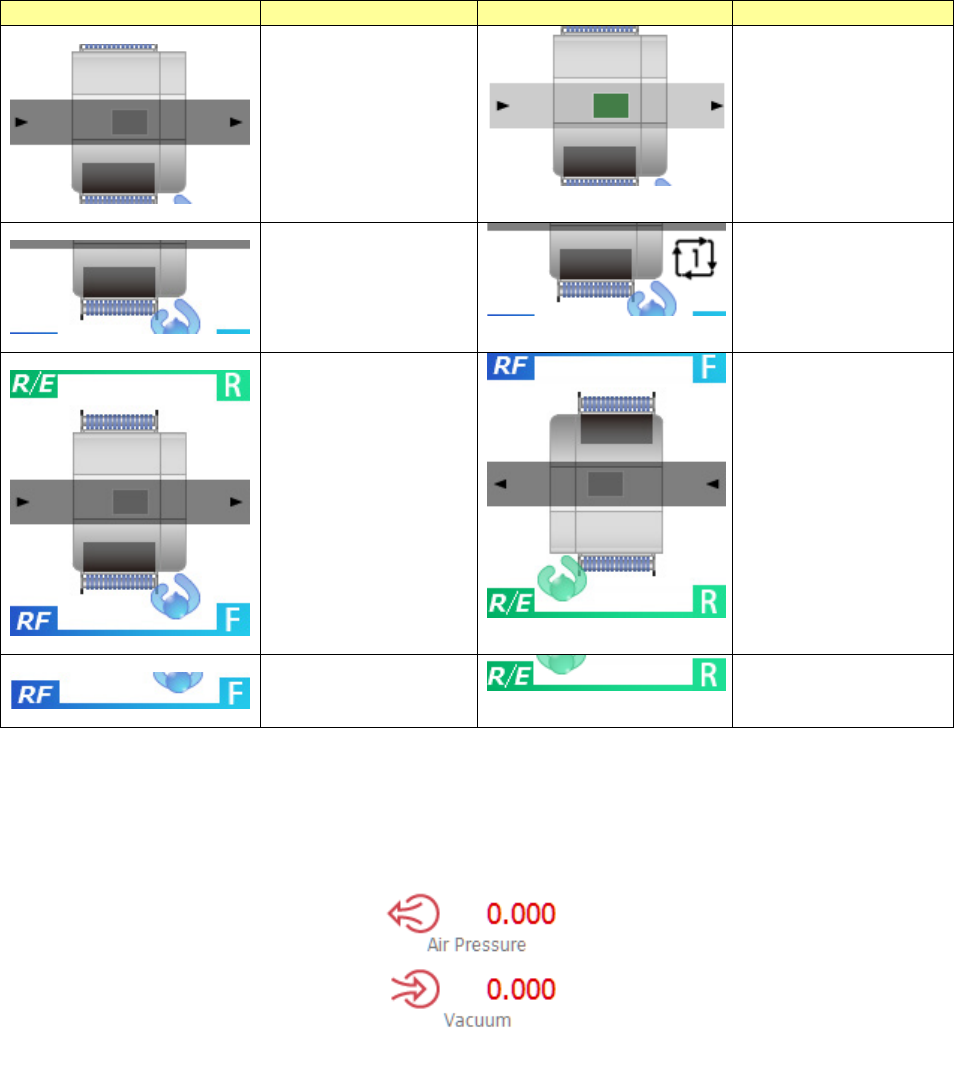
Icon
Meaning
Icon
Meaning
The machine is not
producing any PWB.
The machine is
producing a PWB.
The machine is not
waiting for a cycle
stop.
The machine is
waiting for a cycle
stop.
The operation panel
operating direction
: From the front
The operation panel
operating direction
: From the rear
RF bank is being
used.
RF/EF bank is being
used.
When you touch the event display area, the screen is switched to the air pressure monitor. When
you touch it again, the screen is switched back to the Unit event display screen.
Part 1 Basic Operation Chapter 1 Overview of the Machine
1-74
Operating a File
This section describes how to operate the “File” menu.
This Section describes the items other than “management of control data.”
See Section 13.2 “Managing the Control Data” for “management of control data.”
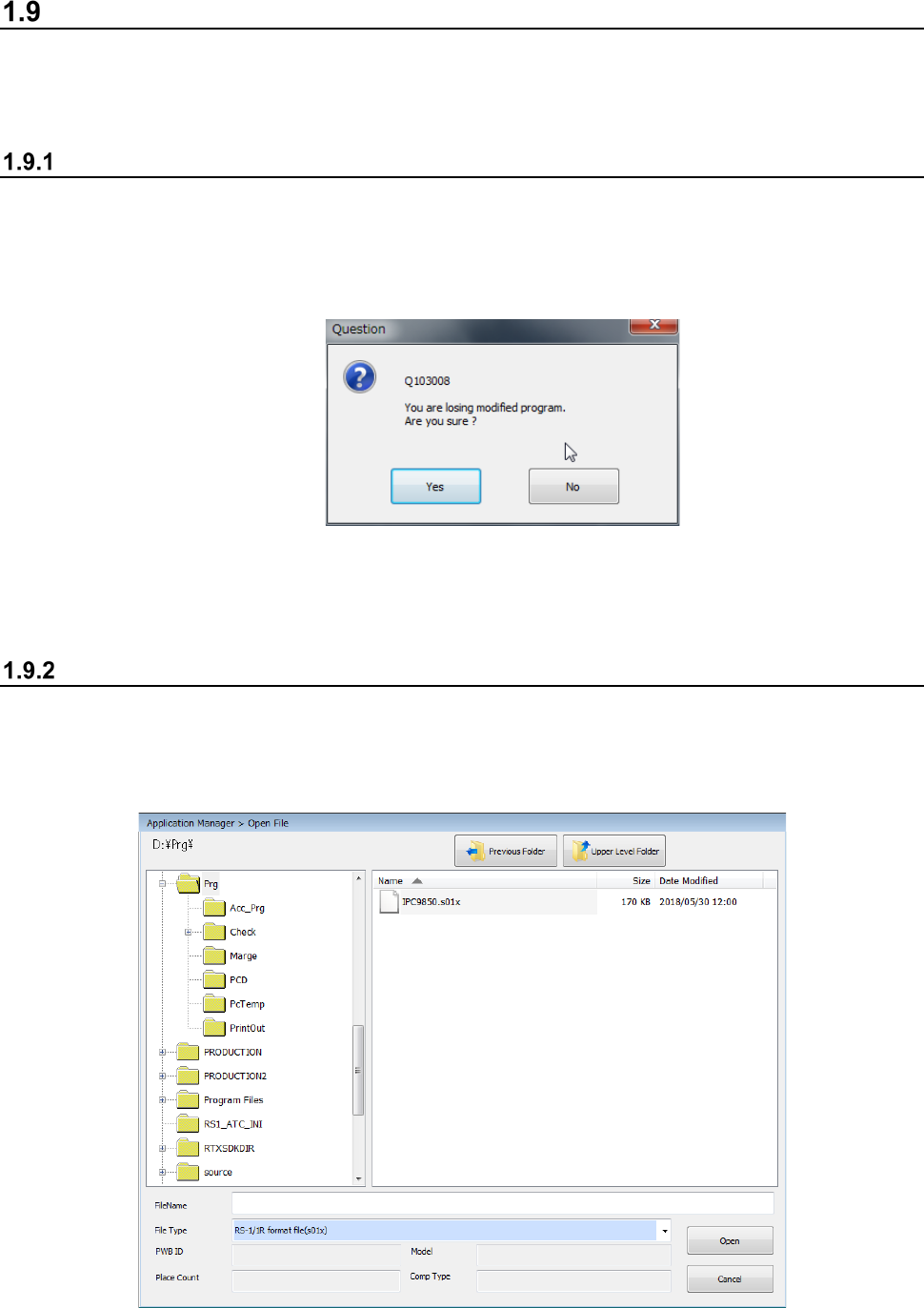
New
To create a new file, select the “File” button from the main menu, and then the [New] command.
The system initializes production program data.
If there is any production program not saved yet, the system displays the inquiry dialog box as
shown below.
When you click the <Yes> button, the system initializes production program data without saving
any file. When you click the <No> button, the system interrupts the current process, and
redisplays the Desktop screen.
Open (Load a file)
This command loads a production program file already created into the system.
<Procedure>
① Select the “File” button from the main menu, and then the [Open] command.
② Select the desired file from the “Open File” dialog box, and click the <Open> button.
Part 1 Basic Operation Chapter 1 Overview of the Machine
1-75
③ At this point, the “Question” dialog box appears on the screen if any production program is
not saved yet.(See Section 1.9.1 “New” for the screen to be displayed.)
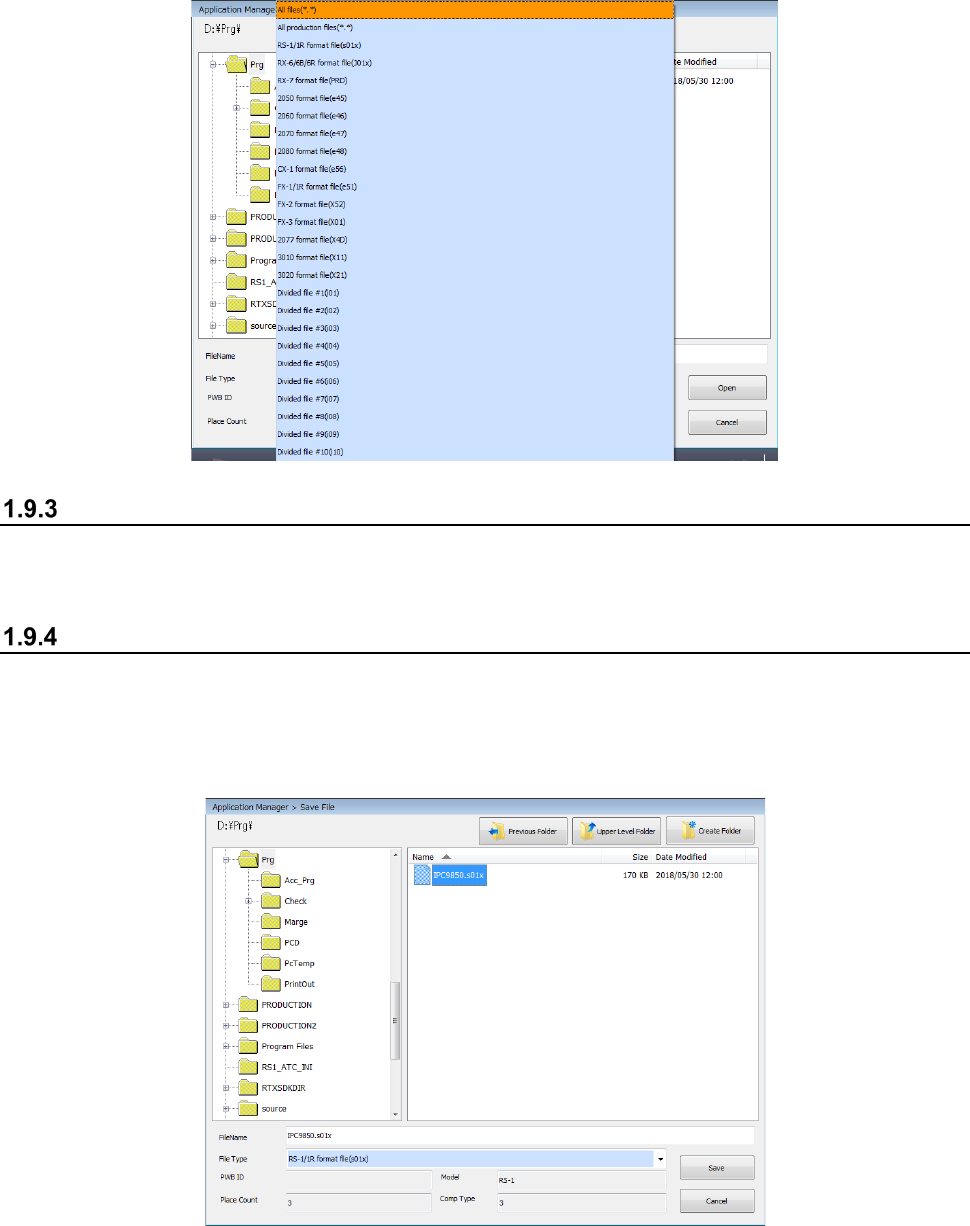
To read the production program of another model, select the "File Type," specify the file name, and
then click the <Open> button.
Save
This command overwrites a created production program.
Select the “File” button from the main menu, and then the [Save] command.
Save as
Select this command to save the edited production program in another folder or rename and save it.
<Procedure>
① Select the “File” button from the main menu, and then the [Save as] command.
② Specify the folder and file name on the “Save File” dialog box, and click the <Save> button.