RS-1_instruction manual.pdf - 第830页
Pa r t 2 Det ai l ed Des c r i pti on o f Ea c h Fu nc ti on Chapter 10 M ach i ne Manage m e nt Infor m ation 10 - 17 6) Sel ect da ta you w i sh t o res et w i th the keyb oard or mous e, p res s the < Res et > b…
Part 2 Detailed Description of Each Function Chapter 10 Machine Management Information
10-16
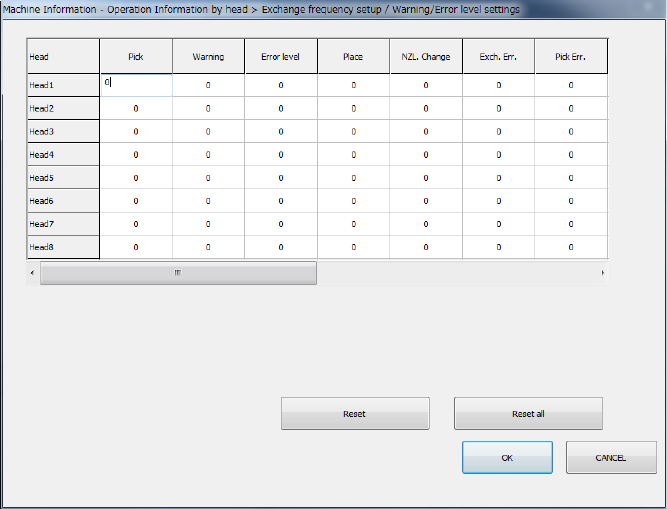
(3) Exchange frequency setup
When you press the <Exchange frequency setup> button or select [Set] – [Setting – Head
operation information] in the menu, the exchange frequency setup screen appears. When
the head nozzle was changed, the setting can be initialized by setting the number of changes
of the changed head nozzle to zero.
The setting can be executed when the user level is set to Serviceman.
1) Press the item to be updated or press a number key after moving the cursor by the
direction key of the software keyboard, and the target cell will be active so that it can be
edited.
2) If you press the <ESC> key when the cell is active, the data being changed is cancelled.
3) If you press the <ENTER> key or the <TAB> key when the cell is active, a value you
have entered is validated.
4) Press the <OK> button to check data and close the exchange frequency setup screen.
5) Press <CANCEL> to revert nozzle usage information to the original and close the
exchange frequency setup screen.
Part 2 Detailed Description of Each Function Chapter 10 Machine Management Information
10-17
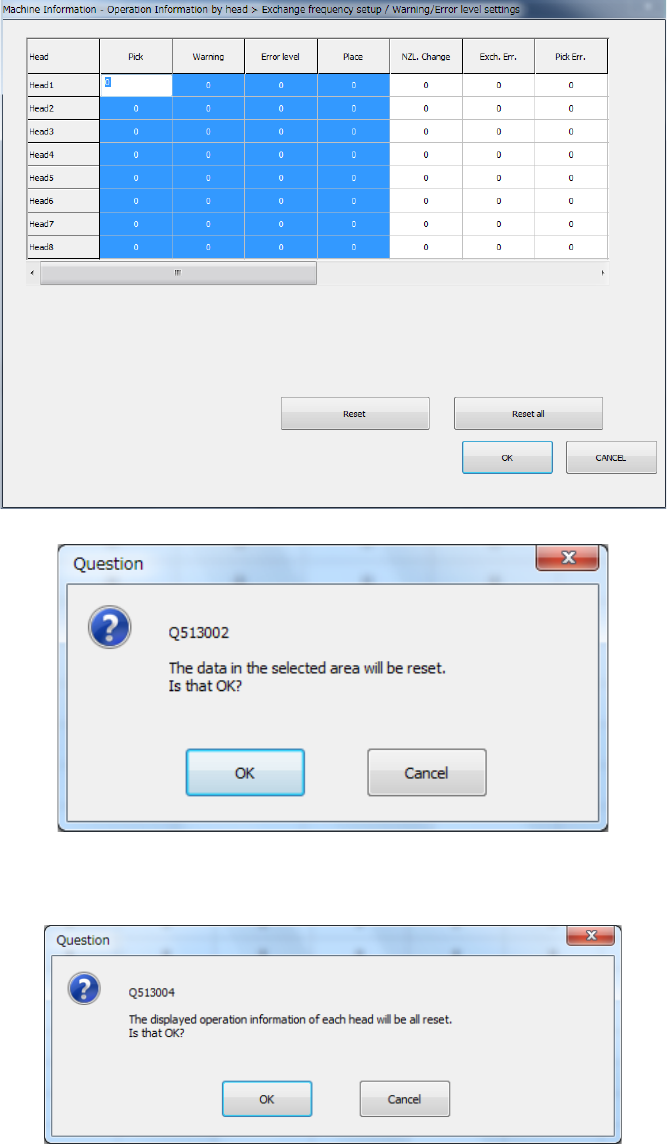
6) Select data you wish to reset with the keyboard or mouse, press the <Reset> button,
and reset processing of the data is carried out. Press <OK> in the question message
and reset the selected domain.
7) Press the <Reset all> button and reset processing of all data is carried out. Press <OK>
in the question message and reset the selected domain.
Part 2 Detailed Description of Each Function Chapter 10 Machine Management Information
10-18
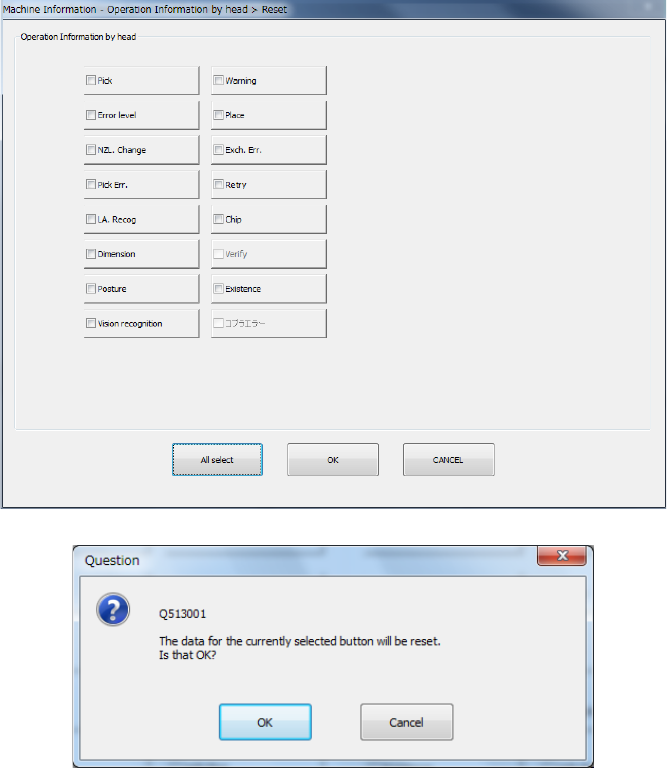
(4) Reset
When you press the <Reset> button or press [Initialize] – [Reset] in the main menu, the
following screen appears.
This operation allows you to clear the certain data or all data displayed in the list.
- The <All select> button allows you to select all check boxes displayed on the screen.
- When you press the check box of the item whose data you want to reset, and press the
<OK> button, the “Question” dialog box for asking you whether to reset data appears on
the screen.
- When you press <OK> in the reset question message, the target item is reset for all the
nozzles belonging to the group (LF, LR, RF, or RR), and the screen is closed.
- When you press the <CANCEL> button, the system does not reset any data and the
current data is still displayed.