RS-1_instruction manual.pdf - 第919页
Part 2 D etaile d Descript ion of E ach Functi on Chapter 12 Handling th e Optional Device s 12 - 35 12.6 Cutter 12.6.1 Overv iew The tape was automat ically cut af ter placement and proces sed collectively . This is an …
Part 2 Detailed Description of Each Function Chapter 12 Handling the Optional Devices
12-34
Note
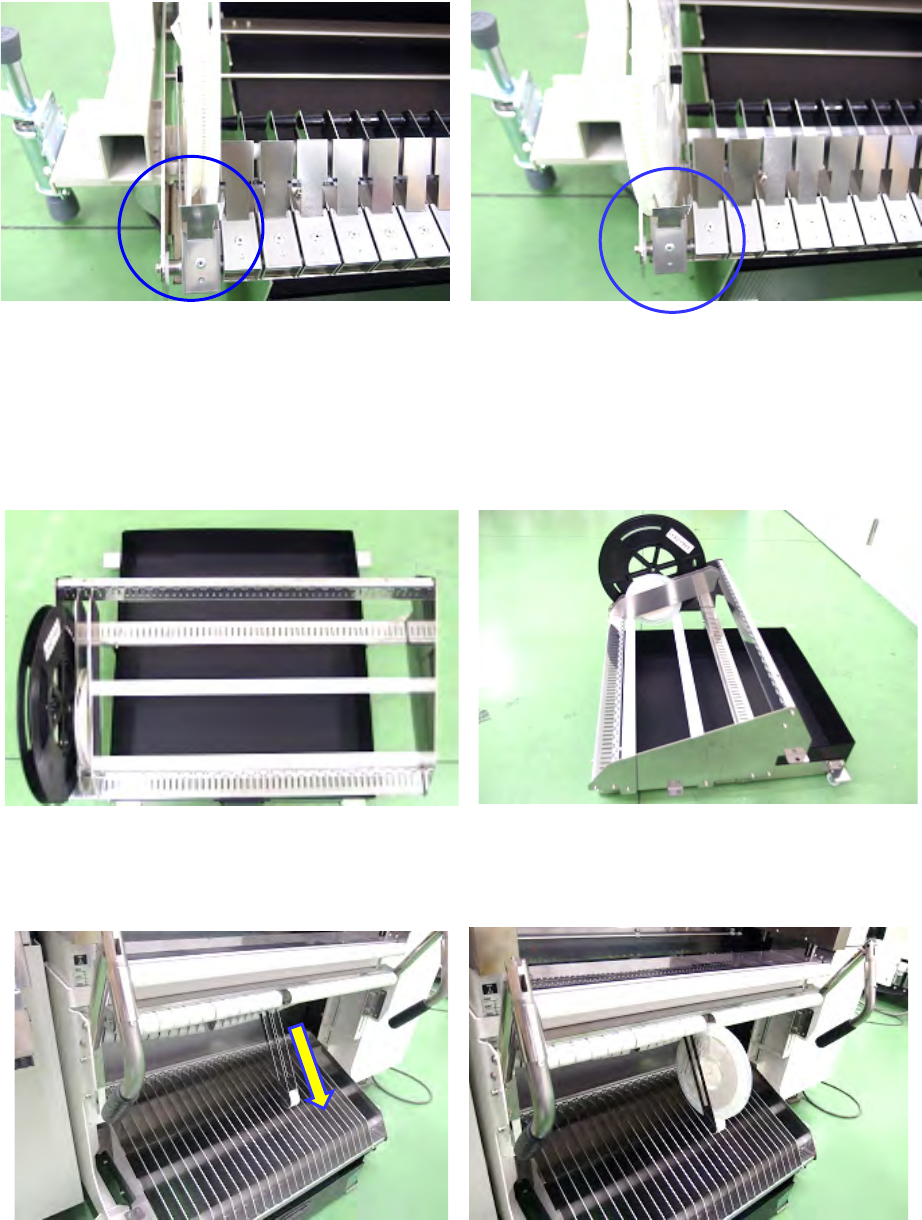
Note the following point to install a reel on a feeder exchange trolley:
Check to see if a reel is stored in the reel holder correctly.
The left figure shows correct installation of a reel on the holder. If a reel is installed as shown in the
right figure, install it correctly.
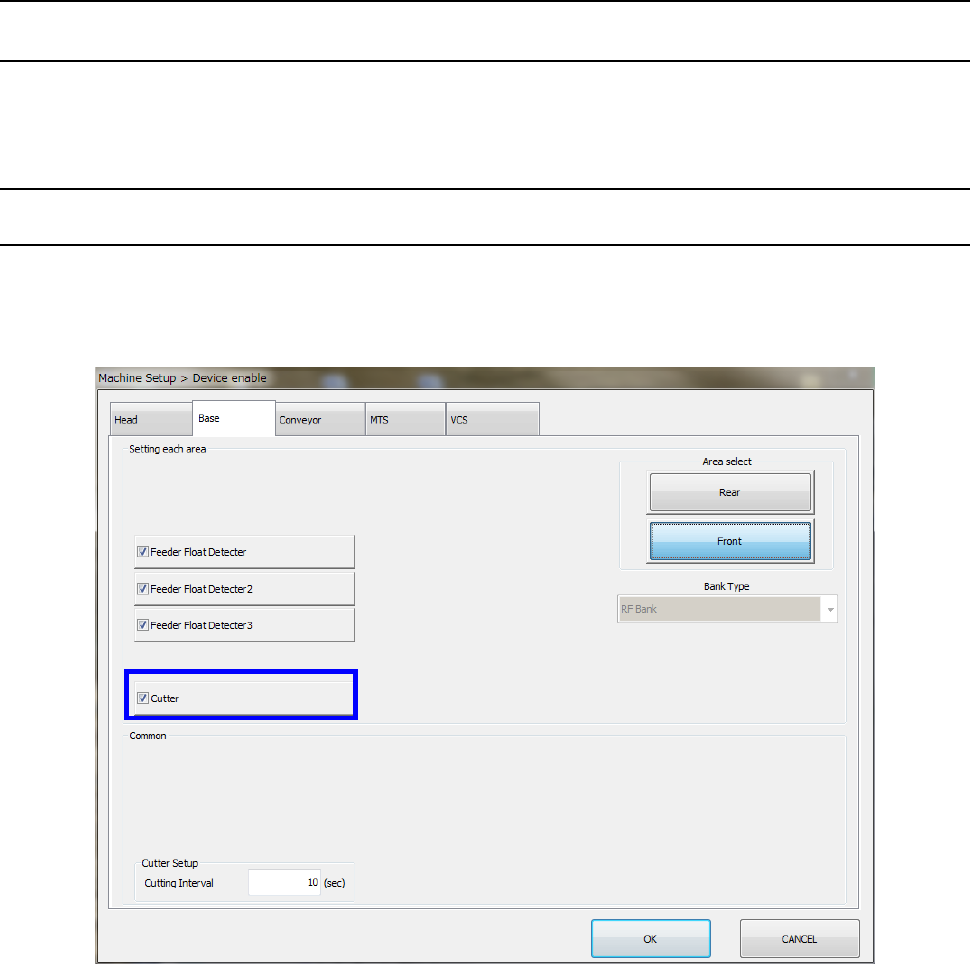
Attach a reel on a feeder exchange trolley whose model number is 40215185, 40215186,
40215187, 40215188, 40215189 or 40215190 as shown below.
Lower reel holder
Place a reel on the resin roller to use it.
Install the separation plate to prevent the reel from falling down.
Upper reel holder
This reel holder is exclusively designed for a 180-mm reel.
Pull out the reel holder, and then set a reel as shown in the photo below.
Part 2 Detailed Description of Each Function Chapter 12 Handling the Optional Devices
12-35
12.6 Cutter
12.6.1 Overview
The tape was automatically cut after placement and processed collectively.
This is an integrated type which is mounted on the main body.
12.6.2 Operations
12.6.2.1 Machine setup
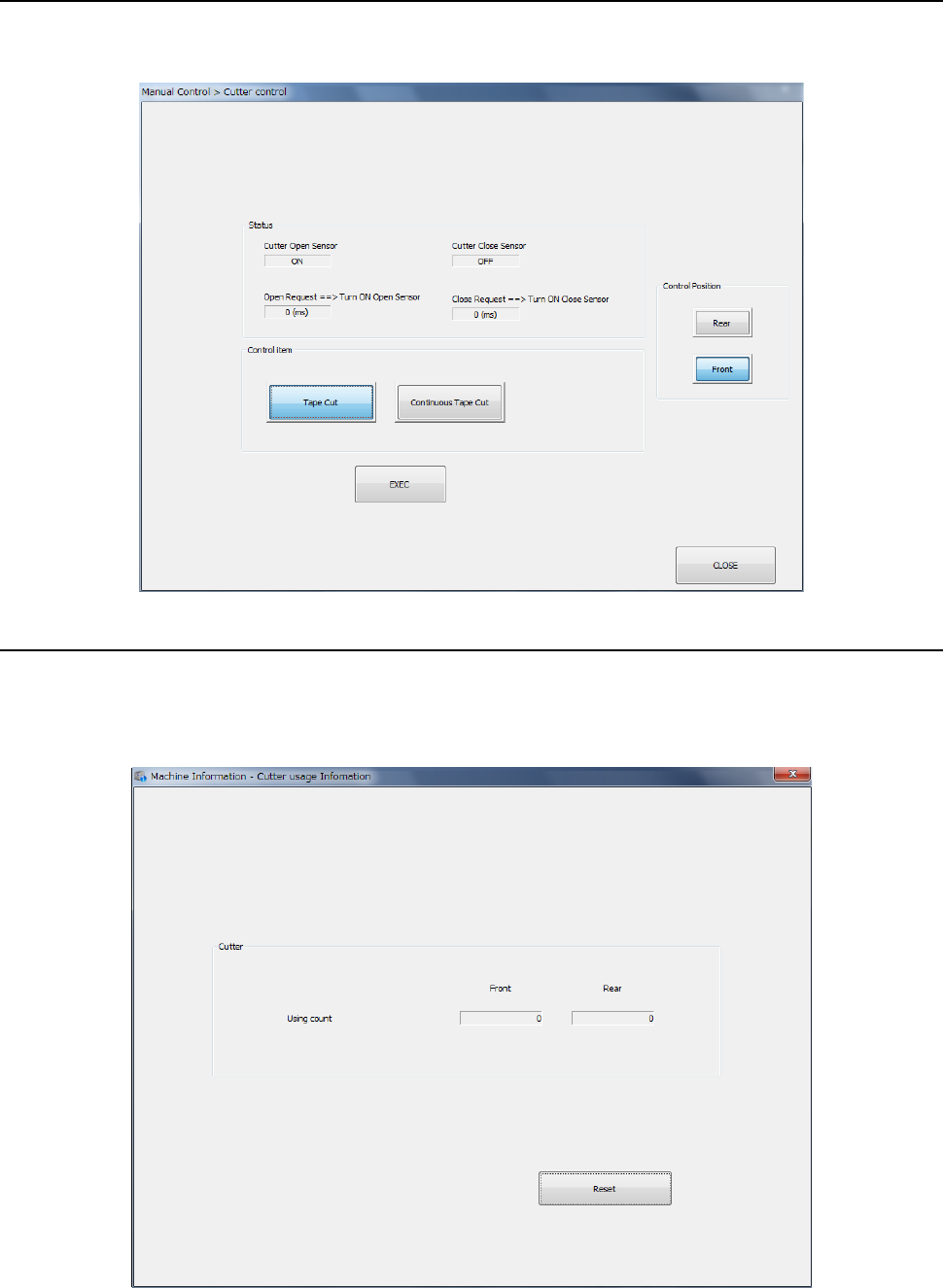
Select [Device enable] – [Option unit] in the machine setup screen and make sure that “Cutter” is
checked off.
For the setting method, refer to “8.3.1.2 Base.”
Part 2 Detailed Description of Each Function Chapter 12 Handling the Optional Devices
12-36
12.6.2.2 Manual Control
When you select [Other] – [Cutter control] on the manual control screen, the cutter control screen
is started. For the operating method, refer to “9.6.9 Cutter control.”
12.6.2.3 Machine Information
Select [Cutter usage information] on the machine information screen to display the cutter usage
information screen. You can check the number of cutter operations. For the operating method,
refer to “10.3.12 Cutter usage information.”