RS-1_instruction manual.pdf - 第819页
Pa r t 2 Det ai l ed Des c r i pti on o f Ea c h Fu nc ti on Chapter 10 M ach i ne Manage m e nt Infor m ation 10 -6 10.3.2 A pplicat ion O peration I nf orma ti o n W hen you sel ect the [Ap p li cati on Inf orm ati on]…
Part 2 Detailed Description of Each Function Chapter 10 Machine Management Information
10-5
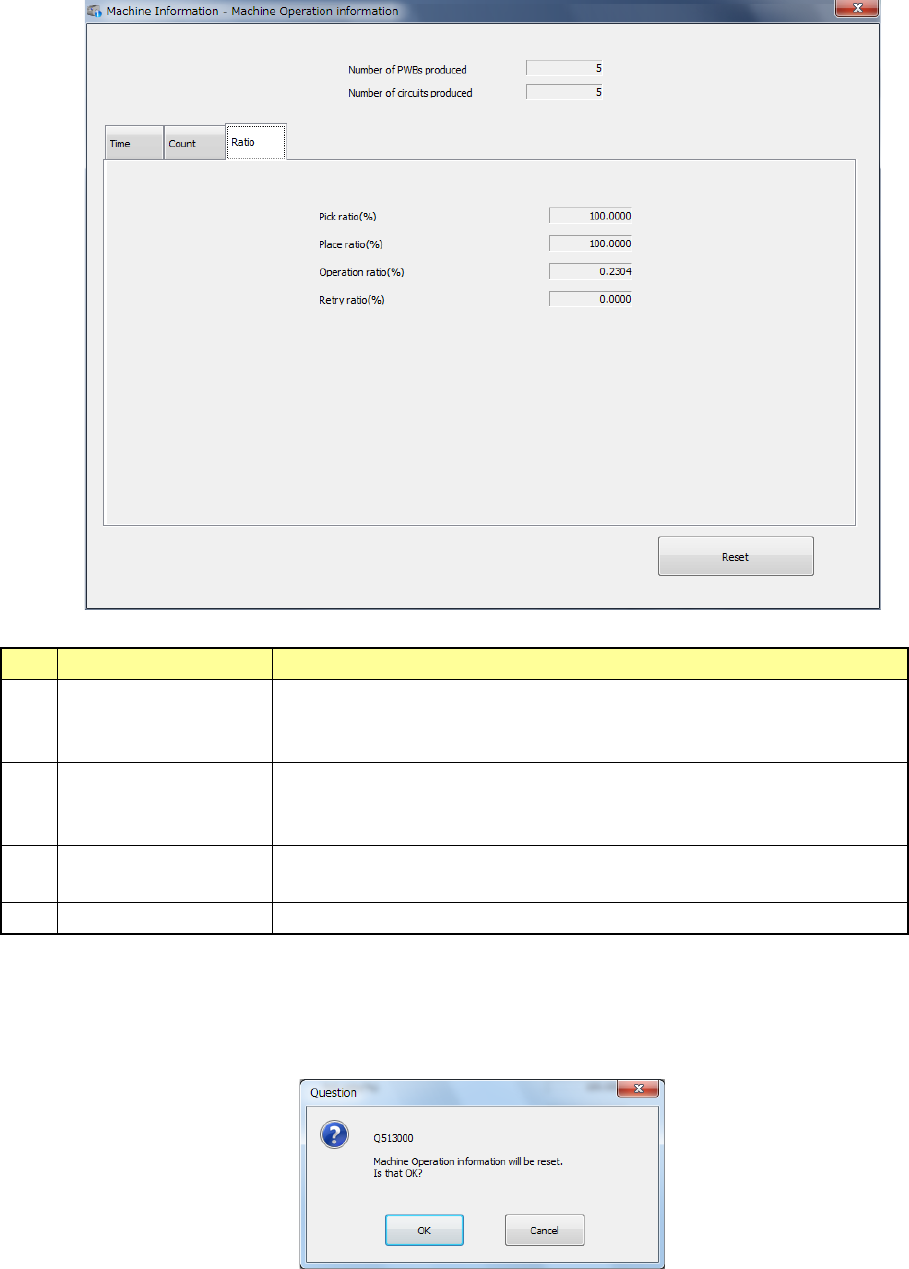
(3) Ratio
When you select the “Ratio” tab on the “Machine Operation information” screen, the “Ratio”
screen appears, and the following items are displayed.
No.
Item
Description
1 Ratio of Pick-up Component picking ratio (%)
(“Number of picked components” / “Number of picked components” +
“Number of errors : Pick-up”) x 100 (%)
2 Ratio of Placement Machine placing ratio (%)
(“Number of picked components” / “Number of picked components” +
“Number of errors : Pick-up”) x 100 (%)
3 Ratio of Operation Machine operating ratio (%)
“Operation time” / “Power on time” x 100 (%)
4
Ratio of Retry 100 - (Ratio of Pick-up)
(4) Reset
When you press the <Reset> button or press [Initialize] – [Reset] in the main menu, the
following message is displayed.
You can clear the certain information or all information listed on the screen.
Part 2 Detailed Description of Each Function Chapter 10 Machine Management Information
10-6
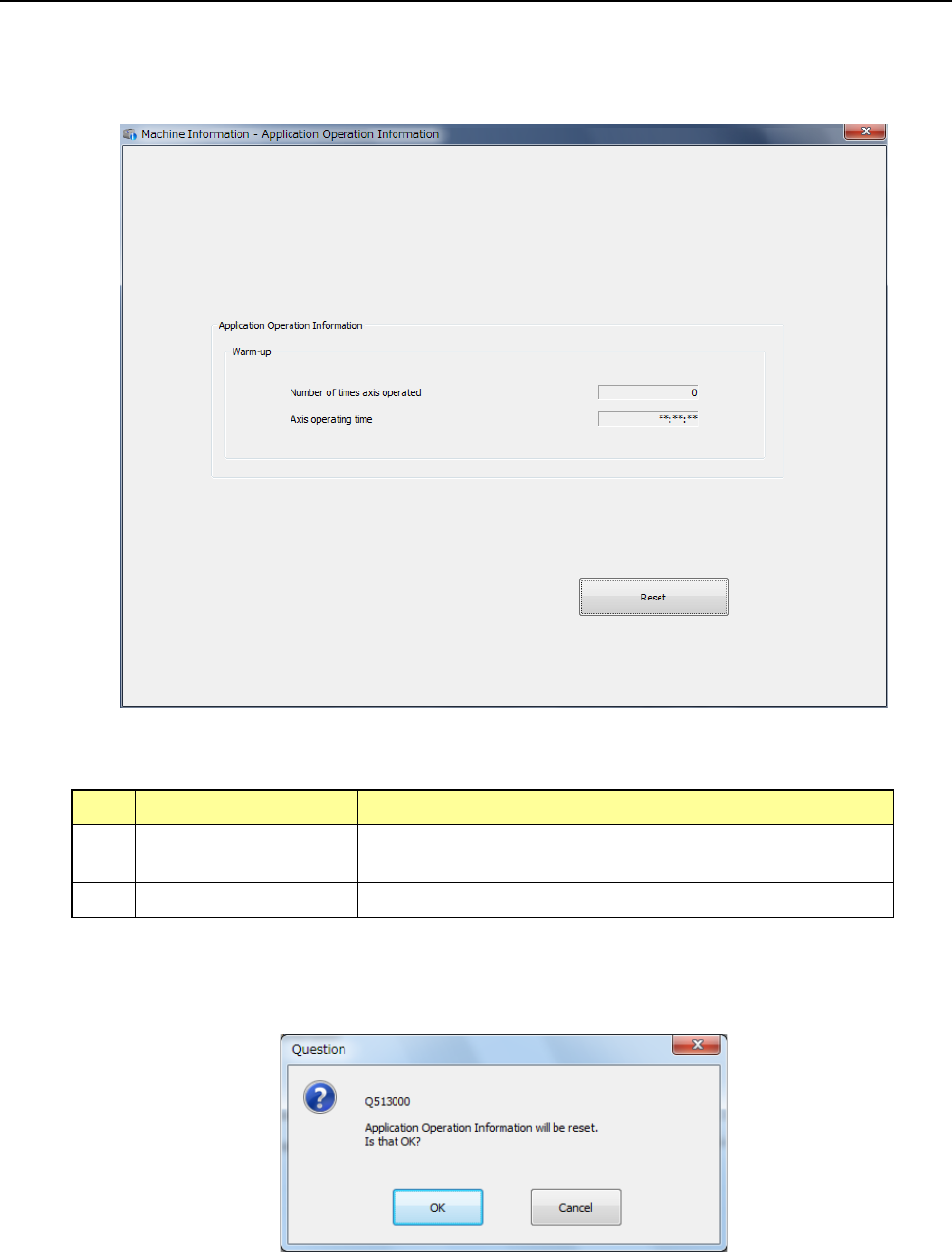
10.3.2 Application Operation Information
When you select the [Application Information] command from the “Window(W)” pull-down menu,
or when you select the [Application operation information] command, the “Application Operation
Information” screen appears.
(1) Application Operation Information
No.
Item
Description
1 Number of times axis
operated
Total number of times the axis operated during warm-up
2 Axis operating time Total time the axis operated during warm-up
(2) <Reset> button
When you press the <Reset> button or press [Initialize] – [Reset] in the main menu, the
following question message is displayed.
- When you press the <OK> button in the above screen, all the data of the application
operation information is reset.
- When you press the <CANCEL> button, the system does not reset any data and the
current data is still displayed.
Part 2 Detailed Description of Each Function Chapter 10 Machine Management Information
10-7
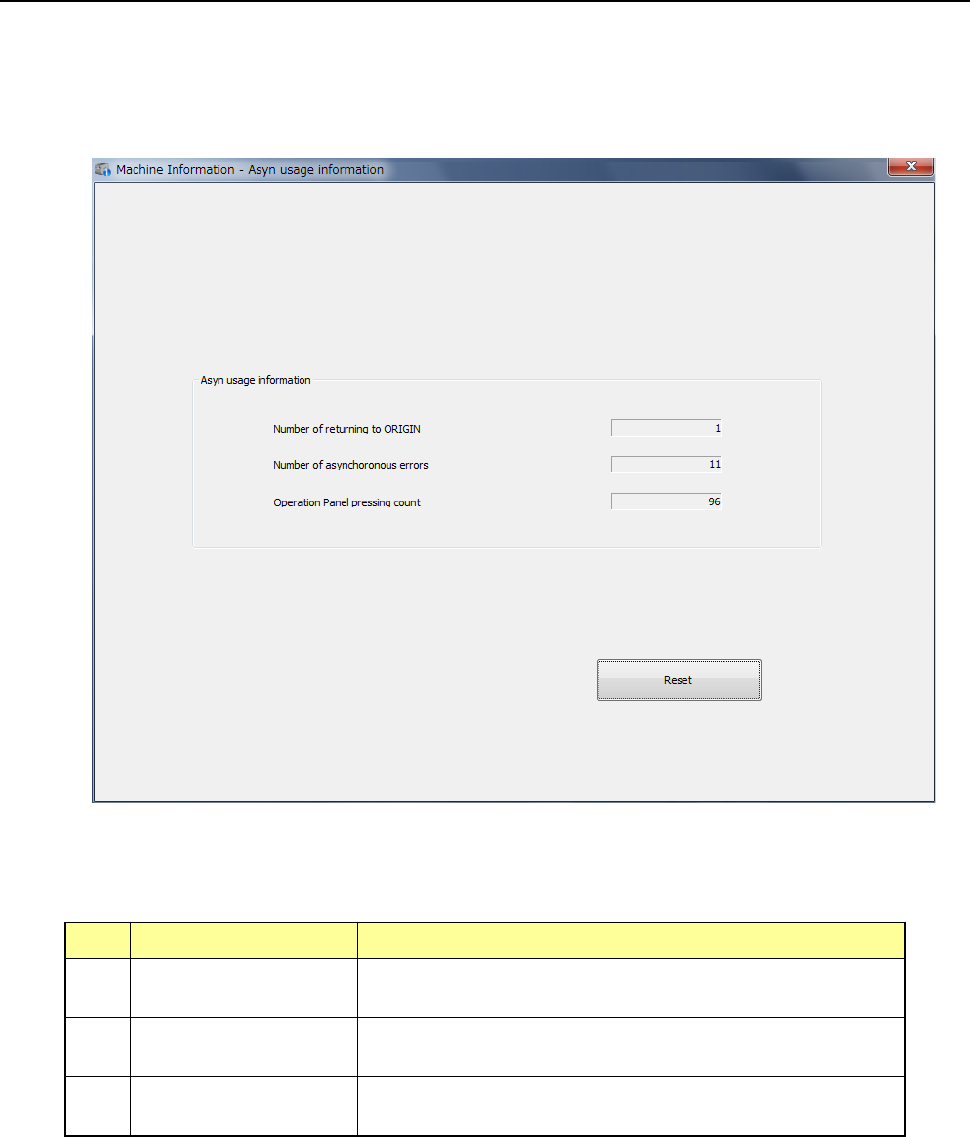
10.3.3 Asyn usage information (Asynchronous usage information)
When you select [Machine] – [Asyn usage information] in the main menu, the asynchronous
usage information screen appears.
Asynchronous errors indicate an error that occurs at a driver RAM, a feeder float error, an XY
limit error and so on.
(1) Asyn usage information (Asynchronous operation information)
No. Item Description
1 Number of returning
to ORIGIN
Displays how many times the system returned each
device to its home position (ORIGIN) totally.
2 Number of
asynchronous errors
Displays how many times an asynchronous error*
occurred totally.
3 Operation Panel
pressing count
Displays how many times a switch on the operation panel
was pressed totally.