RS-1_instruction manual.pdf - 第423页
Part 1 B asic O peration Chapter 4 Cr eating a Produc tion Progra m 4- 88 b) Wi dth Enter the widt h of a lead. c) Number of l eads (bot tom, right, top and left) Enter the num ber of leads of each sid e. d) Start/lack (…
Part 1 Basic Operation Chapter 4 Creating a Production Program
4-87
Left
Right
Bottom
Left
Top
Bottom
Top
Bottom
Top
Right
Left
Right
Right
Left
Top
Bottom
1) Component type: Lead component
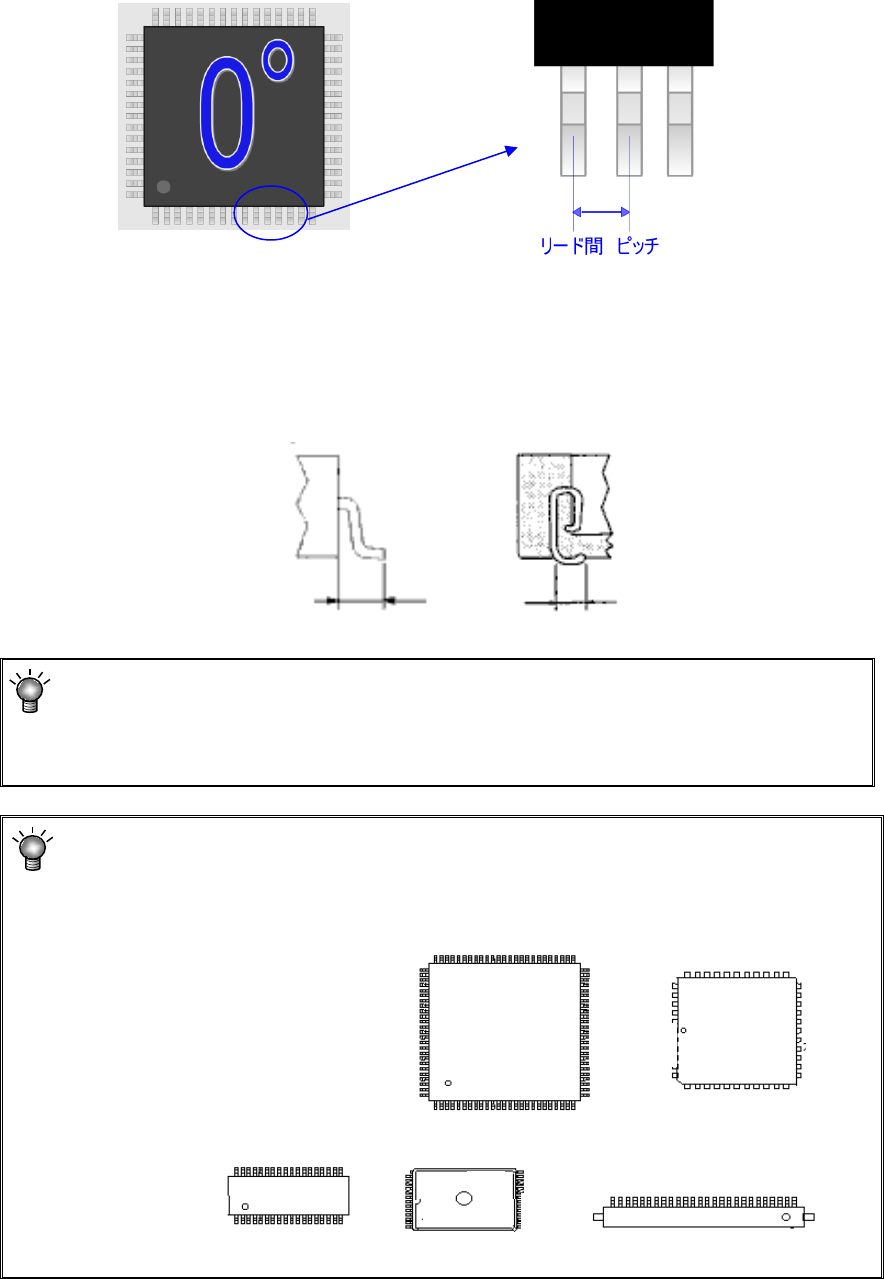
① Lead pitch
Enter the distance between two consecutive leads.
② Lead Info.
a) Length
Enter the length of leads. Enter the length of a lead here. Although four fields for the
length are provided: “Bottom,” “Right,” “Top” and “Left,” which field(s) has (have) to be
entered varies depending on the component type.
Since the lengths of four sides of a QFP component are the same as each other, you have
to enter the length in the “Bottom” field only.
Lead length Lead length
Enter into these fields a value used for recognizing a component with a VCS.
For a QFJ, leads are located even insides of the molded section (bottom of the
component), so you may enter a value a little bit greater than the length of a lead
viewed from the top of the component.
Enter a value in each field of the “Bottom,” “Right,” “Top” and “Left” on the “Vision” data
screen with regarding the component placement angle “0 degrees” defined with the
machine as the reference.
Pitch between leads
Part 1 Basic Operation Chapter 4 Creating a Production Program
4-88
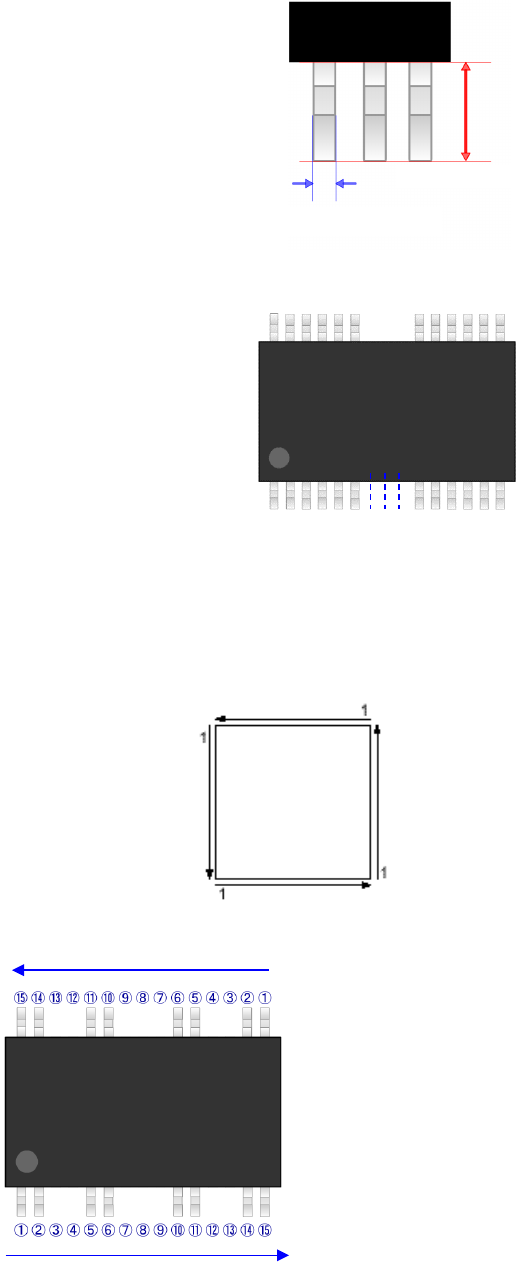
b) Width
Enter the width of a lead.
c) Number of leads (bottom, right, top and left)
Enter the number of leads of each side.
d) Start/lack (bottom, right, top and left)
When any lack of lead is found on each side, enter the lack information.
The lack information can be set independently for each side.
Up to 3 positions can be set for one side.
Leads on each side should be numbered in the direction shown in the diagram below.
Example)
①
⑥
⑩
⑮
Number of leads 15 (including the
number of the lower side missing leads)
Start 1 3 (From the 3rd lead)
Lack 1 2 (2 missing leads)
Start 2 7 (From the 7th lead)
Lack 2 3 (3 missing leads)
Start 3 12 (From the 12th lead)
Lack 3 2 (2 missing leads)
Top
Left
Bottom
Right
Lead length
Width of a lead
Part 1 Basic Operation Chapter 4 Creating a Production Program
4-89
e) Bend level
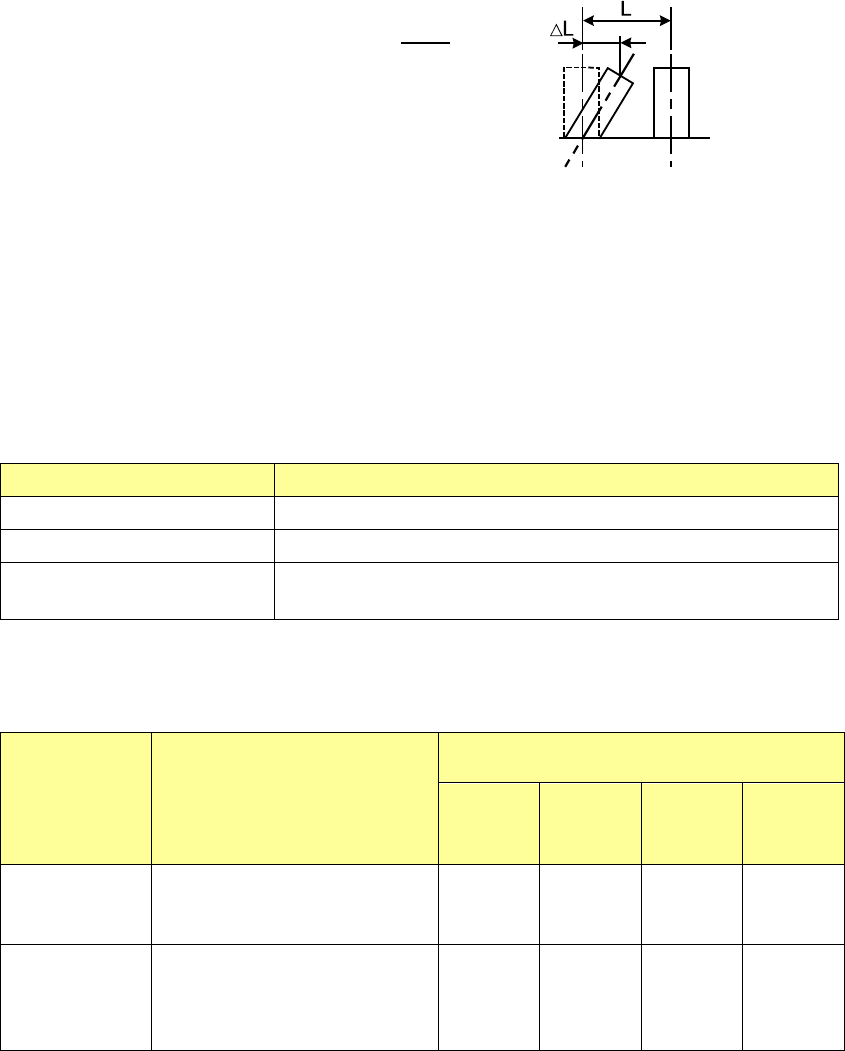
Enter the level for detecting a bent lead: whether a lead is bent in the horizontal direction.
A value you should enter here indicates the ratio: how much a lead is bent against the lead
pitch. Normally, enter a value from 20 % to 30 %.
The smaller this value is, the more strictly the system inspects a component.
③ Lead direction
When the component type is a unidirectional lead connector, set whether the surface with
lead should be up or down.
④ Lead recognition types
For connector components, usually, all leads can be recognized.
However, when only the leads at both ends can be recognized or when there are luminous
materials other than leads at both ends, only the leads at both ends can be recognized or
the luminous materials are supposed to be leads and can be recognized excluding the leads
at both ends.
Item Contents
All leads All the leads are recognized.
Leads at both ends Specify the lead range to be recognized from both ends of leads.
Others than leads at both
ends
Specify the lead non-recognition range from both ends of leads
When you specify "Leads at both ends" or "Others than leads at both ends", enter the
number of leads in the upper left, upper right, lower left, and lower right corners to specify
the recognition range.
Component
type
Recognition pattern
Lead-number input range
Upper
left
corner
Upper
right
corner
Lower
left
corner
Lower
right
corner
Unidirectional
connector
All leads
Leads at both ends
Others than leads at both ends
****
1-3
0-3
****
1-3
0-3
****
****
****
****
****
****
Bidirectional
connector and
Z-lead
connector
All leads
Leads at both ends
Others than leads at both ends
****
1-3
0-3
****
1-3
0-3
****
1-3
0-3
****
1-3
0-3
* When the number of leads is 2 or less, the recognition accuracy may be lowered.
ΔL
L
Level for detecting a bent lead