RS-1_instruction manual.pdf - 第162页
Part 1 B asic O peration Chapter 2 Pr oduction 2- 51 Suspending PWB production The system s tops product ion and redispl ays the produc tion requ irements s creen when it finishes producin g the planned nu mber of PWBs. …
Part 1 Basic Operation Chapter 2 Production
2-50
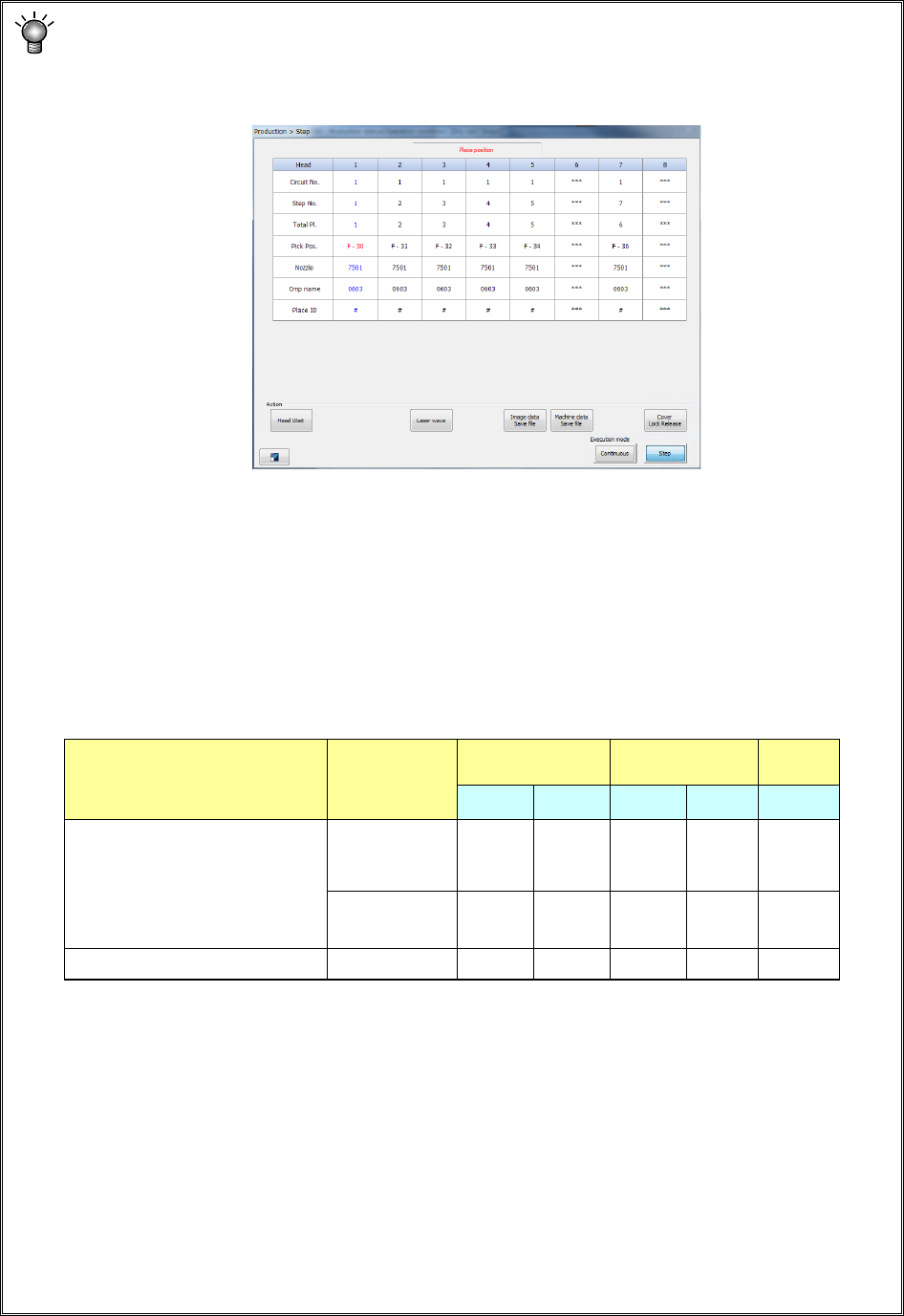
1) If you press the <START> switch of the operation panel to start PWB production when the
<Step> button is selected for the “Execution mode” menu item on the “Production control”
screen, the current screen is switched to the “Production status” screen also. Then, the
“Step” screen appears in the same manner as the “Stop” screen.
2) If you press the <Head Wait> button on the screen when the machine stops on Step
production mode or when the machine pauses during continuous PWB production, you
can move the head to its waiting position.
3) If you select the <Continuous> button or the <Step> button when the machine stops on
Step production mode or when the machine pauses during continuous PWB production,
you can switch production mode from Continuous to Step or vice versa.
4) Teaching in the pause state
When the machine is put in the pause state during production, the following data can be
taught according to the cause of the pause state and the pause position.
1. Teaching of component pick-up positions can be performed when components are to
be placed in Input order and sequentially picked up.
(The system cannot teach the position when two or more components are picked up at
the same time.)
2. For a multi-plane board, teaching of the component placement positions is available
only while the system is placing the reference circuit, and it cannot teach the placement
position when the system detects a bad mark from the reference circuit.
3. Data to be obtained with teaching operation is only data on the device item specified
immediately before you press the <OK> key on the “Teaching” screen. When you
want to obtain the data on all the axes, XY and Z, by teaching, teach each axis
separately to obtain it.
Cause for stopping Stop position
Pick data Placement data
Mark
data
X,Y Z X,Y Z X,Y
- User request by a switch
- The cover is opened.
(in Maintenance mode only)
- The feeder bank moves down.
- The system detects the feeder
floating.
Pick position
○
○
Placement
position
○
Mark recognition error Mark position
○
Part 1 Basic Operation Chapter 2 Production
2-51
Suspending PWB production
The system stops production and redisplays the production requirements screen when it finishes
producing the planned number of PWBs.
All of three-color lamps of the signal tower light at the same time to indicate that the system has
produced the planned number of PWBs.
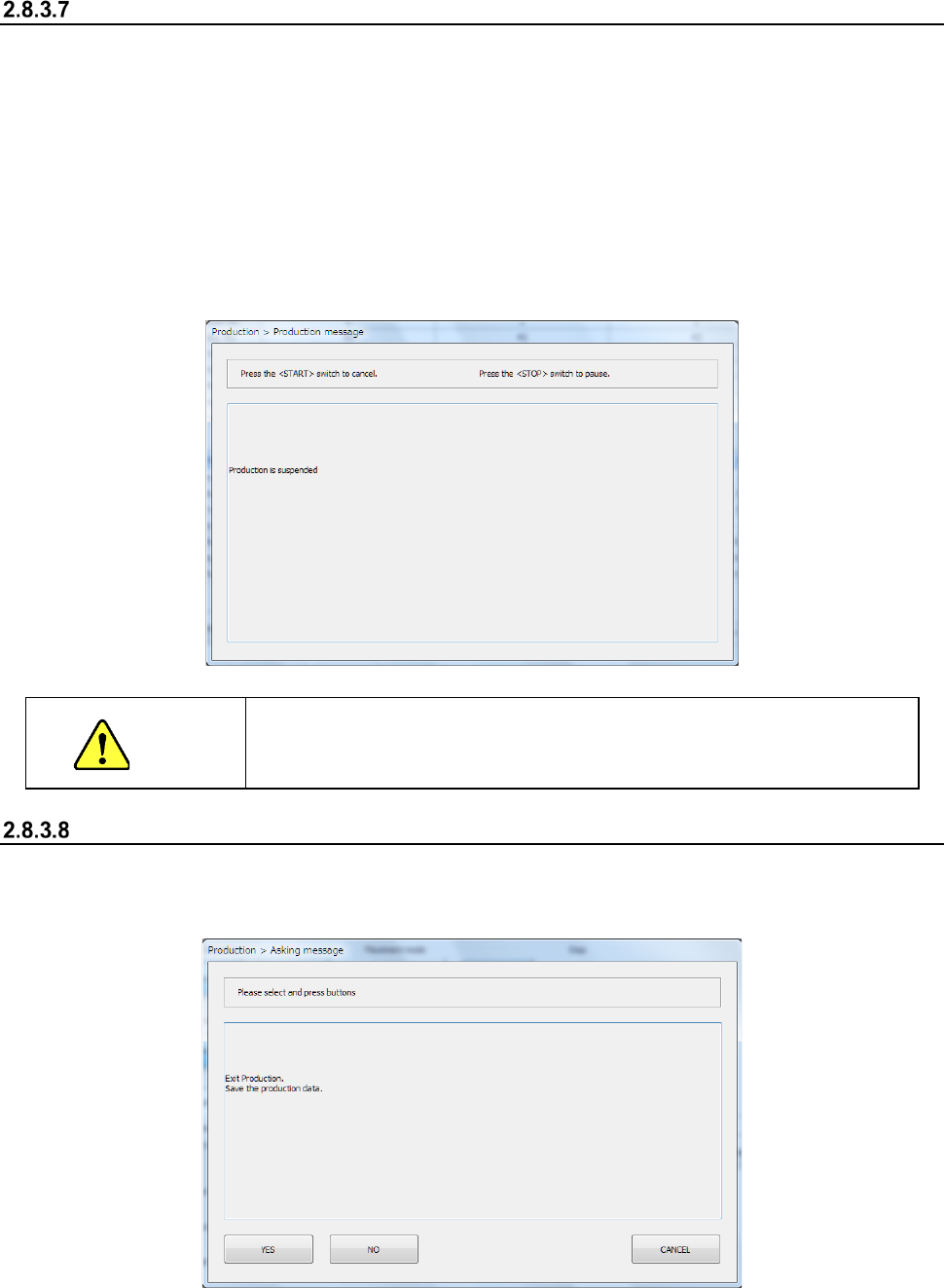
To abort production before the system finishes producing the planned number of PWBs, press the
<STOP> switch to put the machine in the pause state, and press the <STOP> switch again. The
following inquiry dialog box appears on the screen.
When you click the < STOP > button, the system aborts the current PWB production.
Even though the machine uses the dual-lane conveyor to produce PWBs, PWB production of the
front lane and that of the rear lane are suspended at the same time when they are put in the pause
state.
CAUTION
When you press the <STOP> switch, the machine replaces a nozzle
with another one. To avoid a risk of injury, do not put your hands inside
the machine nor move your face or head close the machine
End of production
Select the “Exit” button in the Information area or click the box located on the right corner of the
screen.
The following message appears on the screen.
Select whether to save the production program (including the production management information):
by clicking the <YES> button or the <NO> button.
The system quits the production screen, and displays the main screen.
Part 1 Basic Operation Chapter 2 Production
2-52
2.9 Production Management Information (Window)
When you select “PWB production” as the production mode, the production management
information is saved. This section describes the production management information saved during
production.
Production management information
(1) Conditions under which the production management information is collected
① When “PWB production” is selected as the production mode, and components are placed on
all component placement positions of a board
② Once the information is collected, new information collected during the next production is
added to the previous production management information.
If you want to collect new data only, clear the information already stored.
(2) Production management information screen
Click the [Window] command from the “Product” menu, and select the production management
information to be displayed on the screen.
(3) Contents
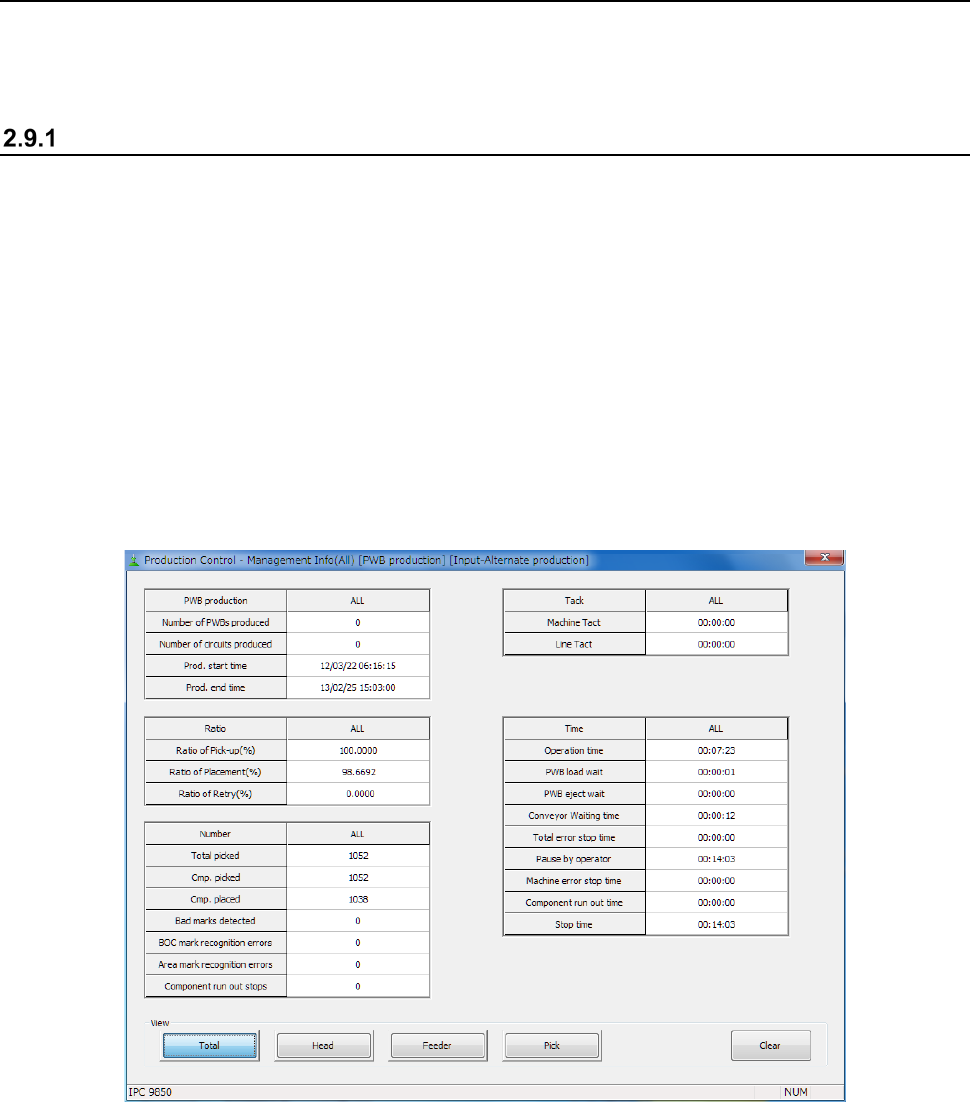
1) Production management information (All)