RS-1_instruction manual.pdf - 第826页
Pa r t 2 Det ai l ed Des c r i pti on o f Ea c h Fu nc ti on Chapter 10 M ach i ne Manage m e nt Infor m ation 10 - 13 (4) R eset W hen you p res s the < Res et > but ton or p res s [I niti ali ze] – [R eset ] i n …
Part 2 Detailed Description of Each Function Chapter 10 Machine Management Information
10-12
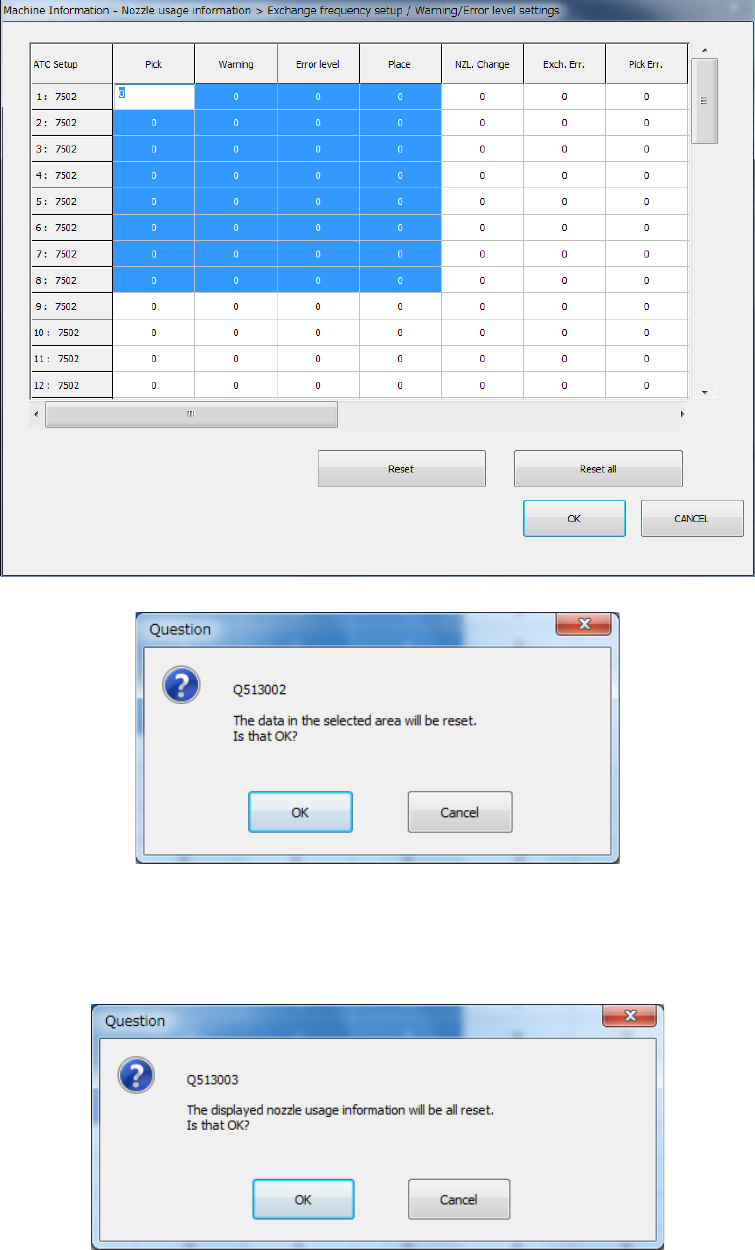
6) Select data you wish to reset with the keyboard or mouse, press the [Reset] button, and
reset processing of the data is carried out. Press <OK> in the question message and
reset the selected domain.
7) Press the <Reset all> button and reset processing of all data is carried out. Press <OK>
in the question message and reset the selected domain.
Part 2 Detailed Description of Each Function Chapter 10 Machine Management Information
10-13
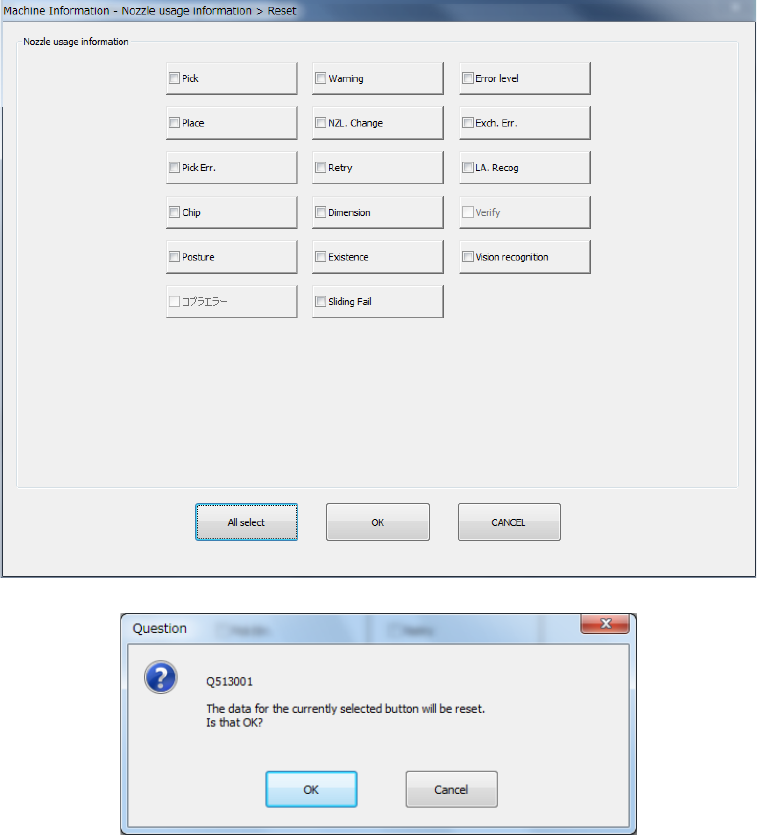
(4) Reset
When you press the <Reset> button or press [Initialize] – [Reset] in the main menu, the
following screen appears.
This operation allows you to clear the certain data or all data displayed in the list.
- The <All select> button allows you to select all check boxes displayed on the screen.
- When you press the check box of the item whose data you want to reset, and press the
<OK> button, the “Question” dialog box for asking you whether to reset data appears on
the screen.
- When you press <OK> in the reset question message, the target item is reset for all the
nozzles belonging to the group (LF, LR, RF, or RR), and the screen is closed.
- When you press the <CANCEL> button, the system does not reset any data and the
current data is still displayed.
Part 2 Detailed Description of Each Function Chapter 10 Machine Management Information
10-14
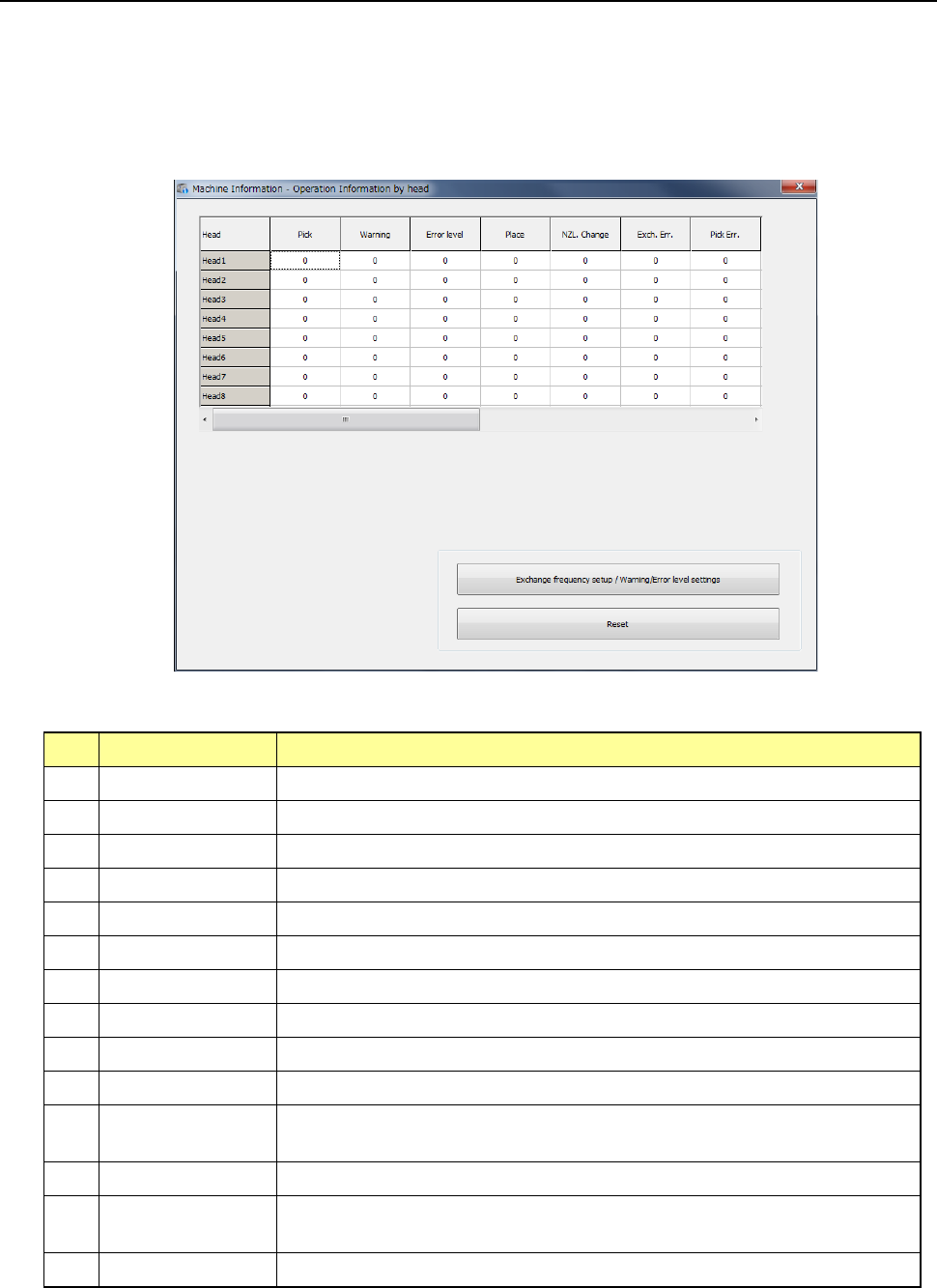
10.3.5 Operation Information of each head
This command displays the operation information on each head.
(1) Displayed screen
When you select [Machine] – [Operation information by head] in the main menu, the
“Operation Information by head” screen appears.
This screen is changed over to the information by bank by pressing <Select device> button.
1) List
The number of operations of each head and the related data are displayed in the list.
No. Item Description
1 Pick Counts how many times the nozzle picked a component totally.
2 Warning Displays the warning level.
3 Error level Displays the error level.
4 Place Counts how many times the nozzle placed a component successfully.
5 NZL Change Counts how many times the nozzle was replaced successfully.
6 Exch. Err. Counts how many times a replacement error occurred per a nozzle.
7 Pick Err. Counts how many times a pick-up error occurred per a nozzle.
8 Retry Counts how many times a component pick-up retry over error occurred.
9 LA Recog Counts how many times a laser recognition error occurred.
10 Chip Counts how many times a chip rise error occurred.
11 Dimension Counts how many times an irregular-shaped component error occurred at
the nozzle.
12 Posture Counts how many times a component posture check error occurred
13 Presence Counts how many times a component presence check error occurred
before placement of a component.
14 Vision recognition Counts how many times a vision recognition error occurred.
2) <Exchange frequency setup/Warning/Error level settings> button
These buttons are described in the sub-sections later.