RS-1_instruction manual.pdf - 第1032页
Pa r t 2 D et ail ed Des c r i p ti on of Each Function C hapter 1 3 Supp l em en t ar y I nf o rm ati on f or C r eating a Production P rogra m 13 -9 Ma nagi ng th e C on trol D a ta 13. 2 Selec t [C ontrol d ata m anag…
Part 2 Detailed Description of Each Function Chapter 13 Supplementary Information for
Creating a Production Program
13-8
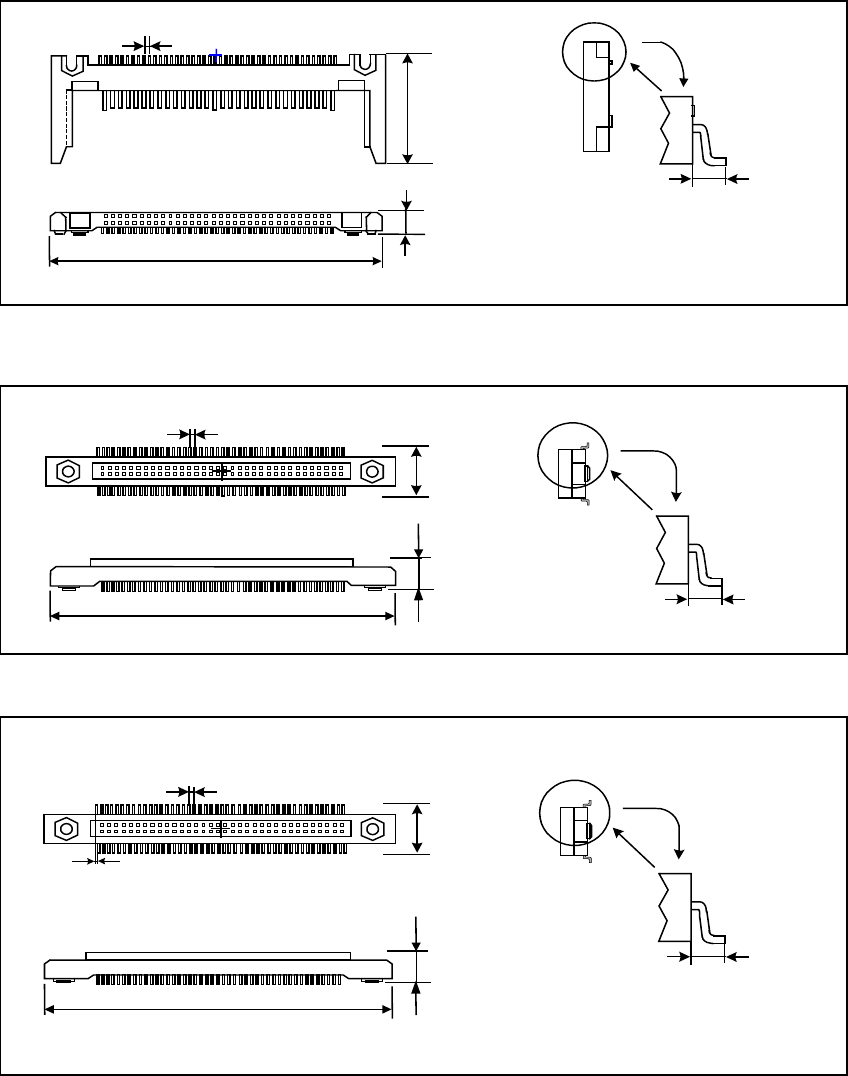
• One-way lead connector
• Two - Way lead connector
• Z Lead connector
外形寸法 縦
リードピッチ
リード長 縦
外形寸法 横
部品高さ
Dimensions (horizontal)
Dimensions
(Vertical)
Component height
Lead pitch
Lead length
外形寸法 縦
リードピッチ
リード長 縦
外形寸法 横
部品高さ
Lead pitch
Dimensions
(Vertical)
Lead length
Component height
Dimensions (horizontal)
外形寸法 縦
リードピッチ
下辺リードが右側に半リードピッチシフトしています。
リード長 縦
外形寸法 横
部品高さ
Lead pitch
Dimensions
(Vertical)
Lead length
Component height
Dimensions (horizontal)
Leads located at the bottom side shift toward
the right side in a half of lead.
Part 2 Detailed Description of Each Function Chapter 13 Supplementary Information for
Creating a Production Program
13-9
Managing the Control Data 13.2
Select [Control data management] in the “Preparation/adjustment” menu.
CAUTION
Be sure to follow the instruction from JUKI service personnel to operate
the machine.
If you happen to operate the machine wrongly, the machine may
malfunction.
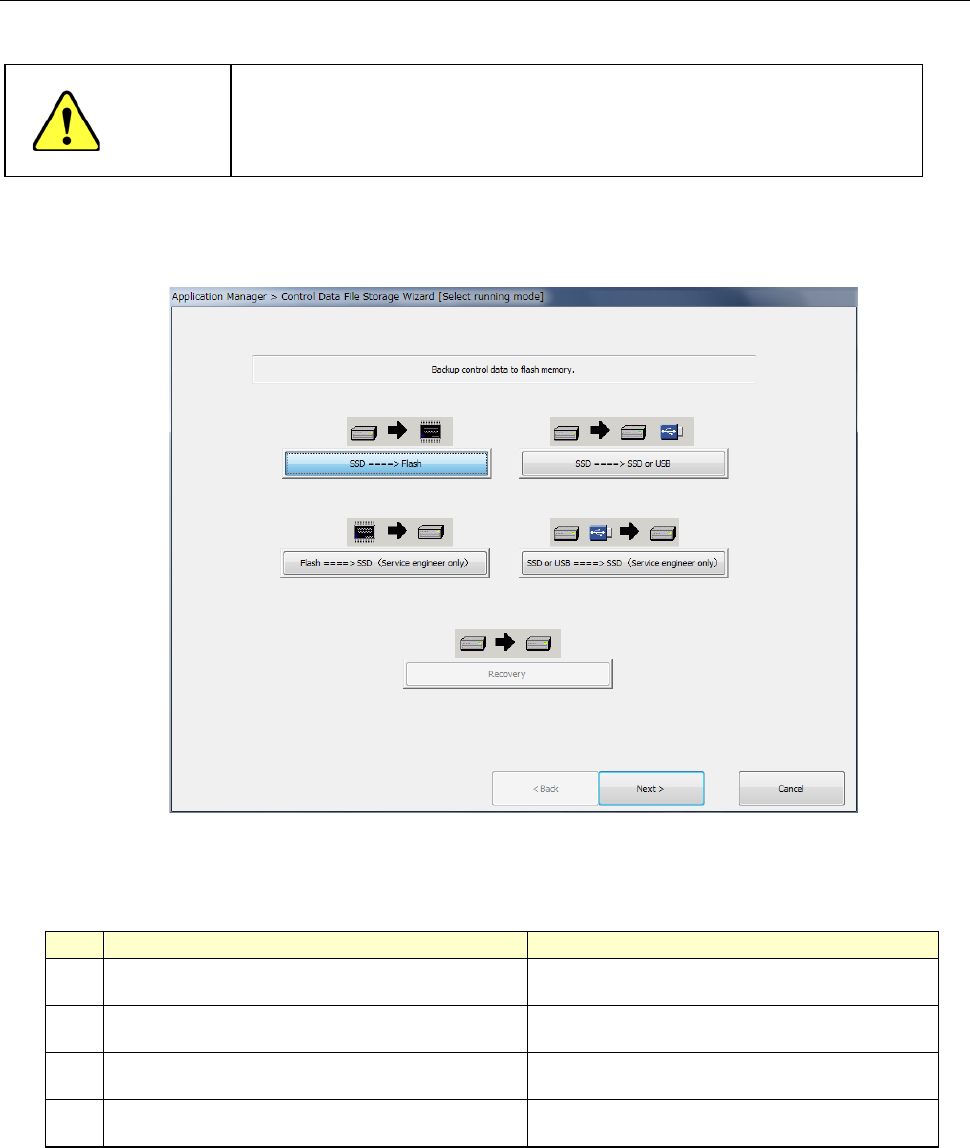
The Control Data Management function backs up the control data (files such as an MS
parameter file and a machine setup information file) to flash memory, USB memory or the hard
disk, or restore such control data from flash memory.
Select which operation to be performed on the “Control Data File Storage Wizard” screen shown
above. Select the desired operation, and press the <Next> button. Each button and its
function are described in the table below.
No.
Radio Button
Description
1 SSD ==> Flash
Saves the control data onto the flush memory of
the main unit.
2 SSD ===>SSD or USB
Saves the control data file on the USB memory
or of the specified folder a hard disk.
3 Flash ===> SSD (Service Engineer only)*
Restores the control data from the flush memory
of the main unit.
4 SSD or USB ===> SSD (Service Engineer only) *
Restores the control data from the USB memory
or specified folder of a hard disk.
Supplementary information: The system saves a control data file on to the USB memory or
hard disk after compressing it. The system can restore only the control data file that are
compressed and saved in this manner from the USB memory or hard disk.
Note: Only if your user level is a “Service man” or higher, you can execute the operation
specified with the radio button 3 or 4.
Part 2 Detailed Description of Each Function Chapter 13 Supplementary Information for
Creating a Production Program
13-10
Saving control data onto the flush memory 13.2.1
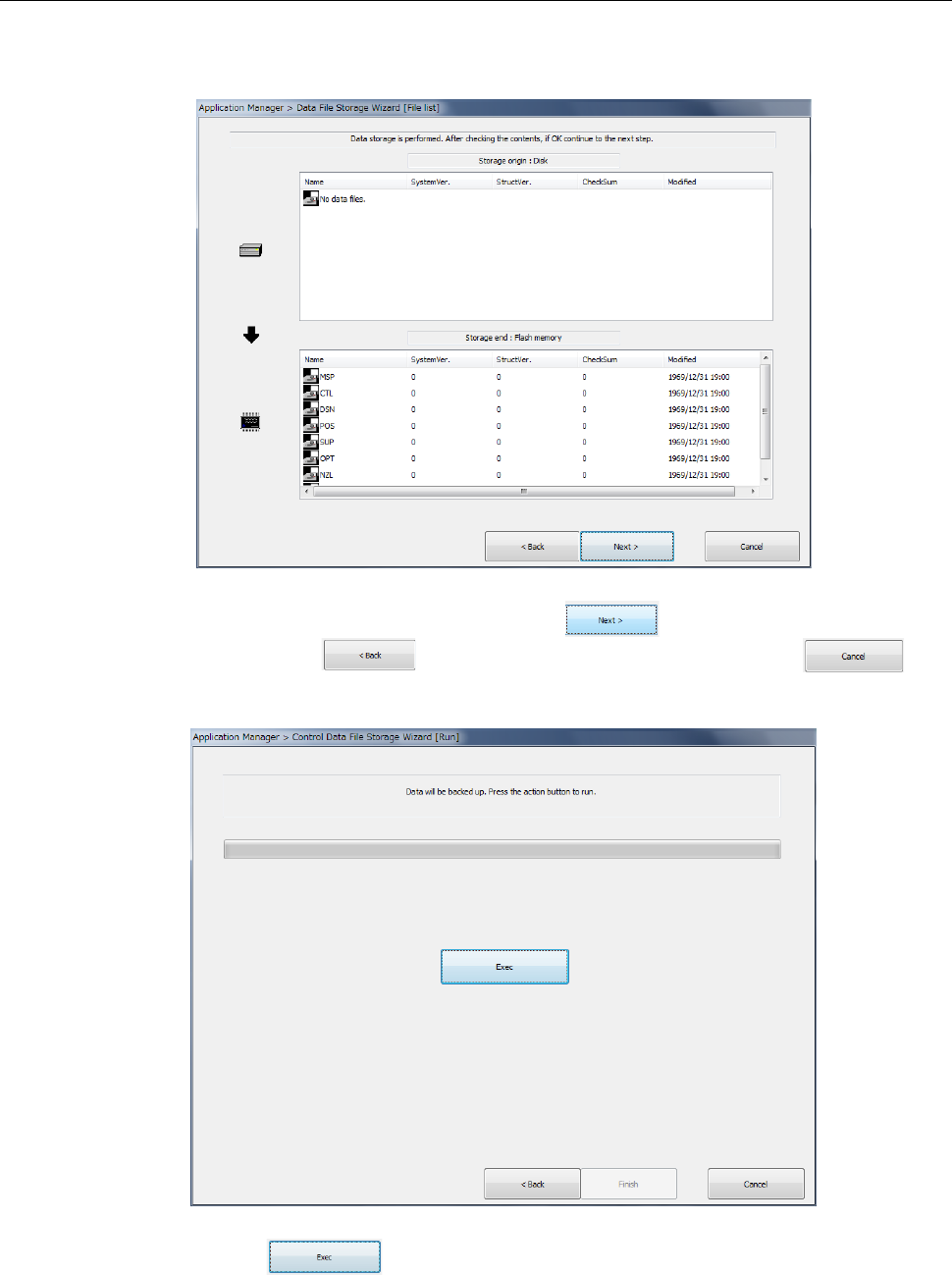
When you select <1.SSD ===> Flash> (saving into the flash memory of the main unit), the
following dialog appears.
After checking the control data to be saved, press the button. To change the control
data to be saved, click the button. To quit the operation, press the
button.
When you press the button, the system starts storing control data onto the flash
memory.