RS-1_instruction manual.pdf - 第761页
Part 2 D etaile d Descript ion of E ach Functi on Chapter 8 Machine Set up 8- 53 Coplanarity When you se lect the [Cop lanarity] comm and, the fo llowing scr een appear s. This scree n allows you t o set the coplanar ity…
Part 2 Detailed Description of Each Function Chapter 8 Machine Setup
8-52
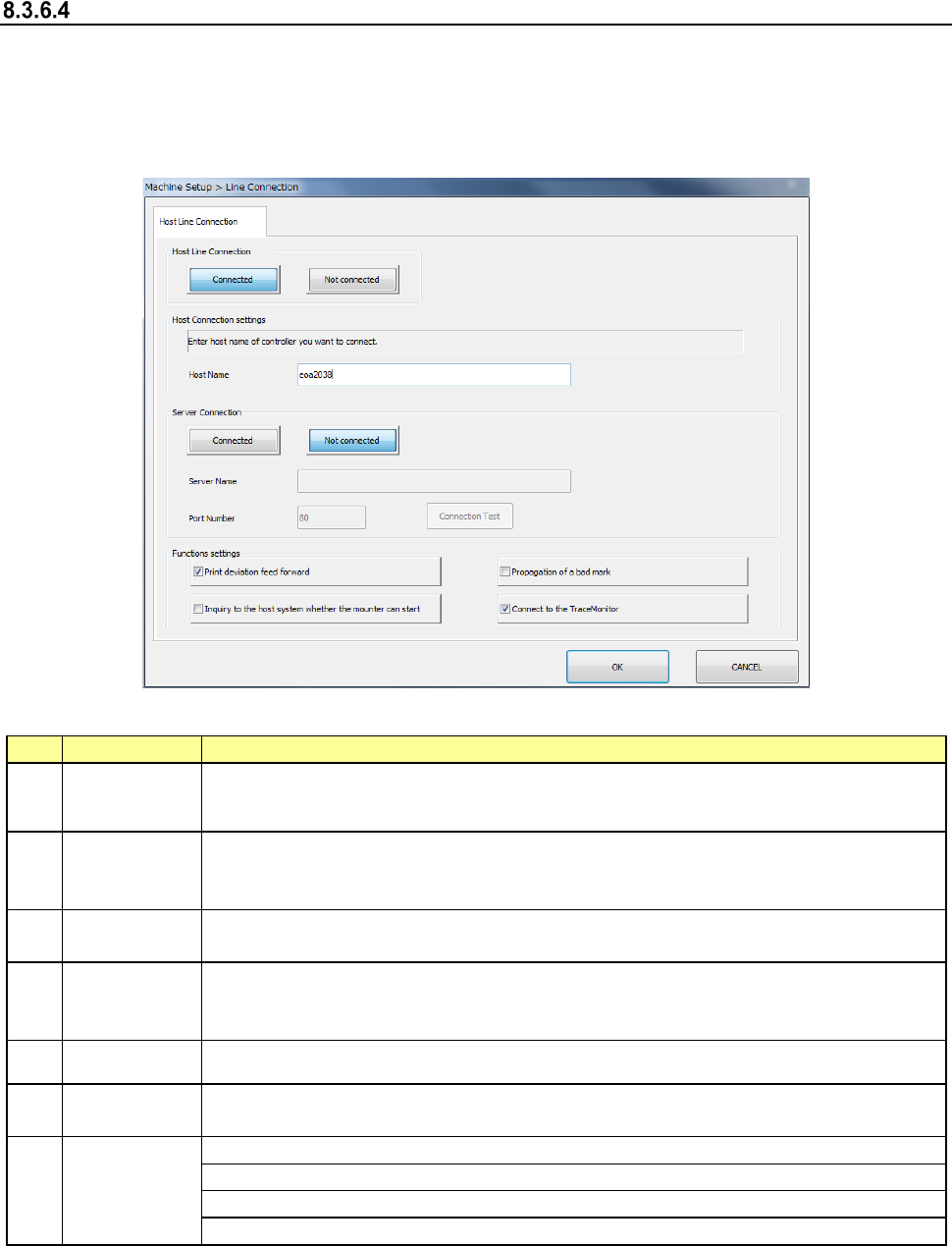
Host Line Connection
When you select [Host Line Connection], the “Host Line Connection” screen appears.
Make settings of the Intelligent Feeder System (IFS-NX) and/or the External Output Function
here.
* Refer to the “IFS-NX INSTRUCTION MANUAL” and/or the “External Output Function
INSTRUCTION MANUAL” for setting of the IFS-NX and/or the External Output Function.
(1) Setting item
No.
Item
Description
1
Host Line
Connection
Select the <Connected> button to connect this machine to the host online.
When you select the <Not connected> button, settings of all items are disabled.
2 Host Name
Set the host computer to be used for connection (host computer name or IP
address).
* Set the IP address according to the instruction of your network administrator.
3
Server
Connection
Select the <Connected> button to connect the machine to the server.
When you select the <Not connected> button, the settings of all items are disabled.
4 Server Name
Specify the server (computer name or IP address) used for connection.
* Specify the IP address according to the instruction given by your network
administrator.
5 Port Number Enter the port number of the server option in the range of 0 to 65535.
6
Connection
Test
Run the connection test for the Component Database of the server specified with
the server option.
7
Functions
settings
Set the use/non-use of the print offset feed forward function.
Set the use/non-use of the upper system start execution request function.
Set Bad Mark Propagation Function.
Set use/not use of [TraceMonitor Function].
(2) How to set
1) Use the corresponding radio button to select whether to connect to the host online or not
individually.
2) Enter the host name from the software keyboard individually.
Part 2 Detailed Description of Each Function Chapter 8 Machine Setup
8-53
Coplanarity
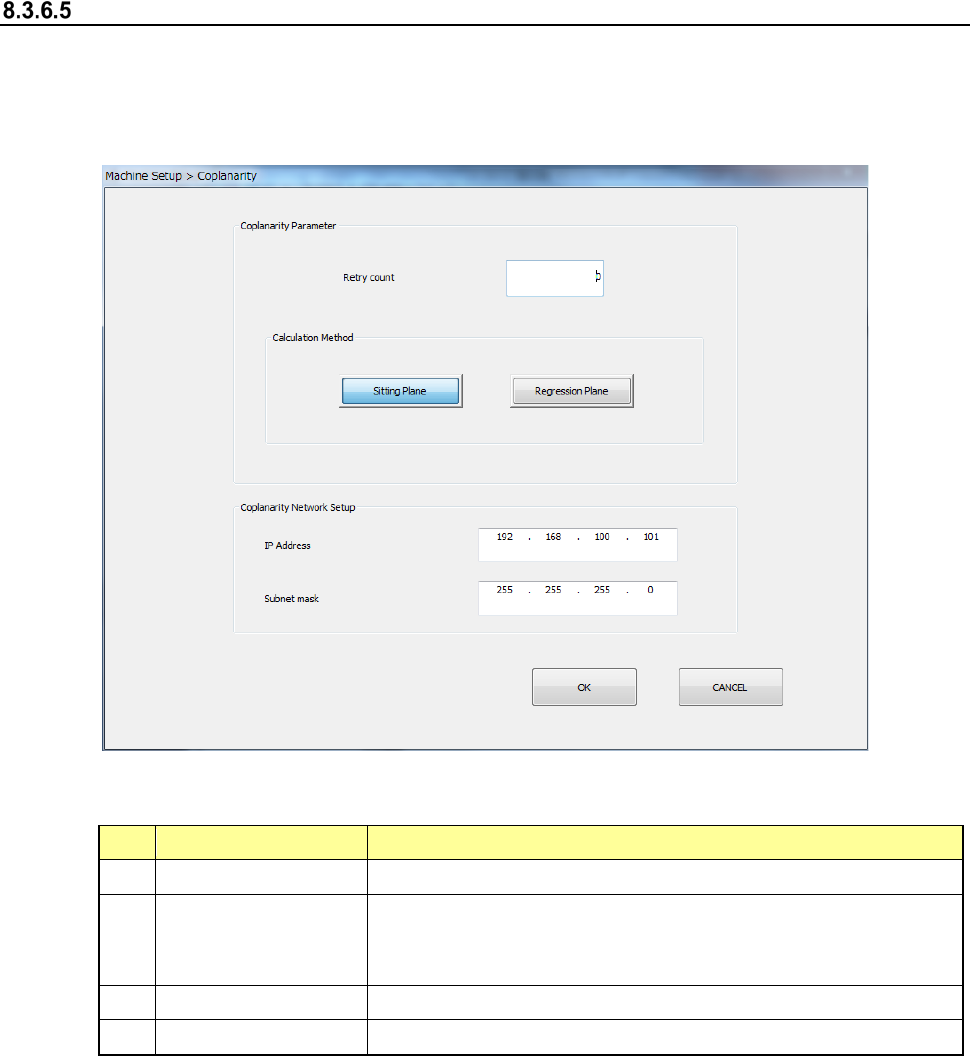
When you select the [Coplanarity] command, the following screen appears.
This screen allows you to set the coplanarity parameters: the number of retries (in the “Retry
count” field) and the method for calculating the reference plane (in the “Calculation Method”
column).
(1) Setting items
No.
Setting item
Description
1
Retry count
Enter the number of retries. You can enter a value from 0 to 10.
2
Calculation Method
Select the method for calculating the reference plane, “Sitting
Plane” (three-point method) or “Regression Plane” (least square
method).
3
IP Address
Set the IP address assigned to the coplanarity unit.
4
Subnet mask
Set the subnet mask assigned to the coplanarity unit.
Part 2 Detailed Description of Each Function Chapter 8 Machine Setup
8-54
Verification
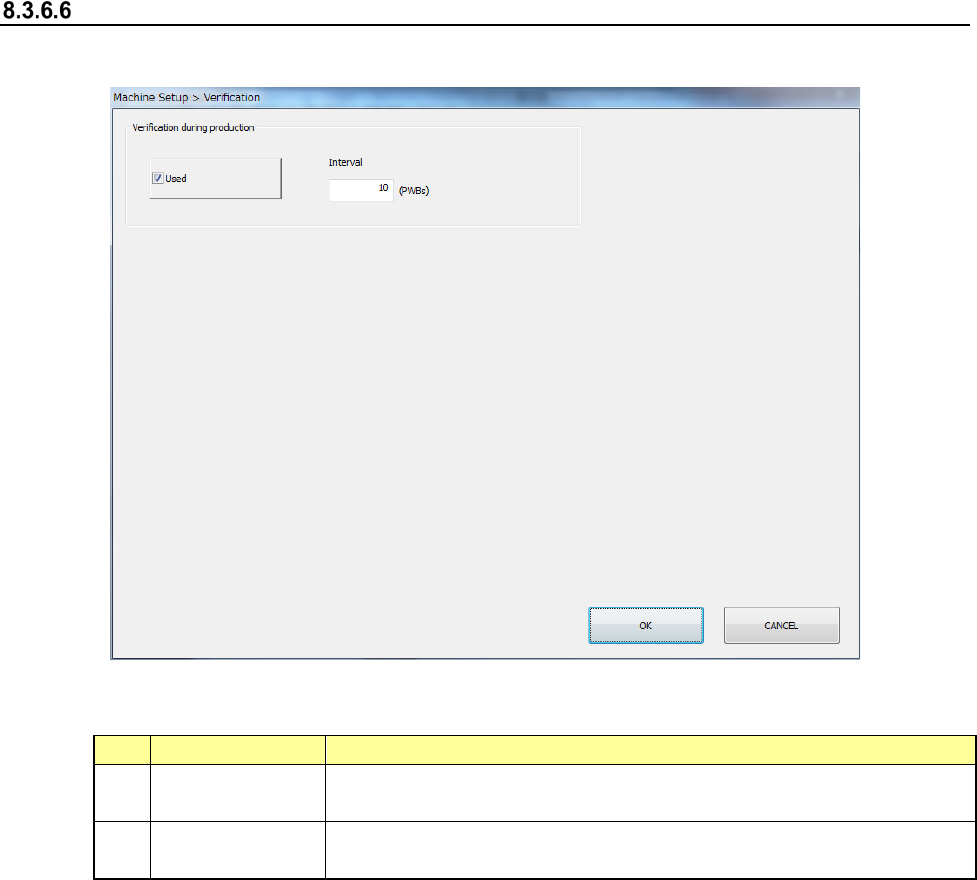
When you select the [Verification] command, the following screen appears.
(1) Setting items
No.
Setting item
Description
1
Used
Executes a verify check every time the number of PWBs you specify
in the “Interval” field are produced during PWB production.
2
Interval
Specifies the number of PWBs for executing a verify check during
PWB production.