RS-1_instruction manual.pdf - 第790页
Part 2 D etaile d Descript ion of E ach Functi on Chapter 9 M anual Control 9- 18 9.4.1 .3 Control tab: Motor W hen you press t he < Motor > button, the follow ing screen appear s. (1) Select motor Select a contr o…
Part 2 Detailed Description of Each Function Chapter 9 Manual Control
9-17
9.4.1.2 Control tab: Auto width adjustment
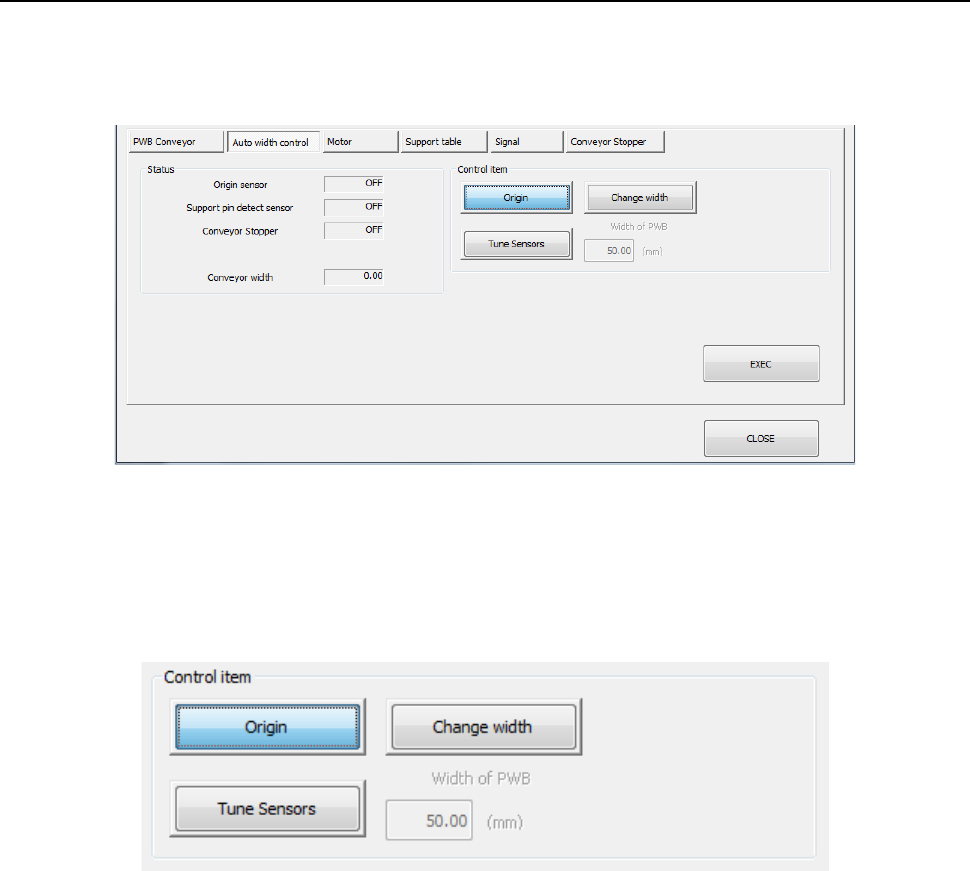
When you press the <Auto width control> button, the following screen appears.
- “Auto width control” tab
(1) Status
The status of each sensor and the PWB conveyor width are displayed.
(2) Control item
Select each control item by radio button.
When you press the <EXEC> button, control for the selected item is started.
1) Origin
The auto PWB width adjustment is put to the return-to-origin.
2) Change width
The conveyor width is changed into the value entered in the “PWB width” edit box.
3) Tune Sensors
Tuning of a sensor is performed.
* Only when the machine is equipped a conveyor sensor that has to be tuned, this control
item is displayed. Normally, tuning operation is automatically performed.
Part 2 Detailed Description of Each Function Chapter 9 Manual Control
9-18
9.4.1.3 Control tab: Motor
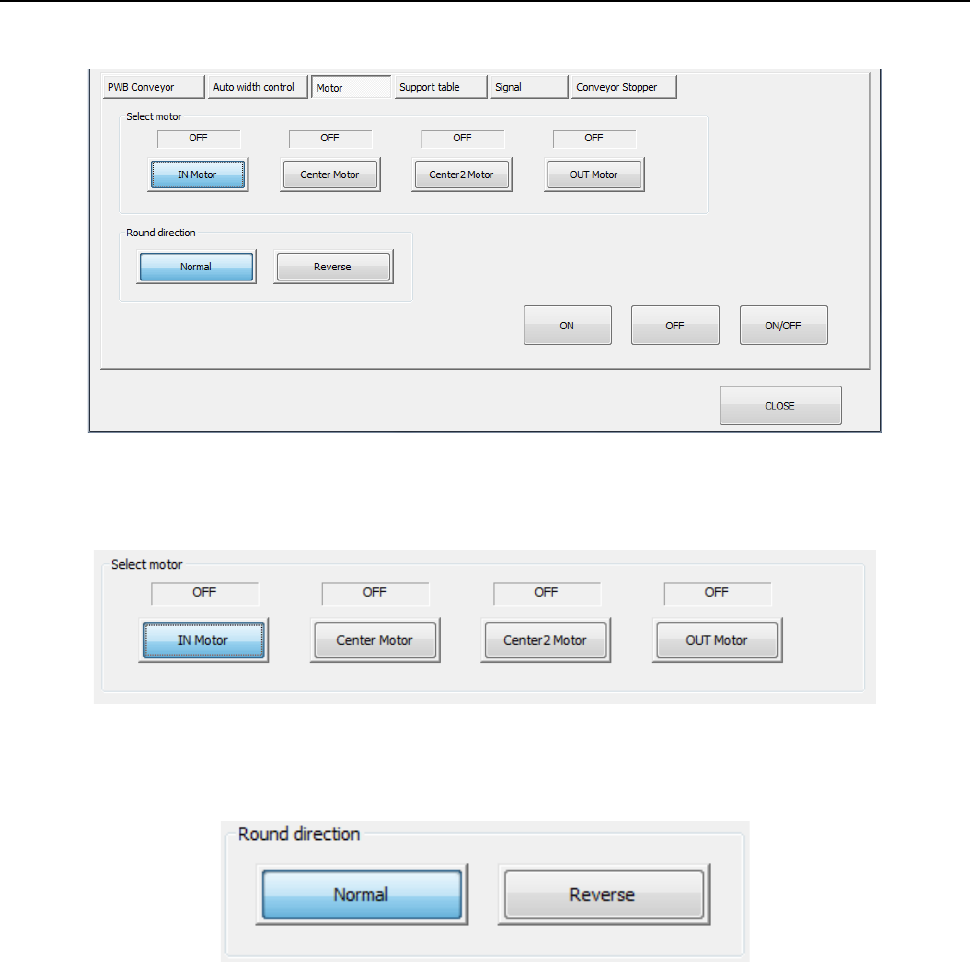
When you press the <Motor> button, the following screen appears.
(1) Select motor
Select a control motor by radio button.
(2) Round direction
Select the direction of motor rotation by radio button.
(3) ON/OFF buttons
The ON/OFF status of he selected conveyor motor is controlled by pressing the <ON>
button, <OFF> button, or <ON/OFF> button.
Part 2 Detailed Description of Each Function Chapter 9 Manual Control
9-19
9.4.1.4 Control tab: Support table
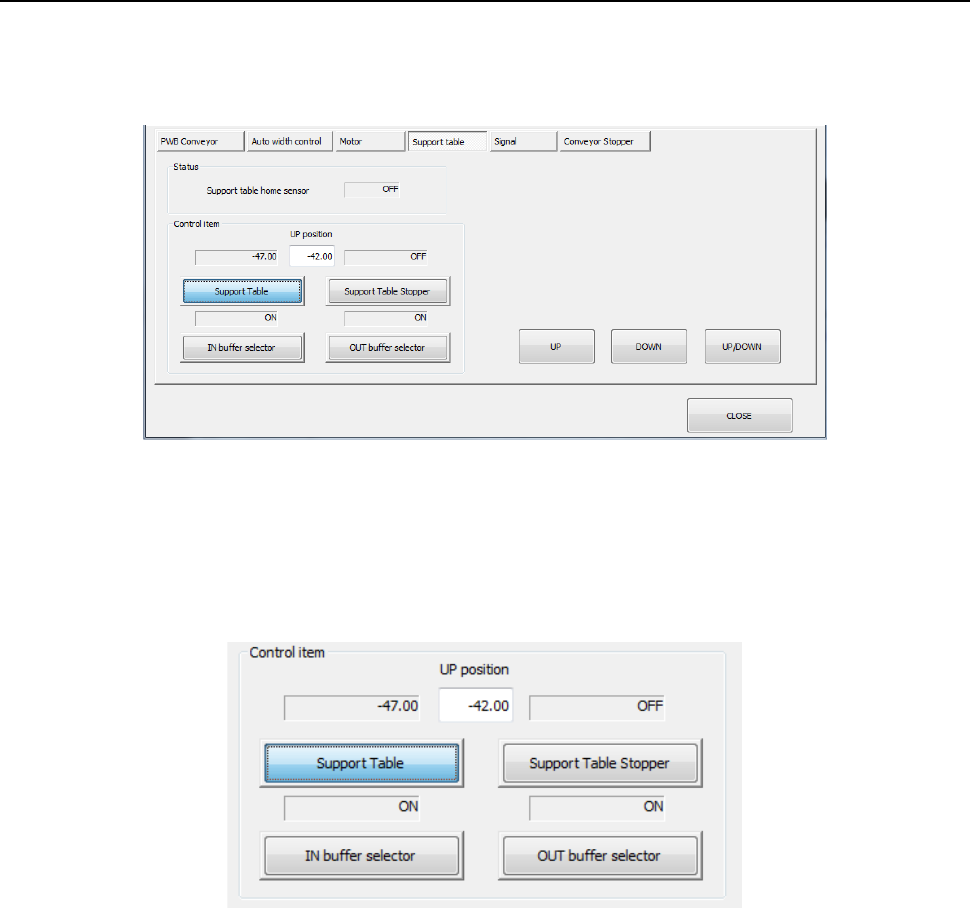
When you press the <Support table> button, the following screen appears.
- “Support table” tab (for a single-lane conveyor)
(1) Status
The status of the origin sensor is displayed.
(2) Control item
Select a control item by radio button.
When you press the control button, control is started for the selected item.
1) Support table
The support table is caused to go up and down. When “Support table” is selected,
press the <ON]> button, <OFF> button, or <ON/OFF> button for control.
2) Support table stopper
The support table stopper is turned on and off. When “Support table stopper” is
selected, press the <ON> button, <OFF> button, or <ON/OFF> button for control.
3) Buffer selector
The buffer selector is turned on and off. When “IN buffer selector” or “OUT buffer
selector” is selected, press the <ON> button, <OFF> button, or <ON/OFF> button for
control.