RS-1_instruction manual.pdf - 第771页
Part 2 D etaile d Descript ion of E ach Functi on Chapter 8 Machine Set up 8- 63 8.4.6 Unit 1 The “ Unit 1” tab allows y ou to control the A TC s l ide plat e, the suppor t table, the cover lock, the LNC LED, the co nvey…
Part 2 Detailed Description of Each Function Chapter 8 Machine Setup
8-62
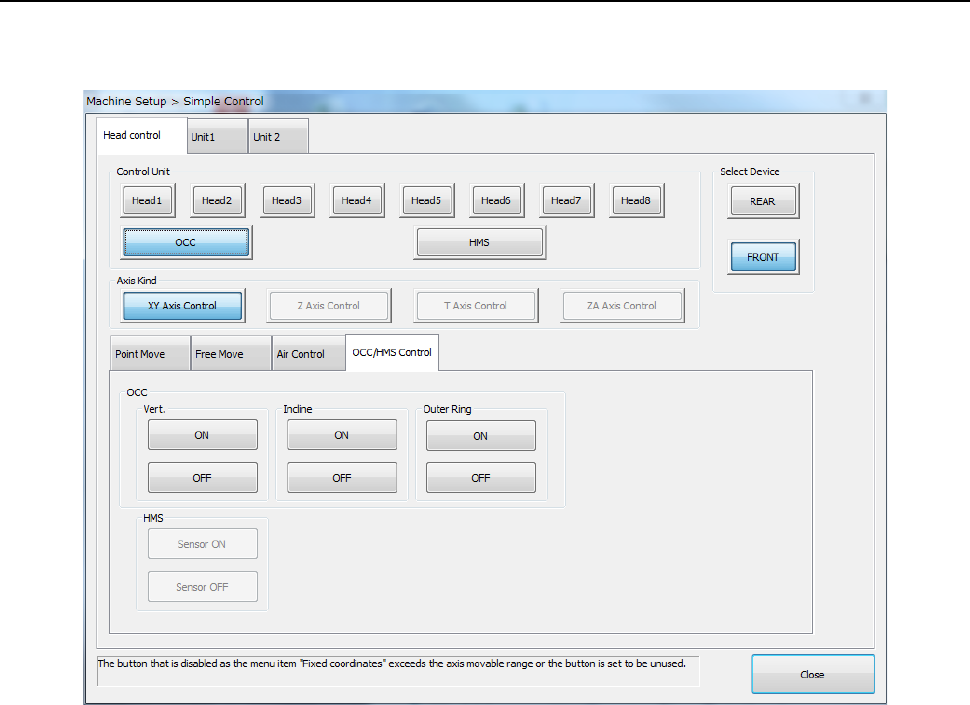
8.4.5 OCC/HMS control
When [Control units] is specified as the OCC, OCC control can be exerted. When [Control unit]
is specified as the HMS, HMS sensor control can be exerted.
When you press the <ON> or <OFF> button of “Vert.”, “Indn.” and “Outer Ring.”, lighting control
can be exerted for the OCC. The outer ring lighting can be selected only when the setting is valid.
When you select <Sensor ON> or <Sensor OFF> of “HMS,” sensor control can be exerted for the
HMS.
Part 2 Detailed Description of Each Function Chapter 8 Machine Setup
8-63
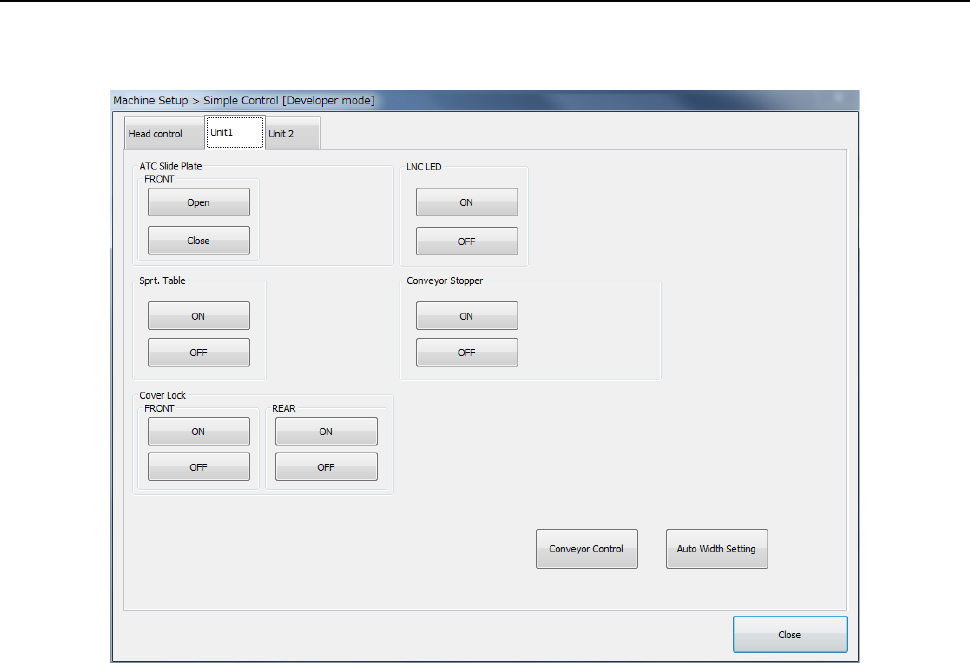
8.4.6 Unit 1
The “Unit 1” tab allows you to control the ATC slide plate, the support table, the cover lock, the
LNC LED, the conveyor stopper, the conveyor and/or the AWC.
(1) ATC slide plate
You can exert slide plate “OPEN/CLOSE” control of each ATC.
(2) Support table
You can exert “UP/DOWN” control of the support table.
(3) Cover lock
You can perform “Cover lock ON/OFF” of the front/rear.
(4) LNC LED
You can set the LNC LED to “ON” or “OF F.”
(5) Conveyor Stopper
You can set the conveyor stopper to “ON” or “OF F.”
(6) Conveyor control
When you press the <Auto Width Setting> button, the PWB wide adjustment screen appears.
When you select <Conveyor Control> button, the PWB conveyor main screen appears.
Part 2 Detailed Description of Each Function Chapter 8 Machine Setup
8-64
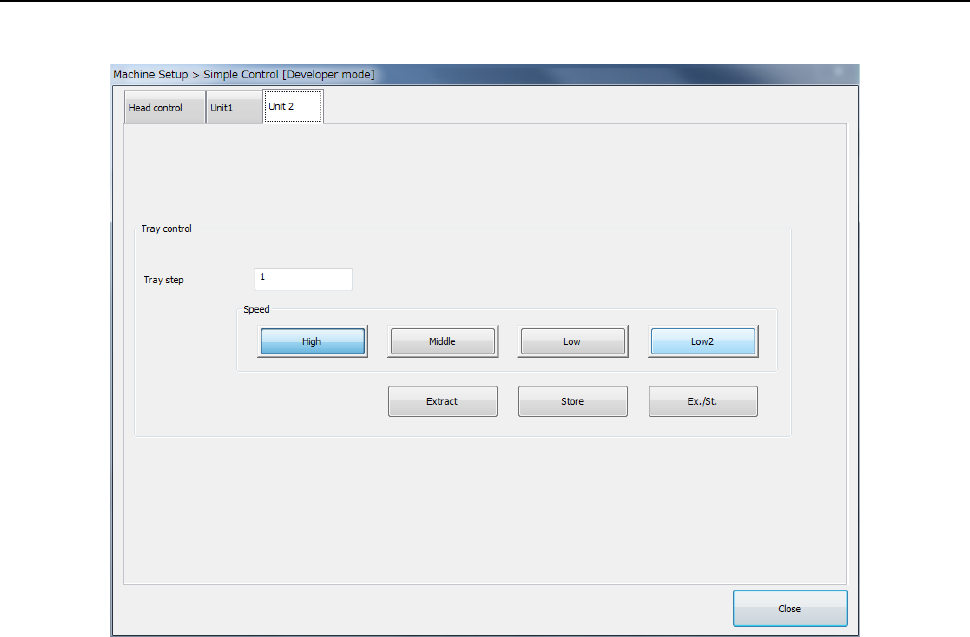
8.4.7 Unit 2
Controls the MTS tray.
When you select “Speed” of “Tray Control” and then press the <Extract> button, the tray can be
extracted at the selected speed.
(1) Tray step
Designates the tray step controlled.
(2) Speed
Designates the speed of tray extraction.
(3) Extraction
Executes tray extraction.