RS-1_instruction manual.pdf - 第982页
Part 2 D etaile d Descript ion of E ach Functi on Chapter 12 Handling th e Optional Device s 12 - 98 Select the “ Machine Set up” icon fr om the men u, and t hen the [Operat ion option] command to open the “Operat ion op…
Part 2 Detailed Description of Each Function Chapter 12 Handling the Optional Devices
12-97
12.14.5 Operation option
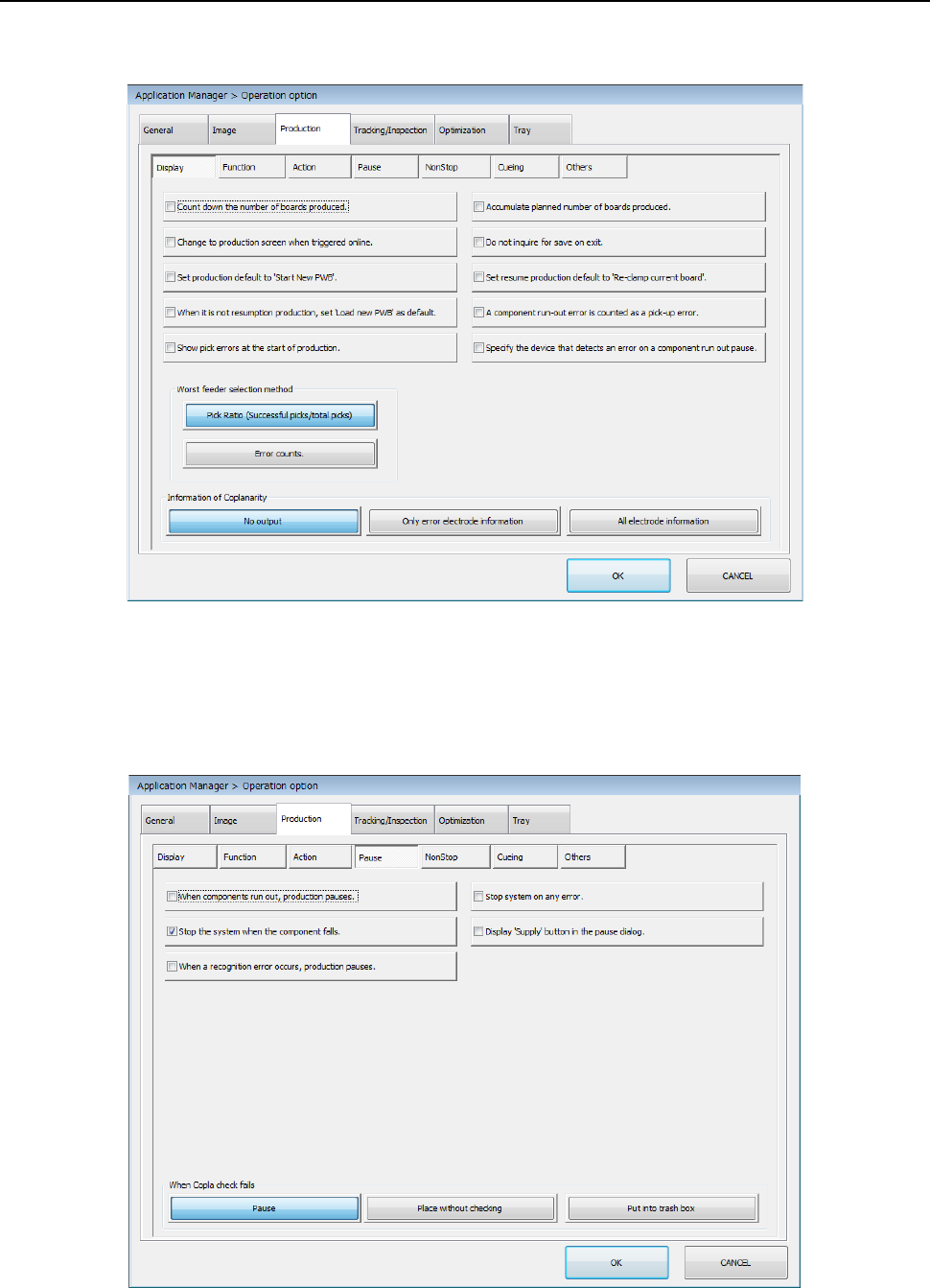
Select the “Machine Setup” icon from the menu, and then the [Operation option] command to open
the “Operation option” screen. Next, select the “Production” tab, and then the “Display” tab.
Make a setting of each item.
* See Section 7.4.1 “Display” for details.
Select the “Machine Setup” icon from the menu, and then the [Operation option] command to open
the “Operation option” screen. Next, select the “Production” tab, and then the “Pause” tab.
Make a setting of each item.
* See Section 7.4.4 “Pause” for details.
Part 2 Detailed Description of Each Function Chapter 12 Handling the Optional Devices
12-98
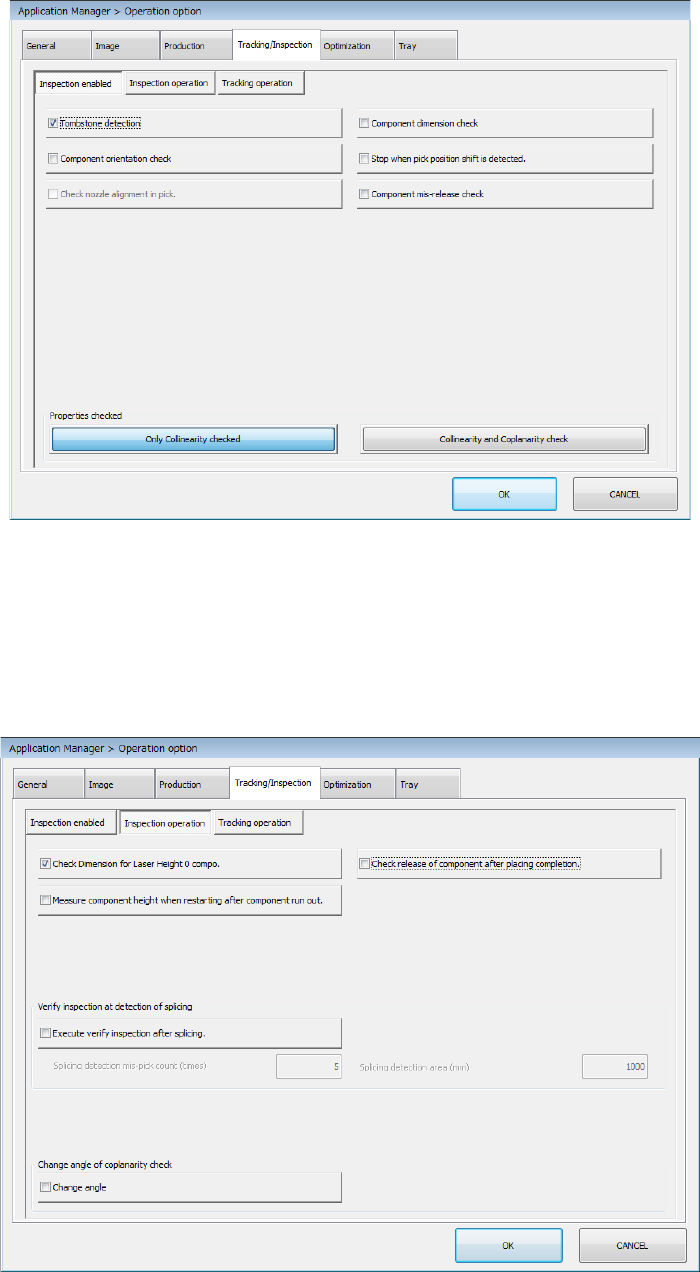
Select the “Machine Setup” icon from the menu, and then the [Operation option] command to open
the “Operation option” screen. Next, select the “Tracking/Inspection” tab, and then the “Inspection
enabled” tab.
Make a setting of each item.
* See Section 7.5.1 “Inspection enabled” for details.
Select the “Machine Setup” icon from the menu, and then the [Operation option] command to open
the “Operation option” screen. Next, select the “Tracking/Inspection” tab, and then the “Inspection
operation” tab.
Make a setting of each item.
* See Section 7.5.2 “Inspection operation” for details.
Part 2 Detailed Description of Each Function Chapter 12 Handling the Optional Devices
12-99
12.14.6 Data editing
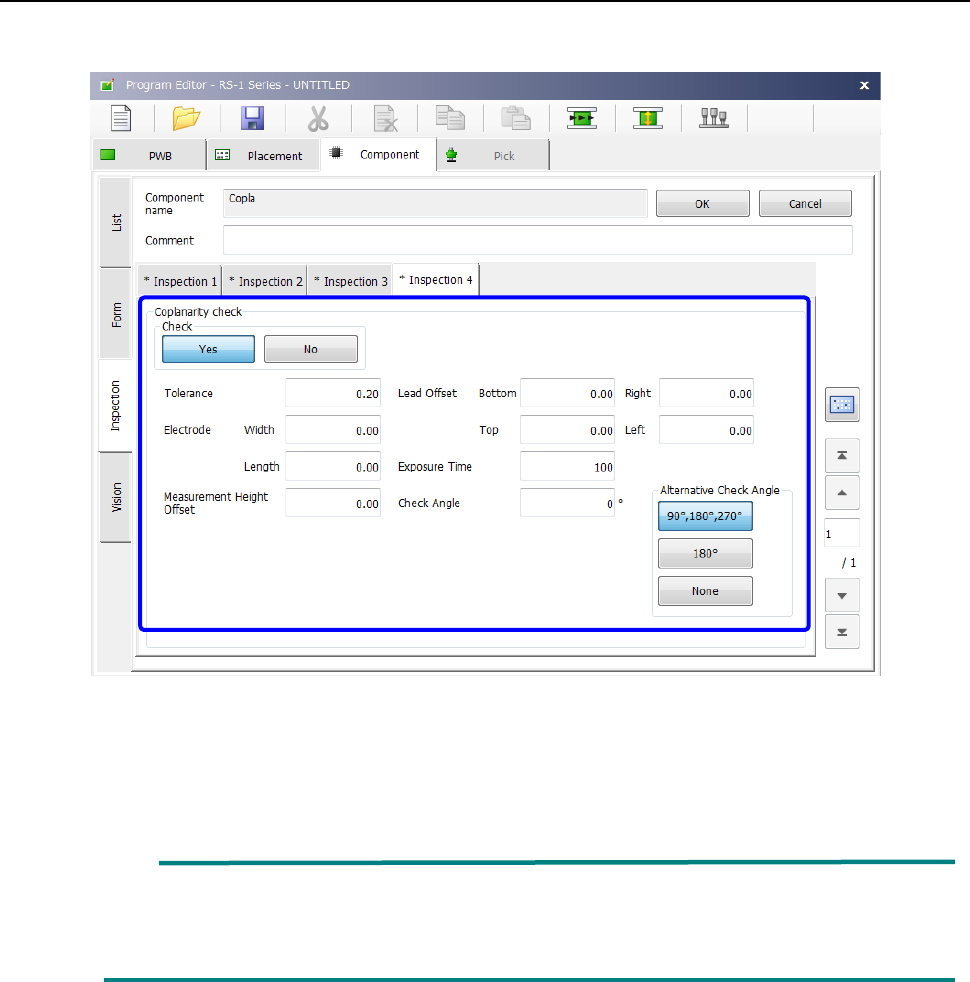
Start up the Program Editor, and then select the “Inspection 4” tab on the “Component” data screen.
Set the menu items displayed on the “Coplanarity check” column.
* See Section 4.3.5.2 (10) “Inspection 4” of Chapter 4 “Creating a Production Program” for
details of inspection.
When the lead width is less than 0.3 mm, enter the correct lead width and the correct
electrode size on the “Component” data screen. Or, the machine may not be able to
detect a terminal correctly. Be sure to enter the correct values.