RS-1_instruction manual.pdf - 第474页
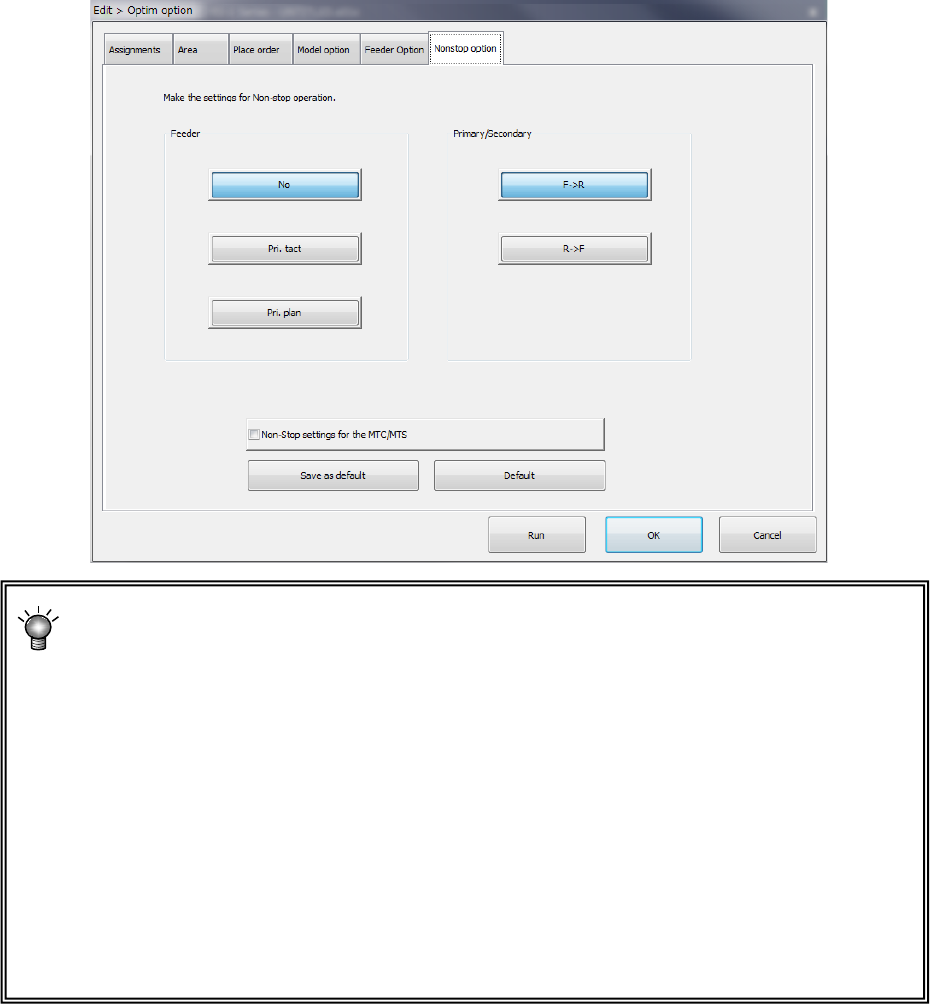
Part 1 B asic O peration Chapter 4 Cr eating a Produc tion Progra m 4- 139 1) Feeder (Non - st op product ion) a) No When you select th is button, the syst em do es not pe rform Non - stop o peration, so it m akes a diff…
Part 1 Basic Operation Chapter 4 Creating a Production Program
4-138
(6) Nonstop option (option to be set at the factory)
Only when the system is equipped with the “Non-stop option,” the settings on this tab are
enabled.
*Non-stop operation: this is a function for producing a PWB without stopping the
machine.
Example: When the front side is the primary side, set all feeders to be used for
production on the front feeder bank, and assign to the rear feeder bank the same type
feeders as those you set on the front feeder bank.
If you make such an assignment of feeders, components are automatically picked up
from a feeder on the rear side when components run out at a feeder on the front side.
Until an operator press the switch (for Non-stop operation) of the main unit, the machine
will never move to the front side, so that the operator can replenish the front side with
components during production. When the operator press the switch after replenishing
the feeder with components, the machine picks up components from the feeder bank on
the front side to continue the current production.
Part 1 Basic Operation Chapter 4 Creating a Production Program
4-139
1) Feeder (Non-stop production)
a) No
When you select this button, the system does not perform Non-stop operation, so it makes a
different feeder arrangement on the rear side from that of the front side.
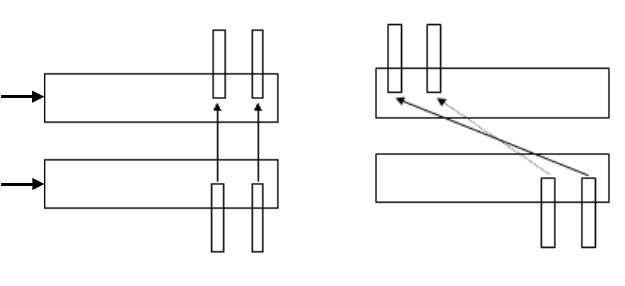
b) Pri. tact
The system assigns feeders on the front and rear banks so that the feeder layout on the
front side can be copied to the rear side symmetrically with respect to a line in order to
perform Non-stop operation.
c) Pri. plan
The system assigns feeders on the front and rear banks so that the feeder layout on the
front side can be copied to the rear side symmetrically with respect to each hole point in
order to perform Non-stop operation.
<Pri. tact> <Pri. plan>
R-52 R-56 R-1 R-5
F-52 F-56 F-52 F-56
2) Primary/Secondary
Specify which bank should be used mainly (as the main bank) during Non-stop production,
the front bank or the rear bank.
a) F -> R
The system produces a PWB with regarding the front bank as the reference bank, and
produces a PWB with using the rear bank when components are replaced.
b) R -> F
The system produces a PWB with regarding the rear bank as the reference bank, and
produces a PWB with using the front bank when components are replaced.
3) Non-Stop settings for the MTC/MTS
Specify whether to perform Non-stop operation when an MTC (TR6D) or an MTS (TR5D)
that supports Non-stop operation is used.
Rear
Front
Part 1 Basic Operation Chapter 4 Creating a Production Program
4-140
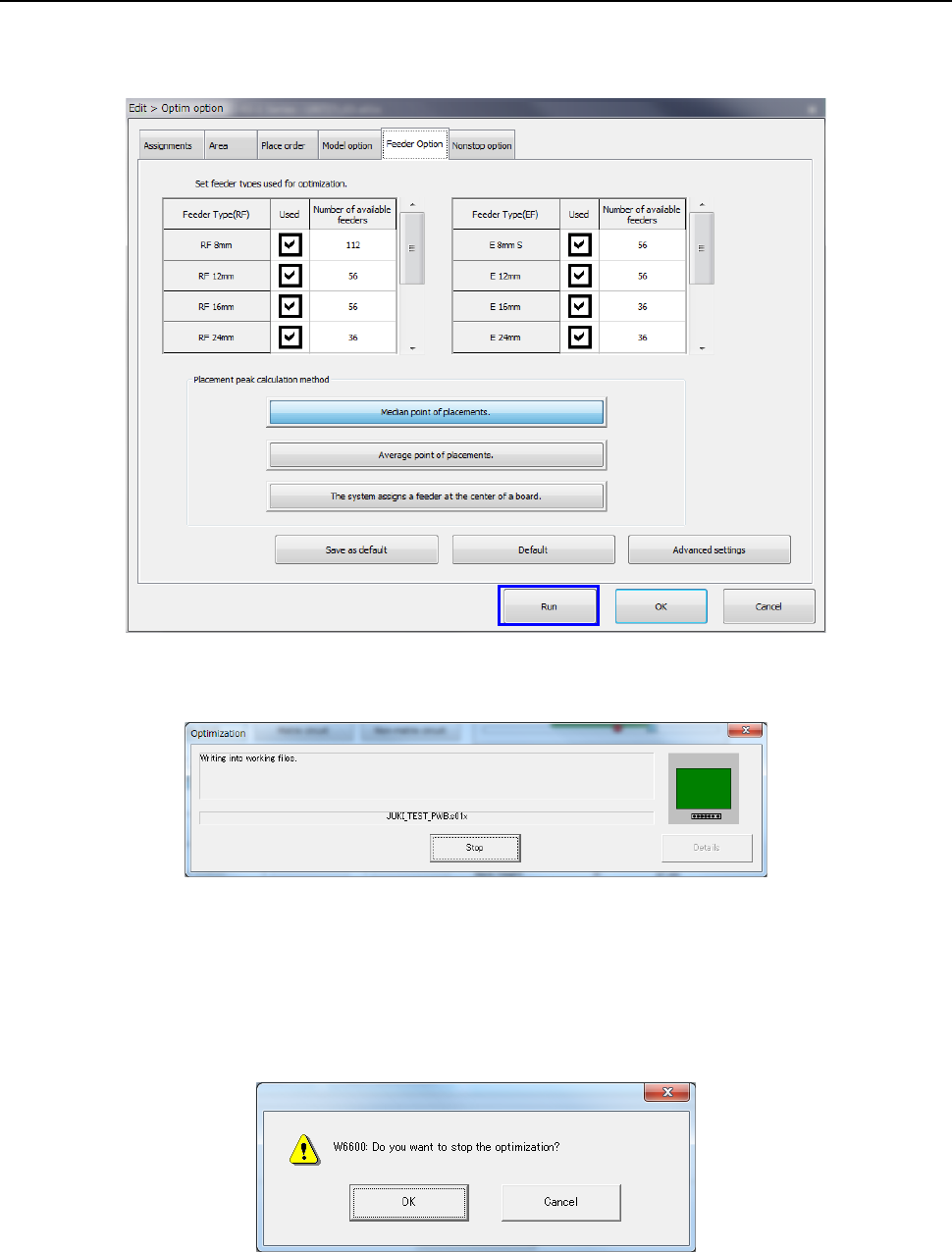
4.4.2 Executing the Optimization function
When you select the <Run> button on the “Optim option” (Optimization option) dialog box, the
optimization processing starts.
The following screen is displayed while optimization is executed.
When the system finishes the Optimization function normally, the “Optimization” screen
disappears.
If an error occurs during optimization, the corresponding error message appears on the screen.
When you select the <Stop> button during optimization, you can stop the optimization.
When you select the <Stop> button, the following confirmation message appears on the screen.