RS-1_instruction manual.pdf - 第1036页
Pa r t 2 D et ail ed Des c r i p ti on of Each Function C hapter 1 3 Supp l em en t ar y I nf o rm ati on f or C r eating a Production P rogra m 13 - 13 Af ter sp ecif ying the desti nati on, cl ick the b utton. The f ol…
Part 2 Detailed Description of Each Function Chapter 13 Supplementary Information for
Creating a Production Program
13-12
Process for saving a control data file onto the USB memory or other media 13.2.2
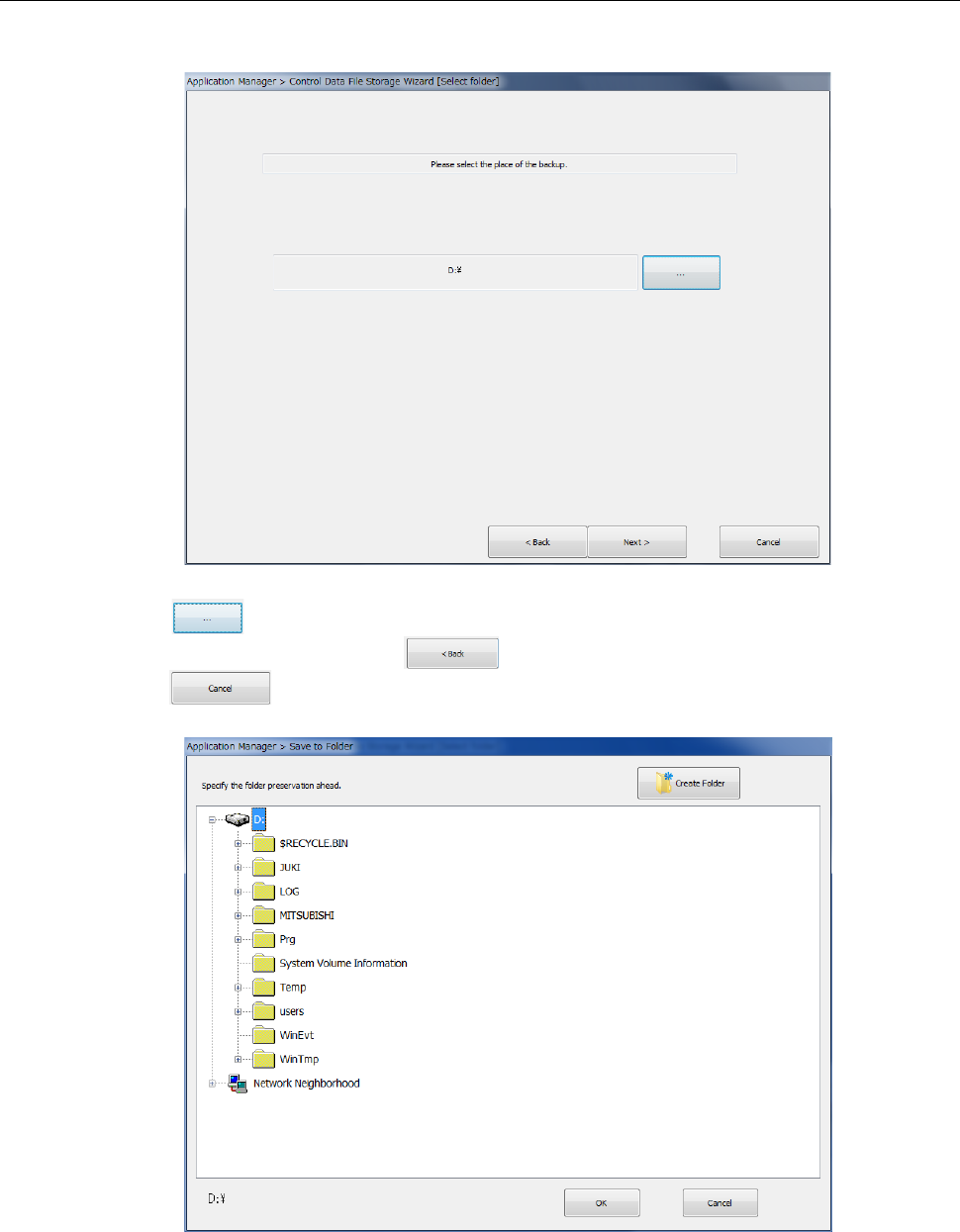
When you select <2.SSD ===> SSD or USB> (saving into the USB memory or the specified
folder on the hard disk), the following dialog appears.
Press the button to specify a folder under which you want to store the control data.
To change the operation, press the button. To abort the operation at this point,
press the button.
Part 2 Detailed Description of Each Function Chapter 13 Supplementary Information for
Creating a Production Program
13-13
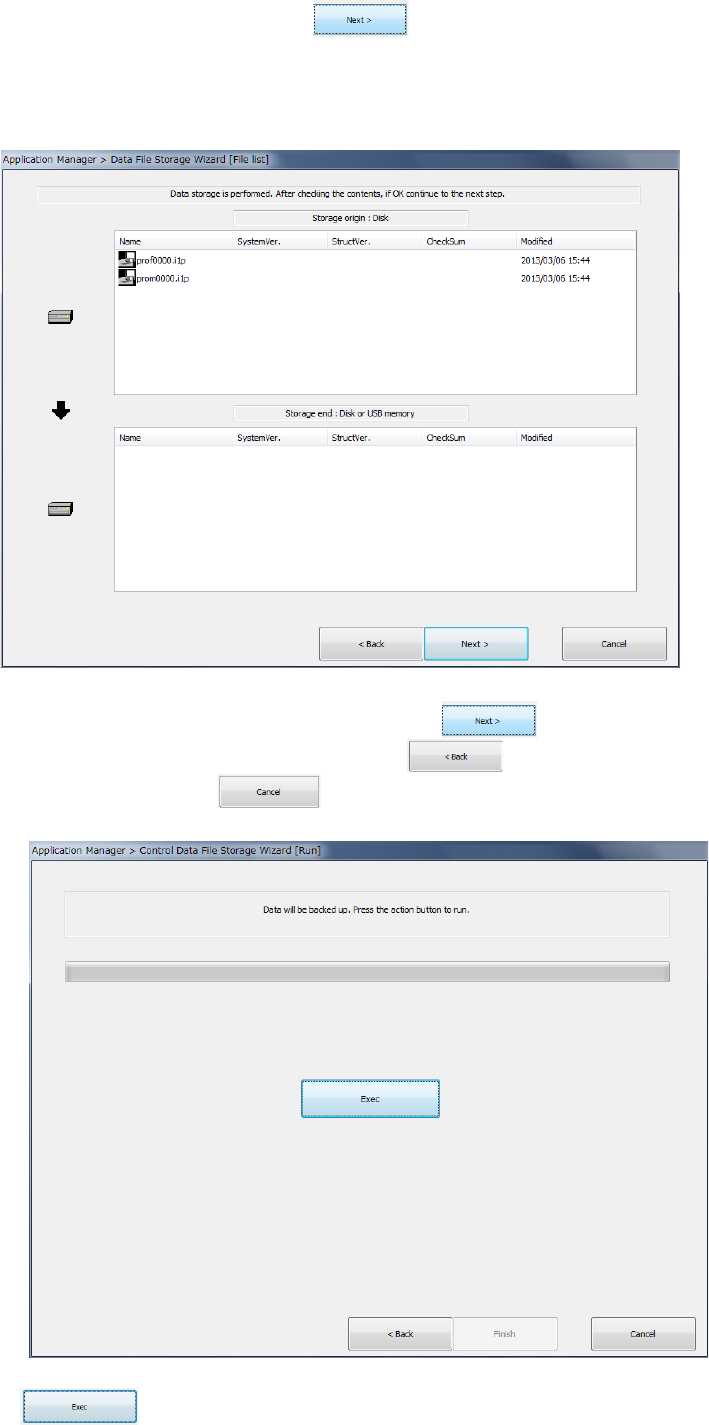
After specifying the destination, click the button. The following dialog box appears
on the screen.
(The screen shown below as an example indicates that control data will be saved on the hard
disk.)
After checking the data contents to be saved, click the button.
To change the operation to be performed, click the button.
To quit the operation, click the button.
Click the button to save the control data.
Part 2 Detailed Description of Each Function Chapter 13 Supplementary Information for
Creating a Production Program
13-14
Restoring control data from the flash memory 13.2.3
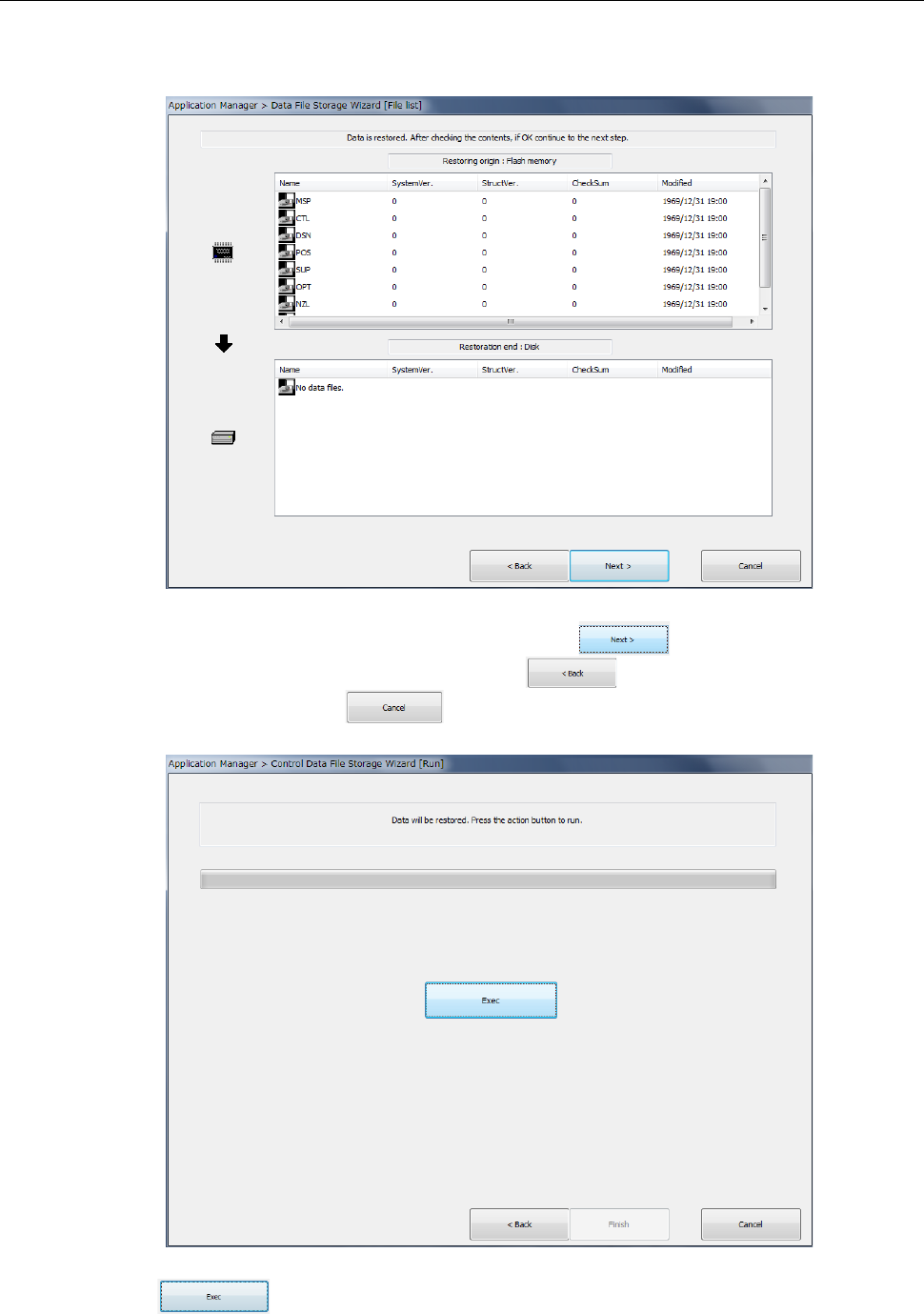
When you select <3.Flash ===> SSD (serviceman only)> (restoration from the flash memory of
the main unit), the following dialog appears.
After checking the data contents to be restored, click the button.
To change the operation to be performed, click the button.
To quit the operation, click the button.
Click the button to restore the control data.